Best Music Streaming App in 2026: Artist and Fan Picks
Compare the best music streaming app options on audio, artist payouts, fan tools and cost, with clear picks for listeners and independent artists.
October 29, 2026
Music Marketplace Advisor
Buying & SellingThe most popular advice about the best music streaming app starts with recommendations, catalog size, and a monthly fee. That's incomplete. A listener needs reliable access to music, a producer needs a trustworthy playback chain, and an independent artist needs a way to turn attention into income. No single app wins all three jobs.
Quick Picks and Why Streaming Scale Matters
Choose by your main goal, then verify the conditions that could disqualify an app. The following shortlist separates listening convenience from creator economics rather than pretending they're interchangeable.
Quick picks by goal and artist model
| App | Best for | Audio ceiling | Artist pricing and payout | Direct fan sales |
|---|---|---|---|---|
| Spotify | Everyday catalog and discovery evaluation | Established Premium specification discussed below | Subscription-led royalty model; verify distributor deductions | Verify current sales integrations |
| Apple Music | Evaluating wired lossless listening | Documented lossless specification discussed below | Service-priced access; verify rights-holder terms | Verify current artist sales options |
| YouTube Music | Testing access to video-associated and live versions | Confirm current plan specification | Verify subscription and advertising royalty terms | Confirm current commerce options |
| Amazon Music | Checking value within an existing service bundle | Confirm the exact subscription tier | Verify service pricing and distribution terms | Confirm current commerce options |
| Tidal | A candidate for fidelity-focused comparison | Verify current format and device support | Request applicable royalty and payout terms | Confirm current sales tools |
| Deezer | Testing playlist fit and local catalog availability | Verify current plan specification | Check applicable distribution and remuneration terms | Confirm current sales tools |
| OohYeah | Independent artists evaluating direct commerce | No verified lossless ceiling established | Artist-set pricing; commission-free marketplace model | Downloads, merchandise, subscriptions, and fan messaging |
These are use-case candidates, not a performance ranking. An unconfirmed specification isn't a negative score, but it shouldn't earn an app points either. For another consumer-oriented checklist, AccountShare's guide helps readers compare music streaming services for 2026; confirm changing plan details before purchasing.
Why paid access matters
According to IFPI's Global Music Report 2025, streaming generated $20.4 billion in 2024, represented 69.0% of recorded-music revenue, and exceeded $20 billion for the first time. The same report records paid subscription revenue growth of 9.5% and subscription-account user growth of 10.6% to 752 million worldwide, compared with 1.2% revenue growth for ad-supported streaming.
The implication isn't that every artist should launch another subscription. It's that paid digital access is established behavior. A mainstream service must make continued listening worthwhile, while a direct-commerce platform must give a supporter a reason to buy something beyond access to a catalog.
- Everyday listeners: Judge the availability of your actual albums, recommendation usefulness, and mobile reliability. Start with the mobile and annual-cost checks.
- Critical listeners: Evaluate the entire playback chain, not just a lossless badge. The audio comparison is the relevant filter.
- Artists and industry professionals: Examine net receipts, contractual control, and permission to contact supporters. Creator economics can reverse a listener-focused recommendation.
Audio Quality and Responsiveness Compared
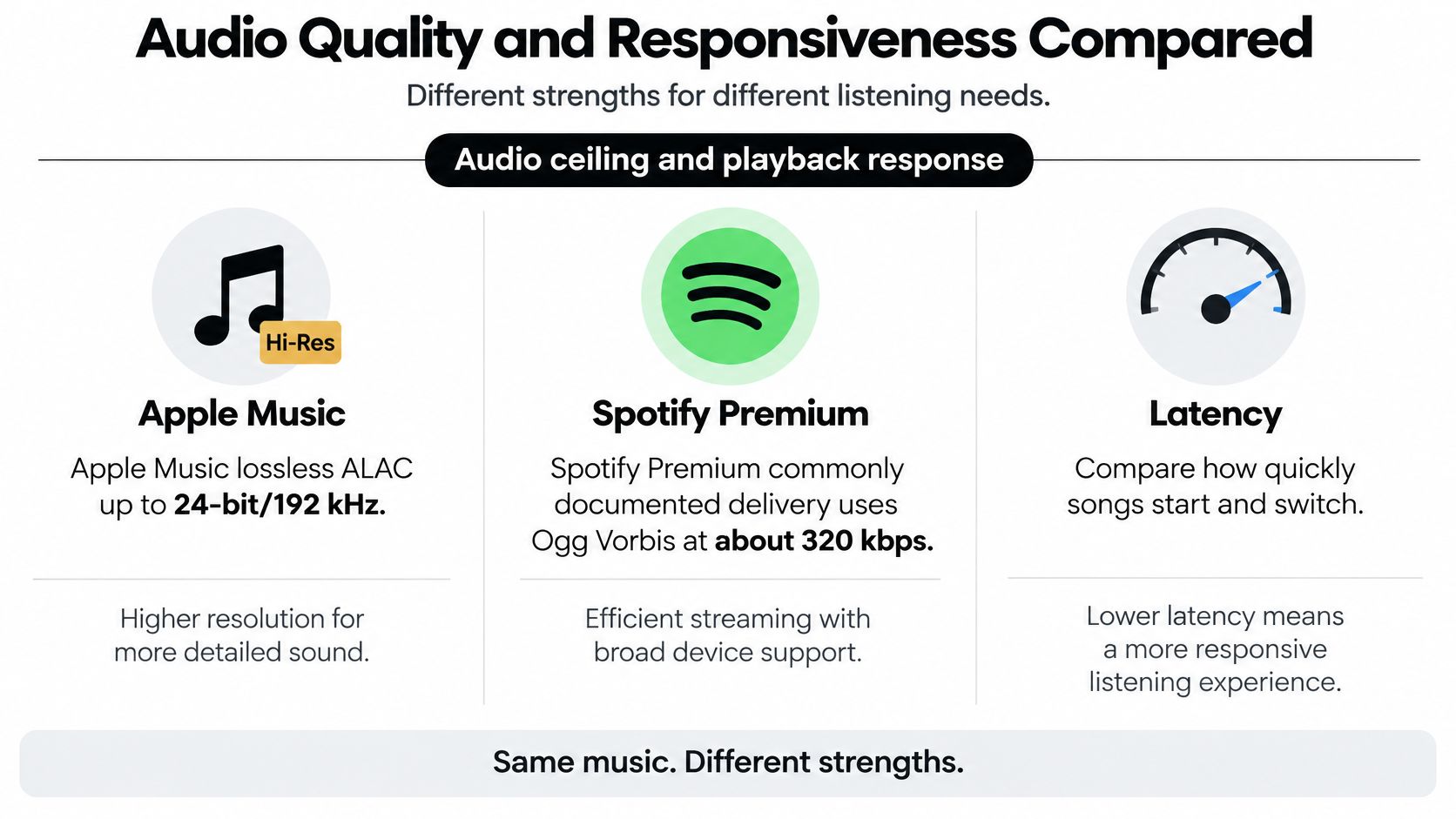
Start with the audio ceiling, then ask whether your equipment can use it. In its audio-quality comparison, Trusted Reviews documents Apple Music's lossless ALAC support up to 24-bit/192 kHz, compared with Spotify Premium's commonly documented established Ogg Vorbis delivery at about 320 kbps.
Those are documented specifications, not a guarantee that every current app version, plan, or output path behaves identically. Check the playback settings and current service documentation before treating an established specification as a live product audit.
The visual comparison summarizes the distinction between format capability and playback experience.
Audio ceiling by listening setup
| Setup | Audio ceiling | What limits it | Best use |
|---|---|---|---|
| Apple Music on wired output with a DAC | Service's supported lossless output | Source recording, output settings, and DAC capability | Critical listening and released-master checks |
| Spotify Premium on a standard phone | Selected service encoding setting | Encoding, phone output, and headphones | Everyday listening |
| Any app over Bluetooth earbuds | Negotiated wireless codec | Bluetooth transmission doesn't preserve the full high-resolution source | Commuting and casual listening |
| Any app on unstable cellular | Quality that the connection can sustain | Buffering, signal changes, and download settings | Prefer downloaded playback where supported |
A suitable digital-to-analog converter, or DAC, and wired connection make high-resolution playback actionable. Typical Bluetooth listening, including typical AirPods use, doesn't preserve the full high-resolution source described above. Buying a higher-resolution subscription without checking the output chain can therefore buy capability you never use.
For producers, a streaming release is useful for checking what listeners receive, but it shouldn't replace the local approved master. Confirm that you're comparing the same version, disable optional processing where possible, and match playback levels. A louder presentation can distract from differences in encoding or tonal balance.
Responsiveness deserves its own test
A technical study of Spotify's streaming architecture reported median playback latency of approximately 265 ms with prefetching, versus 390 ms without it, while observed stutter increased from 1.0% to 1.8% of track playbacks. These are study conditions, not a promise about current performance on your phone.
Use a stopwatch or screen recording to build a practical comparison:
- Time-to-first-audio: Start an uncached track and record the delay between tapping play and hearing sound.
- Resume latency: Pause, leave the app, then return and resume.
- Buffering ratio: Record time spent stalled relative to the listening session.
- Offline-start success: Fully close the app, disconnect, reopen it, and try a downloaded track.
Repeat under comparable Wi-Fi and cellular conditions. Keep the phone, headphones, track selection, and quality settings consistent.
Practical rule: Choose for the weakest part of your real listening setup, not the strongest specification on a product page.
A quiet room, capable wired equipment, and familiar recordings provide a useful environment for judging fidelity. On a noisy commute, reliable starts and uninterrupted playback may matter more.
Mobile and Web Features Compared
A service that works well at a desk can still fail your daily routine. Offline access, locked-screen playback, and browser behavior need separate checks. The available evidence doesn't establish current device limits, download caps, or expiry rules app by app, so assigning precise allowances would create false confidence.
Mobile and browser checks by app
| App | Mobile check | Web check |
|---|---|---|
| Spotify | Confirm download limits, reauthorization rules, and background controls | Test full playback and available quality settings |
| Apple Music | Check offline eligibility and output behavior on your phone | Confirm browser playback and actual output format |
| YouTube Music | Verify background and offline rights for the selected plan | Test required recordings and account restrictions |
| Amazon Music | Distinguish included access from the tier you intend to buy | Confirm on-demand playback under that tier |
| Tidal | Test downloads and your chosen external audio device | Check browser and format compatibility |
| Deezer | Test playlist downloads and locked-screen controls | Check library handling and playback continuity |
| OohYeah | Test messaging, artist analytics, and music or merchandise checkout | Repeat those tasks in a desktop browser; confirm feature parity |
For every candidate, obtain the actual device allowance, track allowance, and subscription-lapse rules before relying on downloads. Don't assume that a saved track is a permanently owned file.
Car and wearable compatibility also need a device-specific test. If you're replacing your dashboard hardware, Audio Jam Inc.’s guide can help you find the right touchscreen receiver, but confirm compatibility with your phone and chosen music app separately.
Run a pass-or-fail listening session
- Download a familiar playlist over Wi-Fi.
- Enable airplane mode and start playback from a fully closed app.
- Lock the phone, then test pause, resume, and track switching.
- Disable airplane mode and repeat the locked-screen checks on cellular, including somewhere with weak reception.
- Open the web player on your usual desktop browser and attempt the same everyday library tasks.
Record pass, fail, or not tested, along with the app version and subscription tier. A feature you haven't verified shouldn't decide the purchase.
Artist Revenue, Ownership and Fan Conversion
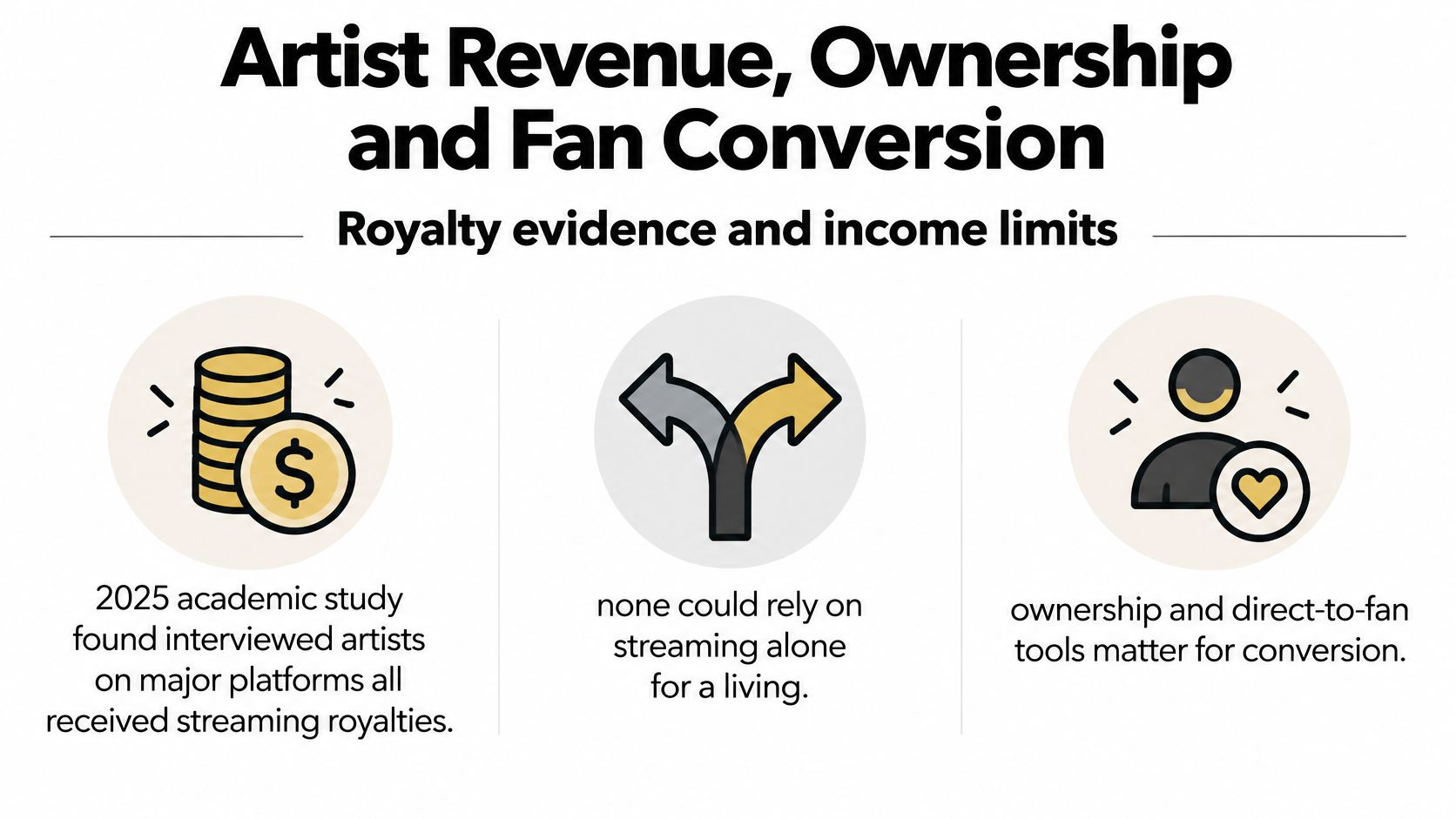
Royalty evidence changes the ranking. A 2025 academic study of artists' platform experiences found that the interviewed artists using major platforms received streaming royalties, but none could rely on streaming alone for a livelihood, with distribution fees and band splits among the pressures on earnings.
That finding describes the interviewed artists, not every musician. It nevertheless undermines a common shortcut: selecting an app solely because an estimated per-stream payment looks higher. Without comparable contract terms, listening territories, revenue definitions, and deductions, a headline rate doesn't tell an artist what reaches their bank account.
The creator comparison starts with what an artist can retain and control.
Creator criteria for mainstream and artist-first apps
| Criterion | Mainstream streaming app | Artist-first marketplace such as OohYeah | What to verify |
|---|---|---|---|
| Income sources | Royalties under applicable rights-holder agreements | Direct sales, subscriptions, and merchandise | Processing costs, refunds, fulfillment expenses, and net receipts |
| Price control | Service determines listener subscription pricing | Artist sets product or membership pricing | Whether prices can change without third-party approval |
| Fan contact and data | Access is restricted to the platform's available tools | Analytics and direct messaging | Consent rules, export rights, and ability to reach supporters |
| Payout transparency | Reconcile platform reporting with distributor or label statements | Inspect marketplace terms and payout documentation | Timing, thresholds, deductions, dispute procedures, and statements |
Commission-free doesn't automatically mean cost-free. Payment processing, taxes, shipping, returns, and production expenses still need investigation. Compare net proceeds after the costs applicable to your own products rather than treating gross sales as income.
Ownership also needs a contract-level definition. Retaining copyright, granting a distribution license, controlling a product price, and accessing customer information are different rights. Read the artist agreement with those questions in mind before uploading a release.
Measure the transition from discovery to support
A useful fan conversion is an observable action: a listener buys a download, orders merchandise, or joins a paid membership. A follow or playlist addition may be valuable, but it isn't interchangeable with a purchase.
Say an independent R&B artist gets attention from a playlist. The useful next offer might be an alternate version, a lyric booklet, or a merchandise preorder, provided the artist can fulfill it and holds the necessary rights. Fans who discover R&B artists through House of Lyrics still need a clear, artist-approved destination if they want to become supporters.
Track the journey without assuming every sale came from streaming. Use distinct campaign destinations where available, ask buyers how they found the release, and separate attributable purchases from unattributed sales.
- Revenue concentration: Check whether income comes from a broad supporter base or a small number of unusually large purchases.
- Payout clarity: Reconcile completed orders, refunds, deductions, and the amount deposited.
- Relationship portability: Establish what happens to your supporter access if you stop paying for the platform.
The best app for an independent artist may be a hybrid: mainstream streaming for discovery and an artist-controlled marketplace for income.
That's a strategy to test, not a promise that direct sales will outperform royalties for every artist.
Annual Cost and Subscription Overlap
Start with the yearly commitment, not the advertised monthly fee. The Global Streaming Study 2025 reported that respondents held an average of 3.0 streaming subscriptions, up from 2.8 in 2024, while more than one-third felt they were spending too much on streaming.
That finding concerns streaming subscriptions broadly. It doesn't establish how many music plans your household needs, but it supplies a useful question: are you paying for distinct benefits or repeated access to the same listening habit?
Compare complete purchase routes
A meaningful cost comparison needs the same country, billing period, eligibility, and household assumptions. Don't compare a discounted introductory offer with another service's ordinary renewal price.
| Purchase route | Include in the annual total | Main question |
|---|---|---|
| One primary music plan | Full renewal cost, applicable tax, required add-ons | Does it cover routine listening? |
| Primary plan plus artist purchases | Plan cost plus a deliberate purchase budget | Do the purchases offer something you want to keep or support? |
| Overlapping music subscriptions | Every recurring charge | Which exclusive benefit justifies each extra plan? |
| Music within a broader bundle | Incremental music cost and unavoidable bundle charges | Would you buy the other bundle benefits anyway? |
A bundle isn't automatically economical because music appears inside it. If you wouldn't otherwise purchase the surrounding services, include their cost in the decision. Conversely, an existing bundle can make a separate music subscription unnecessary if its included access meets your needs.
A household should also distinguish account access from simultaneous use. Verify who qualifies for a shared plan, how eligibility is checked, and whether everyone can use the required features.
Fill in the missing prices before choosing
- Country and currency: Record the local checkout price, taxes, and renewal currency.
- Household eligibility: Confirm who can join and whether the plan matches your living arrangements.
- Student offer: Enter the verified discount, eligibility conditions, and renewal rules. No discount amount is established here.
- Telecom bundle: Record the incremental charge and what happens when the promotion ends.
- Offline needs: Confirm that the chosen tier supports your travel routine.
- Artist purchases: Set a deliberate budget for independent or regional releases you actually want.
- OohYeah tier: Check the applicable price, billing period, and cancellation provisions in the subscription terms. No tier price is assumed here.
Value test: Keep an extra subscription only when you can name a benefit you use that your primary plan doesn't deliver.
The cheapest monthly option isn't necessarily the lowest-cost annual choice. Paying for fewer overlapping services can leave room for more intentional artist support without increasing the overall budget.
Situation Pairings and Your Next Steps
| Situation | Primary app | Second app or tool | Why this pairing works |
|---|---|---|---|
| Casual listener with broad taste | Spotify or YouTube Music, after catalog testing | None needed | Avoids paying for redundant everyday access |
| Producer or DJ checking masters | Apple Music with suitable wired output | Local approved reference files | Separates streamed-release checks from source-master evaluation |
| Independent artist selling directly | OohYeah | A mainstream discovery service | Separates customer transactions from audience acquisition |
| Music manager or promoter | Mainstream listening services | Artist relationship and commerce tools | Combines listening assessment with direct contact; verify tool-level access |
| Fan wanting exclusive releases | The artist's direct page | Mainstream everyday listening app | Gives each service a distinct purpose |
| Budget-limited listener | One qualifying paid plan | Deliberate purchases only when affordable | Limits recurring overlap |
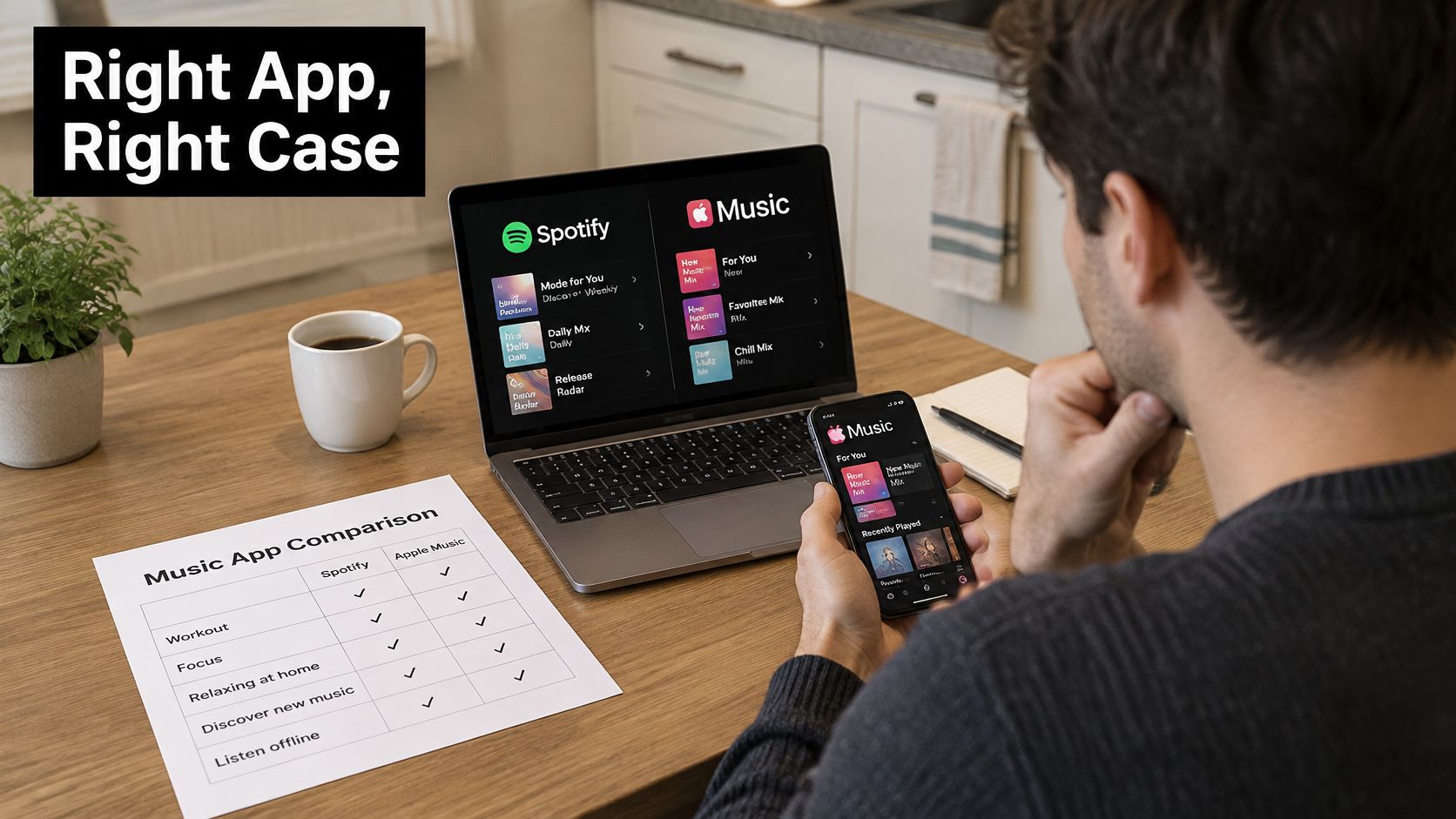
The practical decision is easier when you compare your phone, browser, and budget together.
Match the arrangement to the job
For a casual listener, say your week alternates between familiar albums, workout playlists, and live recordings. Test Spotify and YouTube Music against that list, then keep the one that gets you to the right recording with less effort. Accept that convenient mobile listening isn't the same task as evaluating a recording through a dedicated wired system.
A producer or DJ has a different priority. Say you're checking a newly released master before a set: use Apple Music as a release-checking candidate, but retain local approved references and verify the actual output settings. The trade-off is a more involved setup, so don't make a critical judgment from a distracted car session.
An independent artist might need to sell a release and its accompanying shirt while maintaining mainstream availability. Treat the sales page and discovery presence as separate functions, and include any applicable subscription charges in the release budget. More tools are justified only if the resulting net income or useful fan contact covers their cost.
Use professional and fan tools selectively
For a manager or promoter, say you're considering an emerging act for a showcase. Listen to the recordings, examine whatever authorized audience information is available, then confirm contact and commercial arrangements directly. Don't assume that an industry dashboard includes exportable analytics, booking management, or team permissions until those functions are demonstrated.
A fan seeking an exclusive release should first check whether the artist offers it and what the purchase includes. The fan information page is a starting point for understanding that experience, but the individual offer should determine the purchase. Budget-limited listeners can take the same approach without adding another recurring commitment.
For a supplementary viewing break, the following embedded video is available.
Make the decision measurable
- Choose a discovery app. Search your essential albums, regional recordings, and preferred versions. Reject a service that misses a must-have recording before comparing minor interface details.
- Reconcile creator income. Artists should separate streaming receipts, downloads, merchandise, and memberships over a consistent accounting period. Deduct the costs attached to each.
- Test one direct offer. List a release, merchandise item, or membership with clear deliverables. Confirm rights, checkout behavior, and fulfillment before promoting it.
- Run the playback checks. Record startup delay, interruptions, and offline-start results on the equipment and networks you use.
- Set a review date. Compare attributable supporter purchases, net receipts, and listening use. Cancel tools that duplicate another service without providing a distinct benefit.
For catalog-only listeners, one dependable mainstream app is enough. For critical listeners, prioritize verified output capability and local references. Artists should add direct commerce only when they can operate it consistently, while managers should purchase professional access only after checking the relevant permissions and functions.
The best music streaming app is therefore the one that passes your job-specific tests, not the one that accumulates the most unrelated features.
OohYeah offers artist-controlled pricing, commission-free music sales, merchandise, subscriptions, and direct fan communication alongside listening. Visit OohYeah to explore an artist's offer or test a direct release, then judge it by completed purchases, net receipts, and the relationships you can maintain.