How to Sell Music Stems Online: A Seller's Guide
Learn how to sell music stems online: clear your rights, export buyer-ready files, set license tiers, price stems and deliver them securely.
November 18, 2026
Music Marketplace Advisor
Buying & SellingYou've got a finished track, a clean session, and a folder of stems that sound great soloed. A buyer pays, downloads, drops your drums into a remix, and emails you three weeks later because the guitar loop contains a sample nobody cleared. The refund is the cheap part. The takedown notice on their release is the expensive one, and it lands on your reputation, not just their store page.
An audio file and a license are two different products. The file is the easy half. Anyone who can bounce a session can produce a folder of WAVs. What separates a pack that sells repeatedly from one that generates refunds is the paperwork and the ordering behind it, because a buyer isn't paying for drums and bass. They're paying for the right to use drums and bass in something they release.
That's what this guide fixes. It runs the full sequence for how to sell music stems online, from clearing the elements inside a stem to pricing tiers, listing, delivery and the records you keep afterwards.
The Six-Phase Stem Sales Workflow
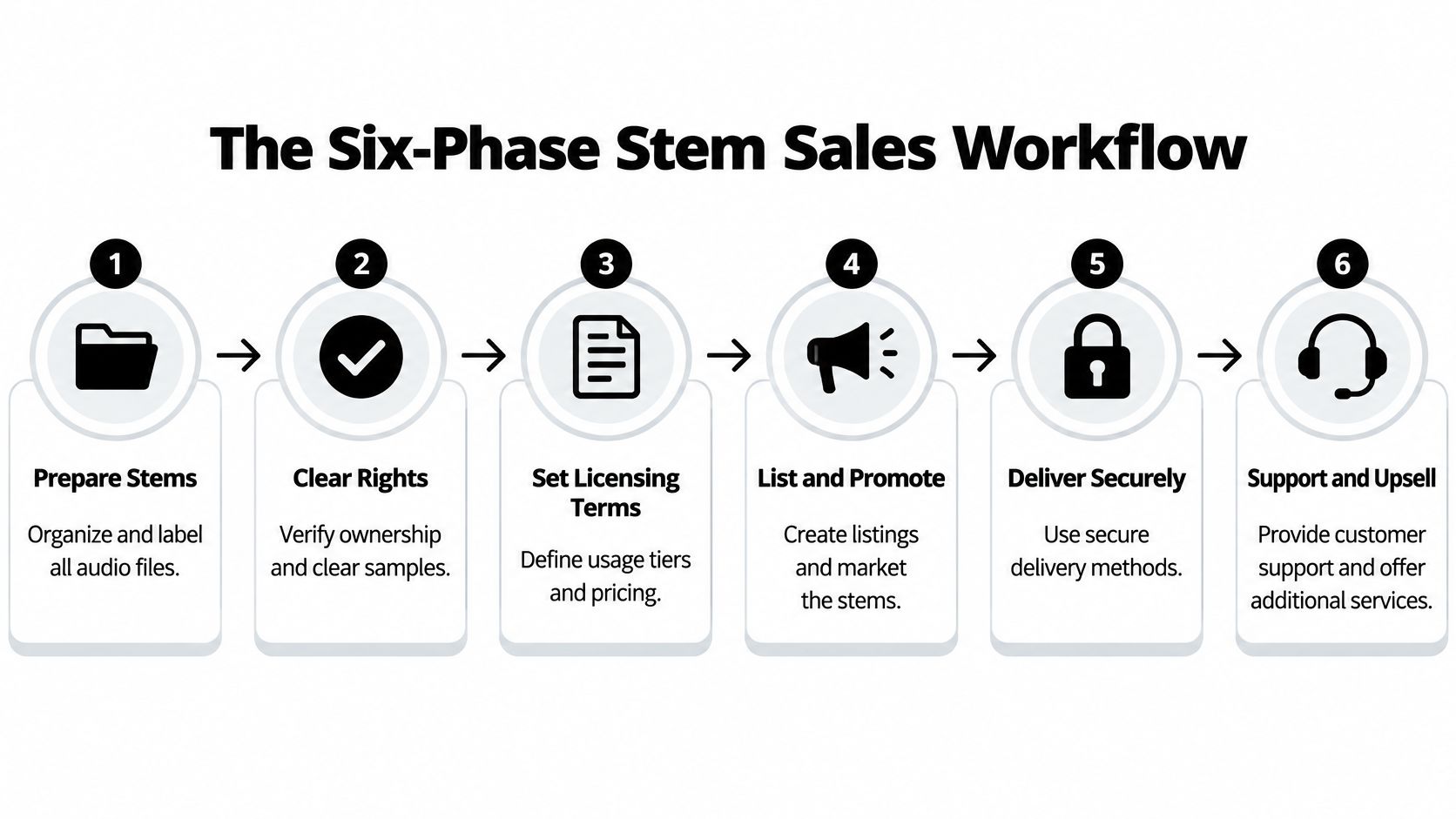
A buyer finds a stem pack, pays, and downloads it. If the files work but the rights are unclear, the sale can still lead to a takedown or a refund. A reliable workflow settles provenance before export, then carries that information through listing, delivery, and record-keeping.
The diagram shows the six phases in sequence, from clearance to post-sale support.
| Phase | Output | Common failure |
|---|---|---|
| 1. Inventory and clear rights | Clearance ledger for every element | Uncleared sample or feature blocks commercial use |
| 2. Export buyer-ready package | Lossless WAV set with README | Mismatched start points or MP3 exports |
| 3. Define license tiers | Written license summary | Vague wording, such as “royalty-free,” without a defined scope |
| 4. Price and list | Product page with preview and tier prices | Long, low-quality previews that obscure the mix |
| 5. Deliver securely | Authenticated download and receipt | Unverified files or no delivery record |
| 6. Archive records | Agreement, invoice, and delivery log | No proof available when a dispute arises |
Phase 1 output: a ledger that identifies each contributor and third-party element, with the release or license covering it. Failure to avoid: exporting before you know whether every part can be sold. Check: can you match every entry to its supporting document?
Phase 2 output: a package prepared for buyers. Failure to avoid: files that are difficult to import or compare. Check: confirm that the exports match the approved session and package contents. The next section covers the file specifications.
Phase 3 output: license terms that state what each tier permits. Failure to avoid: language that leaves commercial use or restrictions open to interpretation. Check: make sure the written summary matches the rights you hold.
Phase 4 output: a product page with a preview and clearly stated prices. Failure to avoid: a preview that conceals the sound or a listing that omits the tier differences. Check: listen to the preview and review the page as a buyer would.
Phase 5 output: a working download and purchase record. Failure to avoid: delivering a file without confirming that it opens or preserving evidence of the transaction. Check: test the download and retain its receipt.
Phase 6 output: an archive containing the agreement, invoice, and delivery log. Failure to avoid: relying on memory when a customer asks what they purchased. Check: confirm that the records connect the buyer, license, and delivered package.
The license template and archive structure can be prepared once, then reused and updated for each release. Exports, prices, listings, and delivery require a fresh check for every pack. Use the OohYeah seller guide when setting up to sell through the platform.
Each phase has a decision gate: if its check fails, fix the issue before proceeding. That order keeps a clean export from masking an unresolved rights problem.
Export a Buyer-Ready Stem Package
Buyers judge a pack within moments of opening it. Mismatched start points, confusing filenames or lossy MP3 exports make the whole delivery harder to trust and can lead to refund requests. A consistent export takes time to prepare, but prevents avoidable file problems.
| File element | Required setting | Why it matters |
|---|---|---|
| Format | Broadcast WAV, 24-bit WAV or AIFF | Lossless files preserve detail for mixing |
| Sample rate | Native session rate, usually 44.1 or 48 kHz | Avoids unnecessary upsampling |
| Start point | Bar 1 Beat 1 or 00:00:00:00 on every file | Stems line up when imported together |
| Headroom | Roughly 3 to 6 dB per stem | Leaves room for buyers to mix without clipping |
| Naming | Numbered and descriptive, for example 01_Drums_Full.wav | Makes files easy to identify |
| Version labels | Dry, wet, alternate, instrumental, backing vocal | Distinguishes versions clearly |
| README.txt | BPM, key, sample rate, bit depth, start time, license ID | Gives buyers the technical details and license reference |
| Verification | Blank-session null check against approved mix; checksum on package | Helps catch timing, polarity and corrupt-file errors |
These settings align with the stem delivery guidelines for music production and support reliable import into DAWs and post-production workflows.
The export procedure
- Bounce from one start point. Set every stem to Bar 1 Beat 1 or 00:00:00:00, then print from there. When a buyer imports the files at zero, they should line up with the approved mix.
- Name files so they sort correctly. Use
01_Drums_Full.wav,02_Bass.wav, and03_Vocal_Lead_Dry.wav. Put the number first, followed by the part and version. - Label every version explicitly. Give dry and wet prints, alternate takes, music-only mixes and backing vocals distinct filenames. Clear labels help prevent buyers from choosing the wrong file.
- Write the README.txt. Include the artist, title, BPM, key, sample rate, bit depth, start time, stem inventory, contact address and license ID.
- Run the null check. Import every stem into a blank session at unity gain, sum them without processing, and compare the result with the approved mix. A mismatch can point to an export, timing or processing error.
- Create a low-resolution preview. Use it for discovery, and deliver the licensed files through authenticated downloads with checksum or package verification.
When the null check fails
Work backward from what you hear. If the stems sound thin or hollow against the mix, check polarity on individual stems. If the sum cancels, look for a stem printed with a latency-inducing plugin in its chain. If one file starts early or late, check its start point. Re-bounce the affected file and run the null check again.
Avoid aggressive master-bus limiting on individual stems. Keep the session's native sample rate instead of upsampling a 44.1 kHz session to 48 kHz. The goal is an accurate, aligned package, not a higher number on the export settings.
Clear Your Rights Before You List
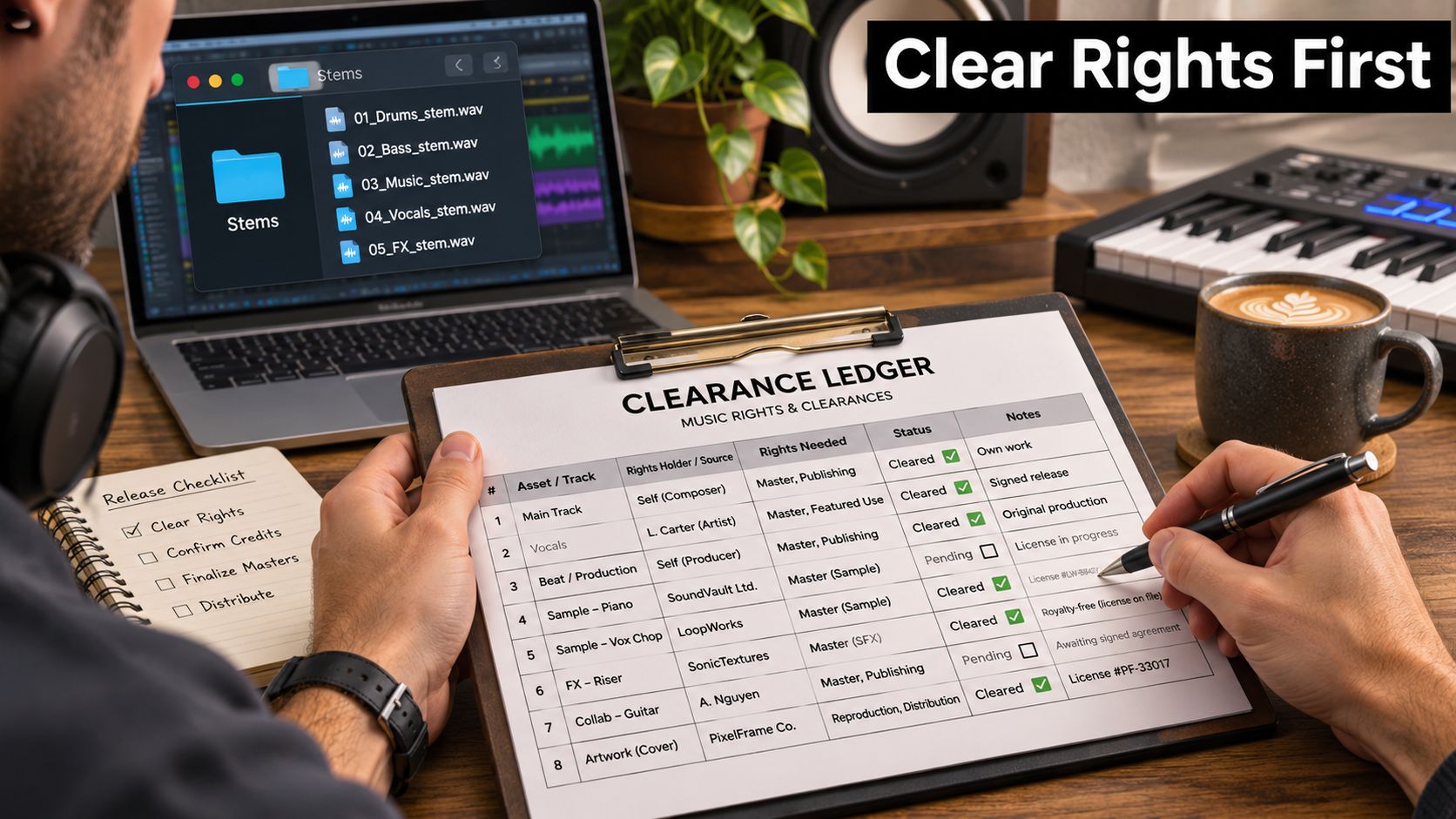
A buyer pays for files and permission to use them. If a sample, performer, or co-writer has not cleared that use, a polished stem pack can still become a dispute. Settle rights and provenance before the first export, and keep a clearance ledger for the recording, composition, samples, loops, beats, performers, contractors, and any AI-assisted material. Record the relevant license, approval, assignment, or removal decision for each item, using the music licensing guidance for independent sellers as a reference.
Six steps that make a stem sellable
Inventory contributors and third-party assets. Name each contributor and identify every borrowed sound, including short vocal chops or loops that may be easy to overlook.
Output: a complete asset and contributor list. Failure to avoid: treating a purchased sample as automatically cleared for every use. Check: match each sound to its license terms.Confirm master and composition ownership. The recording and the underlying song are separate rights, and ownership can differ.
Output: a record of who controls each right. Failure to avoid: assuming control of the audio file means control of the composition. Check: confirm ownership and permissions with the relevant parties.Obtain signed contributor releases. A featured performer or session player may have rights that affect a commercial release.
Output: signed agreements for contributors. Failure to avoid: relying on a verbal okay. Check: confirm each agreement covers the intended sale and uses.Separate included files from granted permissions. A stem purchase does not, by itself, explain what a buyer may do with the stems.
Output: a clear record of included files and permitted uses. Failure to avoid: leaving remix, sync, or redistribution rights ambiguous. Check: make sure your terms match the permissions you hold.Write a searchable license summary for checkout. Buyers need to understand the terms before they pay.
Output: a concise summary of permitted and excluded uses. Failure to avoid: vague wording that invites different interpretations. Check: read it as a buyer deciding whether the pack fits a project.Archive the paperwork with the sale. Keep agreements, invoices, payment records, and the delivered package together.
Output: one organized record for the transaction. Failure to avoid: separating rights documents from the product they cover. Check: confirm the folder identifies the release and its contributors.
AI-assisted material needs its own clearance review. For a further perspective on creator licensing, see AIMVG's licensing advice for creators.
Metadata has to match everywhere
Inconsistent registrations and listings can send payments to the wrong party or trigger disputes. Keep the title, writers, publishers, split percentages, ISRC, ISWC where available, PRO affiliation, master owner, featured artists, producer credits, and alternate titles consistent across destinations.
ISRC identifies the sound recording. ISWC identifies the underlying composition. Mixing them up can misdirect payments and create a dispute.
OohYeah's FAQ and support resources can help you check how your listing describes what a buyer receives.
Pre-listing checklist: ledger complete and archived; master and composition ownership confirmed; contributor releases signed; license summary clear; metadata matched; export specifications verified. Run the checklist for each release before listing. Clearance should be settled before export, not patched after a buyer asks who owns a sound.
Set License Tiers and Prices
A single "buy the stems" button leaves money on the table and creates arguments. Four buyers want four different things: the producer making a private demo, the artist releasing on streaming, the remixer, and the sync supervisor placing a cue in a game. Each needs a different permission, and each will pay a different price for it.
| Tier | Permitted use | Excluded use |
|---|---|---|
| Private use | Demos, practice, personal projects | Any release, sync or resale |
| Commercial release | Distributed songs on streaming and stores under the buyer's name | Resale of the stems or sample-library redistribution |
| Remix | Remixes and edits released commercially | Redistributing the original stems as a pack |
| Sync | Use in film, advertising or games | Use outside the licensed media, term or territory |
The market has already taught this lesson in the United States, where digitally downloaded music revenue fell 18% to US$336 million in 2024, just 2% of total U.S. recorded-music revenue, down from a peak share of 43% in 2012, according to the RIAA's 2024 year-end revenue report. Access and usage rights are what people pay for now, not isolated files. Paid subscription accounts reached 752 million globally in 2024, a 10.6% rise year on year, per IFPI's global revenue figures, which is why membership options work as an add-on rather than a gimmick.
Build the price ladder in four moves
- Set the private-use price as the entry point. Low enough to be an impulse buy, high enough that it isn't noise.
- Price commercial release above it. This tier covers distribution to streaming and stores, and it's the one most serious buyers need.
- Price remix and sync above commercial release. They add derivative-work and media rights, and sync buyers are pricing against a production budget, not a download.
- Mark every tier exclusive or non-exclusive. Price exclusivity as a buyout, not as a slightly higher license, because you're selling the future earnings of that asset.
Define territory, term, media, attribution and whether the buyer may register the release with Content ID or place the stems into a sample library. Those four clauses end most arguments before they start. Recurring options such as monthly stem drops, project files or production tutorials give subscribers a reason to stay, though they only make sense if you're releasing on a schedule.
The exclusivity rule: only offer an exclusive buyout when the price exceeds what the stem would earn across non-exclusive sales over its realistic selling life. Most packs sell hardest in the first quarter, so do that math before you sign anything away permanently.
List, Promote and Deliver Stems Securely
A listing has one job beyond describing the audio: it has to answer the buyer's unspoken question, which is whether they can use this legally and defend that use later. That's where provenance becomes a selling feature instead of a compliance chore.
Legal guidance for artists now points toward stems, session files and version histories as evidence of human authorship and chain of title, especially for anyone working with generative tools. Purely AI-generated expressive material may not be protectable, while original human selection, arrangement, performance and modification can be protectable on a fact-specific basis, as the artist's legal guide from Arnall Golden Gregory sets out.
That nuance kills the lazy "AI-free" badge. A transparent label makes a stem more usable for remixers, sync buyers and labels, while a hidden compliance problem is a refund waiting to happen.
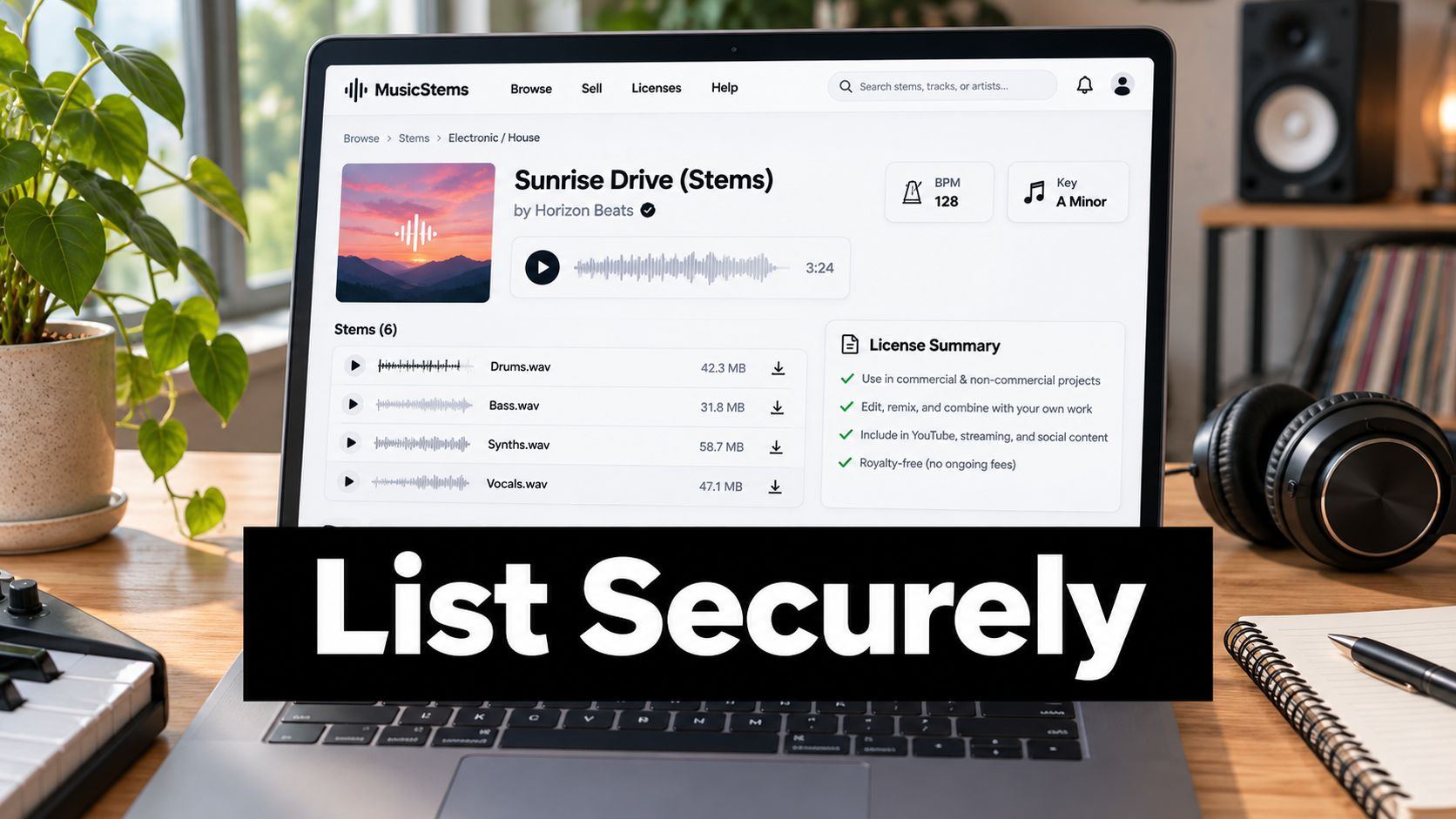
What the listing page needs
- A title that names the stem type, plus BPM and key, so search returns it.
- Tier options with prices visible, so buyers self-select instead of emailing you.
- A short preview that shows the mix, not a fragment. Long, low-quality previews hide the record and invite refunds.
- Standard provenance fields: human-performed, AI-assisted, third-party sample used, synthetic voice present, or no known restrictions, alongside permitted commercial uses and exclusions.
- A readable license summary that a non-lawyer can scan in thirty seconds.
Publishing standards matter as much as the page itself. The OohYeah seller standards describe what a compliant listing looks like in practice.
Promotion that reaches actual buyers
Send previews to remixers and producer communities first. Those are the people who understand what a stem pack is worth and will pay for a clean one. Use a fan list for early access drops, so the pack sells before your feed audience has scrolled past it. Short clips of the stem in use travel further on social than any product page, and how to start selling on Instagram covers the mechanics of converting that attention. Track which tier sells, because if everyone buys commercial release and nobody touches private use, your entry price is wrong.
Delivery closes the loop. Authenticated downloads, a receipt carrying the license ID, and a version history included in the transaction. When a buyer needs to prove chain of title two years later for a sync deal, that record is the reason they come back for the next pack.
Confirm Your Rights and List Your First Stem Pack
One finished track, one pack, this week. Pick the release you're least likely to overthink, run the clearance ledger against every element inside its stems, and export a single pack to the spec covered earlier. Write two license tiers to start, private use and commercial release, with the permissions spelled out in plain language. Add provenance fields, publish a preview and keep the agreement plus the delivery log in one folder.
That's a complete first listing, and it's more than most sellers manage because most of them start at the price field.
Rights and files come before price. A cheap pack that can't be cleared commercially is worth nothing to the buyer who needs it, and it's a liability to you the moment they release something with it.
OohYeah's seller flow is deliberately short: create a profile, list what you sell, connect directly with customers and industry contacts, and keep what you earn. Artists keep 100% of eligible sales, minus payment processing, and the same marketplace supports digital downloads and packs, merchandise, subscriptions, exclusives, instruments and pro audio gear, plus services such as mixing and mastering if you'd rather sell the skill than the stems. Read the terms before you list, then get the first pack live.
OohYeah is built for exactly this sale: a storefront where you list a stem pack or a sample library, set your own tiers and prices, deliver files directly, and keep 100% of eligible sales, minus payment processing. You've already done the hard part by clearing the rights and exporting a package a buyer can open, so put that work in front of people looking for it. Create your seller profile at OohYeah and publish the first pack this week.