How to Promote a Music Event: A Step-by-Step Plan
Learn how to promote a music event with ticket-target math, a 4-6 month timeline, social and email sequences, partner outreach and accessibility details.

October 25, 2026
Music Marketplace Advisor
Buying & SellingYou've booked the room, confirmed the lineup, and set a date you're now committed to. Then someone asks the only question that matters: how are you going to fill it? Posting a flyer and hoping for reach isn't an answer.
Learning how to promote a music event starts with arithmetic, not aesthetics. You need a ticket target, a working measurement system, and a sequence of messages timed to when people decide. Do those three things well, and every other channel choice gets easier to judge.
Work Backwards From Your Ticket Target
A campaign can fill the calendar with posts and still miss its sales goal. Set the ticket target first, then calculate the orders, clicks, and spend required to reach it. That turns promotion into a working sales model, not a list of activities.
For example, a 500-ticket target and an estimate of 2.7 tickets per order produce about 185 orders. The 2.7-ticket estimate comes from one vendor's funnel planning model. Treat it as a starting assumption, then replace it with your own order data.
The Arithmetic in Order
- Set the ticket target: In this example, the campaign needs to sell 500 tickets.
- Calculate orders needed: Divide the ticket target by your expected tickets per order.
- Calculate unique clicks: Divide the number of orders by your landing page conversion rate.
- Add a contingency: Multiply unique clicks by your contingency factor, 1.25 in this example, to account for incomplete and low-quality traffic.
- Price the clicks: Multiply total clicks by the cost per click from your first test ads.
| Step | Input | Result for 500 tickets |
|---|---|---|
| Ticket target | 500 tickets sold | 500 tickets |
| Orders needed | 2.7 tickets per order | about 185 orders |
| Unique clicks needed | 2% landing page conversion | about 9,259 clicks |
| Total clicks with buffer | 1.25 contingency factor | about 11,574 clicks |
| Campaign budget | your cost per click | total clicks multiplied by your cost per click |
The 2% conversion rate and 1.25 contingency factor are assumptions in that vendor's planning model, not established industry benchmarks. Applying them to the order estimate gives about 9,259 unique clicks and roughly 11,574 total clicks. Use them to draft a budget, then update the model with your own conversion and traffic results. The sooner actual checkout data replaces assumptions, the more useful the forecast becomes.
Break sales out by artist, geography, creative, and referral source. Shift spend toward the lowest cost per completed purchase, rather than the highest engagement. A post can attract likes without producing checkout activity, and likes alone will not close the gap to your target.
Search deserves a place in the channel mix alongside social. One vendor planning model points to search as a way fans discover concert tickets, but its cited analysis does not identify an original study for the specific share it reports. Make the event name, date, and venue clear on pages people can find through search, and judge the channel by the sales it delivers.
Common mistakes include optimizing for impressions instead of checkout, blending paid and organic sales into one total, and launching before you can estimate acquisition cost. Each one makes it harder to see whether the campaign is on pace or which spend to change.
Practical rule: Work from the ticket target to the required clicks and budget. Sales are the starting point for the arithmetic.
Switch On Tracking and Test the Ticket Path Before Launch
Tracking isn't admin you add after the announce. It's the condition that makes every later decision defensible. I learned this the expensive way on campaigns where sales came in, but nobody could prove which partner or post produced them.
Run This Checklist First
- Install platform pixels: Put them on the ticket page and confirm they fire on a test visit.
- Create unique tracking links: Give every channel, partner, and creative variant its own link.
- Test the mobile ticket path: Buy a test ticket on your phone, check payment confirmation, and read the confirmation email.
- Assign reminder owners: Set the send schedule and name one person responsible for each send.
- Build one dashboard: Track views, link visits, ticket conversions, and shares side by side, using OohYeah promotional tools and analytics alongside your other sources where relevant.
If the checkout breaks on mobile, your best creative just sends people to a dead end. If links aren't tagged, a sale is just a sale, with no source attached. You can't reallocate spend intelligently from that position.
Use a simple decision rule. If you can't name the source of your last ten sales, don't spend the next budget until tracking is fixed.
How to Run a Pre-Event Campaign in Five Stages
A festival campaign needs more than one announce to fill a room. Eventbrite analysis found 46% of discussion about music festivals occurred before the event began across a year of conversations around popular events. Work backward from your ticket target: each stage should give a defined audience a reason and a clear route to buy.
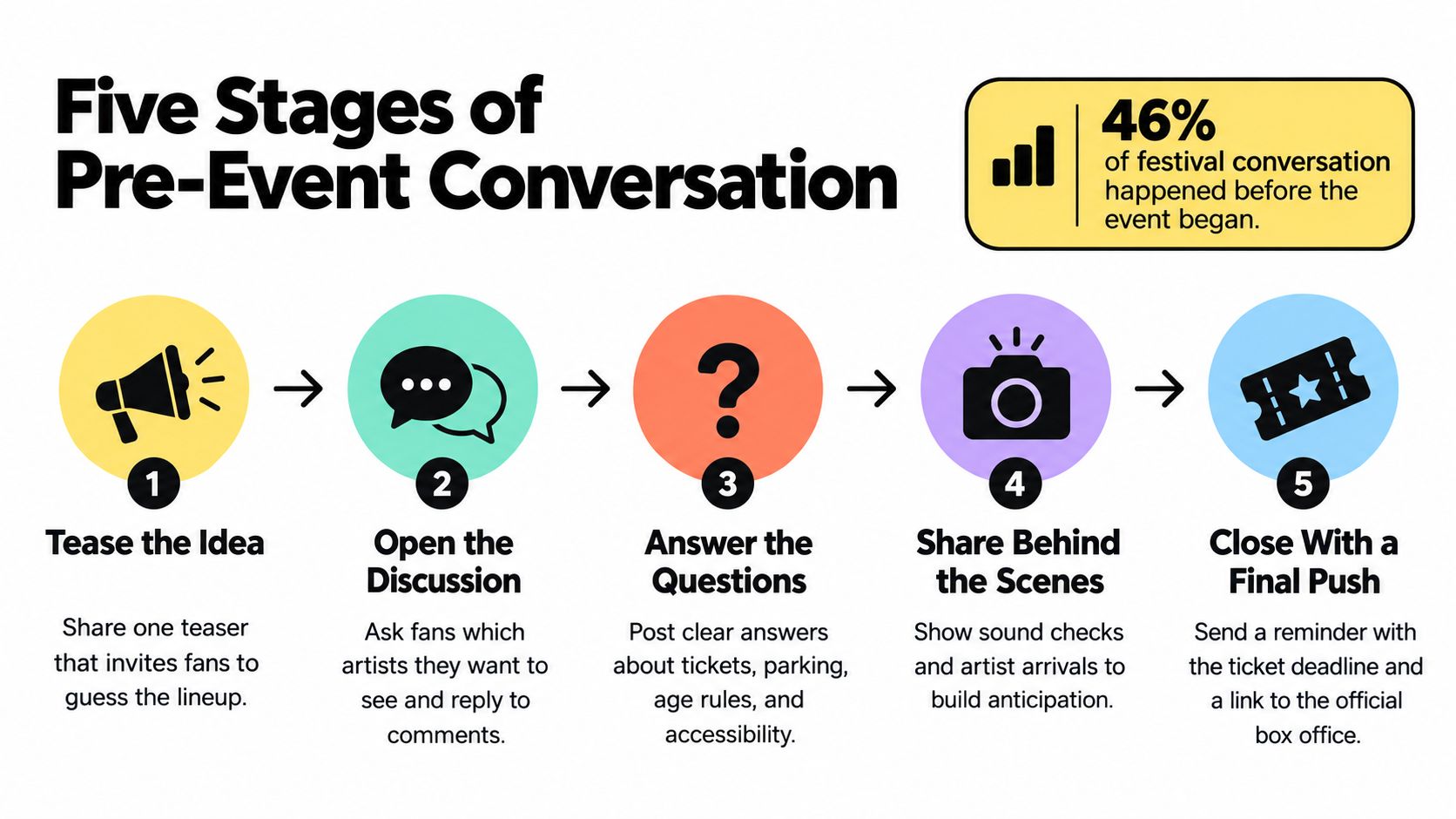
The Five Stages
- Announce at 16 to 20 weeks: Lead with the date, venue, and first price tier, then add an artist video. Make the buying basics visible immediately.
- Open presale or registration at 12 to 16 weeks: Collect consented email and SMS contacts. These people give you a direct channel for later ticket offers.
- Reveal and test at 8 to 12 weeks: Share lineup news and test three creative versions covering the artist, venue experience, social proof, and a clear deadline. Use guidance for planning paid promotion to inform your tests, then judge each version by ticket sales.
- Push milestones at 4 to 6 weeks: Use genuine price-tier changes and inventory updates as reasons to post and email again.
- Close in the final week: Send last-chance reminders and practical event details. Retarget page visitors who have not bought.
These stages should pass people forward rather than send you back to the beginning. The announce attracts registrants; registration builds an audience you can contact directly; mid-campaign tests show which creative merits more budget as the event approaches. If a stage produces attention but no movement toward tickets, adjust the message or offer before increasing spend.
The analysis also reported each tweet generated an average of 28 page views and $2.18 in additional ticket sales. It found 9% of posts involved people telling friends to buy tickets. Those results are not a forecast for your event. They do show why content people can pass to friends belongs throughout the campaign, not just on the final day.
Review performance weekly and shift budget toward creative that produces purchases, not merely comments. For a smaller club night, compress the schedule, but announce early enough to build a waiting list instead of depending on walk-up sales. Keep artist announcements, rehearsal footage, and exclusive previews for the weeks when they can still affect the ticket count. Saving the strongest material for show day gives it no time to sell.
The announcement starts the conversation. The stages turn it into ticket sales.
Social Content Fans Will Share With Friends
A fan scrolling after work may see your event, check the lineup, then send the post to someone who would go with them. Give them the key details before they decide whether to share. In a survey of more than 1,100 Australian respondents, 41% of fans said social media was where they discovered music events they ultimately considered buying tickets for. Treat every post as a sales touchpoint, not just an announcement.
Fans also use social media to check event details. The survey found 55% of respondents used social media to look up event information, rising to 70% among Gen Z and Millennials. Their main questions are straightforward: the event date at 82%, ticket price options at 76%, and the venue at 70%. Put the date, venue, and price in the first line or frame. If a fan has to hunt for them, you add friction to both the decision and the share.
Three Formats That Earn Their Place
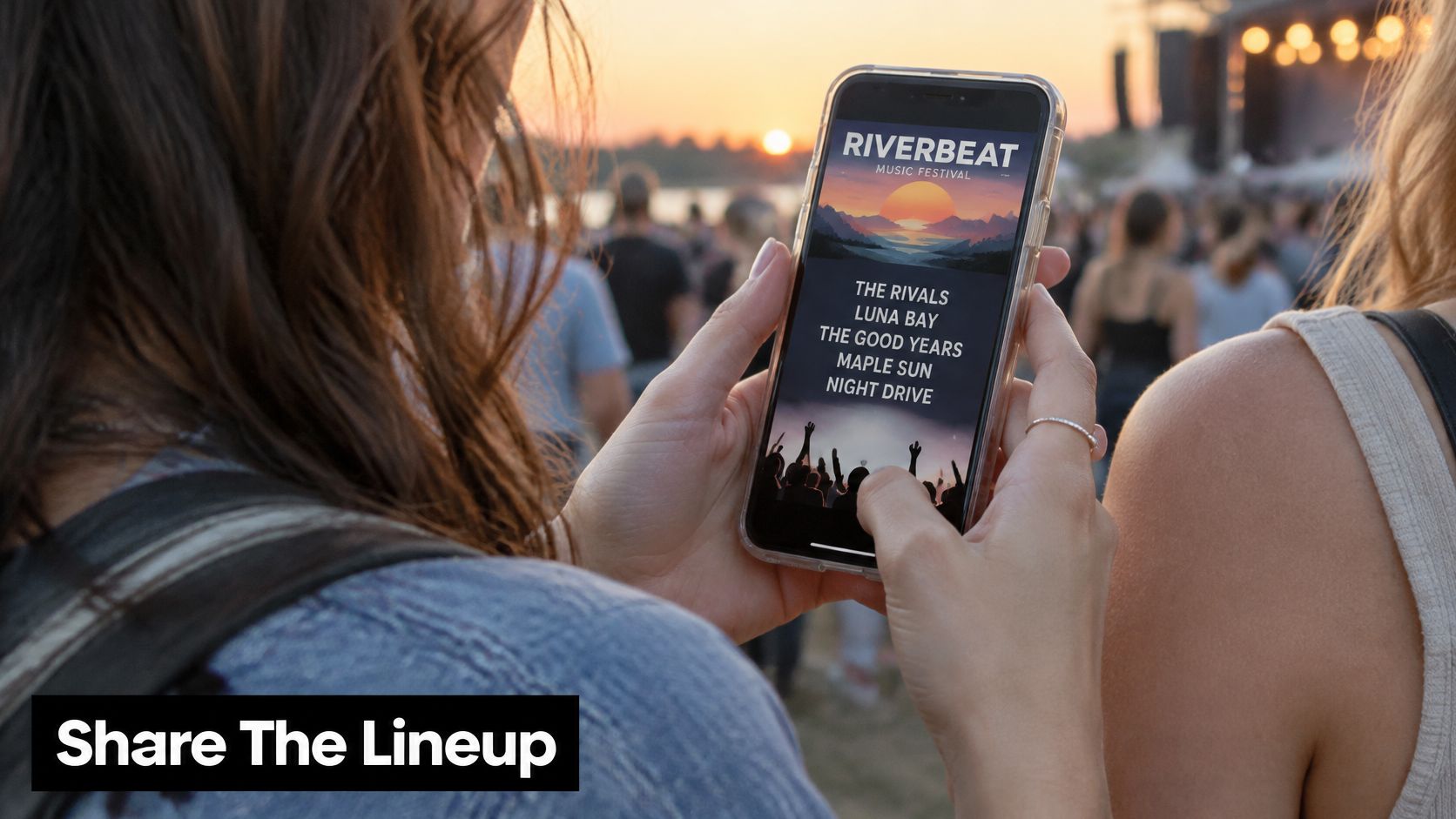
- Lineup graphic with full details: Put the date, venue, and price in the image and caption. A screenshot should still answer the basic questions.
- Short artist clip linked to a track: 42% of fans streamed an artist's music before purchasing tickets, so include a playable song or clip that helps them judge the bill.
- Bring someone post: Ask who a fan would bring. A direct prompt gives them a reason to send the post to a friend.
A friend's recommendation carries trust a paid ad cannot buy. Make forwarding easy with a clear event link and copy that still makes sense outside the platform. Add tracks to event posts where supported, use community posts for updates, and reserve direct messages for existing fans instead of broadcasting every update publicly.
The example below shows artist-led content with something to play and share, rather than a static flyer without a next step.
If a post can't be understood without opening the caption, it's an awareness post, not a sales post.
Email and SMS Sequences for Your Own List
A campaign can announce a show to a full inbox and still miss the buying window. Build your list through registration, group contacts by their behavior, and keep communicating throughout the sales cycle instead of relying on a single launch email.
Festival sales analysis reported an average 163-day sales cycle, with half of tickets sold after 39% of that cycle and 75% after 83%. Late-stage messages matter, so plan them before the announcement. Going quiet after launch means missing the period when a large share of purchases happens.
Segment Before You Send
- Registrants: Send the presale or event updates they requested.
- Page viewers who didn't buy: Answer likely questions and give a clear deadline. They already know the event exists.
- Previous attendees: Prioritize this high-intent group. The analysis reported repeat-buyer rates of 12% to 17% for most festivals.
- Cold contacts: Use less frequent, introductory messages for people without a recent signal.
Match each send to the audience. Confirm registration with the event date and venue, then follow with a creative variation that includes social proof. Send updates when ticket prices change. Retarget page viewers separately, with a reason to complete the purchase rather than another introduction to the event.
SMS belongs in the final week, for genuinely time-sensitive reminders and only to contacts who have consented. Reported text open rates approach 99%, compared with roughly 20% to 40% for email. That reach is useful, but repeated texts can drive opt-outs before the next event.
Review unsubscribes and SMS opt-outs after each send. Keep scarcity claims credible, tailor copy to each segment, and maintain a sequence rather than betting on one viral post. Review performance weekly and adjust timing or messaging when people stop responding.
List discipline: Urgency works only while people still trust the sender. Protect the list you're pushing.
Partners, Press and Word of Mouth
A ticket target becomes easier to reach when each partner has a defined role. Work backwards: estimate how many sales must come from local discovery, trusted recommendations, and press, then give each channel a trackable way to contribute. Promoters reportedly increased their average number of marketing channels from 4.79 in 2022 to 9.5 in 2024. More channels only help if each has a clear job.
Use short-form video and local interest groups to reach new people. Ask artists, venues, and businesses to validate the event with their audiences. Make the ticket link easy to find on mobile, then use reminders tied to real deadlines.
Recommendations matter: 47% of consumers discover events through word of mouth. Younger audiences also find things to do through social platforms, with 64% of Gen Z and 61% of Millennials using social media to find things to do. Build platform-specific video rather than reposting the same flyer everywhere.
Keep partner requests concrete and low-effort. Ask the venue to share the lineup and add the show to its listings. Give a record shop or cafe a poster with a QR code. Invite a supporting artist to share with their audience, and agree on reciprocal promotion or a shared bill. If your network is thin, consider connecting with music professionals for partnerships.
Give each partner a unique referral link and check sales against your target. A thank-you tells you the relationship is strong; a referral link shows whether it moved tickets.
Send local listings, community radio, and music blogs a concise press kit six to eight weeks ahead. Include one strong image, a two-sentence description, and a ticket link. Editors are more likely to use a ready-to-publish pitch than a long attachment they must edit.
Broad reach can look good in a report. A trusted local recommendation is often more useful if its audience can realistically get to the venue.
A small audience that knows the room beats a large audience that will never travel to it.
Publish Accessibility Details Before Fans Decide
A fan comparing ticket options may leave the page if they cannot tell whether the venue, journey, or show will work for them. Accessibility details help turn that uncertainty into a purchase decision. For disabled and neurodivergent fans, missing information can mean missing the event altogether.
A 2025 UK study found that more than half of disabled respondents had avoided concerts because of poor accessibility. Overcrowding, poor stage views, and difficulties entering or leaving were among the barriers. Clear information gives fans a chance to assess those risks before buying.
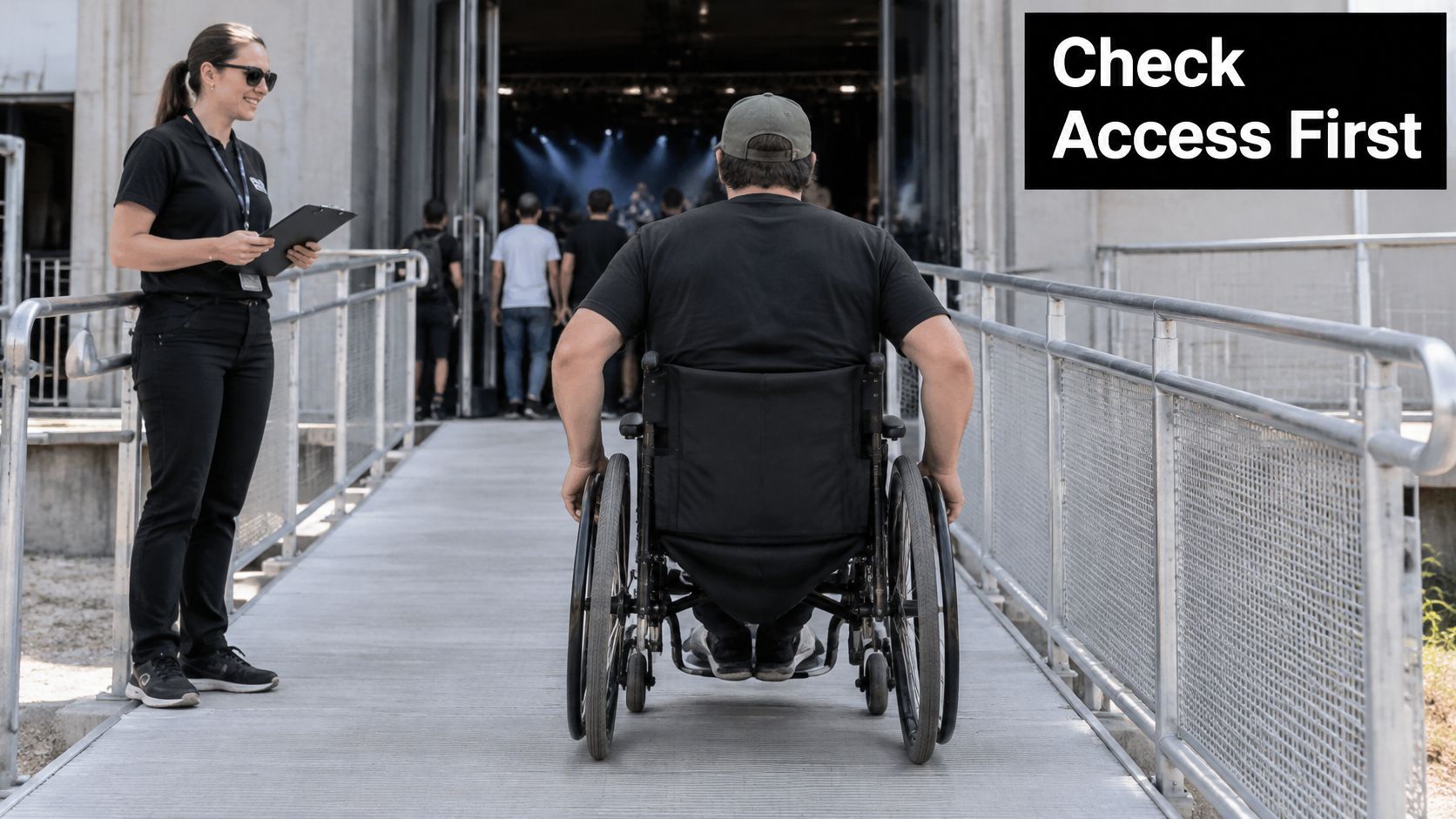
Access can affect the full journey, from ticket booking and transport to venue entry, toilets, sightlines, staffing, and overnight stays. Publish practical answers for each stage, rather than relying on a general accessibility statement. Review your accessibility information and commitments to identify what fans should be able to find.
| Journey stage | Common barrier | Detail to publish | Where to publish |
|---|---|---|---|
| Ticket booking | accessible ticket types unclear | accessible ticket options and how to book | ticket page |
| Transport | no route information | step-free routes and nearest accessible stop | event page |
| Venue entry | steps and narrow doors | entry points, ramps and lift locations | accessibility page |
| Toilets | locations unknown | accessible toilet locations | accessibility page |
| Sightlines | poor stage views | viewing platform positions and view policy | ticket page |
| Sensory environment | unknown noise and light levels | volume levels, quiet areas, lighting | event page |
| Staff support | no one to ask | named contact route and response time | email and social bio |
Create a dedicated accessibility page and link it directly from the ticket page. Include step-free arrival instructions, sensory information, the viewing policy, and a contact route answered by someone familiar with the venue. Fans should not have to send a message to learn whether they can attend.
Make promotional content usable too. Caption videos and describe relevant visual information. Before launch, ask local disability communities to review the details; they may spot gaps your team has stopped noticing.
For a smaller event, clear access information can help compete for ticket sales without matching a major promoter's budget. It reduces uncertainty at the point of purchase and shows fans that their needs have been considered.
Accessibility information is more than an operations checklist. It can bring in fans who are willing to buy once they know what to expect.
Post-Show Follow-Up and Next-Budget Decisions
The show ending is the start of your next campaign's warmest audience. Send a thank you message within 48 hours, with photos, a recording link where you have rights, or a short survey. Wait a week and the goodwill has cooled.
Add every buyer to a previous attendee segment immediately. That group gets its own message next time, based on the repeat buyer logic covered in the email section above, rather than being folded back into a general blast.
Ask one survey question: how did you hear about the event? Tracking links miss some word of mouth and partner influence, and self reported answers fill that gap cheaply. Treat the results as directional, then cross check them against link data.
Now rank every channel, partner, and creative variant by cost per completed purchase, lowest to highest. Carry the top performers into the next budget, rerun the funnel math from the first section for your new ticket target, and retire channels that stayed above your target cost across the whole campaign.
Write the results into one short note. Your next campaign should start from recorded numbers, not from whoever remembers the last show most confidently.
Put the funnel math, tracking, and staged campaign from this plan into practice with artist profiles, community posts, direct messaging, event pages, and analytics in one place. Visit OohYeah to set up your presence, publish your event details where fans can act on them, and keep measuring which posts and partners sell tickets.