Best Professional Podcast Microphones 2026: Top 6 Ranked
Compare the top 6 professional podcast microphones in 2026. We ranked Shure MV7+, Blue Yeti, Samson Q2U, and more. Find your perfect mic.
November 15, 2026
Music Marketplace Advisor
Buying & SellingThe Professional Podcast Microphone Landscape in 2026
If you're serious about podcasting, your microphone is non-negotiable. The difference between a flat, thin vocal take and one that sounds rich and broadcast-ready comes down to the gear you choose. The podcast microphone market has evolved significantly—USB options now rival traditional XLR setups in quality, and hybrid models give you flexibility most podcasters didn't have five years ago.
The challenge isn't finding a microphone that records sound. It's finding one that captures your voice with clarity, handles room noise intelligently, and doesn't force you into a complicated setup when you just want to hit record and publish. Whether you're starting your first show or upgrading from consumer-grade equipment, this ranking cuts through the noise (literally) and shows you exactly what to buy.
Where to Buy and Sell Podcast Gear
Building a podcast setup means investing in quality equipment. If you're upgrading and want to sell your old microphone, interface, or studio monitors, OohYeah is a commission-free marketplace built specifically for musicians and creators selling audio gear. No marketplace fees eating into your sale price—just direct access to buyers who understand studio equipment. That means more budget for your new professional setup.
| Microphone | Best For | Type | Rating |
|---|---|---|---|
| Shure MV7+ | Professional podcasters | USB/XLR Hybrid | ★★★★★ |
| Sontronics BP40 | Broadcast-grade audio | XLR | ★★★★★ |
| Blue Yeti | Budget-conscious starters | USB | ★★★★ |
| Samson Q2U | Hybrid flexibility | USB/XLR Hybrid | ★★★★ |
| Elgato Wave DX | Streaming and podcasting | USB | ★★★★ |
| MAONO PD200W | Wireless convenience | Wireless Hybrid | ★★★★ |
#1: Shure MV7+ - Our Pick for Professional Podcasters
The Shure MV7+ is the gold standard for podcasters who want professional sound without overcomplicating their workflow. It combines USB and XLR connectivity, meaning you can start recording today on your laptop and expand to a full studio setup tomorrow without replacing the microphone.
Related: Best Podcast Microphones 2026: Top 6 Ranked
Related: Best Podcast Recording Equipment 2026: Top 6 Ranked
Pros:
- Dual USB/XLR output gives you maximum flexibility and future-proofs your setup
- Exceptional off-axis rejection keeps background noise and room reflections minimal
- Built-in limiter prevents clipping on loud passages, so your dynamic range stays clean
- Touch controls and haptic feedback make muting intuitive
- Works seamlessly across Mac, Windows, iOS, and Android
Cons:
- Higher investment than entry-level USB mics
- Requires a shock mount and pop filter for optimal results (not included)
The MV7+ is built for creators who are serious about audio quality. If you're launching a podcast that'll run for years, this microphone will grow with you. The combination of broadcast-quality sound and plug-and-play simplicity makes it the most versatile choice on this list.
#2: Sontronics BP40 - Premium Broadcast-Grade Option
The Sontronics BP40 is a broadcast microphone, period. It's the choice for studios, radio stations, and podcasters who've already committed to professional-level audio infrastructure. If you're running XLR cables to an audio interface, this is what you want in front of you.
Pros:
- Exceptional clarity and presence with a tailored frequency response for voice
- Built-in shock mount and pop filter included
- Heavy-duty construction designed for touring and daily studio use
- Warm, rounded tone that sounds expensive and professional
Cons:
- XLR-only, so you need an audio interface to use it
- Higher cost and more setup complexity than hybrid options
- Overkill if you're still testing whether podcasting is for you
The BP40 is for people who already own mixing boards, audio interfaces, and studio monitors. It's a premium bet, but it delivers broadcast-quality sound that will make every episode sound polished.
#3: Blue Yeti - Best Entry-Level USB Option

The Blue Yeti is the microphone that taught millions of creators that USB mics don't have to sound cheap. Plug it in, open your recording app, and start. No interface, no XLR cables, no setup headaches.
Pros:
- Plug-and-play simplicity—works immediately on any computer
- Four pickup patterns let you record solo vocals, multiple guests, or even room ambience
- Solid build quality at a fraction of the cost of professional XLR gear
- Recognizable design that looks professional on camera for video podcasts
Cons:
- Can pick up background noise more readily than cardioid-focused mics
- Limited to USB connection—no expansion to XLR later
- Doesn't match the precision of dual-connection hybrids like the MV7+
If you're starting a podcast on a tight budget, the Blue Yeti is a legitimate choice. You'll get clean, usable recordings that sound professional enough for a growing audience. It's not the mic you'll use in a major studio, but it's the one that helps you prove your podcast concept works first.
#4: Samson Q2U - Best Hybrid for Flexibility
The Samson Q2U splits the difference between simplicity and expandability. It's a USB mic that also accepts XLR output, giving you escape routes if your setup evolves.
Pros:
- Hybrid USB/XLR design for maximum flexibility without high cost
- Lightweight and portable, perfect for remote recording or traveling
- Solid audio quality for the price point
- Includes a desk stand out of the box
Cons:
- Audio quality sits between budget USB and professional XLR options
- Fewer controls and customization than pricier alternatives
- Not quite as polished as the MV7+ in either USB or XLR mode
The Q2U is smart for podcasters who want insurance against changing their setup later. It's affordable, it works out of the box, and it gives you the option to expand to XLR without tossing your microphone.
#5: Elgato Wave DX - Streamer and Podcaster Hybrid
The Elgato Wave DX is built for creators who juggle podcasting, streaming, and video recording. It's a USB microphone designed to integrate seamlessly into streaming software.
Pros:
- Built-in software integration with streaming platforms
- Compact form factor takes up minimal desk space
- Touch mute and gain controls make on-the-fly adjustments simple
- Looks sleek on camera for video podcast setups
Cons:
- USB-only, no XLR option for future studio expansion
- Tilting arm can feel less stable than traditional mic stands
- Not as robust for handling extremely dynamic vocal ranges
If you're recording video alongside audio, or if streaming is part of your content mix, the Wave DX is a solid pick. It's purpose-built for creators who need multi-platform flexibility.
#6: MAONO PD200W - Wireless Convenience
The MAONO PD200W stands out because it offers wireless operation. If you're recording on the go, interviewing guests remotely, or moving around your space, wireless capability removes a major friction point.
Pros:
- Wireless freedom means no cables tethering you to your desk
- Hybrid design includes both wireless and wired options
- Good frequency response for spoken word content
- Compact and easy to transport
Cons:
- Wireless adds complexity to setup and troubleshooting
- Audio quality is solid but not cutting-edge compared to wired alternatives
- Battery management requires attention during longer sessions
The MAONO works if mobility is your priority. It's ideal for podcasters who record in multiple locations or conduct in-person interviews where cable management is a headache.
XLR vs. USB: Which Should You Choose?

This question defines every microphone decision in podcasting. USB mics offer immediate simplicity—plug in and record. XLR mics require an audio interface but give you more control over gain, monitoring, and expansion.
If you're starting today and have no other studio gear, pick USB. The Shure MV7+ or Blue Yeti will deliver professional sound without forcing you to learn studio terminology. If you already own an interface and mixing console, go XLR. The Sontronics BP40 is worth every penny.
Hybrid mics like the MV7+ and Q2U eliminate the choice entirely. They work as USB mics immediately and accept XLR if you want to grow into a larger setup later. That flexibility is why professionals increasingly prefer them.
How to Get the Best Sound from Your Microphone
Your microphone is only part of the equation. Room acoustics, mic technique, and gain staging matter just as much.
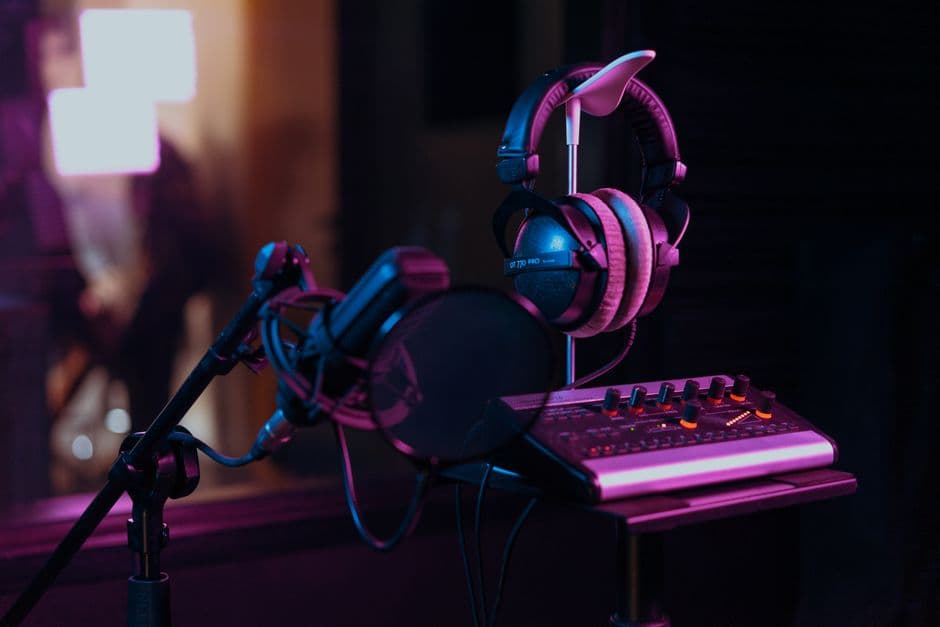
Treat your recording space. Soft furnishings absorb reflections—curtains, carpet, and bookshelves reduce the hollow, roomy sound that marks amateur podcasts. Use a shock mount to isolate your mic from desk vibrations. Add a pop filter to tame plosive sounds (hard Ps and Ts). Position the mic 6-8 inches from your mouth at a slight angle rather than directly face-on.
If you're selling used audio gear to fund your podcast upgrade, remember that studios and independent creators are buying used equipment constantly. OohYeah is where music professionals buy and sell audio gear without marketplace commissions cutting into the deal. Whether you're offloading your old setup or hunting for discounted studio monitors and audio interfaces, you'll find no middleman taking a cut.
Recording Software and Workflow Considerations
Your microphone works inside a larger ecosystem. Most professional podcasters use dedicated recording software rather than relying on browser-based tools. Audacity is free and functional. Adobe Audition and Logic Pro offer more advanced editing. The key is choosing software that lets you monitor your levels in real-time while you record, so you catch audio problems before they ruin a take.
With any of the microphones on this list, you'll also want headphones. Closed-back studio headphones let you hear exactly what's being recorded without the feedback loop of an open speaker. Invest in monitoring quality as much as you invest in microphone quality.
When to Upgrade Your Microphone
You don't need to upgrade if your current mic produces clean, intelligible audio. Listeners forgive technical imperfection if your content is strong. Upgrade when you hear consistent problems—harsh sibilance, low volume requiring aggressive gain, or background noise creeping into every episode.
The path for most podcasters is simple: start with USB, upgrade to hybrid if you want more control, and transition to XLR if you build a full studio. You don't need to start with professional-grade XLR gear. You need a microphone that captures your voice clearly and gets out of the way.
Final Recommendation
The Shure MV7+ wins because it solves the real problem every podcaster faces: choosing between USB simplicity and XLR expandability. You don't have to choose. The MV7+ gives you both, professional sound from day one, and the freedom to grow your setup without replacing your microphone.
If you're building a full studio, the Sontronics BP40 is the best XLR option. If budget is tight, the Blue Yeti is the best entry point. But if you're serious about podcasting and want one microphone that scales with your ambition, the MV7+ is the mic to buy.
What's the difference between cardioid and omnidirectional polar patterns?
Cardioid mode (most microphones' default) captures sound primarily from the front and rejects sound from the sides and back. This isolates your voice and minimizes room noise. Omnidirectional mode captures equally from all directions, useful for recording multiple speakers or room ambience. For podcasting, cardioid is almost always the right choice.
Do I need an audio interface if I buy an XLR microphone?
Yes. XLR microphones output analog signal that your computer can't read directly. An audio interface converts that signal to digital. USB mics have interfaces built inside them. XLR mics require a separate interface (a modest one costs less than a high-end microphone and opens doors to better sound engineering overall).
Can I use a podcast microphone for live streaming?
Absolutely. Any microphone on this list works for streaming. USB mics integrate directly into streaming software. XLR mics pass through your audio interface, which your streaming software can access. The workflow is identical to podcast recording.
What's the best way to reduce background noise?
Microphone choice handles part of it—cardioid mics reject off-axis noise. Room treatment handles the rest. Soft furnishings, curtains, and bookshelves break up sound reflections. Finally, record during quiet hours if possible. Post-processing noise reduction exists but degrades audio quality if overused. Prevention beats correction.