
Music Production Software for Beginners Guide
Discover the best music production software for beginners. Our guide breaks down core features and helps you choose the right DAW to start creating music.
August 17, 2025
Music Marketplace Advisor
Buying & SellingDiving into music production can feel like trying to learn a new language. But here's the good news: modern software has made it easier than ever to get started. The key is finding the right music production software for beginners—what pros call a Digital Audio Workstation, or DAW.
Think of a DAW as your entire studio, packed into a single app. It’s your recording booth, your collection of instruments, your mixing desk, and your effects rack, all accessible from your computer.
Starting Your Journey into Music Creation
If you've ever found yourself listening to a track and thinking, "I wish I could make something like that," then you're in the perfect place to start. Making that leap from music fan to music creator is an incredible feeling, and your software is the most critical piece of gear you'll own. This guide is here to cut through the confusion and get you from that first spark of curiosity to building your first song.
Let's use an analogy. Imagine a painter's studio. The DAW's timeline is your blank canvas. The massive library of virtual instruments? That's your palette, loaded with an infinite spectrum of sonic colors. Effects like reverb and delay are your brushes, letting you shape and texturize the sound. A DAW gives you all of this digitally, so you can sketch out ideas, record parts, arrange them, and mix everything into a polished, final track.
What to Expect from This Guide
My goal here is to give you a solid foundation. We're skipping the dense technical manuals and focusing on what you actually need to know to choose the right software and start creating.
Here’s what we’ll cover:
- Understand Core Concepts: We'll demystify what a DAW is and what its most important parts do, all in plain English.
- Identify Essential Features: I'll show you the non-negotiable tools every beginner needs to look for.
- Make an Informed Choice: You'll get a simple framework for picking a DAW that fits your musical style, your budget, and your creative ambitions.
Don't underestimate the power of good production. It dramatically shapes how people connect with your music. A simple song that’s produced well will almost always hit harder than a brilliant idea that's poorly mixed. If you want to dive deeper, our article on how quality production affects music success is a great read.
A Digital Audio Workstation is more than just software; it's an environment designed to turn musical thoughts into audible reality. It removes the need for a million-dollar studio, placing immense creative power directly at your fingertips.
At the end of the day, picking your first DAW is a personal choice, but it shouldn't be an intimidating one. By the time you finish this guide, you’ll have the confidence to choose the right tool and kickstart your journey in music. Let’s get to it.
So, What's Actually Inside a Beginner DAW?
What really sets one piece of music production software for beginners apart from another? When you get down to it, it’s all about a handful of core features—your creative toolkit. Forget the dry, technical jargon for a minute. Let's look at what these tools actually do and how they help you turn an idea into a finished track.
Think of a Digital Audio Workstation (DAW) as your personal recording studio, but all inside your computer. Each feature is a specialized tool for a specific job, whether you're sketching out a melody, building a beat, or adding that final layer of sonic polish. Understanding these tools helps you see the software not as some intimidating program, but as a powerful partner in your creative process.
The Arrangement View: Your Song's Blueprint
The very first thing you’ll probably see when you open any DAW is the arrangement view, or timeline. This is the master blueprint of your song. It’s a visual map of time moving from left to right, where you lay out all the different parts of your track.
Imagine you're building a song with LEGOs. Your drum beat is a long red brick, the bassline is a blue one, and your vocal is another color entirely. The arrangement view is where you snap those bricks together to build your song—creating an intro, stacking parts for a powerful chorus, and stripping them away for a bridge. It’s where you see the big picture and make sure every piece fits just right.
MIDI Sequencing: Your Digital Sheet Music
Next up is a concept that truly unlocks the magic of making music on a computer: MIDI sequencing. MIDI (Musical Instrument Digital Interface) is a bit of a strange concept at first because it doesn’t record sound itself. Instead, it records information about the notes—which note was played, how hard you pressed the key, and how long you held it.
Think of it like a roll for a player piano. It’s not the music, but the instructions to create the music. You can literally "draw" notes onto a grid to build a melody without ever touching a keyboard. Make a mistake? No problem. If you hit a wrong note while recording a real piano, you have to do the whole take over. With MIDI, you just click the bad note and drag it to the right spot. This makes it an incredibly forgiving and flexible tool for beginners.
A study on digital music creation found that nearly 85% of electronic music producers rely on MIDI sequencing as their primary method for composing, underscoring just how essential it is in modern production.
This freedom to experiment and easily fix mistakes is what makes MIDI so powerful when you're starting out. It lets you focus on being creative without needing to be a keyboard virtuoso from day one.
Virtual Instruments: Your Infinite Orchestra
Okay, so you have all this MIDI data—how do you actually hear it? That's where virtual instruments come into play. Often called VSTs (Virtual Studio Technology), these are software plugins that act like real-world instruments or create sounds that have never existed before.
Any good DAW will come with a solid starter pack, giving you instant access to:
- Synthesizers: The workhorses for creating everything from deep, rumbling bass to shimmering electronic lead lines.
- Drum Machines: Pre-loaded with all the kicks, snares, and hi-hats you need to build a beat.
- Samplers: These let you load any recorded sound—a snippet of a voice, a single piano note—and play it like an instrument.
- Orchestral Sounds: Most DAWs include basic strings, pianos, and brass to get you going.
This is like having a bottomless toy box of sounds. You can write a piano part using MIDI, then with one click, swap the instrument to an electric guitar or a wild-sounding synth to see what you like best. This endless sonic palette is one of the most exciting parts of making music today.
Built-in Effects: Adding the Final Polish
Once your tracks are laid out and the instruments are sounding good, the final step is to add polish with built-in effects. These are the tools you use to shape and enhance your sounds, kind of like how a filter can change the whole mood of a photo.
For a beginner, there are two you absolutely need to know:
- Reverb: This effect makes it sound like your instrument is in a physical space, whether that's a small, intimate room or a massive concert hall. A touch of reverb can make a dry vocal recording sound much more natural and help different instruments blend together smoothly.
- Compression: This is your tool for controlling volume. It automatically tames the loudest parts of a sound while boosting the quietest parts, creating a more consistent and punchy track. It’s the secret sauce that makes drums hit harder and helps a vocal cut through the mix.
Getting comfortable with just these two basic effects is a fundamental skill. They're the finishing touches that can elevate a simple idea into something that sounds professional, cohesive, and ready for an audience.
How to Choose the Right Music Software for You
With so many options out there, picking your first Digital Audio Workstation (DAW) can feel more intimidating than writing your first song. The real goal is to find a piece of software that gets out of your way and lets your creativity flow, rather than making things more complicated.
This isn't about finding just any tool; it's about finding a creative partner that feels like a natural extension of your musical ideas. Let's walk through a few practical factors that will help you cut through the noise and find the perfect match.
Aligning Your Budget with Your Goals
Not too long ago, making high-quality music required a studio budget. That world is gone. Today, professional-grade tools are within reach for just about everyone, thanks to much more flexible pricing.
In fact, the music production software market is expected to balloon from USD 4.15 billion in 2025 to over USD 17.35 billion by 2034, and that growth is happening because more people can get in the game. You can dive deeper into these market trends and their impact on music production by reading the full report.
When it comes to paying for software, you’ll usually run into three models:
- Free Software: Powerhouses like GarageBand (for Mac) or Cakewalk by BandLab (for PC) are unbelievably capable and cost nothing. They are the perfect entry point for learning the ropes without spending a dime.
- One-Time Purchase: This is the classic "buy it once, own it forever" model. Some companies, like FL Studio, are famous for offering lifetime free updates, making it a fantastic long-term investment.
- Subscription Model: Other DAWs, such as Pro Tools, use a monthly or yearly subscription. This keeps the upfront cost low and guarantees you always have the latest features, but it is an ongoing expense.
There's no wrong answer here. Starting with a free DAW is a smart way to figure out if music production is something you truly want to commit to.
Match the Software to Your Music Genre
While any DAW can make any kind of music, some are just built differently. Certain platforms have a workflow that naturally clicks with specific genres. Thinking about the music you want to create can seriously help narrow down your options.
For instance, if you’re into electronic music or hip-hop—genres built around loops and patterns—a DAW like Ableton Live or FL Studio will feel like home. Their entire interface is designed for quickly building beats and experimenting on the fly.
But if your goal is to record a full band with live drums, guitars, and vocals, you might find that software like Logic Pro or Pro Tools feels more intuitive. Their design is rooted in the tradition of multi-track studio recording.
Choosing a DAW is like picking an instrument. A guitar and a piano can play the same chords, but they inspire you to write in completely different ways. Your software should do more than just work; it should inspire you.
Do a little digging and see what your favorite artists are using. It’s not about copying them, but about understanding which creative environments help produce the sounds you love.
Check Compatibility and System Requirements
This one sounds obvious, but you’d be surprised how many people skip it and end up with a major headache. Before you fall in love with a DAW, make sure it actually runs on your computer.
Here’s a quick rundown of what works where:
- Mac-Only: Logic Pro and GarageBand are exclusive to the Apple ecosystem.
- Windows-Only: Cakewalk by BandLab is a fantastic PC-exclusive free option.
- Cross-Platform: Most of the other big names—Ableton Live, FL Studio, and Pro Tools—play nicely with both Windows and macOS.
Beyond the operating system, double-check the minimum system requirements. Music production can be tough on your computer’s processor (CPU) and memory (RAM). Make sure your machine is up to the task to avoid the kind of frustrating lag and crashes that can completely kill your creative flow.
Comparing the Top 4 Music Production Software Options for Beginners
Picking your first piece of music production software is a huge step. Think of it less like choosing the "best" tool and more like finding a creative partner whose workflow just clicks with you. Each of the major players has its own philosophy on how to make music, and one of them is bound to feel like home.
Let's cut through the marketing jargon and look at what it’s actually like to use these tools day-to-day. We'll explore who they're built for, where they shine, and what might trip you up as a newcomer. This will help you find the right digital studio for your musical journey, whether you're laying down beats, recording a podcast, or just sketching out ideas.
This chart gives you a quick visual on how many built-in instruments and effects come standard with three of the most popular DAWs for beginners.
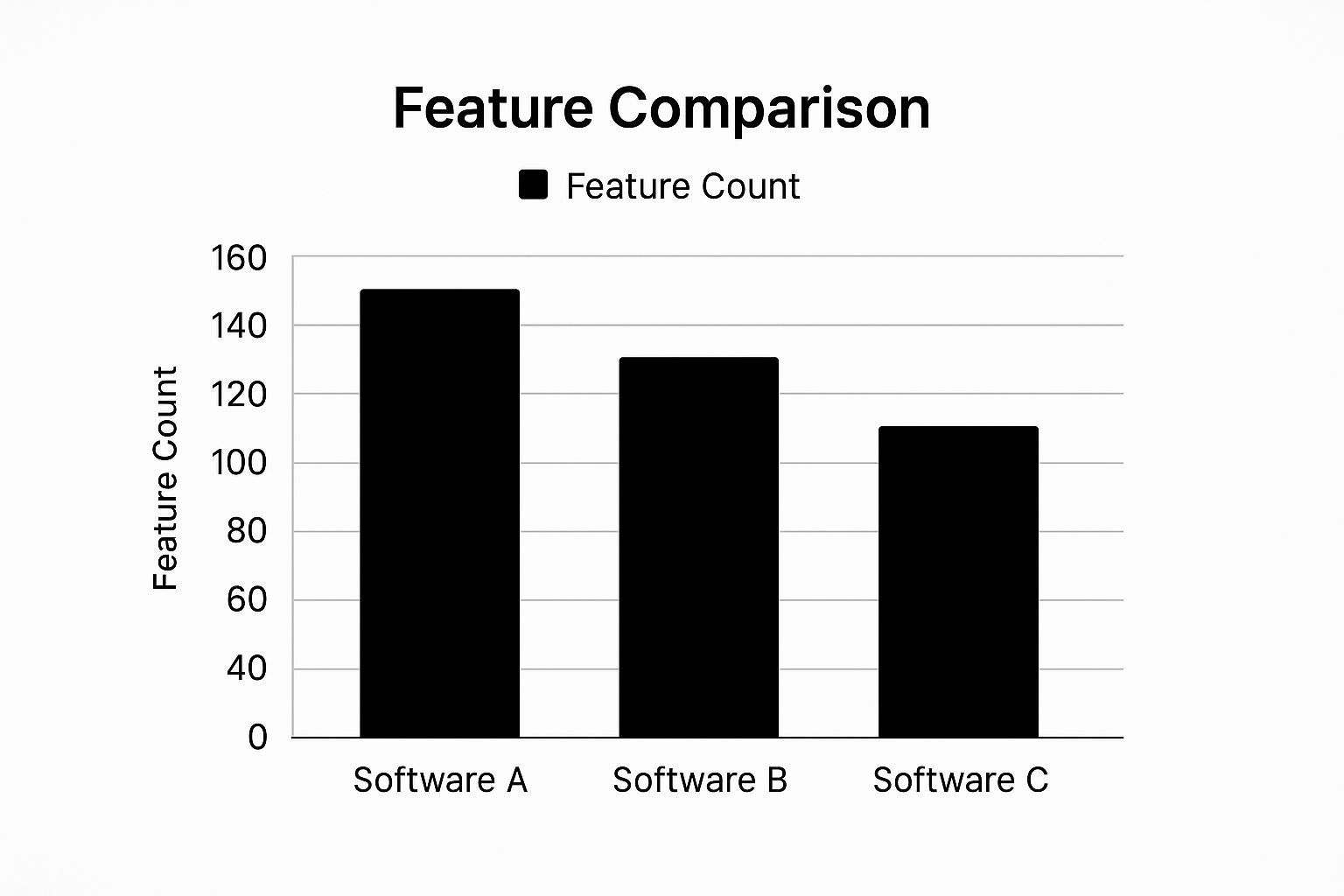
As you can see, some platforms load you up with a ton of tools right out of the box, which is an amazing value. Others prefer a more focused, streamlined experience to get you started without overwhelming you.
To give you a clearer picture, I've put together a quick comparison of the most recommended DAWs for anyone just starting out. This table breaks down the essentials: how much they cost, who they're really for, and what makes them stand out.
Beginner-Friendly DAW Feature Comparison
| Software | Price | Best For | Key Beginner Feature | Operating System |
|---|---|---|---|---|
| GarageBand | Free | Mac users, songwriters, podcasters | Pre-installed, simple interface, seamless upgrade path to Logic Pro | macOS, iOS |
| FL Studio | Starts at $99 (Fruity Edition) | Beat makers, hip-hop & EDM producers | Pattern-based workflow for rapid idea creation | Windows, macOS |
| Ableton Live Lite | Often bundled free with hardware | Electronic musicians, live performers | Session View for non-linear jamming and experimentation | Windows, macOS |
| Logic Pro | $199.99 | Serious Mac-based producers ready to upgrade | Massive library of pro-quality sounds and plugins | macOS |
This table should help you narrow down the field. Now, let’s dig a little deeper into what makes each of these DAWs tick and find the one that fits your creative style.
GarageBand: The Perfect Start on a Mac
If you're on a Mac, your journey begins here. GarageBand comes pre-installed and is completely free, instantly removing the biggest hurdle for any aspiring producer. The whole experience is designed around simplicity. Dragging and dropping loops, recording your voice, and playing with its huge library of sounds feels natural from the moment you open it.
The real magic of GarageBand is its place in the Apple ecosystem. You can literally start a song idea on your iPhone during your commute and then open it up on your MacBook to flesh it out. Better yet, since it’s the little sibling of Apple's professional-grade DAW, Logic Pro, every skill you master in GarageBand is directly transferable when you're ready to level up.
- Who's It For? Aspiring songwriters, podcasters, and any Mac user who wants to learn the ropes of music production without spending a dime.
- The Good: It's 100% free, ridiculously easy to learn, and comes with a surprisingly potent set of tools.
- The Catch: It's exclusive to Apple devices and lacks the deep mixing and automation features of paid software.
FL Studio: The Beat-Making Powerhouse
FL Studio (which old-school producers still fondly call FruityLoops) is a legend in the hip-hop and electronic music worlds for a reason. Its claim to fame is a brilliant pattern-based sequencer. Instead of staring at a long, empty timeline, you create small musical "patterns"—a drum loop here, a synth melody there—and then arrange these blocks to build out your track.
This workflow is incredibly fast and intuitive, especially for producers who think in loops. It’s built for rapid-fire experimentation and has been the creative spark behind countless chart-topping hits. Plus, their business model is a game-changer: you buy it once and get lifetime free updates. That kind of long-term value is almost unheard of.
A workflow that encourages rapid creation is invaluable for a beginner. The less time you spend fighting the software, the more time you can spend developing your musical ideas and finding your unique sound.
With its famous step sequencer and arguably the best Piano Roll in the business for writing melodies, FL Studio is the undisputed king for many beat-makers.
- Who's It For? Hip-hop producers, EDM artists, and anyone who wants to crank out complex beats and arrangements in a hurry.
- The Good: An inspiring, lightning-fast workflow, the lifetime free updates policy, and a massive community creating endless tutorials.
- The Catch: The interface can feel a bit busy to a total beginner, and while its audio recording features are solid, they aren't the main focus of the design.
Ableton Live Lite: Your Gateway to Performance
Ableton Live takes a completely different approach. Its signature feature is the Session View, a brilliant grid where you can launch musical clips and loops on the fly. This makes it an absolute beast for jamming, improvising, and sketching out song ideas without the pressure of a traditional, linear timeline.
A ton of MIDI keyboards and audio interfaces come bundled with a free copy of Ableton Live Lite. This stripped-down version gives you all the core features you need to learn the ropes. While it limits your track count, it's more than enough to see if Ableton's unique, performance-oriented workflow is for you.
This dual-view system—the free-form Session View for creating and the traditional Arrangement View for finalizing—makes it an incredibly flexible tool for both the studio and the stage.
- Who's It For? Electronic musicians, DJs, and any artist who wants to take their productions live or simply prefers a more non-linear creative process.
- The Good: Unbeatable for live performance and improvisation, a clean and intuitive interface, and the Lite version often comes free with gear you're buying anyway.
- The Catch: The Lite version has its limits (especially on track count), and the full versions can be a bit pricier than the competition.
The Future of Music Creation: AI and Mobile Studios
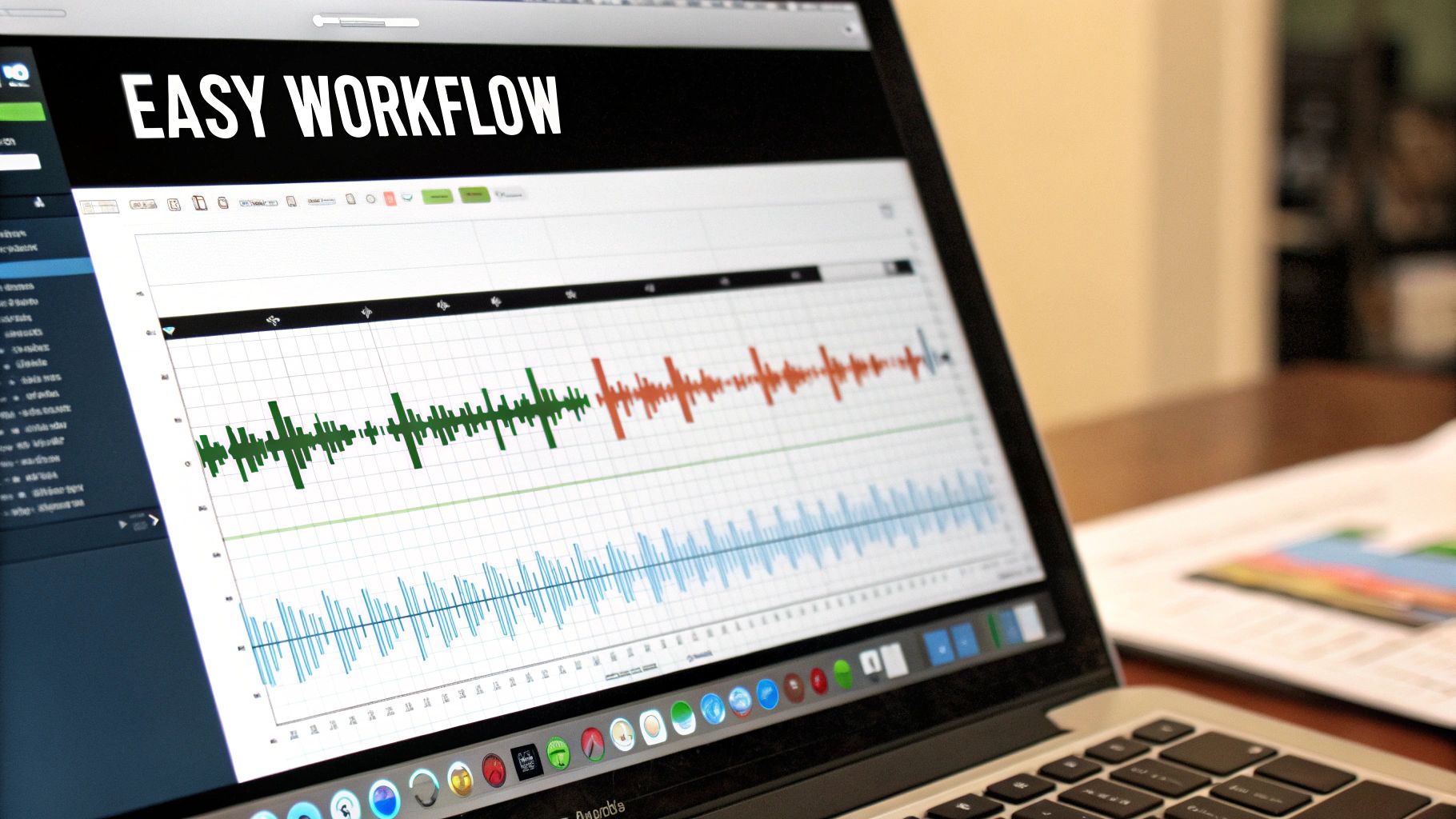
The world of music production is changing fast, and two key things are leading the charge: artificial intelligence and mobile technology. These aren't just novelties; they are fundamentally making it easier for anyone to start creating music. They don't replace the artist—they act more like a creative partner, breaking down old barriers and turning complex jobs into simple, intuitive steps.
Think of it like having a seasoned co-producer on call, 24/7. That's what AI-powered tools are becoming. Instead of getting bogged down or staring at a blank project, these smart features can give you a creative nudge right when you need it most.
AI as Your Creative Partner
AI assistants built into modern music software are brilliant at handling the tedious technical stuff and sparking new ideas. Maybe you have a melody but don't know which chords fit. An AI can analyze it and suggest a handful of powerful progressions. If you're stuck on a beat, it can generate complex drum patterns that match your song's vibe and tempo, giving you a solid rhythm to build on.
For anyone just starting out and still learning music theory, these tools are a game-changer. They let you learn by doing, applying musical concepts in a practical way that makes the whole process click faster. For a deeper dive into this area, check out this piece on Understanding Generative AI Empowering Creativity.
These tools act as a creative safety net. They give newcomers the freedom to experiment and take risks without the fear of hitting a technical wall, making it easier than ever to turn a fleeting idea into a real piece of music.
The Studio in Your Pocket
Beyond AI, the incredible power of modern mobile apps has completely redefined where and when we can create. Your phone or tablet isn't just for listening to music anymore; it’s a legitimate, pocket-sized studio. The old dream of capturing an idea the second it strikes is now just a normal part of the process.
This move toward on-the-go creation is big business. The market for smartphone music production software was valued at $92.6 million in 2024. It’s expected to more than double, hitting $191 million by 2032. That's a clear signal that people want powerful, accessible tools that fit into their lives.
At the end of the day, these trends are making music production software for beginners smarter and more portable than ever before. Your tools are always ready to go, whether you’re sitting at a desk or riding the bus.
Your First Steps After Choosing Your Software
https://www.youtube.com/embed/_emgDYEAJhI
Alright, you've picked your Digital Audio Workstation (DAW). Pop the champagne—or at least give yourself a pat on the back. That's a huge hurdle cleared!
Now, the real fun starts. But staring at that blank project screen can feel… intimidating. The secret is to forget about making a masterpiece right away and just focus on small, concrete wins to build some momentum.
Don't dive in trying to learn every single feature in one go. Treat this first session like you're just exploring a new room. The goal isn't to walk out with a finished song; it's just to get your bearings and prove to yourself that you can make some noise.
Your Action Plan for Session One
This simple plan will take you from a fresh installation to your very first beat. We're prioritizing experimentation over perfection. It’s all about clicking buttons and seeing what happens, without any fear of messing things up.
Here are your super-simple goals for day one:
- 1. Install and Open: Get the software running and just... look at it. Take a moment to see where things are without any pressure to actually do anything.
- 2. Load a Virtual Instrument: Find the instrument browser, pick something that sounds fun (a piano, a synth, whatever), and load it onto a track. Got a MIDI keyboard? Plunk a few notes. If not, your computer keyboard or the on-screen piano will work just fine.
- 3. Drag and Drop Loops: Hunt down the built-in loop library. Find a simple drum loop, drag it onto the timeline, and hit the play button. Boom. You've got a rhythm.
- 4. Add Another Layer: Now go back to the library, find a bass loop or maybe a cool synth pad, and drag that onto a new track right below your drums. Press play again and hear how they sound together.
The journey of a music producer is all about learning and re-learning. These first experiments are the most critical because they build the confidence you'll need to tackle bigger, more exciting projects later on.
Where to Find Help and Inspiration
Nobody figures this stuff out in a bubble. When you inevitably get stuck or just want to learn a cool new trick, you need to know where to look. Your first stop should always be the official tutorials from the company that made your software—they're usually the most accurate and easiest to follow.
After that, the internet is your best friend. YouTube and Reddit are absolute goldmines, packed with countless video tutorials and active communities of producers who are happy to answer your questions.
Stay curious, embrace the learning curve, and most importantly, have fun with it. Before you know it, you might even start thinking about how to get paid for your tracks. You can learn more by checking out our guide on how independent artists make money from music and see what it takes to turn a hobby into a hustle.
Frequently Asked Questions
Jumping into music production for the first time? You’ve probably got questions. Let's clear up some of the most common ones so you can get started with confidence.
Do I Need Expensive Hardware to Start?
Not at all. This is one of the biggest myths holding people back. The idea that you need a room packed with pricey gear just isn't true anymore.
Honestly, all you really need to get going is a decent computer, a pair of headphones, and your chosen music production software for beginners. That's it. Your software is a studio in a box—it comes loaded with virtual instruments, effects, and everything else you need to make a full track. You can always add a simple MIDI keyboard or a microphone down the road, but they are absolutely not required on day one.
How Long Does It Take to Learn a DAW?
The learning curve really depends on the person, but you can get the basics down faster than you might think. Plan on spending the first few hours just poking around and figuring out where everything is—the instrument library, the timeline, the mixer.
You can realistically aim to create a simple beat or a short loop within your very first week. Mastery takes years, of course, but you can start making music almost right away. The trick is to practice consistently instead of trying to learn everything at once.
Most people find it takes about one to three months of regular practice to feel genuinely comfortable and start working without having to think too hard about the controls.
Can I Make Professional Music with Beginner Software?
Absolutely, and it happens more often than you'd think. The lines between "beginner" and "pro" software have gotten incredibly blurry. Tools like GarageBand and the entry-level versions of FL Studio or Ableton Live are seriously powerful.
Plenty of hit songs were born from surprisingly simple setups. What really matters is your creativity, your ear for arrangement and mixing, and your musical ideas—not how much your software cost. Learning how to get into the music industry is far more about your skills and connections than the gear you own. In the end, the best tool is the one that lets you create, and many beginner-friendly DAWs are more than capable of producing release-ready music.
Ready to share your music with the world? OohYeah provides the tools you need to stream, sell, and market your tracks directly to fans, ensuring you keep more of your revenue. Start building your career on OohYeah today!



