Music Download with Lyrics: A Creator's Guide
Learn how to create music download with lyrics experiences that respect copyright and delight fans. Step-by-step guide for independent artists.

October 5, 2026
Music Marketplace Advisor
Buying & SellingGlobal download revenue reached its lowest level since 2005 at about US$0.8 billion in 2024, with downloads contributing less than 3% of recorded-music revenue. A music download with lyrics can still work for independent artists, but only when the lyrics are treated as a separate, rights-managed asset rather than a free feature attached to the audio.
That distinction changes the entire release strategy. The technical work matters, but the larger risk sits in the legal gap between owning or licensing a sound recording and having permission to reproduce, display, translate, print, or redistribute the underlying lyrics. Artists who handle both sides professionally can serve collectors, DJs, superfans, and accessibility-focused listeners without treating a declining format as a dead market.
The Current State of Music Downloads With Lyrics
The commercial center of recorded music has moved decisively from permanent downloads to streaming. In 2024, digital music and downloads generated about US$0.8 billion worldwide, the lowest reported level since 2005, while downloads represented less than 3% of total recorded-music industry revenue. Streaming accounted for an estimated 69% of industry revenue in the same year, according to the historical market data compiled by Statista's global digital music revenue overview.
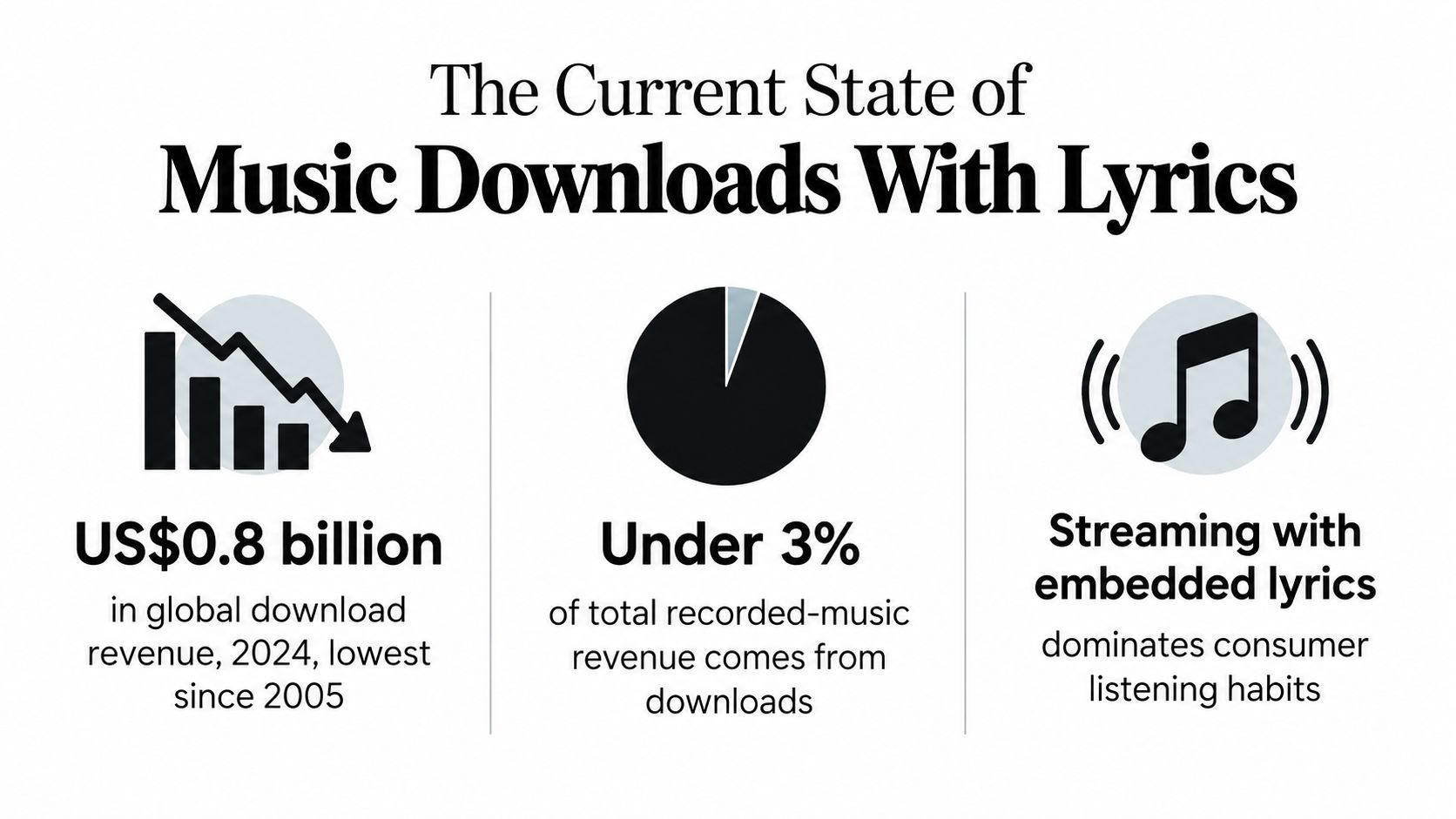
That decline doesn't make lyric-enabled downloads irrelevant. It makes broad, undifferentiated download products harder to justify. An independent artist shouldn't try to compete with streaming services on convenience. The stronger play is to offer something streaming doesn't always provide cleanly, such as a permanent archive, a carefully packaged digital release, a lyric booklet, alternate mixes, liner notes, or direct access to a fan community.
The format also has a useful relationship with audiences who care about ownership. DJs may need reliable local files, collectors may want a release they can keep, and dedicated fans may value a complete digital package more than another passive stream. A download with synchronized lyrics can become part of that package, particularly for albums with narrative writing, multilingual material, or strong fan participation.
The opportunity is narrow but real
The permanent-download market was once much larger. IFPI estimated 3.6 billion purchased downloads worldwide in 2011, up 17% from the prior year, while digital channels represented about 32% of record-company revenue globally at the time. By 2022, permanent downloads had fallen 19.6% year over year to US$644.4 million, even as other non-streaming digital formats grew, as documented in the IFPI Digital Music Report.
Those figures show why artists need a focused proposition. Don't build a download page that says, “Buy the MP3.” Build a release that explains what the buyer receives and why it deserves a place in their library. Include properly named audio files, synchronized lyrics where permitted, credits, artwork, and clear usage terms.
Commercial rule: Treat the download as a direct-to-fan product, not as a cheaper version of streaming.
The lyric file can deepen the experience, but it also creates obligations. If the artist wrote the lyrics and controls the relevant rights, packaging them with the audio can be straightforward. If a publisher, co-writer, label, or external lyric licensor is involved, the artist needs a documented permission trail before offering the file for download.
Building Synchronized Lyric Files Correctly
A plain text lyric sheet tells the listener what the words are. A synchronized file tells the player when each line should appear. That difference determines whether a music download with lyrics feels professional or broken.
The most practical lightweight format is LRC, which pairs lyric lines with timestamps. For enterprise integrations and complex presentation requirements, TTML2 is more capable because it supports multilingual mapping, advanced layout, and explicit styling. Choose LRC for broad compatibility with file-based players and simple releases. Choose TTML2 when a platform or integration requires structured styling, language handling, or more controlled rendering. The lyrics and translations technical guidance describes this distinction and the workflow behind synchronized delivery.
Start with clean source material
Begin with an approved transcript, not a lyric file downloaded from an unknown source. Check every word against the final master, including repeated sections, spoken passages, ad-libs, censored terms, and intentional spelling. A transcript that differs from the recording will create support problems even if the timestamps are perfect.
Then align the transcript against the audio waveform. For line-synced lyrics, place each timestamp at the moment the relevant line begins. Centisecond-level precision provides a useful working standard, particularly when a player exposes timing clearly or when a file may later be converted into another synchronization format.
A reliable production sequence looks like this:
- Extract the transcript: Use the artist-approved lyric text and preserve punctuation, capitalization, and line breaks that support comprehension.
- Match the waveform: Listen closely and mark the start of each line, including pickups and lines that begin before the downbeat.
- Generate timestamps: Export the timing in the syntax required by LRC or the structure required by TTML2.
- Match the filenames: Use the same artist and title identity across the audio and lyric assets so players can associate them automatically.
- Validate the encoding: Save the lyric file as UTF-8, especially when it includes accented characters, non-Latin scripts, or multiple languages.
- Test the rendered result: Open the release in the intended players and compare the displayed text with the audio from beginning to end.
Metadata is part of synchronization, not administrative cleanup. A lyric service or player may rely on artist, title, album, version, and file naming to retrieve or attach the correct asset. A title containing an unnecessary remix tag, inconsistent punctuation, or a different featured-artist format can cause a technically valid lyric file to remain invisible.
Avoid the failures that make lyrics unusable
Three problems appear repeatedly. Mismatched filenames prevent automatic loading. Encoding errors turn valid characters into corrupted text. Insufficient timestamp precision makes lines appear late, early, or in confusing clusters.
Don't solve these problems by adding more decorative formatting. Solve them by keeping the metadata consistent, checking the character encoding, and listening through the entire track after export. If you distribute multiple language versions, identify each language clearly and test the display on devices that handle script direction and character rendering differently.
For creators building a repeatable process, maintain a master folder containing the approved transcript, synchronized source file, final audio, artwork, rights documentation, and release metadata. The OohYeah creator guides can sit alongside that workflow as a reference point for preparing creator-facing digital products.
Navigating Lyric Rights and Copyright
The most dangerous assumption in lyric downloads is simple: “I can sell or distribute the audio, so I can distribute the words too.” That assumption is often wrong.
A sound recording, the musical composition, and the lyrics can involve separate rights and separate owners. Licensing the master recording doesn't automatically grant permission to reproduce or republish the lyrics. The distinction is central to the guidance on lyric rights and permissions, which explains why displaying or reusing lyric text can require authorization even when the audio itself is properly licensed.
The practical question isn't only “Who owns this song?” Ask four separate questions:
- Who controls the master recording? This may be the artist, a label, or another party.
- Who controls the composition and lyrics? Co-writers and publishers may hold interests that differ from the recording owner.
- What use is permitted? Private listening, public display, commercial distribution, printing, translation, and merchandise can trigger different permissions.
- Where does the permission apply? Ownership and licensing arrangements can vary by country, publisher, territory, and distribution channel.
Private access isn't the same as republication
A fan who downloads an authorized track for offline listening is in a different position from a website operator that copies the lyrics into a searchable database. A buyer who reads an included lyric file privately is also in a different position from a company that prints the lyrics on posters, shirts, or packaging for sale.
Those examples aren't interchangeable. The audio license may cover the buyer's access to the recording while saying nothing about the right to extract, reproduce, or redistribute lyric text. A platform's terms may also define whether the customer receives a personal-use file, a transferable asset, or permission to use the lyrics in a public performance or commercial project.
Rights rule: Never describe lyric inclusion as automatic merely because the audio is available for download.
For original songs, the artist should still confirm co-writer and publisher arrangements. One songwriter may control the recording while another party controls part of the composition. For covers, translations, samples, or songs acquired through a label, the artist should identify the relevant rights holders before promising synchronized lyrics to customers.
Build a permission record before release
Keep written evidence for every lyric asset. A useful record includes the song title, writers, publishers, territory, approved use, distribution channel, language version, and any restrictions on printing, translation, or commercial reuse. Store the agreement with the final LRC or TTML2 file so the team can identify the permission behind every version.
If a lyric is translated, treat the translation as its own rights question. A translation can involve additional creative work and may require separate permission. Don't assume that permission for the original English text covers a translated version.
If the rights position is unclear, leave the lyrics out of the downloadable package until it is resolved. A polished audio release with no lyric file is safer than a convenient bundle that exposes the artist, platform, or buyer to an avoidable claim. For creators developing a broader protection process, the OohYeah intellectual property resources provide a relevant starting point, but platform information doesn't replace a rights review for a specific song.
Choosing the Right Platform for Lyric Downloads
The right delivery method depends on what you're trying to optimize. Streaming services offer reach and familiar playback, but the artist has less control over the surrounding download experience. A direct-download storefront gives the artist more control over packaging, pricing, customer communication, and access terms, but the artist must handle metadata, file preparation, rights documentation, and support.
Use this decision matrix before uploading a release:
| Delivery route | Best fit | Lyric and metadata priority | Main trade-off |
|---|---|---|---|
| Streaming service | Discovery and everyday listening | Confirm how lyrics are supplied, displayed, and cached | Limited control over the complete fan package |
| Direct-download storefront | Collectors, superfans, and exclusive releases | Strong file naming, synchronized assets, and clear permissions | The artist owns more operational responsibility |
| Creator marketplace | Direct sales combined with community or subscription activity | Check support for lyrics, digital products, and customer access | Review the marketplace's terms and delivery controls |
| Private delivery | Press, collaborators, DJs, or approved project partners | Use explicit filenames and a rights notice | Manual administration can become difficult at scale |
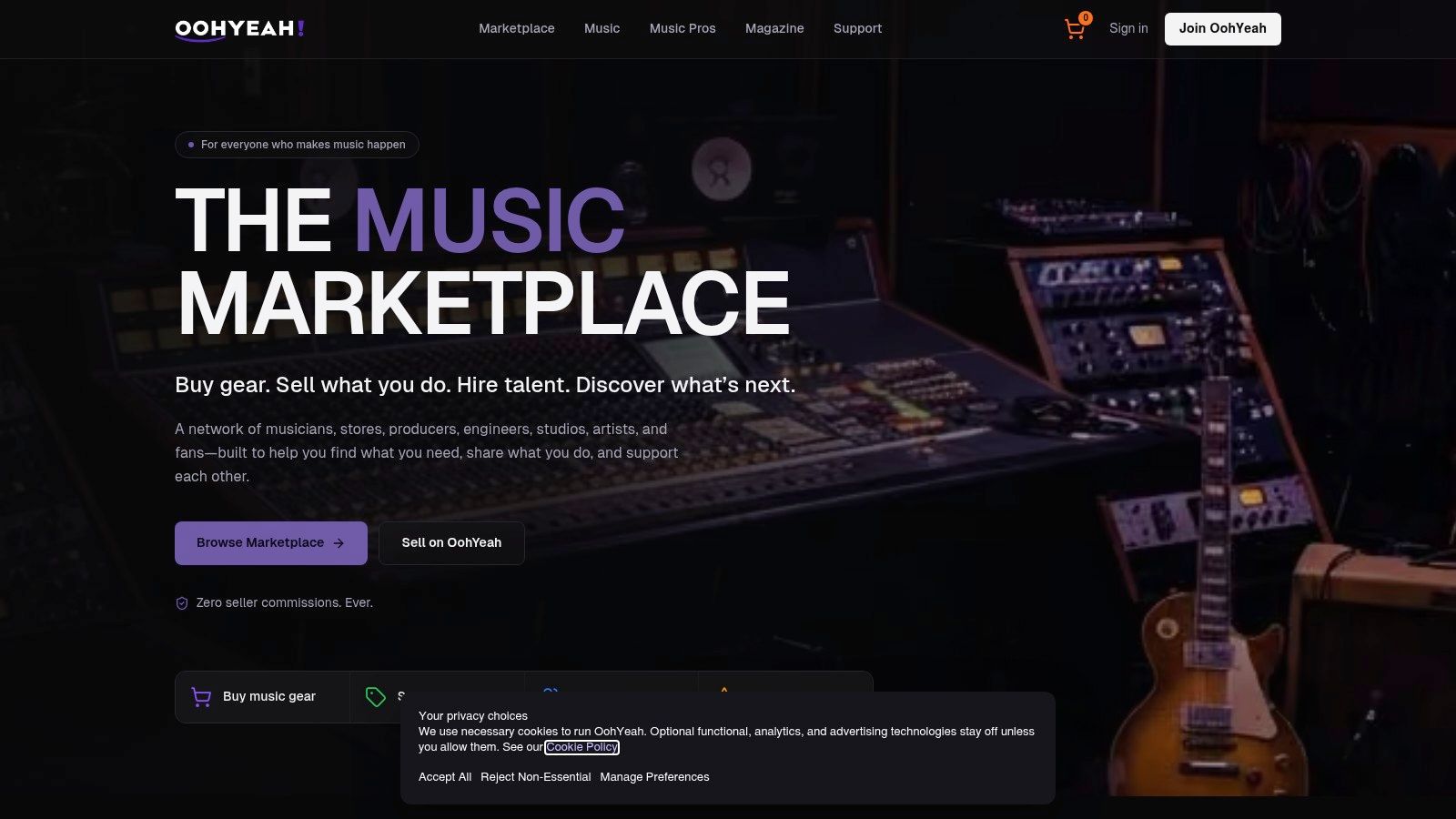
A creator-first marketplace can be useful when the release needs more than a file link. The relevant features to check include direct music downloads, digital products, subscriptions, lyric display, pricing control, customer access, analytics, and communication tools. According to the provided product information, the platform shown here supports direct music sales, digital products, subscriptions, and lyrics or liner-note display. Verify the current terms before launch, especially for offline access, refunds, territory restrictions, and the treatment of lyric files.
Choose the experience before choosing the upload button
A DJ download should prioritize dependable files, accurate versions, and clear metadata. A fan bundle might include synchronized lyrics, artwork, credits, and a private bonus track. A membership release may need recurring access rules rather than a single permanent download. These are different products, even when they contain the same master recording.
Check multilingual behavior before making a promise. Ask whether the platform stores multiple lyric languages, how it labels them, whether customers can access them offline, and whether the same timestamps apply to every translation. A translation with different line lengths may need its own timing treatment rather than a simple text swap.
This video provides another visual reference for the marketplace experience:
Don't select a platform only because it accepts an audio upload. Confirm how it handles the full asset set, including the lyric file, artwork, credits, rights notices, customer downloads, and post-release updates. A platform that makes direct distribution possible still requires the artist to supply accurate files and lawful content.
Troubleshooting Sync and Offline Access Issues
A synchronized lyric file can be correct and still fail in a particular app. Offline lyric behavior is fragmented, and consumer guidance can conflict. Some services describe automatic offline lyric availability for paid users, while other workflows depend on manually exported files, separate downloads, or player-specific metadata.
Start diagnosis with identity. If a customer renames the audio file but leaves the lyric file unchanged, a player that depends on matching filenames may stop associating the two assets. The same problem appears when an album version includes a different title suffix, featured-artist format, or edit label from the lyric database.
Use a controlled diagnostic sequence
- Inspect the file pair: Confirm that the audio and lyric files use the same base filename and sit in the expected folder.
- Check the text encoding: Reopen the file in an editor that identifies UTF-8 and inspect accented characters or non-Latin scripts.
- Review the timestamps: Listen at the points where the listener reports a problem. Determine whether every line is late or only a particular verse, chorus, or spoken section.
- Refresh the player library: Some apps cache metadata and won't detect a replacement lyric file until the library is rescanned.
- Test a clean copy: Remove duplicate files and test the release in a separate folder to rule out conflicting versions.
- Compare device behavior: Test a desktop player, a mobile player, and the platform's own playback environment before release.
Batch processing deserves special attention. A bulk export may preserve the words while dropping timestamps, applying the wrong track identity, or attaching one language file to another version. Test a sample from every release type, including tracks with featured artists, alternate versions, wordless sections, and multilingual lyrics.
Treat transcription tools as assistants
AI transcription tools can help create a first-pass transcript or locate likely timing points, but they don't replace human review. Misheard names, repeated phrases, background vocals, and intentional pronunciation changes can produce errors that listeners notice immediately. Use automated output to accelerate alignment, then compare the result with the approved lyric text and final master.
If sync fails only for a translated lyric, check whether the translation has different line breaks or a different number of displayed lines. You may need a separate synchronized file rather than reusing the original timing. Keep the original language and translation clearly identified so a player doesn't load the wrong asset.
Support rule: Ask for the device, app, filename, language, and exact failure point before changing a lyric file. “The lyrics don't work” isn't enough information to diagnose the problem.
Your Lyric Download Workflow Checklist
A professional music download with lyrics follows a rights workflow and a production workflow at the same time. Complete both before you publish the sales page.
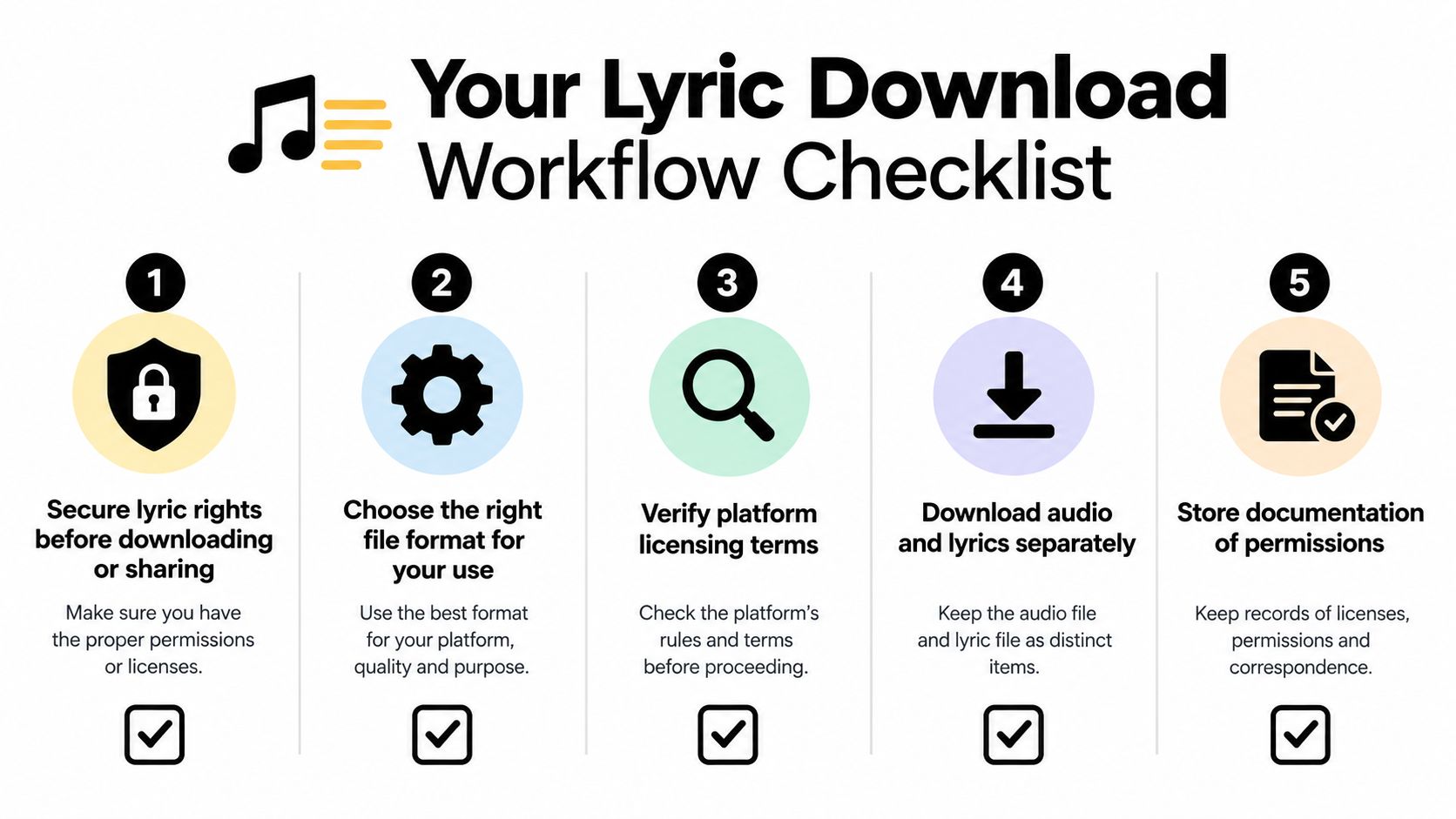
- Secure the lyric rights. Confirm the writers, publishers, territories, languages, and approved uses. Don't assume that a master license covers lyric reproduction.
- Prepare the approved transcript. Compare every word with the final master, then preserve the intended spelling, punctuation, and line structure.
- Choose the file format. Use LRC for a lightweight player-oriented release. Use TTML2 when structured styling, multilingual mapping, or enterprise integration requires it.
- Align and validate. Set timestamps against the waveform, check the audio and lyric filenames, save the file as UTF-8, and test the rendered result.
- Verify the platform terms. Confirm how the platform handles lyric display, downloads, offline access, language versions, customer use, and post-release replacements.
- Test across players. Check desktop and mobile playback, then test a fresh download rather than relying only on the creator upload view.
- Store the permission trail. Keep agreements, approvals, final files, metadata, and version notes together so you can answer rights or support questions quickly.
The OohYeah Academy courses can support creators building a more structured release and commerce process. Use any platform education alongside your own rights records, file tests, and release checklist.
A lyric-enabled download succeeds when the customer receives a complete, readable, synchronized, and lawful package. Secure the permissions first, prepare the assets carefully, and choose a delivery route that matches the kind of fan relationship you want to build.
OohYeah offers creators a direct marketplace for selling music downloads, digital products, subscriptions, and releases that can include lyrics or liner-note content. Visit OohYeah to explore a controlled direct-to-fan option for packaging synchronized lyrics with properly documented music releases.