
How to Upload Your Music to Spotify The Right Way
Learn how to upload your music to Spotify. This guide covers distributors, artwork, audio files, and post-release strategies for independent artists.
August 23, 2025
Music Marketplace Advisor
Buying & SellingBefore you can even think about getting your music in front of millions of listeners on Spotify, there's some essential groundwork to cover. Getting your tracks ready isn't complicated, but it does require attention to detail across three key areas: your final audio files, the cover art, and all the behind-the-scenes metadata.
Nailing these fundamentals from the start will make the entire process with your distributor, like OohYeah, a whole lot smoother.
Your Pre-Upload Production Checklist
Think of this as your pre-flight check before launching a new release. Getting these pieces right isn't just about avoiding frustrating delays or rejections from your distributor; it's about presenting your music professionally from the moment it goes live.
Finalize Your Audio Files
First things first, your audio needs to meet the non-negotiable standards of the streaming world. Spotify and other major platforms demand high-quality, lossless audio to ensure your music sounds as good as it did in the studio. This means your trusty old MP3s won't cut it.
Your final master needs to be a WAV or FLAC file. Here are the specs to lock in:
- Format: Export your master track as a 16-bit (or 24-bit) WAV file.
- Sample Rate: A sample rate of 44.1 kHz is the industry standard.
- Channels: Make sure you're exporting a stereo track.
Almost any Digital Audio Workstation (DAW)—whether it's Ableton Live, FL Studio, or Logic Pro—will have straightforward export presets for this. Just take a moment to double-check those settings before you hit export.
Create Compelling Cover Art
Your cover art is often the very first impression you'll make on a potential fan. It’s your visual handshake, and it needs to be both creatively engaging and technically perfect to pass the review process.
Your artwork absolutely must be a perfect square, at least 3000x3000 pixels, and saved in the RGB color space. This ensures it looks sharp and vibrant on everything from a tiny phone screen to a big desktop monitor. Submitting a low-res or incorrectly formatted image is one of the most common—and easily avoidable—reasons for a release getting held up.
Organize Your Metadata
Finally, it’s time to wrangle all the crucial information about your release. This "metadata" is the backbone of your track on streaming services; it's the data that tells Spotify who you are, what the song is called, and who needs to get paid when it's streamed.
Having this all organized in a simple document beforehand will turn the upload process into a quick copy-and-paste job.
Here's what you'll need at a minimum:
- Song Title(s): The exact, properly capitalized title of your track.
- Artist Name(s): Your primary artist name and any featured artists, spelled correctly.
- Composer/Publisher Info: The full names of the songwriters and their publishing details.
- ISRC Code: This is the International Standard Recording Code, a unique fingerprint for your recording. Don't worry if you don't have one—most distributors can generate one for you.
Choosing the Right Music Distributor
So, you’ve got your finished track and you're ready to get it on Spotify. Here’s something a lot of new artists don't realize: you can't just upload your music directly. Spotify, like other major platforms, works with a network of official partners called digital music distributors.
Think of them as the essential link between your studio and your listeners. They’re the ones who handle all the backend heavy lifting—formatting your files, sending them to Spotify, and, most importantly, collecting the royalties you earn and sending them back to you. This isn't just a recommendation; it's a requirement.
Picking the right distributor is one of the biggest business decisions you'll make. It directly affects your income, your release day workflow, and how you manage your catalog for years to come. With a staggering 1.8 million songs hitting Spotify every single month, you need a reliable partner to make sure your music gets delivered correctly and on time. Companies like DistroKid, TuneCore, and our own OohYeah exist to navigate this complex process for you.
This is a foundational step, as you can see here:
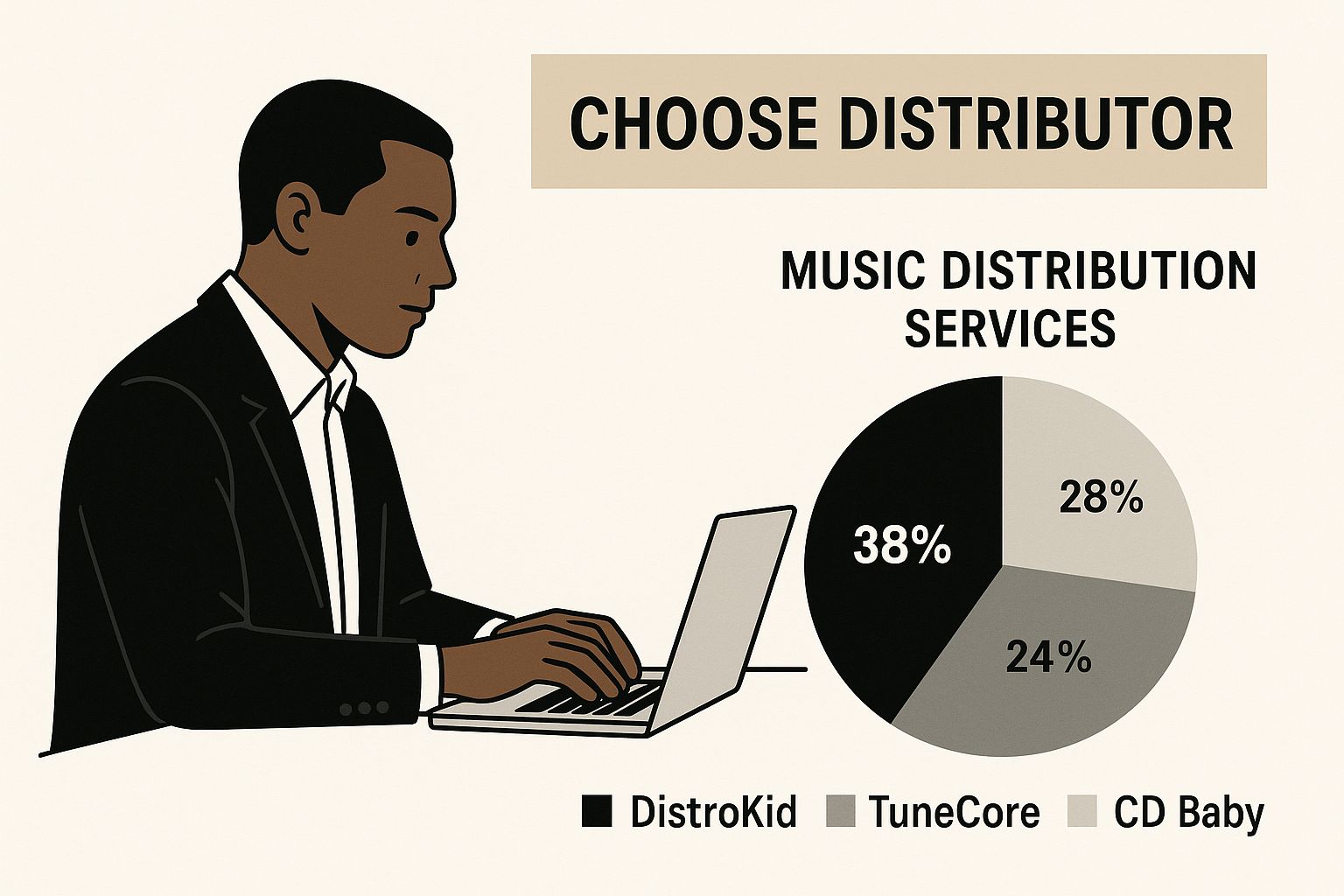
Getting this choice right from the start saves a ton of headaches down the road.
Comparing Distributor Fee Models
Music distributors don't all work the same way, especially when it comes to how they charge for their services. Understanding their pricing models is key to finding a partner that fits your release schedule and budget.
Most distributors use one of a few common fee structures. Let's break them down.
| Music Distributor Model Comparison | | :--- | :--- | :--- | :--- | | Fee Model | How It Works | Best For | Example Distributors | | Annual Subscription | You pay a flat yearly fee for unlimited uploads. | Artists who release music consistently (multiple singles, EPs, or albums per year). | DistroKid, OohYeah | | Per-Release Fee | You pay a one-time fee for each single or album you distribute. | Artists who release music infrequently, perhaps just one project a year. | TuneCore, CD Baby | | Commission-Based | No upfront fees, but the distributor takes a percentage (e.g., 15%) of your royalties. | Artists with a very limited budget who don't mind sharing future earnings. | Amuse, SoundOn |
Ultimately, the "best" model really depends on your specific situation.
Don't just look at the price tag. The real value often comes from the extra features. Does the service help you manage royalty splits with your co-writers? Do they offer playlist pitching tools or detailed analytics? These perks can be worth far more than a low initial fee.
Each approach has its own set of pros and cons. To really get into the weeds and figure out what’s best for your career, take a look at our complete guide on how to choose the right music distribution service. It'll walk you through everything you need to know.
Bringing Your Music to the World: The Upload and Submission Process
Alright, you've picked your distributor and have all your assets lined up. This is the moment it all comes together—uploading your music. If you've done your homework on the audio, artwork, and metadata, this part should feel less like a chore and more like the final, exciting step before your music goes live. Your distributor's dashboard is basically your command center for this entire launch.
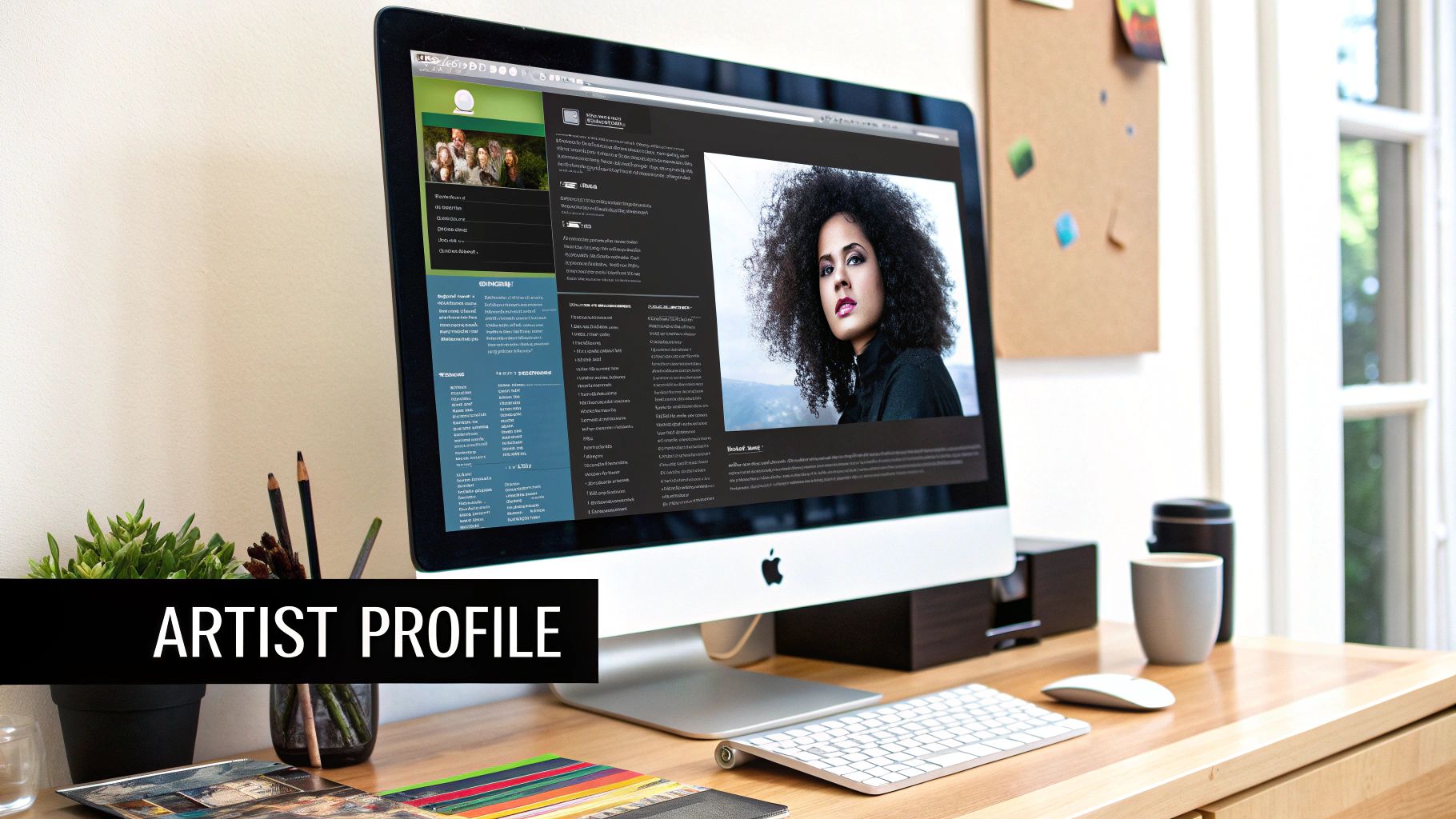
The first thing you’ll do is create a new "release" inside the distributor’s platform. This is where you'll upload those high-res art files and lossless audio tracks. Then, you'll start plugging in all that metadata you prepared—the song title, artist names, composer details, and those all-important ISRC codes.
Setting Your Release Up for Success
One of the most critical choices you'll make here is your release date. I know the temptation is to get your music out now, but this is where a little strategy goes a long way. You need to schedule your release at least four weeks in advance.
I can't stress this enough. A four-week buffer is the bare minimum you need to properly pitch your tracks for playlist consideration using your Spotify for Artists account. If you rush it, you completely forfeit one of the best chances you have for organic discovery.
Once the date is locked in, you'll dive into the finer details. This is your chance to make sure your music lands in the right places and everyone involved gets the credit they deserve.
During this stage, you'll handle a few key things:
- Choose Stores and Territories: Are you aiming for a global release, or do you want to target specific countries where you know you have a listener base? You get to decide.
- Add Your Collaborators: This is where you'll list any featured artists, producers, or co-writers. Getting this right ensures their names show up correctly on Spotify.
- Define Royalty Splits: If you worked with others on the track, you’ll spell out the exact percentage of royalties each person gets. Nailing this down from the start is the best way to avoid awkward money conversations later.
Before you even think about hitting that final "submit" button, review every single field. Seriously. A tiny typo in a track title or a name misspelled on the artwork can get your entire release bounced, causing delays and a lot of headaches. Spend an extra five minutes checking everything—it’s the best way to guarantee a smooth launch.
What Happens After You Hit Submit
You’ve poured your soul into the music, nailed the mix, and finalized the artwork. You hit that final "submit" button on your distributor's site. It’s an exhilarating feeling, but it’s not the finish line. So, what’s actually going on behind the scenes?
First things first, your distributor’s quality control team gets to work. Think of them as the gatekeepers. They’ll manually review your submission to ensure your audio files, artwork, and all that metadata meet Spotify’s precise technical requirements.
This isn’t an automated process, which is why it can take a few business days, sometimes up to a week. If you’ve followed all the guidelines, they'll approve the release and send it on its way to Spotify’s servers.
The Waiting Game and Your Next Move
Once Spotify has your files, it can take a few more days for their system to process everything and schedule it to go live. This is why you hear everyone stressing the importance of uploading well in advance. From start to finish, the entire journey from your distributor to being live on Spotify typically takes around 1-2 weeks.
This waiting period isn't downtime, though. There's a critical task you need to jump on the second you get that "delivered" confirmation from your distributor: claiming your Spotify for Artists profile. This is your command center, and getting access before your music is out is absolutely non-negotiable.
Don't make the rookie mistake of waiting until release day to claim your profile. Getting it done early means you can customize your bio and photos, but more importantly, it unlocks the ability to pitch your new track directly to Spotify's editorial team for playlist consideration.
Why Spotify for Artists Is a Game-Changer
Claiming your artist profile is more than just a setup task; it's the bedrock of your presence on the platform. This free tool gives you an incredible amount of control and insight that was once reserved for major label artists.
Here’s a quick look at what you’ll unlock:
- Audience Analytics: Get real data on who’s listening, what cities they’re in, and how they found you.
- Editorial Pitching: This is huge. You can submit unreleased music directly to Spotify’s editors for a shot at official playlists.
- Profile Management: Update your bio, upload new press photos, link your socials, and set an "Artist Pick" to highlight a specific song.
Understanding this post-submission phase lets you pivot from being a creator to being a marketer. It's all about laying the groundwork for a solid release day and building momentum from the very first play.
Giving Your Spotify Release the Best Possible Start
Getting your music onto Spotify is a huge milestone, but it's just the beginning. The real work starts now—turning that listing into a career-building asset. Your command center for all of this is the Spotify for Artists dashboard. If you haven't claimed your profile yet, make that your top priority.
Once you're in, the first power move is pitching your unreleased track directly to Spotify's editorial team. This is one of the most significant opportunities for independent artists. To give your music a real shot, you need to submit it at least a week before your release date. This gives the editors enough time to listen and consider it for massive official playlists like Fresh Finds or New Music Friday.
Create Buzz Before Day One with Pre-Saves
Don't wait until release day to start promoting. A pre-save campaign is your best friend here. It's a simple link that lets fans automatically add your song to their library the second it becomes available.
Why is this so effective? It builds genuine anticipation and, crucially, drives a surge of first-day streams. That initial activity is a massive signal to Spotify's algorithm that people are paying attention. Services like OohYeah make creating these pre-save links straightforward.
For a deeper dive into building a full promotional plan, take a look at our guide on the best practices for releasing new music online.
Get to Know Your Listeners Through Data
Your Spotify for Artists dashboard is more than just a pitching tool; it's a treasure trove of data. You can see exactly who is listening, where they live, and how they found your music. This isn't just vanity metrics—it's actionable intelligence. See a spike in listeners in a particular city? You now know where to target your next social media ads or even plan a future tour stop.
The audience you're trying to reach is massive and actively looking for new music. By 2024, Spotify was home to over 100 million tracks, with a staggering 62% of its user base being Gen Z. This is the generation driving music discovery. Knowing this helps you tailor your sound and your message to connect with listeners who are ready to find their next favorite artist. You can find more useful stats about Spotify's user demographics on Vaizle.
By taking these steps—pitching to playlists, running a smart pre-save campaign, and actually digging into your listener data—you're not just releasing a song; you're launching it with a strategy.
Got Questions About Getting Your Music on Spotify?
If you're new to digital distribution, you've probably got a dozen questions running through your head. That’s completely normal. Understanding the nuts and bolts of the process is the first step to a successful release, so let's clear up some of the most common questions artists ask.
Think of this as the practical, no-fluff guide to planning your release strategy, from budgeting your costs to setting realistic timelines.
What’s the Real Cost to Upload Music to Spotify?
Here’s the thing: Spotify doesn't charge you a dime to host your music. The costs come from the music distributor you partner with, and their pricing models can look very different from one another.
- Some distributors charge a flat annual subscription for unlimited uploads. This is great for prolific artists.
- Others have a per-release fee, where you pay a one-time cost for each single or album.
- A few work on a commission basis. They're often free to use upfront but will take a cut of your royalties, typically around 15%.
The best choice really boils down to your release schedule. If you're dropping a new single every month, a subscription model makes sense. If you only release one EP a year, a per-release fee might be more cost-effective.
How Long Until My Music Shows Up on Spotify?
Once you hit that "submit" button, the waiting game begins. You can generally expect it to take between 1-2 weeks for your distributor to review everything, get it approved, and deliver it to Spotify's servers.
This is exactly why you can't rush the process. I always tell artists to upload their tracks at least four weeks ahead of their target release date. That buffer is a lifesaver. It gives you plenty of time to fix any unexpected issues and, more importantly, pitch your song to Spotify's editorial playlists.
Running into a different issue or just curious? Our complete FAQ page has in-depth answers on everything from royalty splits to ISRC codes.
Can I Put a Cover Song on Spotify?
Absolutely, but you have to do it the right way. Before you can distribute a cover, you are legally required to get a mechanical license. This license is what ensures the original songwriter gets paid for their composition. It’s non-negotiable.
Don't let that intimidate you. Most good distributors, OohYeah included, can help you secure the necessary licenses for a small fee, making the whole process straightforward and keeping you legally protected.
What if I Spot a Mistake After My Song Is Live?
It happens to the best of us. Maybe you notice a typo in the song title, an issue with the album art, or even a mastering error in the audio file itself.
If your music is already live on Spotify, the first thing you need to do is get in touch with your distributor's support team. They'll have a specific protocol for making corrections or, if necessary, taking down the release so you can re-upload it. Just be aware that these changes aren't instant—it can take a few business days for the updates to appear on Spotify.
Ready to take control of your music career? With OohYeah, you can distribute your tracks, sell merchandise, and connect directly with fans—all on one platform, all while keeping more of your revenue. Start your journey with OohYeah today!



