
How to Upload Music to SoundCloud The Right Way
Learn how to upload music to SoundCloud with our complete guide. We cover audio prep, metadata optimization, and release strategies to get heard.
November 13, 2025
Music Marketplace Advisor
Buying & SellingBefore you hit that upload button on SoundCloud, a quick pre-flight check can make all the difference. It's about setting the stage for your music to shine, which means polishing your artist profile and getting your audio file just right. Think of it as the final mastering step before your track goes live to the world.
Your Pre-Upload SoundCloud Checklist
Let's be real: you wouldn't invite people to a grand opening if the sign was crooked and the shelves were a mess. The same goes for your SoundCloud page. Taking a few minutes to get your profile and audio files in order before uploading is one of the easiest ways to boost your track's potential right from the start.
This isn't just about ticking boxes; it's about building your brand. A sharp, professional profile encourages listeners to stick around and explore your other work, while a high-quality audio file shows you respect their ears.
Optimize Your Artist Profile
Your SoundCloud profile is your digital home base. When someone discovers a track they love, their next click is almost always on your name. Make sure what they find is impressive.
- Professional Profile Picture: This is non-negotiable. Use a high-resolution logo or a clear headshot that truly represents your artist identity. No blurry phone pics.
- Compelling Bio: Don't leave this blank! Tell your story. What’s your sound? What drives you to create? Keep it tight and engaging.
- Updated Social Links: Connect your Instagram, TikTok, YouTube, or whatever else you use. This is a simple but powerful way to turn a casual listener into a true fan who follows you everywhere.
A complete profile with active social links doesn't just look good—it sends a clear message that you're a serious artist who is actively engaged. It’s a small detail that builds instant credibility.
Prepare Your Audio File
The quality of your audio file is everything. SoundCloud will re-encode your track for streaming, but the quality of that stream is completely dependent on the quality of the file you give it. Garbage in, garbage out.
To ensure your music sounds as clean and dynamic as it did in your studio, you should always upload in a lossless format. These formats, like WAV or AIFF, contain 100% of the original audio information. Compressed files like MP3s are smaller because they literally throw away parts of your audio data, and that can lead to a noticeable drop in sound quality.
A quick look at the best audio file formats to ensure your music has the highest possible quality on the platform.
Comparing Audio File Formats for SoundCloud
| Format | Best For | Key Benefit |
|---|---|---|
| WAV | The absolute highest fidelity; studio masters | Uncompressed, bit-for-bit perfect audio |
| AIFF | Same quality as WAV; preferred on Mac systems | Also uncompressed and true to the source |
| FLAC | High fidelity with a smaller file size | Lossless compression; saves space |
| MP3 | Sharing drafts or when space is a concern | Small file size, but at a cost to quality |
Ultimately, sticking with a lossless format like WAV or FLAC is the professional standard and will give your listeners the best possible experience.
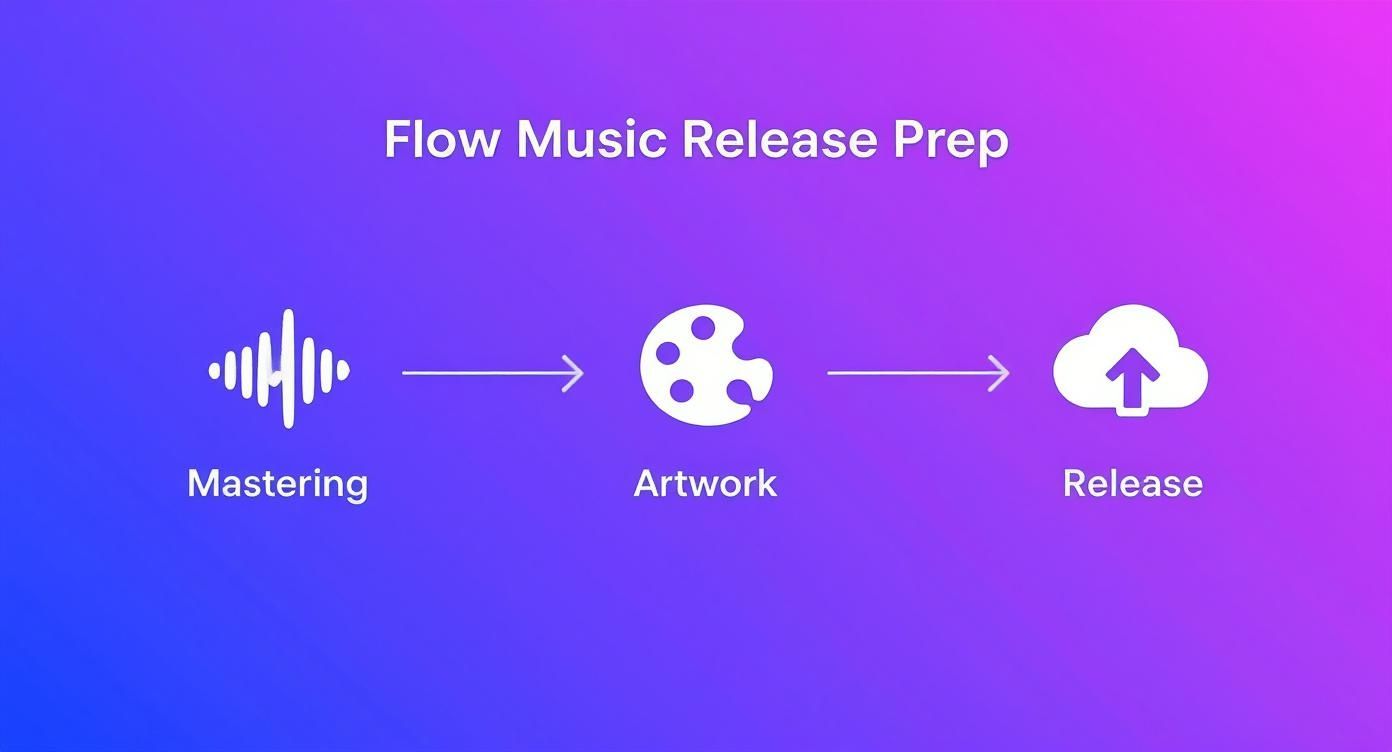
Preparing Your Music and Artwork for Release
A great track is the foundation, but getting it ready for release involves a few critical steps that separate the pros from the hobbyists. Before you jump into the upload process on SoundCloud, let’s talk about the two things that will make your music truly stand out: a solid master and killer artwork.
Think of mastering as the final polish. It's not about just cranking up the volume; it’s about balancing the dynamics and ensuring your track has the clarity to compete with everything else out there. An unmastered track often sounds quiet or muddy next to a professionally produced one, and that’s a surefire way to get skipped.
Your Visual Handshake: Cover Art
On a platform as visually driven as SoundCloud, your cover art is the first thing anyone sees. It's your visual handshake—a split-second opportunity to grab someone's attention and make them curious enough to press play.
High-resolution artwork that genuinely reflects your sound and brand is non-negotiable. It's about creating a strong first impression that sticks.
Your cover art is more than just a placeholder; it’s a critical piece of your marketing. It sets the tone for your music and can be the deciding factor for a potential fan to click play.
You don't need a massive budget to create something that looks professional. Great design tools are more accessible than ever, but the key is to invest time in getting it right. For a deeper dive into what makes a visual compelling, check out these great tips on designing eye-catching album covers.
We've also put together a guide that explains in detail why artists should invest in quality cover art.
When you're finalizing your image, make sure it lines up with SoundCloud’s specs to avoid any ugly pixelation or cropping issues.
- Minimum Dimensions: Stick to at least 800 x 800 pixels.
- Recommended Size: For the sharpest quality on high-res screens, aim for 3000 x 3000 pixels.
- File Format: Your best bets are JPG or PNG.
Nailing these details ensures your music looks as good as it sounds, right from the first glance.
Getting Your Music on SoundCloud
Alright, your profile is looking sharp and your audio files are ready to go. Now for the fun part: getting your music out into the world. All that prep work is about to pay off, making this final step a breeze.
Whether you're working from your studio desktop or uploading on the move, SoundCloud keeps the process straightforward.
The Upload Interface: Desktop and Mobile
On a desktop, you can't miss the big "Upload" button at the top of the page. Clicking it takes you to a simple, clean screen. From here, you can either drag your audio file right into the designated area or browse your computer to find it.
As you can see, the layout is designed to be intuitive. Once your file is selected, you'll move on to filling in all the important details. If you're using the mobile app, the experience is just as smooth—you can upload tracks directly from your phone's storage in a few taps.
A Quick Word on Upload Limits
Before you get carried away and drop an entire back catalog, you need to know about SoundCloud’s upload limits. They're in place to manage traffic and prevent spam, but they can also affect your release strategy if you're not careful.
As of 2025, even paid subscribers should stick to uploading no more than 30 tracks per day. This is a big one: only those first 30 are eligible for potential boosts from SoundCloud's algorithm. If you're on a free plan, the daily cap is significantly lower, typically hovering around 10-15 tracks.
Uploading a Single vs. an Album
The mechanics change slightly depending on whether you're releasing a single or a full project. A single track is as simple as it gets: one audio file, one set of metadata. You upload the file, fill in the details, and you're done.
For an EP or an album, it’s all about creating a cohesive project.
My best advice for an album release is to focus on consistency. Make sure your track titles are numbered sequentially (e.g., "01 Intro," "02 First Song") and that every track uses the same high-quality album art. It makes the whole project feel professional and polished for the listener.
You can upload all the tracks for your album at once. SoundCloud processes them as a batch, which lets you edit the details for each song individually while keeping them tied together as a single release. For more general tips that apply to other platforms, our guide on how to upload music offers a broader perspective.
Optimizing Your Track for Maximum Discovery
Getting your track uploaded is the easy part. The real work begins when you need to make sure people can actually find it. Your metadata—the titles, tags, and descriptions you add—is how you tell SoundCloud's discovery engine who needs to hear your music. Don't think of it as just filling out a form; see it as drawing a map that leads new listeners straight to your sound.
The sheer volume of music on the platform is staggering. By 2025, SoundCloud was home to over 375 million songs. With a community of more than 40 million creators uploading around 110,000 new tracks every single day, you have to be smart to get noticed. Every field on that upload page is an opportunity to stand out.

Crafting Your Title and Description
Let’s start with the basics. Your track title needs to be instantly recognizable and easy to search. I've found the best formula is Artist Name - Track Title (feat. Artist/Remix info). Something like "Aura Bloom - Midnight Drive (Vaporwave Mix)" is clean, professional, and gives listeners all the key info at a glance.
The description box is your chance to tell a story. A blank description is a missed opportunity.
- Tell the story: What inspired the track? Was it a specific moment, feeling, or place?
- Give credit: Tag any producers, vocalists, or collaborators. It’s good etiquette and helps cross-promote.
- Link out: Drop your social media handles so new fans can easily find and follow you off the platform.
Thinking about your track's metadata in the same way you'd think about a webpage can be a game-changer. Learning how to write effective meta tags gives you a solid foundation for improving discoverability not just on SoundCloud, but across the web.
Your description acts as your track's liner notes for the digital age. It’s an opportunity to build a deeper connection with your audience, turning a passive listener into an engaged fan.
The Art of Strategic Tagging
Tags are your most powerful weapon for discovery on SoundCloud, hands down. They’re how the platform sorts your music and slides it into the playlists and feeds of potential fans. The key is to mix broad, popular genres with more specific, niche tags.
For example, don't just tag your new house track as #Electronic. Go deeper.
- Main Genre: Start broad with something like
#House. - Subgenre: Get specific with
#DeepHouseor#ProgressiveHouse. - Mood & Vibe: Add tags that describe the feel, like
#Chill,#Melodic, or#Driving. - Similar Artists: Think about who your fans also listen to and add tags like
#Lane8or#BenBohmer.
This layered strategy helps your music show up in all the right places. For a deeper dive into growing your audience, our guide on https://oohyeah.app/posts/tips-for-increasing-music-streams-and-earnings has some great insights.
Finally, don't forget to create a custom permalink. Something clean like /aurabloom/midnight-drive-vaporwave-mix looks much more professional and is easier to share than a generic, system-generated URL.
Using Privacy Settings for a Strategic Release
Not every track you upload to SoundCloud is ready for the entire world to hear—at least not right away. This is where mastering the privacy settings can turn a simple upload into a smart, strategic move for your music career. It's all about controlling who hears what, and when.
Your two main choices are pretty straightforward: Public or Private. A public track goes live for all to see and hear, while a private track is completely hidden from everyone but you.
Public vs. Private Scenarios
So, when do you use each one? Think of public tracks as your official, polished releases. These are the songs you want discovered. Private tracks, on the other hand, are your secret weapon for building buzz and handling professional business behind the scenes.
With a private track, you can generate a secret link. This is incredibly useful for a few key situations:
- Sending demos to record labels, publishers, or A&R reps.
- Getting feedback from a collaborator or producer on an early mix.
- Giving press an early listen, like offering a blogger or journalist a sneak peek before the official release date.
Using private links makes your outreach feel exclusive and targeted. It shows you're intentional about your release plan, a detail that industry gatekeepers definitely appreciate.
If you have a premium SoundCloud account, the Scheduled Release feature is a total game-changer. You can upload a track, set it to private, and then program it to automatically go public on a specific date and time. This is perfect for coordinating a big launch, ensuring your track drops at the exact moment your music video premieres or your social media campaign kicks off.
Clearing Up Common SoundCloud Upload Questions
Even with a perfect upload process, a few nagging questions can pop up. I get these all the time from artists just starting out on SoundCloud, so let's walk through some of the most frequent hurdles to make sure you're completely set.
What's the Best Audio Format for SoundCloud?
Always, always upload your music in a lossless file format. Think WAV or FLAC. This is your master-quality file, and giving SoundCloud the best possible version to work with is non-negotiable for good sound.
So, does SoundCloud compress your audio? Yes, it does. Once you upload that pristine lossless file, the platform creates several compressed versions for streaming, like a 256kbps AAC file. This is actually a good thing—it guarantees your track plays smoothly for listeners, no matter their internet speed.
By providing a high-quality source file, you ensure that these compressed streaming versions sound as good as they possibly can.
Can I Edit My Track After Uploading?
For the most part, yes. You have a lot of flexibility to change things after your track is live. Just head to the track’s page and hit the 'Edit' button. From there, you can easily update:
- The title
- Artwork
- Description
- Genre
- Tags
Here’s the crucial thing to remember: You can't replace the audio file on an existing upload. To do that, you have to delete the entire track and start over. This means you’ll lose all your stats—plays, likes, and comments will be wiped clean. Get the audio perfect before you upload.
Why Isn't My New Track Showing Up in Search?
Don't panic if your track doesn't appear in search results immediately. It takes time for SoundCloud's system to index new content. Usually, it's a matter of a few hours, but it can occasionally take up to a full day.
To give your track the best shot at being discovered quickly, double-check that its privacy is set to 'Public' and that you've packed your metadata with relevant tags and a descriptive, easy-to-search title.
Ready to move beyond just uploading and start building a real business around your music? OohYeah gives you the power to sell your music, merch, and fan subscriptions directly from your own hub—with zero commission. Take control of your career and start building your independent music business today.



