
How to Release a Song on Spotify in 2024
Learn how to release a song on Spotify with our guide for independent artists. From distributors to promotion, get your music heard by millions.
September 15, 2025
Music Marketplace Advisor
Buying & SellingSo, you've poured your heart and soul into creating a track, and now you're ready to share it with the world. Getting your song onto Spotify is a huge milestone, but it’s not as simple as uploading a file directly. You’ll need to go through a digital music distributor who acts as the bridge between you and the streaming giant.
The entire process, from finishing your master to pitching for playlists, needs a bit of lead time. I always recommend submitting everything at least a few weeks ahead of your planned release date. This buffer is crucial for getting through the review process and, most importantly, for giving you a shot at landing on those coveted Spotify playlists.
Your Roadmap to a Successful Spotify Release
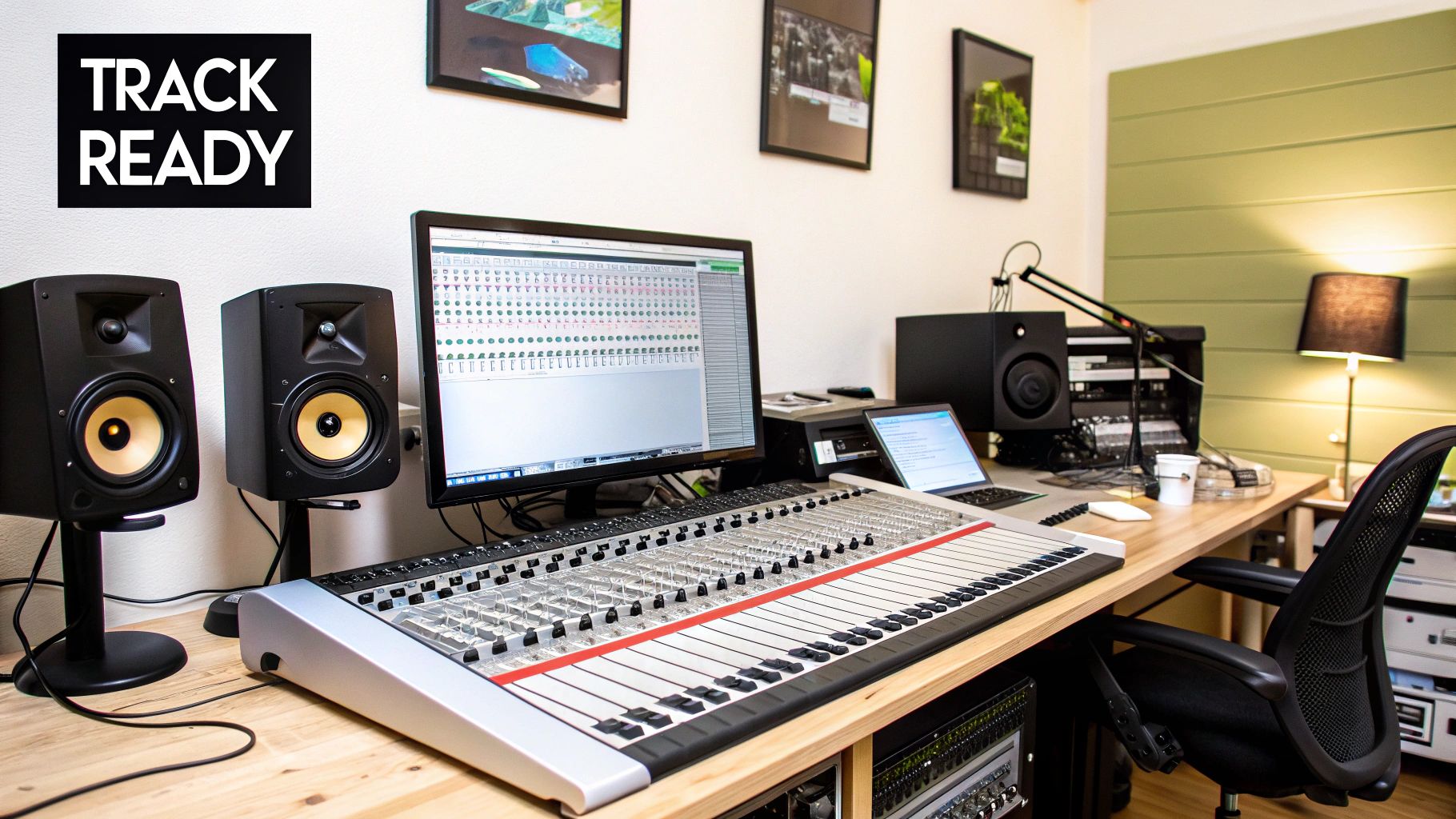
Think of releasing a song not as a single action, but as a strategic launch. It’s your chance to open the door to a global audience, and a little planning goes a long way. The journey from your studio to a listener's headphones involves a few key phases, and understanding them turns what seems like a daunting task into a series of manageable steps.
Each part of the process builds on the last, setting you up for a strong release day and giving your music the momentum it needs to find its audience. Let’s break down exactly what you need to do.
The Core Components of a Release
Before you even start looking at distributors, you need to get your "release package" in order. This isn't just about having an amazing song; it's about having all the professional assets that streaming platforms require. Getting this right from the start saves a ton of headaches later.
Here's what you absolutely must have ready:
- Your Master Audio File: This has to be the final, high-quality, uncompressed version of your track. A WAV file is the industry standard.
- Your Cover Artwork: A high-resolution, square image is non-negotiable. Aim for at least 3000x3000 pixels to ensure it looks crisp on all devices.
- Essential Metadata: This is all the critical background info—song title, artist name, songwriter credits, and your target release date. Accuracy here is key.
Why Spotify Matters
Putting in this prep work is more than worth it when you consider Spotify's reach. We're talking about a platform with roughly 515 million monthly active users globally, with over 210 million of those being premium subscribers. To get in front of them, you’ll work with a digital music distributor like DistroKid or TuneCore to handle the technical side of submission and ensure your release meets Spotify’s strict guidelines.
Getting your music on Spotify isn’t just about being heard; it’s about being discovered. The platform's powerful algorithmic and editorial playlists can introduce your music to thousands of new listeners overnight, making it a critical tool for audience growth.
Before you jump into the submission process, it's a good idea to have a clear checklist of everything you'll need. This helps streamline the process and prevents any last-minute scrambling.
Essential Pre-Release Checklist
Here’s a quick-glance table of the must-haves before you begin uploading your music. Having these assets organized will make the distribution process incredibly smooth.
| Asset or Task | Why It's Important | Pro Tip |
|---|---|---|
| High-Quality Master Audio | This is the final product. Spotify requires specific file formats (like WAV) for the best listening experience. | Export your master at 16-bit, 44.1 kHz. Double-check that it's the absolute final version. |
| Cover Art (3000x3000px) | Your artwork is the first visual impression. High-res images are required and prevent pixelation on large screens. | Make sure your artwork contains only your artist name and release title, or no text at all. Avoid social media handles or URLs. |
| Accurate Metadata | Correct song titles, artist names, and credits ensure you get paid properly and your music is easy to find. | Compile all songwriter, producer, and contributor names and their roles in a separate document before you start the upload. |
| ISRC & UPC Codes | These are like barcodes for your music. The ISRC identifies the specific recording, and the UPC identifies the entire release. | Most distributors will generate these for you for free or a small fee, so you usually don't need to buy them separately. |
With these foundational pieces locked in, you’re ready to move on to choosing a distributor and using Spotify’s own artist tools. For a deeper look at what comes next, check out our complete guide covering the best practices for releasing new music online. It'll help you prepare to make the biggest possible splash on release day.
Choosing Your Digital Music Distributor
So, you've got a finished track ready to go. The first thing to understand is that you can't just upload your music directly to Spotify. You need a middleman, a digital music distributor, to handle the heavy lifting. Think of them as the bridge connecting your studio to every major streaming platform. They're the ones who will deliver your music, artwork, and all the behind-the-scenes data, making sure it all meets Spotify's strict technical specs.
Picking the right partner is one of the most important decisions you'll make. It’s not just about getting your song online; it affects how you get paid, what promotional tools you have access to, and how much you'll spend. The distributor landscape is crowded, and they all operate a bit differently.
Comparing the Different Distributor Models
Most distributors fall into one of two main camps: those that charge a recurring fee and those that take a percentage of your earnings.
For example, a service like DistroKid is built on a subscription model. You pay a flat annual fee, and in return, you get to upload as much music as you want and keep 100% of your royalties. If you're planning on releasing a steady stream of singles or multiple EPs a year, this model can be incredibly cost-effective.
On the other hand, you have distributors that work on a per-release fee or a commission basis. Companies like TuneCore or CD Baby might charge you a one-time fee to upload a single or an album. Sometimes, they'll also take a small percentage of your royalties. This can be a great option if you’re only releasing one project a year and don't want to commit to an annual subscription. It really comes down to doing the math based on your personal release schedule.
Your distributor is more than just a delivery service; they're a long-term partner in your music career. Don't let a low upfront cost be the only thing that sways you. Look at the royalty splits, the quality of their artist support, and the extra tools they offer that will genuinely help you grow.
Key Factors to Look For
Once you get past the basic pricing, the real differences start to show up in the details. A good distributor can offer a suite of tools that make an independent artist's life much, much easier.
When you're weighing your options, here's what you should be digging into:
- Royalty Splits: Is it a true 100% payout, or does the distributor take a cut? A 9% commission might not sound like a lot, but once you're talking about hundreds of thousands or even millions of streams, that number gets very big, very fast.
- Distribution Network: Make sure they deliver to all the platforms that matter to you. Of course, they should cover the big ones like Spotify, Apple Music, and Tidal, but what about international stores like Tencent Music in China or regional services popular in Europe?
- Extra Features: This is where some services really shine. Do they offer YouTube Content ID to help you monetize your music across YouTube? What about automatic royalty collection from performance rights organizations or playlist pitching tools? These "extras" can be game-changers.
- Artist Support: What happens when something goes wrong? When your artwork gets rejected or there's a problem with a royalty payment, you need to know you can get a hold of a real person who can help. Check out reviews and see what other artists are saying about their customer service.
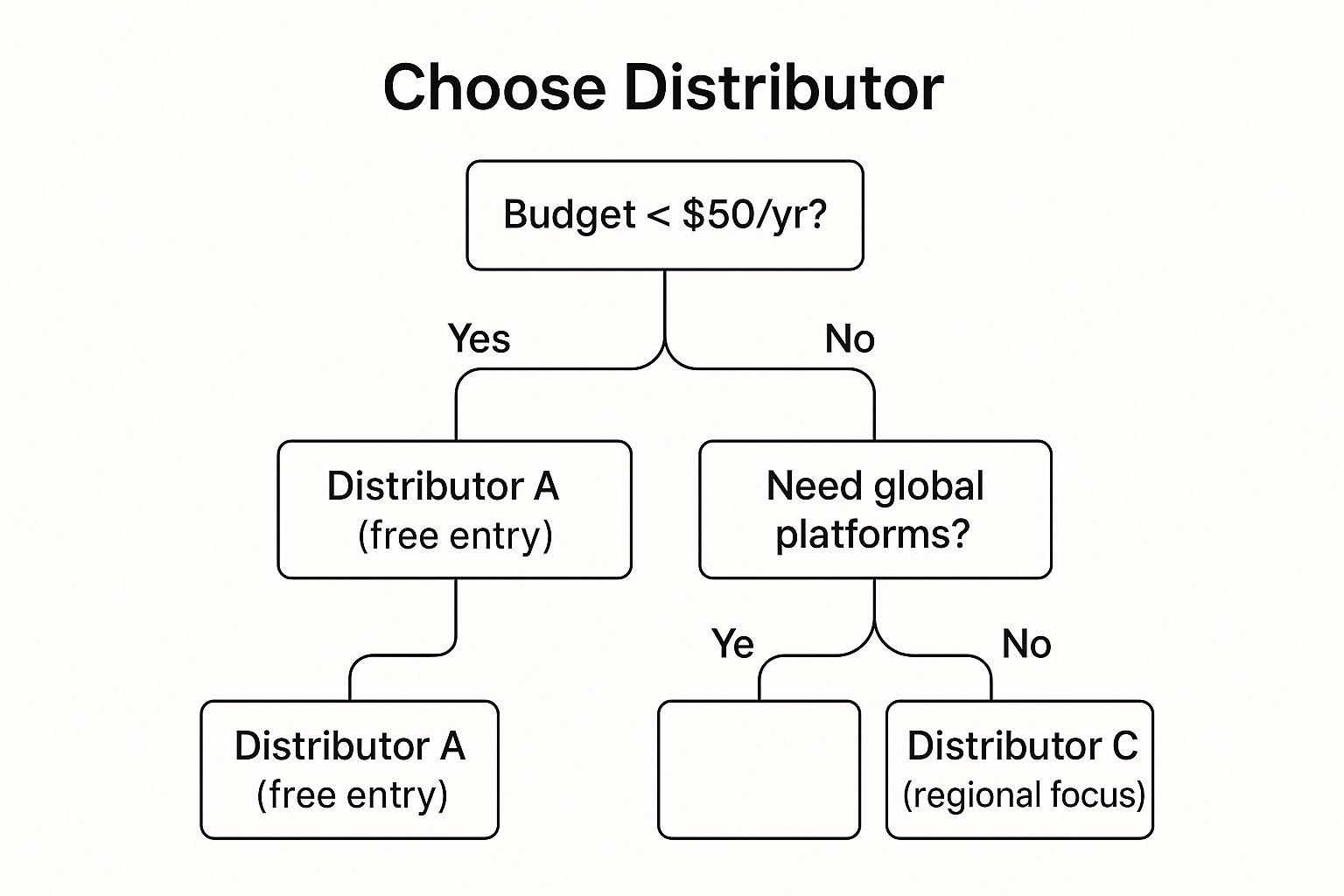
The right choice for a brand-new artist dropping their first single will probably be different from what an established indie band needs. It's all about finding the service that aligns with where you are right now and where you want to go.
If you want to go deeper, we've got you covered. Check out our detailed guide on how to choose the right music distribution service to really break down the pros and cons. A little research now will save you a ton of headaches later.
Preparing Your Music Files and Metadata
Before you even dream of hitting "upload," you need to get your house in order. A smooth release all comes down to prep work. Think of it like this: you wouldn't show up to a gig without your instruments tuned, and you can't show up to a digital release with messy files.
The two things you absolutely must have polished and ready are your final audio master and your cover art. Every distributor has strict technical specs for these, and getting them right from the start will save you from the headache of having your release rejected.
Getting Your Audio Release-Ready
Your master audio file is the finished product. It's the result of countless hours in the studio, and it needs to sound incredible on everything from high-end headphones to a laptop speaker. While MP3s are great for your daily commute, they are not what you send to your distributor.
The industry standard is an uncompressed, high-quality audio file. Here’s what pretty much every distributor is going to ask for:
- File Format: Stick with WAV. It’s a lossless format, which means no audio data is sacrificed for a smaller file size.
- Bit Depth: 16-bit is the gold standard for Spotify and other major platforms.
- Sample Rate: Use 44.1 kHz. This is classic CD-quality audio and exactly what streaming services are built to handle.
If you submit a compressed file like an MP3, you're shooting yourself in the foot. Spotify will just compress it again, leading to a noticeable drop in audio quality. Always export your final master directly from your DAW or mastering engineer with these specs.
Designing Your Cover Artwork
Your cover art is the first impression. It's the visual hook that grabs a listener's attention before they've even heard a single note, so it has to look sharp and professional. Just like with your audio, there are technical rules you need to play by.
Your artwork is not an afterthought; it's a critical part of the package. It needs to be a high-resolution, perfectly square image. Most distributors require at least 3000 x 3000 pixels, typically as a JPG or PNG file.
Keep the artwork clean. Avoid cluttering it with your social media handles, website URLs, or tour dates. At most, it should just be your artist name and the release title—or sometimes, no text at all works best.
The Critical Role of Metadata
Beyond the music and the visuals, there’s metadata. This is all the backend information that tells Spotify and your distributor what they’re dealing with. It includes the obvious stuff like your artist name and the song title, but also the release date and—most importantly—all the songwriter, producer, and performer credits.
Getting your metadata right isn't just about giving people credit; it's how you get paid and how your music gets found. Accurate information ensures royalties flow to the right people, which helps you avoid messy disputes later. This data also fuels Spotify’s recommendation algorithms, helping them categorize your song by genre, mood, and collaborators. Nail this, and you’ll have a better shot at landing on algorithmic playlists.
To really get this right, it's a good idea to dig deeper into how to optimize your music metadata for streaming and give your track the best possible chance to connect with new listeners.
Using Spotify for Artists Before You Release
Alright, so your distributor has accepted your track and sent it on its way to Spotify. This is where the real work begins. Your next move is to get access to the single most powerful free tool at your disposal: your Spotify for Artists profile.
Getting in isn't automatic. You have to actively claim your profile, and it's a step you absolutely can't skip. This unlocks the dashboard where you can start shaping how your song will land.
Claiming your profile is pretty simple, but you need to do it as soon as your distributor gives you the green light. You'll need your song's UPC or ISRC code to prove you're the real artist. Once you're verified, you can update your bio, add new photos, and—most importantly—pitch your unreleased song directly to Spotify's editorial team. This is a total game-changer.
Crafting a Winning Playlist Pitch
Pitching your song is your one shot to get it in front of the human curators who build Spotify’s biggest playlists. You only get to do this once per release, so you have to make it count. The pitch form will ask for details about your track, and this is your chance to tell its story.
The dashboard below is your mission control for managing your artist profile and, critically, submitting your pitch.
This is where you'll handle everything from updating your profile image to checking your stats and, of course, filling out that all-important playlist submission form for your new music.
Your pitch needs to be short, sharp, and compelling. Don't just describe what the song sounds like; get into the "why" behind it.
- Genre and Mood Tags: Be honest here. You can select up to three genres, sub-genres, and moods that genuinely fit your track. If you made a chillwave song with lo-fi hip-hop drums, tag it that way. Trying to game the system with misleading tags is a surefire way to get your pitch ignored.
- The Story: Use the text box to give them the narrative. What’s the song about? Was there a cool story behind how it was made? Keep it personal and authentic. Remember, these editors read thousands of pitches, and a real, genuine story will always stand out from the generic ones.
- Your Marketing Plans: Briefly mention what else you're doing to push the song. Got a music video premiere lined up? A social media campaign? A little press coverage? This shows the editors you’re invested and serious about making the release a success.
A great pitch isn’t just a summary of your song. It’s an argument for why it deserves a spot on a playlist. It shows that you understand your own music and have a solid plan, which makes an editor’s job much easier when they're deciding who to support.
Getting this right can be huge. By 2025, Spotify is expected to have around 8 billion user-created playlists, but the real career-makers are the official ones. A monster playlist like 'Today’s Top Hits,' with its 34.5 million followers, can change an artist's life overnight.
Even getting placed on a smaller, niche editorial playlist can give your track a massive visibility boost. To really get a sense of what’s possible, it’s worth reading up on the power of playlists and Spotify's massive ecosystem.
Spotify says you need to submit your pitch at least seven days before your release date. That’s the bare minimum. My advice? Pitch it two to four weeks in advance. This gives the editorial team plenty of time to actually listen and consider your track among the tens of thousands they get every single day. Taking this step is one of the most important things you can do to make sure your song doesn't just go live—it makes an impact.
Building Momentum After Your Release Day
Hitting that final "submit" button with your distributor feels like the finish line, but in reality, it's the starting gun. Your release day is just the beginning. The real work of turning a song into a success happens in the weeks that follow—that’s what separates a track that makes a quick splash from one that truly finds its audience.
It’s easy to get caught up in the obsession with first-day streams. A big debut is awesome, no doubt, but it's far from the only measure of success. The streaming world is full of "slow burn" hits that took weeks, or even months, to really catch on and climb the charts.
Don't just take my word for it. An analysis of songs on Spotify’s Top 200 chart revealed that while 76% of songs peak in their first week, many of the biggest hits build their momentum over time. Look at Teddy Swims' 'Lose Control'—it started with under 2 million streams and didn't peak for another 17 weeks, eventually becoming a global smash.
Fueling Growth After Launch
Your mission in the first month is simple: keep the conversation going and feed Spotify's algorithm all the right signals. This is about inspiring genuine engagement, not just passive listening.
You need to focus on actions that show listeners are truly connecting with your music. These are powerful indicators to Spotify that your track has legs.
- Push for Saves: A "save" is one of the most important metrics you can get. It tells Spotify that someone likes your song enough to add it to their personal library. Make this a clear call to action on your social media.
- Encourage Playlist Adds: Ask your fans directly to add your song to their own playlists. This kind of organic placement is gold for the algorithm.
- Create Compelling Content: Stop just posting a link with "Listen to my new song." Share the story behind the lyrics, make a simple lyric video, or post some behind-the-scenes clips from the studio. Give people a reason to connect.
Building a dedicated following is the key to long-term success. If you want to really amplify your efforts, learning how to build a thriving online community is a game-changer.
Using Data to Steer the Ship
Think of your Spotify for Artists dashboard as your post-release command center. This is where you get the real story of who’s listening and where they are. Don't just glance at it; dig in.
Your listener data isn't just a collection of numbers; it's a roadmap. It shows you which cities to target, which demographics are resonating with your sound, and what other artists your fans have on repeat. Use these insights to make smarter moves.
Let's say you see a sudden spike in listeners from London. That's your cue to run a small, targeted social media ad campaign for music lovers in that city. Or maybe you notice your track is being added to a bunch of user-created "Late Night Study Beats" playlists. Now you know exactly how to pitch your music and what kind of vibe to lean into for future content.
This data-driven approach is how you turn a single release into a sustained campaign. You stop guessing and start making strategic decisions that build a real, lasting audience for your music.
Got Questions? Let's Talk About Releasing on Spotify
Even with the best-laid plans, you’re bound to have questions when figuring out how to get your music on Spotify. It’s a process with a lot of moving parts, and nailing the details can be the difference between a smooth launch and a frustrating one. Let's dig into some of the most common things that come up for artists.
How Much Is This Going to Cost Me?
There’s no one-size-fits-all answer here. The cost to release a song is almost entirely set by your choice of digital distributor. Think of them as the bridge between you and the streaming platforms.
Some distributors, like DistroKid, work on a subscription basis. You pay a flat annual fee, often starting around $20, and you can upload as much music as you want. Others, like TuneCore or CD Baby, might have you pay a one-time fee for each single or album you release.
Spotify itself doesn't charge you a dime to upload your music. The real question you need to ask yourself is about your release schedule. If you're planning on dropping a new single every month, a subscription model will almost certainly save you money. But if you're more of a one-project-a-year artist, paying per release could be the smarter financial move.
So, How Long Does This Whole Thing Take?
This is a big one, and getting the timing right is crucial. Once you hit "submit" on your distributor's website, your music doesn't just magically appear on Spotify. It has to go through a review process, first with your distributor and then with Spotify's team.
My advice? Always plan for a minimum lead time of two to four weeks from submission to your actual release day. This isn't just a buffer for unexpected delays; it's your strategic window. You need this time to claim your Spotify for Artists profile and, most importantly, pitch your song to their editorial playlists. Spotify requires you to pitch at least seven days in advance, but more time is always better.
Trying to rush this is one of the most common rookie mistakes I see. If you submit your track just a few days before you want it to go live, you'll miss the playlist pitching window entirely and leave yourself no room to fix any potential issues.
Do I Actually Get Paid for Every Single Stream?
You do, but it's not as simple as a penny-per-play. You earn royalties for every legitimate stream, but the way Spotify calculates this is a bit complicated. They use what’s called a "pro-rata" system.
Essentially, they take all the money they made from subscriptions and ads in a given month and put it into one big pot. Then, they pay out royalties based on "streamshare."
Here's the gist of it:
- The Big Pot: Spotify pools all its monthly revenue.
- Total Streams: They count up every single stream that happened on the platform that month.
- Your Slice: Your earnings are based on what percentage of those total streams belonged to your music.
This means the per-stream payout rate changes every single month. It's also key to remember that Spotify pays this money to your distributor first. Your distributor then takes their cut (if any) and pays you based on the terms you agreed to.
At OohYeah, we're all about empowering artists to take charge of their careers and their income. We built a platform that lets you sell music and merch directly to your fans, completely commission-free. You earn it, you keep it. Start building your independent music business today.



