
How to Presave on Spotify A Guide for Artists
Learn how to presave on Spotify and boost your next release. Our guide covers proven strategies for artists to maximize streams and playlist features.
November 20, 2025
Music Marketplace Advisor
Buying & SellingSo, you’ve poured everything into your new track, and now it’s time to launch it.But just dropping it into the digital ocean and hoping for the best is a recipe for disappointment. A Spotify presave campaign is one of the most effective ways to cut through the static and build real momentum before your music even hits the platform.
Think of it as your secret weapon. It’s a direct signal to Spotify's algorithm that people are already waiting for your song, making it pay attention right from the first minute of release day.
Why a Spotify Presave Can Make or Break Your Release Day

In today's music world, a strong release day is non-negotiable. A presave isn't just about getting a handful of early listeners; it's about strategically engineering a successful launch. You’re essentially creating the digital equivalent of a line around the block for a record store drop—it’s visible, measurable hype that the platforms can't ignore.
This initial burst of activity is what really matters. When a fan hits that presave button, they’re giving Spotify permission to automatically add your track to their library and their "Liked Songs" the second it goes live. This triggers an immediate wave of saves and streams, two of the most powerful signals you can send to Spotify's algorithm.
Let's look at a quick overview of what makes this so impactful.
| Benefit | Impact on Your Release |
|---|---|
| Algorithmic Boost | The sudden spike in saves and streams on day one signals to Spotify that your track is popular, increasing its chances of landing on key playlists. |
| Guaranteed Listeners | Your music appears directly in your fans' libraries, ensuring they don’t miss the release in a crowded feed. |
| Fan Engagement | It turns a passive announcement into an interactive event, making your audience feel like part of the launch. |
| Valuable Data | Many presave tools capture fan data (like email addresses or location), helping you build your marketing list and plan future tours. |
Ultimately, these benefits work together to create a powerful launchpad for your new music, giving it a much better shot at long-term success.
Feeding the Algorithm What It Wants
A high number of presaves is a clear indicator of built-in demand. That early engagement dramatically boosts your chances of your track landing on those coveted algorithmic playlists, which are the real engines of discovery on the platform.
- Release Radar: This is where your track gets served directly to fans who already follow or listen to you. A presave almost guarantees you’ll show up here for them.
- Discover Weekly: Getting on Discover Weekly is how you find brand new fans. Spotify places your music in front of people who listen to similar artists, opening up a massive new audience.
This isn't just wishful thinking; it's a proven strategy. With over 100,000 new tracks hitting Spotify every single day, you need every advantage you can get. We consistently see artists who run solid presave campaigns achieve a 20-30% increase in their first-day streams. For more on this, check out the data from Pitch-us.com.
The real magic of a presave is that it turns passive listeners into active participants. You’re not just telling them about your release; you're inviting them to be a part of it. That simple act builds a much stronger connection.
More Than Just First-Day Streams
Looking past the launch day buzz, a presave campaign is a goldmine of valuable data. When you use a third-party presave tool, you can often see who presaved your track and where they're located. This kind of insight is invaluable for planning a tour or targeting your next social media ad campaign.
At the end of the day, a presave campaign is a fundamental building block for a sustainable music career. It gets your core audience excited, sends all the right signals to the algorithm, and sets the stage for genuine, organic growth. That's why mastering the presave is a non-negotiable skill for any artist serious about their music. To dig deeper into this, have a look at our guide on https://oohyeah.app/posts/why-building-a-fanbase-is-essential-for-selling-music.
Your Presave Campaign Checklist
Before you even think about building that presave link, there are a few things you absolutely have to get in order. Trust me, getting this groundwork done now saves you from a world of last-minute headaches that can kill your launch momentum.
Think of it as your pre-flight check.
First, Nail Down Your Release Codes
This part is non-negotiable. To get a presave campaign off the ground, you need the unique codes that identify your music in the global system. They're how platforms like Spotify know what to look for.
- UPC (Universal Product Code): This is the barcode for your whole project—the single, the EP, the album. You'll get this from your distributor once you've submitted your music.
- ISRC (International Standard Recording Code): This code is for a single track. So, if you're dropping a single, the UPC is for the product and the ISRC is for the song itself. For an album, you'll have one UPC for the project and a unique ISRC for every single song on it.
You absolutely must have these codes from your distributor. Without them, the presave tools have no way to find your unreleased track in Spotify’s backend.
Pro Tip: As soon as your distributor (like DistroKid or TuneCore) confirms your upload is processed, get those codes. This is the first real step, and you're stuck without it.
Get Your Visuals and Profile Release-Ready
Okay, you've got the codes. Now, what will fans see when they click your link? Your artist brand needs to look sharp. This means locking in your high-resolution cover art—seriously, aim for at least 3000x3000 pixels—and making sure it’s uploaded correctly through your distributor.
Just as important is your Spotify for Artists profile. It needs to be verified and up to date. This isn't just about looking professional; getting verified unlocks the promotional tools and analytics you’ll rely on later to see how well your campaign actually performed.
Having access to your Spotify for Artists dashboard is fundamental to any modern release strategy. It’s where you pitch to editorial playlists and, after release day, see the real streaming data that your presave efforts helped generate.
Once you’ve ticked these boxes, you’re truly ready to build a Spotify presave campaign that works.
Choosing the Right Presave Tool for Your Music
Alright, let's talk tools. When you're ready to set up your presave campaign, your first big decision is how you're going to build it. This choice really shapes the entire experience for your fans and the kind of data you get back. You’ve basically got two main routes: sticking with Spotify's own tool or going with a dedicated third-party service.
This isn't just about picking a platform; it’s a strategic choice. Are you aiming for a quick, frictionless experience just for your Spotify listeners? Or do you need a more robust tool that can capture fan data and work across Apple Music, TIDAL, and others? There’s no wrong answer, but knowing the difference is crucial.
The Power of Spotify's Countdown Pages
Spotify’s built-in tool, called Countdown Pages, has one massive advantage: it all happens right inside the Spotify app. When a fan clicks your presave link, they don't get booted to a new browser tab. They stay right where they are, making the whole process incredibly smooth. That lack of friction can make a huge difference in how many people actually follow through.
Because it's a native feature, a Countdown Page lets you build a whole pre-release world for your fans. You can:
- Display your cover art right at the top.
- Tease the tracklist as you get closer to release day.
- Drop exclusive video clips with Spotify Clips to build hype.
- Link people straight to your merch.
The results speak for themselves. Some major artist campaigns have seen up to 6 times more pre-saves using Countdown Pages compared to links that lead off-platform. That's a testament to keeping the fan journey simple. You can dig into some of those case studies over at Pitch-us.com.
The biggest win with Countdown Pages is the context. You're asking a fan to do something in the exact same place they already listen to music. It just makes saying "yes" that much easier.
When to Use Third-Party Services
While Countdown Pages are fantastic for their simplicity, they're designed to keep you locked into the Spotify universe. That’s where third-party services come in. Platforms like Feature.fm, Linkfire, or even the HyperFollow tool from DistroKid are built for artists who need more control, more data, and a wider reach.
You should seriously consider a third-party tool if your goals include:
- Capturing fan emails: This is a big one. Most external services let you add an email capture form, turning your most dedicated presavers into long-term contacts on your mailing list.
- Running multi-platform campaigns: Want one link for everything? These services let you build a single landing page with a Spotify presave, an Apple Music pre-add, and links for fans on TIDAL or Deezer.
- Accessing advanced analytics: This is where these tools really earn their keep. You get deep insights into click-throughs, conversion sources (was it your Instagram story or your newsletter that worked best?), and listener demographics. That’s pure gold for your next marketing push.
- Customizing your branding: You get total freedom to design a landing page that looks and feels like you, reinforcing your artist brand from top to bottom.
To make the choice a little clearer, here's a direct comparison of what you get with each option.
Spotify Countdown Pages vs Third-Party Services
Deciding between Spotify's free, integrated tool and a paid, feature-rich service comes down to your campaign goals. This table breaks down the key differences to help you figure out which path is the right fit for your next release.
| Feature | Spotify Countdown Pages | Third-Party Services |
|---|---|---|
| Cost | Free | Often requires a subscription |
| User Experience | In-app and seamless | External landing page |
| Analytics | Basic (just the final save count) | Advanced (demographics, sources, click-tracking) |
| Fan Data | None | Email and location capture |
| Multi-Platform | Spotify only | Supports multiple DSPs (Apple Music, TIDAL, etc.) |
So, what's the final verdict? If you're running a straightforward campaign and your main goal is to drive saves specifically on Spotify, Countdown Pages are an amazing, no-cost solution. But if you're looking to build your email list, understand your audience better, and cater to fans across all platforms, investing in a good third-party service is absolutely worth it.
Launching and Promoting Your Presave Campaign
You’ve got all your assets locked in and you've picked your presave tool. Now, the real work begins. It’s time to switch from planning mode to pure execution. Let's be honest: a presave link is only as good as the hustle you put behind it. Just creating the link and hoping your fans stumble upon it is a recipe for a quiet release day.
This is where you turn a simple URL into the centerpiece of your release story. That link needs to be everywhere your fans hang out. Frame it not as an ask, but as an exclusive invitation to be part of your music's journey from the very beginning.
Building Your Promotional Playbook
First things first, make that presave link the most important URL in your digital universe. That means updating the "link in bio" on all your social profiles—Instagram, TikTok, X, Facebook, you name it. This is prime real estate and it should point straight to your presave page for the entire campaign.
Next, you need to think beyond just dropping the link. Build a content calendar specifically for the presave push. A great campaign isn't about spamming the same post over and over; it’s about weaving the call-to-action into engaging content that your audience actually wants to see.
- Go Behind the Scenes: Share snippets from the studio, a time-lapse of the cover art being made, or a short video telling the story behind the song. End every piece of content with a clear, direct nudge to presave.
- Create Urgency with Countdowns: Use Instagram Stories, TikToks, or Reels to build excitement. Daily countdowns are a simple but powerful reminder that the release is just around the corner, pushing people to act now.
- Host Interactive Q&As: Jump on a livestream to talk about the new music. It’s a perfect opportunity to answer fan questions in real-time and personally direct them to the link in your bio. That direct connection goes a long way.
This handy visual breaks down the choice you face between using Spotify's own tool and a third-party service for your campaign.
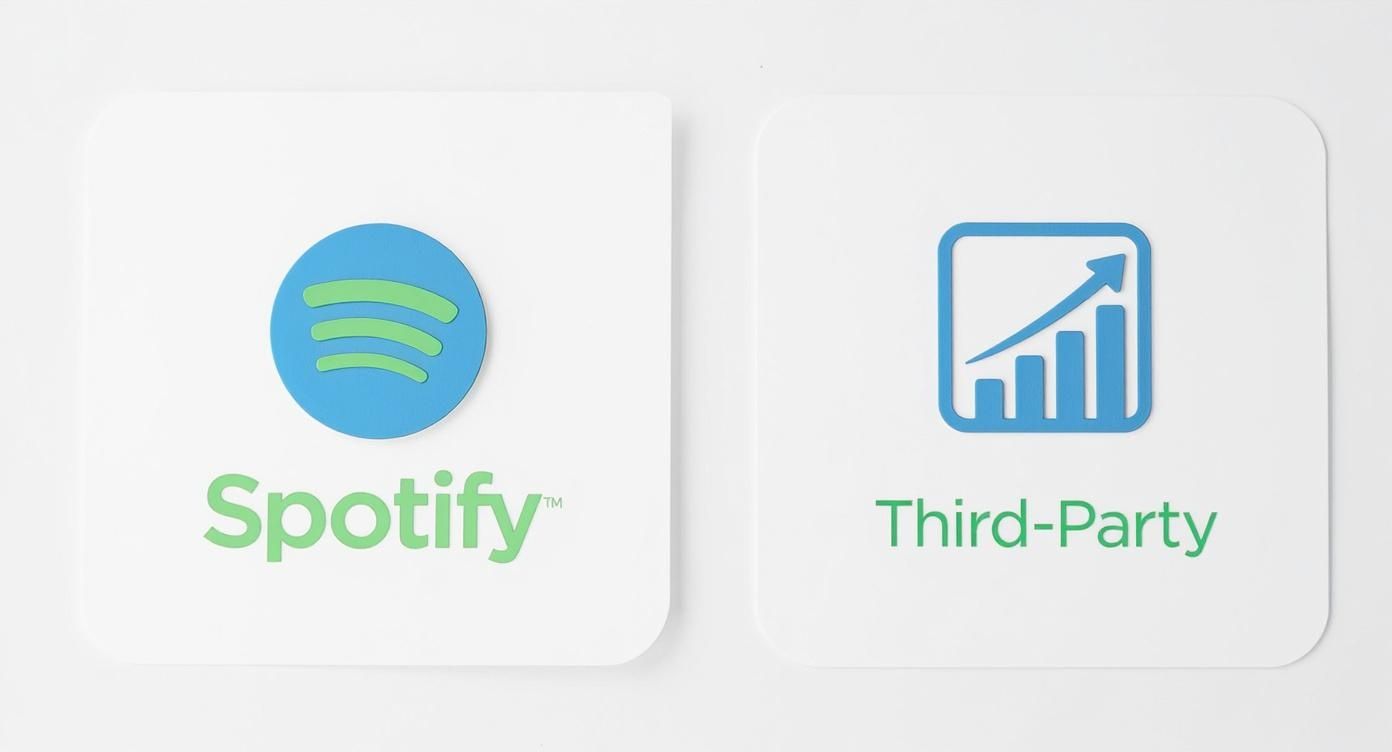 It really boils down to a trade-off: Spotify gives you a clean, in-app experience, whereas the third-party platforms often provide much richer analytics and the ability to run campaigns across multiple streaming services at once.
Expanding Your Reach Beyond Social Media
Social media is a beast, but don't forget about your most direct line of communication—your email list. A dedicated email blast announcing the presave will almost always give you the highest conversion rates. These are your die-hard supporters. Craft a personal message explaining what this release means to you and why their presave makes a tangible difference.
The game has changed recently. Spotify is now publicly showing presave counts for the top 10 Countdown Pages, which basically creates a real-time leaderboard of fan hype.
This adds a whole new layer of competition and transparency to release campaigns. For example, Taylor Swift’s album ‘The Life of a Showgirl’ shattered records by being the first to hit over 5 million pre-saves on its Countdown Page. It’s a massive testament to the power of a mobilized fanbase.
Putting all these pieces together is what separates a good release from a great one. To get a broader perspective on building out your entire marketing plan, check out our guide on https://oohyeah.app/posts/ho-to-market-your-music-as-an-independent-artist. And for even more tactics on launching your music effectively, it's always smart to keep up with what the pros are doing on industry hubs like Branditok's Marketing Blog.
When you combine a strong social push with direct communication to your core fans, you build a powerful promotional engine that will drive real, meaningful results on release day.
Measuring the Impact of Your Campaign
Getting your presave link live is a great first step, but the real work begins now. How do you know if your efforts are actually paying off? Measuring your campaign's impact isn’t just about seeing a number climb; it’s about figuring out what’s connecting with your audience so you can double down on it for the next release.
This is where you connect the dots between your social media posts, your email blasts, and the actual fan engagement. You need to know which channels are bringing in the most dedicated listeners.
Key Metrics to Monitor
The data you can dig into really depends on the tools you’re using. If you went with Spotify's own Countdown Pages, you're mostly looking at the total presave count. It’s a straightforward metric, but it still gives you a solid read on pre-release excitement.
Things get a lot more interesting when you use a third-party service. These platforms are built to give you the kind of granular data that truly informs your marketing strategy.
- Total Presaves: Your North Star metric. It’s the raw count of fans who’ve committed to hearing your music on day one.
- Click-to-Save Conversion Rate: This is huge. It tells you what percentage of people who landed on your page actually followed through. If this number is low, it could mean your landing page is clunky or there's a technical snag somewhere.
- Geographic Data: Finding out you have a pocket of die-hard fans in a city you've never considered is gold. This is exactly the kind of info you need to plan your next tour or run targeted ads.
- Traffic Sources: Is it your Instagram bio link that's doing the heavy lifting? Or that one line you included in your last newsletter? This tells you exactly where your promotional energy is best spent.
Tracking these details helps you understand your audience on a whole new level. It shifts you from guessing what works to making data-informed decisions for future campaigns, a skill you can explore further by learning how to use data analytics to grow your music fanbase.
Connecting Presaves to Release Day Streams
Here’s the real moment of truth: what happens on release day? The ultimate measure of a presave campaign’s success is the impact it has on your first-day streams.
Once your track is out, jump into your Spotify for Artists dashboard. Compare your day-one stream count to your previous releases. If you ran a solid campaign, you should see a significant spike. It's a fantastic feeling.
Dig a little deeper and check the "Saves" metric under your song’s audience stats. A presave directly translates to a "save" in Spotify's eyes, so this number gives you a direct line from your pre-release hustle to post-release results.
Beyond just presaves, getting a handle on your campaign's overall effectiveness is crucial. You can learn more about broader strategies to measure digital marketing success. By really diving into this data, you're not just looking back at what happened—you're gathering the intel you need to make your next release an even bigger event.
Your Top Spotify Presave Questions, Answered
Even the most seasoned artist or promoter runs into questions when setting up a presave campaign. Getting the details right can mean the difference between a launch that fizzles and one that catches fire. I've seen it all, so let's walk through the most common questions that come up.
Think of this as a quick-reference guide to sidestep common mistakes and really nail your next release.
How Far in Advance Should I Start a Presave Campaign?
Timing is everything. For a single, the sweet spot is usually 2-4 weeks before your release date. This gives you enough runway to build real buzz on social media and in your newsletter without your audience getting tired of hearing about it.
If you’re dropping a full album or a major EP, you can and probably should push that window out to 4-6 weeks. Anything less than a week is just not enough time. You won't get the critical mass of presaves needed to send a strong signal to Spotify's algorithm on release day.
Should I Use Spotify's Countdown Pages or a Third-Party Tool?
This is a classic "it depends" situation, and what it really depends on are your goals for this specific release.
- Spotify's Countdown Pages: These are a fantastic, no-cost option. They keep fans inside the Spotify ecosystem, which is great for engagement, and the experience is seamless. If your only goal is to boost your Spotify numbers, this is a perfect choice.
- Third-party tools: Go this route if you need more muscle. These platforms offer deeper analytics, allow for custom landing page branding, and let you bundle an Apple Music Pre-Add into the same campaign.
My advice? If you're laser-focused on Spotify and just getting started, Countdown Pages are your best bet. But if you’re trying to capture fan data for your email list or want a more holistic view of your audience, a paid third-party tool is a smart investment.
What Actually Happens When a Fan Presaves My Music?
This is where the magic happens. When a listener hits that presave button, they're giving Spotify permission to do two things automatically the second your music is live.
First, the song or album gets added directly to their personal library. Second, it often gets added to their "Liked Songs" playlist. This all counts as day-one activity—a stream and a save. These are two of the most powerful signals you can send to the algorithm that your track is worth paying attention to, which is crucial for landing on editorial playlists.
The presave turns a fan's casual interest into an immediate, trackable action. That engagement is what helps your music cut through the noise on a crowded release day.
Can I See Exactly Who Presaved My Music?
The short answer is no. Thanks to privacy policies, you'll never get a list of individual Spotify usernames who presaved your track. It's a critical point to understand.
What you can get, especially from third-party presave services, is aggregated and anonymous data. This is incredibly valuable. You can often see breakdowns by country or city, and sometimes even general age and gender demographics. While Spotify's native tools focus on the total number of saves, this kind of demographic insight can be gold for planning your next tour or targeting your ad spend.
As you map out your next release, remember that OohYeah offers a complete toolkit to help you manage your career, connect with your audience, and sell merch from one central hub. Take back control of your music and your fan data by seeing what the platform can do for you at https://oohyeah.app.



