
How to Make an Album on SoundCloud Your Ultimate Guide
Learn how to make an album on SoundCloud with this complete guide. We cover everything from mastering and artwork to uploading and promotion.
November 29, 2025
Music Marketplace Advisor
Buying & SellingBefore you even think about uploading a single file, let's get one thing straight: treating your SoundCloud album like a professional release from day one is the secret sauce. This isn't just about dumping a folder of demos online. It’s about preparing pristine audio files, creating artwork that stops the scroll, and mastering your tracks so they sound like a cohesive project.
Getting these details right before you upload is what separates a polished, memorable album from just another playlist.
Getting Your Music Ready for Release
Success on SoundCloud, or anywhere for that matter, starts long before you hit that upload button. The groundwork you lay—from the sonic quality of your masters to your visual brand—shapes how your music lands with listeners. Skipping this part is like building a house on sand; it might look okay for a minute, but it won't hold up.
Mastering: The Final Polish
Think of mastering as the professional glue that holds your album together. It's the final quality check that ensures every track flows seamlessly into the next, without jarring shifts in volume or tone. You’ve had your head in these individual mixes for months, but mastering provides that crucial, objective ear.
Without it, one song might be quiet and thin, while the next one is a bass-heavy monster. That’s a surefire way to make someone skip to the next artist.
A professionally mastered album gives you:
- Consistent Loudness: Every track is brought to a competitive, commercial volume. No more listeners reaching for the volume knob between songs.
- Tonal Balance: The EQs are finessed across the board, so the entire album feels like a single, unified sonic world.
- Enhanced Clarity and Punch: A good master engineer adds that final bit of width, depth, and punch that makes your music pop on everything from cheap earbuds to massive club systems.
Mastering doesn't fundamentally change your mix—it optimizes it. It's the critical step that tells the world your album is finished, cohesive, and ready to be taken seriously.
Choosing the Right Audio File Format
SoundCloud is going to compress your audio for streaming, that’s just a fact. But what you upload makes a huge difference in how it sounds on the other side. Always, always upload the highest quality, lossless file you have.
Your best bets are:
- WAV: This is the gold standard. It's the uncompressed, full-resolution format straight from your mastering session.
- FLAC: This is a fantastic option that gives you the exact same quality as a WAV but in a much smaller file. Think of it as a zip file for audio—all the data is there, just packed more efficiently.
- AIFF: Essentially Apple's version of a WAV file. Also uncompressed and top-tier quality.
Uploading a low-quality MP3 is like shooting yourself in the foot. You’re starting with a compressed file, and then SoundCloud compresses it again. All those weird artifacts and swishy high-end sounds get amplified. Give their system the best source material possible, and you’ll get the best possible result.
Creating Artwork That Grabs Attention
In an endless feed of new music, your album cover is your first—and sometimes only—chance to make an impression. It has to be good enough to make someone stop scrolling and actually listen.
For SoundCloud, the technical minimum is an image of at least 800x800 pixels, but I’d recommend going for 1000x1000 pixels or even higher to ensure it looks crisp everywhere.
Beyond the specs, your artwork needs to communicate the album's vibe and your identity as an artist. This is a big strategic decision. While you're focused on building a full album, it's also worth thinking about the advantages of releasing singles vs albums as part of your larger strategy. In the end, your artwork should be iconic and instantly recognizable, serving as the visual anchor for your entire project.
Building Your Album on SoundCloud
You've done the hard work—your tracks are mastered, your artwork is finalized, and you're ready to share your music with the world. Now comes the exciting part: assembling it all on SoundCloud. This isn’t just about dumping files; it’s about presenting your project as the cohesive, professional album you intended it to be.
First things first, get all your individual album tracks uploaded. The most efficient way to do this is to drag and drop your high-quality WAV or FLAC files in a single batch right into the SoundCloud uploader. This beats uploading them one by one every time.
As you upload, SoundCloud will ask for basic info on each track. You can skip the deep dive into metadata for a moment—the main goal right now is simply to get all the audio onto the platform. Think of them as the raw materials for what you’re about to build.
The Playlist-to-Album Switch: A Crucial Step
With your tracks uploaded (it's a good idea to keep them private for now), it’s time to group them. Head over to your profile, find the playlists tab, and create a brand-new one. Name it with your album’s official title, as this is the name everyone will see.
Next, add each of your freshly uploaded tracks to this new playlist. Once they’re all in, click the ‘Edit’ button on the playlist page. Here’s where a tiny but critical setting makes all the difference. You'll find a dropdown menu labeled "Playlist type."
By default, it’s set to ‘Playlist.’ You absolutely need to change this to ‘Album.’ This one simple change is what tells SoundCloud to treat your collection as an official studio release, placing it correctly under the ‘Albums’ section of your profile and signaling its significance to listeners.
The prep work you did before even hitting the upload button is what sets the stage for a professional release.
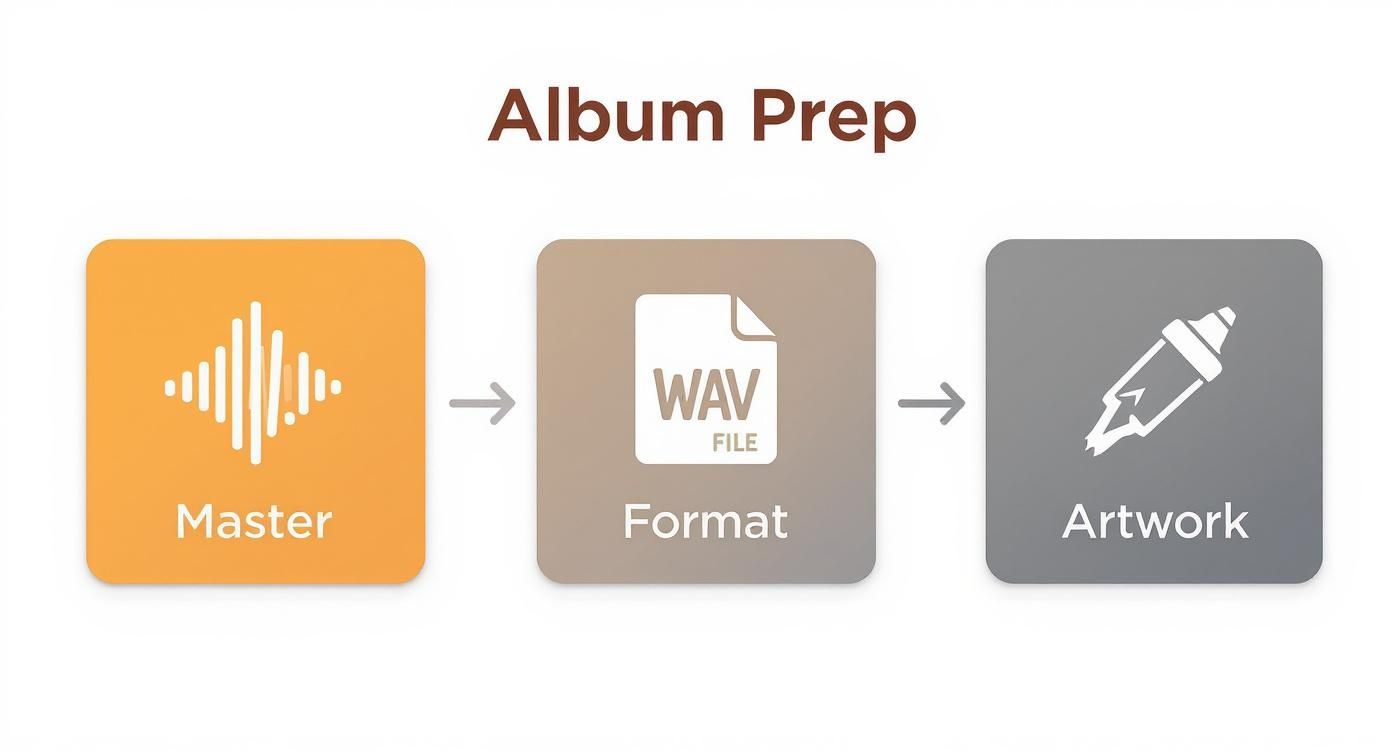
Mastering, formatting, and artwork are the foundational pillars. Getting these right ensures everything that follows is built on solid ground.
To help you stay organized, here's a quick checklist to run through before you start uploading.
SoundCloud Upload Checklist
| Asset/Information | Recommended Specification | Why It Matters |
|---|---|---|
| Audio Files | Lossless WAV or FLAC | Ensures the highest possible audio quality for listeners and future distribution. |
| Album Artwork | 3000x3000 pixels, JPG/PNG | High-resolution art looks professional across all devices and streaming platforms. |
| Track Titles | Consistent formatting (e.g., Title Case) | A clean, uniform look makes your project appear polished and easy to navigate. |
| Track Sequence | Pre-planned order | The flow of an album is part of the art; decide the narrative ahead of time. |
| Album Title | Finalized and proofread | Avoids having to make changes later, which can confuse your audience. |
| Genre/Tags | List of 3-5 primary tags | Helps SoundCloud’s algorithm categorize your music and recommend it to new fans. |
| Album Description | Short paragraph (2-3 sentences) | A compelling summary can hook a potential listener and provide context. |
Having these assets and details sorted out beforehand makes the entire upload process smoother and far less stressful.
Sequencing Your Tracks for Maximum Impact
Now that your playlist is officially an album, it's time to arrange the track order. Don't just throw the songs in randomly—sequencing is an art form in itself. A great album tells a story or takes the listener on a journey.
Think about the flow. Your opening track needs to grab attention immediately, while the closing track should provide a sense of finality or resolution. Drag and drop the songs into an order that creates a dynamic and memorable listening experience from start to finish.
And of course, that album needs a killer visual identity. If you're looking for inspiration or a modern approach, you can even learn how to create AI-generated album covers that will make your project pop.
Remember, you're not just uploading music; you're joining a massive creative community. With over 375 million tracks on the platform and more than 71% of them coming from independent artists just like you, getting the details right is what helps you stand out.
Making Your Album Discoverable with Metadata
Getting your music uploaded is a huge milestone, but it's only half the story. The real challenge—and where many artists fall short—is making sure your music actually finds its way to the right ears. That's where your album's metadata comes in. Think of the titles, descriptions, and tags as a digital breadcrumb trail that leads new fans straight to your project.
This information is precisely what feeds SoundCloud’s search and recommendation algorithms. The more accurate and detailed you are, the better the platform can figure out who your music is for. Get it right, and SoundCloud will start putting your tracks in front of the very people who are most likely to become fans.
Crafting a Compelling Album Description
Your album description is your elevator pitch. It’s your chance to tell the story behind the music, giving listeners a reason to connect on a deeper level. Don't just list the songs—that's what the tracklist is for. Instead, give them some context that makes them want to press play.
Try answering a few of these questions to get the ball rolling:
- What was the real inspiration behind this album?
- Is there a core theme or concept that ties it all together?
- What specific gear or techniques did you use that fellow producers might find interesting?
- Are there any collaborators or friends you want to shout out?
A well-written description adds a layer of depth and professionalism that can turn a simple upload into a full-blown artistic statement. For a deeper dive into this, our guide on how to optimize your music metadata for streaming has some great strategies that work well beyond just SoundCloud.
Pro Tip: Keep your description tight but evocative. Start with a powerful opening line that nails the album's vibe, then add a few more sentences to pull the listener in.
The Power of Strategic Tagging
On SoundCloud, tags are easily the most powerful discovery tool you have. These aren't just keywords; they're signposts that categorize your sound for both curious listeners and the platform's algorithm. One of the biggest mistakes I see artists make is using super generic tags like #music or #new. They're so flooded with content that your tracks will just get lost in the noise.
The secret is to get specific and layer your tags for the best possible reach. A solid strategy involves mixing a few different types.
- Genre Tags: Be precise. Instead of just using #electronic, try something more descriptive like #synthwave, #downtempo, or #futuregarage. The more niche you can be, the better.
- Mood & Vibe Tags: How does your music actually feel? Use tags like #chill, #melancholy, #driving, or #uplifting to connect with people searching for a specific emotional experience.
- Location Tags: If you're plugged into a local scene, this is a no-brainer. Tags like #detroittechno or #bristolbass can instantly connect you with a passionate regional audience.
- Custom Tags: Don't be afraid to create your own. A unique tag for your album title, a key collaborator, or a specific piece of gear (like #moog or #tr808) helps fans find everything related to your project in one click.
When you start combining these different types of tags, you create a web of pathways for listeners to stumble upon your album. This careful approach is a non-negotiable part of learning how to make an album on SoundCloud that truly gets heard.
Controlling Your Release with Privacy and Scheduling
An album drop isn't just about hitting "publish"—it's an event. The difference between a release that makes a splash and one that disappears without a trace often comes down to timing and control. Think of SoundCloud’s privacy and scheduling tools as your mission control center, letting you dictate the entire narrative around your launch.
This is where you move from just uploading music to orchestrating a full-blown release campaign. You can build hype, get early feedback from the right people, and make sure all your promotional efforts hit their peak right when the album goes live.
Using Private Links to Build Pre-Release Buzz
Before the world hears your album, the ‘Private’ setting is your best friend. This doesn't just hide your tracks; it turns them into exclusive keys that you can hand-pick people to receive. This unlocks a whole new level of pre-release strategy.
Here’s how I’ve seen artists use this effectively:
- Get Press on Board Early: Send a private link to music bloggers, journalists, and playlist curators a few weeks ahead of time. This gives them an exclusive window to listen and prepare reviews or features that can drop the moment your album is public.
- Final Sign-Offs: It’s just good practice to share the final album with everyone involved—producers, guest artists, your mixing engineer. A private link lets them give it one last listen and ensures everyone is on the same page before launch day.
- Reward Your Superfans: Create a small, inner circle of your most dedicated supporters and give them a secret link. Not only does this make them feel like true insiders, but it also creates a passionate group of advocates ready to champion the album from the second it's released.
Treat the private setting like your album's VIP lounge. It’s where you handle the important pre-show business and build excitement before the doors officially open to the public.
Scheduling Your Album for the Biggest Impact
Once you've got your pre-release buzz building, it's time to set the main event in stone. SoundCloud’s scheduling feature lets you pinpoint the exact day and time your private album flips to public. This is so much more effective than just remembering to manually make it live.
Why? Because it allows for perfect synchronization. You can line up your social media posts, email newsletters, and any planned press coverage to all point to a single, specific moment. A classic move is scheduling the release for Friday at 12:01 AM. This aligns with the global "New Music Friday," putting your work right in the mix when everyone is actively looking for new tunes.
This isn't just about convenience; it's about creating a sense of occasion. You're making an appointment with your fans, encouraging them to listen the moment it’s available. That initial surge of plays and engagement is exactly what you want the SoundCloud algorithm to see. Getting this timing right is a pro move that can define the success of your release.
Getting Your New Album Heard (And Getting Paid)
Okay, your album is live on SoundCloud. Congratulations! That's a huge step, but now the real fun begins. Getting the music out there is one thing; getting people to listen, connect, and support you is what turns a hobby into a career. This is where you shift from producer to promoter.
The promotional world can feel overwhelming, but SoundCloud has some fantastic tools baked right in. Your goal is to make your SoundCloud profile a central hub where fans don't just stream your music but become part of your community.
Turn Casual Listeners into Real Supporters
One of the simplest yet most powerful features on SoundCloud is the ‘Buy’ link you can add to every track. Don't underestimate this. It’s a direct line between someone loving your song and putting money in your pocket.
You have a few great options for where to send them:
- Bandcamp: The go-to for many indie artists. Fans can buy digital downloads, pre-order vinyl, or grab a cassette.
- Your Own Merch Store: Got a Shopify or Squarespace site? Link them straight to your t-shirts, posters, and other gear.
- Digital Stores: If your album is on iTunes or Amazon Music, send listeners there to complete a purchase.
This one small step helps convert passive listeners into active patrons, giving you a vital income stream. You want to make it dead simple for a fan to go from "I love this track" to "I'm buying this." If you want to dive deeper into how this all works, check out our guide on whether artists can make money from streaming services to understand the full picture.
Use SoundCloud's Own Promotional Tools
Remember, SoundCloud isn't just a hosting service; it's a social network built for music. Use its features to your advantage. A simple repost of your own album tracks can bump them right back to the top of your followers' feeds, giving them a fresh reminder to listen again.
Think about the scale here. SoundCloud boasts a massive community with around 180 million users globally and over 40 million creators. Tapping into even a tiny fraction of that audience can make a huge difference for your release.
Don't forget the share buttons! With a single click, you can push your album directly to Twitter, Facebook, or anywhere else you have a presence. It’s the easiest way to pull in new listeners from your other social circles.
Take Your Promotion Beyond SoundCloud
A solid promotional plan needs to reach people where they are, and right now, that's on short-form video platforms. You absolutely have to create content for TikTok, Instagram Reels, and YouTube Shorts.
Here are a few ideas to get you started:
- TikTok Videos: Find the hookiest 15-second clip from your best track and use it in a video. It could be behind-the-scenes studio footage, a cool visualizer, or you just vibing to your own song.
- Instagram Stories: Use the "Music" sticker to share snippets and run polls asking fans to vote for their favorite track on the new album. It’s a great way to spark conversation.
- Reels and Shorts: Edit together a quick montage of clips that fit your album's aesthetic, all set to a powerful moment from one of your songs.
Learning how to boost social media engagement for your tracks is a skill that will pay dividends. Ultimately, all this cross-platform promotion should lead people back to one place: your SoundCloud album. This creates a powerful, unified campaign that drives real results.
Answering Your SoundCloud Album Questions
Once you get the hang of the upload process, a few specific questions almost always come up. It's those little details that can make a big difference in how your album is received. Let's clear up some of the most common points of confusion artists run into.
Getting these things right from the start (or knowing how to fix them later) is key to presenting a professional, polished release.
What's the Real Difference Between a Playlist and an Album on SoundCloud?
This is easily the most common question, and thankfully, the answer is simple. On SoundCloud, an album is just a special type of playlist.
When you group your tracks, you have to manually go into the playlist's settings and switch the “Playlist type” from its default setting to 'Album'.
Why does this tiny click matter so much? Two big reasons:
- It files your work correctly. This change moves the release from your general track list to the dedicated "Albums" tab on your profile. It’s a clear signal to anyone visiting your page that this is a major project.
- It frames the listener's experience. An "album" carries more weight. It tells people this isn't just a random collection of B-sides; it's a complete, intentional body of work meant to be experienced as a whole.
While they function almost identically, that official 'Album' designation is crucial for professionalism.
Think of it this way: an album on SoundCloud is a statement. You're telling your audience, "This is a finished project." Forgetting to set the correct playlist type is one of the easiest and most common mistakes you can avoid.
Can I Sell My Music Directly From a SoundCloud Album?
Not directly through a SoundCloud shopping cart, no. But the platform gives you a powerful tool to drive sales elsewhere.
You can add a custom "Buy" link to every single track within your album. This is your direct line for converting a listener into a paying supporter.
You can point that link anywhere you want. Most artists find the best results by sending fans to their Bandcamp page, a personal merch store on a platform like Shopify, or even major digital storefronts like iTunes or Amazon Music. It gives your fans a clear, immediate way to support you financially.
How Do I Edit an Album After It's Already Live?
It happens to everyone. You publish your album and then notice a typo in a track title, decide you want to swap the artwork, or realize the track order could flow better.
The good news is that SoundCloud makes post-release edits incredibly easy.
Just go to your album page, hit the ‘Edit’ button, and from there you can tweak almost anything:
- Update the album title and description
- Upload a new cover image
- Drag and drop songs to re-sequence the tracklist
- Add new tracks or remove existing ones
The best part? Making these changes won't reset your play counts, likes, or comments. You can polish your album's presentation at any time without losing any of the social proof and engagement you’ve worked hard to build.
Take charge of your streaming, sales, and fan relationships. OohYeah gives you the tools to build a sustainable music career on your own terms, making sure your work benefits you directly. Start building your artist-first ecosystem today at https://oohyeah.app.



