
How to Get Your Song to Spotify: a Complete, Listener-Focused Release Guide
Learn how to get your song to spotify and launch a successful release with practical steps: prep, distributor choice, and smart promotion for real listeners.
December 10, 2025
Music Marketplace Advisor
Buying & SellingSo, you've finished your track and you're ready to get it out into the world. Getting it onto Spotify is a huge milestone, but it's also where the real work begins. The one thing you absolutely must know is that you can't just upload your music directly. You need to go through a digital music distributor—they're the essential middleman between your final master and Spotify's massive library.
This guide is designed to cut through the noise and show you exactly how to do it right.
Your Game Plan for a Killer Spotify Release
Just getting your song onto Spotify isn't the finish line; it’s the starting block. You're entering a massive, crowded field. With a catalog that’s now blown past 126 million tracks and thousands more dropping every single day, just showing up isn't enough to get noticed.
To actually make a dent, you need a smart, well-executed strategy. For a deeper dive into the platform's scale and what it means for artists like you, check out the latest Spotify statistics from Soundcamps.com.
A successful launch really comes down to nailing three distinct phases. Think of it less like a simple upload and more like a campaign.
The Three Pillars of a Successful Launch
A professional release is all about the details. Getting each part right gives your song the momentum it needs to find an audience. We've built this entire guide around mastering these key areas:
Preparation: This is your foundation. It’s all about getting your audio polished to meet professional standards, creating artwork that grabs attention, and nailing down all the metadata that helps Spotify's algorithms—and your future fans—actually find your music.
Distribution: You have to partner with a digital music distributor. Companies like DistroKid or TuneCore are your gateway. Picking the right one really depends on your budget, how often you plan to release music, and what your long-term goals are.
Promotion: This is where you separate yourself from the pack. A solid promo plan involves building hype before the release, having a coordinated push on release day, and then keeping the momentum going by analyzing your data and engaging with your listeners.
The hard truth for any independent artist today is that a great song is only half the battle. Your release strategy—from the final master to your marketing plan—is what turns a simple audio file into something that can actually build your career.
Even with all the competition, there's never been a better time to be an independent artist. Indie creators just pulled in over $5 billion in royalties from Spotify alone, which is nearly half of what the platform paid out in total.
By treating your release with the professionalism it deserves, you're not just getting your music heard; you're setting yourself up to claim your piece of that ever-growing pie. Let's walk through each step with practical advice to make sure your next release truly makes an impact.
Get Your Music Ready for a Professional Release
Before you even think about distributors and playlists, your track needs to be completely buttoned up and ready for a proper launch. Getting your music on Spotify isn't just about uploading a file; it's about delivering a professional package.
Think of it this way: your audio quality is the firm handshake, and your artwork is the compelling first impression. You have to nail both to cut through the noise.
Let's walk through the three pillars of a professional release: getting the audio specs right, creating standout artwork, and locking in the metadata that ensures you're discovered—and paid.
Mastering Your Audio for Spotify
So you’ve finished the mix. Great. But that's not the final step. Professional mastering is what prepares your track for the wild world of streaming platforms. Spotify, like all the others, uses audio normalization to keep the listening experience consistent for everyone.
The magic number here is roughly -14 LUFS (Loudness Units Full Scale). If you master your track way louder than this, Spotify will simply turn it down. If it's too quiet, they might boost it. To make sure your music sounds exactly how you intended, you want to submit a master that’s already sitting comfortably around that target. This avoids any unwanted processing by the platform that could squash your dynamics.
Getting that clean, professional sound also means dealing with the small details. For instance, removing background sound and other subtle imperfections during mastering is what separates a bedroom demo from a track that can hang with major label releases.
Beyond the loudness, the file format itself is a deal-breaker. Your distributor needs a high-quality, lossless audio file. No exceptions.
- File Format: Stick to WAV or FLAC. These are the industry standards for a reason.
- Bit Depth: 16-bit is the absolute minimum, but I always recommend 24-bit for better dynamic range.
- Sample Rate: At least 44.1 kHz.
Whatever you do, don't upload an MP3. You're just throwing away audio quality. Give the distributor the best possible source file so that any conversions Spotify performs start from a pristine master.
Creating High-Impact Album Art
In a world of infinite scrolling, your cover art is often the only thing that gets someone to stop and press play. It’s your song’s visual identity, and it has to be compelling.
Spotify and distributors have strict technical specs to make sure your art looks sharp everywhere, from a tiny phone screen to a big-screen TV.
- Dimensions: It needs to be a perfect square, at least 3000 x 3000 pixels.
- Resolution: Minimum of 72 DPI, but 300 DPI is the professional standard.
- File Format: A high-quality JPG or PNG.
- Color Mode: Always use RGB, as that's the color space for all digital screens.
Also, keep it clean. Your artwork can't have any social media handles, website URLs, or store logos (like the Spotify or Apple Music logos). It should only feature your artist name and the release title. For a deeper dive, our guide on why artists should invest in quality cover art breaks down how powerful visuals can be.
A Quick Tip from Experience: Make sure your cover art actually reflects the mood and genre of your music. A cohesive visual brand across your profile not only looks more professional but also gives new listeners an instant clue about what you sound like.
Nailing Your Song Metadata
Metadata is the unsung hero of the music industry. It's the data that tells Spotify who you are, who wrote the song, and most importantly, who to pay. Getting this wrong can lead to missed royalties or make your song nearly impossible for people to find.
Before you submit to your distributor, you'll need a complete list of this information. Here's a quick rundown of what's non-negotiable:
- Song Title: The official title, spelled and capitalized correctly.
- Artist Name(s): List the primary artist, and be sure to credit any featured artists or remixers.
- Songwriter & Publisher Credits: This is critical. You must list every single person who contributed to writing the song, along with their publisher info. This is how you and your collaborators get paid.
- ISRC Code: Think of this as a unique fingerprint for your recording. Most distributors can generate one for you if you don't already have one.
- Genre and Subgenre: Be specific! Don't just put "Rock." Is it "Indie Rock" or "Psychedelic Rock"? This helps Spotify's algorithms find the right audience for you.
- Explicit Content Tag: If your track has explicit lyrics, you have to flag it. Be honest here.
Seriously, take your time with this part. One of the biggest mistakes I see artists make is rushing through the metadata. Double-check every single field. It ensures your music gets cataloged, discovered, and monetized correctly from day one.
To make it even clearer, here’s a quick checklist of the essentials.
Release Preparation Checklist: Audio, Artwork, and Metadata
This table summarizes the core technical requirements you need to have in order before sending your song to a distributor for its Spotify release.
| Component | Requirement | Why It Matters |
|---|---|---|
| Audio File | WAV or FLAC, 24-bit, 44.1 kHz | Provides the highest quality source for streaming, ensuring your music sounds its best after compression. |
| Audio Master | Mastered to approx. -14 LUFS | Prevents Spotify from turning your track up or down, preserving your intended dynamics and volume. |
| Artwork File | 3000 x 3000 pixels, 300 DPI, JPG/PNG, RGB | Ensures your cover art is sharp and high-resolution on all devices, from phones to desktops. |
| ISRC Code | Unique 12-character code | Acts as a digital fingerprint for your recording, essential for tracking sales, streams, and royalties. |
| Songwriter Credits | Full names of all contributors | Guarantees that all songwriters are properly credited and receive their share of publishing royalties. |
Getting these elements right from the start saves you a world of headaches down the line. It's the foundational work that sets you up for a successful release.
Choosing Your Digital Music Distributor
Alright, let's talk about one of the most critical decisions you'll make. You can't just upload your music directly to Spotify yourself—you need a middleman. That partner is your digital music distributor, and they're the bridge that connects your finished track to every major streaming platform out there.
Think of them as more than just an uploader; they're your partner in this. Rushing this choice because one is cheaper or has a flashy website can backfire, leading to missed opportunities, hidden fees, or frustrating delays that kill your momentum right out of the gate.
Understanding Distributor Business Models
Distributors generally operate on a few different business models, and there's no single "best" one. The right choice for you completely depends on your budget and how often you plan on dropping new music.
You'll run into three main types:
- Annual Subscription Fees: This is the model that services like DistroKid really popularized. You pay one flat fee per year for unlimited uploads. It’s a no-brainer for artists who are constantly in the studio and releasing a steady stream of singles or EPs.
- Per-Release Fees: Companies like TuneCore often work this way. You pay a single fee for each song or album you distribute. If you're the type of artist who hunkers down to work on one big album a year, this can be the more economical route.
- Commission-Based (Free Upfront): Some distributors, such as RouteNote, offer a "free" option. You don't pay anything to upload, but they take a percentage of your royalty earnings—usually around 15%. This is a fantastic starting point if you have zero budget, but be warned: that commission can sting if your song suddenly blows up.
Here's the bottom line: your release schedule is the biggest factor. If you’re dropping a new track every month, an unlimited subscription model will almost certainly save you a ton of money. If you're putting all your energy into one album this year, a per-release fee makes more sense.
Key Features to Compare Beyond Price
While cost is a huge piece of the puzzle, the cheapest distributor isn't always the best fit. The features and extra services they offer can dramatically affect your release strategy and how you manage your career long-term.
It’s worth your time to dig a little deeper than the headline price. A few minutes of research now can save you a world of headaches down the road.
Royalty Splits and Payouts
This is non-negotiable. Does the distributor let you keep 100% of your royalties, or are they taking a cut? Most subscription and per-release services are built on letting you keep everything you earn, which is a massive plus.
Also, look into their payout process. How easy is it to actually get your money? Check for minimum payout thresholds or hidden transaction fees. You worked hard for that money, so make sure you can get to it without any hassle.
Speed to Live and Customer Support
When you're building a promotional campaign around a release date, timing is everything. Find out how quickly a distributor can get your music onto Spotify. Some can do it in a few days, while others might take a week or more. That speed gives you crucial flexibility.
And what happens when something inevitably goes wrong? Is their customer support team actually helpful? A quick search on artist forums or Reddit can tell you a lot about a company's reputation for solving problems when they pop up.
Promotional Tools and Analytics
A truly great distributor does more than just distribute. Many now offer a suite of tools that can give your release a serious leg up. Keep an eye out for features like:
- Pre-save link generation: This is absolutely essential for building hype before your release day.
- Playlist pitching assistance: Some have their own portals or teams to help get your music in front of curators.
- Detailed analytics dashboards: These can offer deeper insights than what you get from Spotify for Artists alone.
For a much more detailed comparison, our guide on how to choose the right music distribution service breaks down the top players and their most valuable features.
Comparing Top Music Distributors for Spotify
To give you a clearer picture of how these models differ in the real world, let's look at a few of the most popular options. This table highlights their core business models and what makes each one stand out.
| Distributor | Pricing Model | Royalty Split | Key Feature |
|---|---|---|---|
| DistroKid | Annual Subscription | Artist keeps 100% | Fast upload times and unlimited releases for a low annual fee. |
| TuneCore | Per-Release Fee | Artist keeps 100% | Robust analytics and publishing administration services available. |
| CD Baby | One-Time Fee (Per Release) | Artist keeps 91% | Physical distribution (CD/vinyl) and sync licensing opportunities. |
Ultimately, choosing your distributor comes down to finding the service that aligns with your specific career goals. Take a hard look at your budget, your release plans for the next year, and which of these extra features will truly give you an edge. This partnership is the first major step to getting your song on Spotify and in front of the world.
Claim and Conquer: Mastering Your Spotify for Artists Profile
Once your distributor gets your music onto Spotify’s servers, your track is officially in the system. But that’s just the first step. To actually start building momentum, your immediate priority is to claim your Spotify for Artists profile.
Think of this as your backstage pass. It's the central hub where you control your brand, see who’s listening, and—most importantly—pitch your music directly to Spotify's influential playlist editors.
Taking ownership of your profile is a non-negotiable part of a successful release. It instantly verifies you as an artist and unlocks a powerful suite of free tools. Don't put this off. The moment your distributor confirms your music has been delivered, go claim your page on the Spotify for Artists website.
This dashboard is your window into everything from listener demographics to real-time stream counts. It’s an essential tool if you're serious about growing your audience.
Give Your Artist Page a Makeover
Let’s be honest: an empty, default profile just looks unprofessional. It sends a message to potential fans and curators that you’re not really invested. After you get access, your very first job should be to bring your page to life. This is your digital storefront—a chance to tell your story and create a vibe that matches your sound.
Start with the essentials:
- Profile Pictures: Your avatar and header image are the first things people see. Use high-quality, professional photos that align with the branding on your other social media channels. Consistency is key.
- Artist Bio: You’ve got 1,500 characters to make a connection. Don't just list your accomplishments; tell a compelling story. You can also @-tag other artists in your bio to link directly to their profiles, which is a great way to shout out your influences or collaborators.
- Social Links: Make it easy for new fans to find you off-platform by linking your Instagram, Twitter, Facebook, and even your Wikipedia page.
These are just the basics. For a deeper dive into crafting a magnetic online presence, check out our guide on how to attract fans to your music profiles. The strategies there apply perfectly here.
Spotlight Your Music with Artist Pick
One of the most powerful and underused features is the Artist Pick. This lets you pin a song, album, or playlist right to the top of your artist page for up to 14 days. It's prime real estate.
When your new single drops, this is the first thing you should update. You can add a custom image and a short message to your fans, giving them a direct link to the track you want them to hear most. It’s a simple but incredibly effective way to drive attention exactly where you want it.
Pro Tip: Your Artist Pick doesn't always have to be your own music. Highlighting a playlist you were just added to, or even just a track you’re currently loving, shows personality and helps build community. It’s a great look.
How to Pitch to Spotify's Editorial Playlists
This is where the magic happens. Landing a spot on an official Spotify editorial playlist can be a career-defining moment, introducing your music to tens or even hundreds of thousands of new listeners. But there's a catch: you can only pitch unreleased music.
This rule makes planning ahead absolutely critical. You have to get your music to your distributor well in advance of your release date. As soon as the track shows up in the "Upcoming" section of your Spotify for Artists dashboard, it's time to make your pitch.
Here’s the game plan:
- Pitch Early. I can't stress this enough. Submit your pitch at least 7-10 days before your release date. This gives the editorial team a realistic window to listen and consider your track.
- Get Detailed. The submission form asks for a lot of metadata. Be incredibly specific. Nail down the genre, sub-genre, mood, instrumentation, and cultural tags. The more accurate you are, the better your chance of reaching the right editor.
- Sell Your Story. You get 500 characters to make your case. Tell them what makes the song special, what it's about, and what your marketing plans are. Mentioning a music video, a press campaign, or a tour will show them you're serious about promoting it.
Beyond the shot at editorial playlists, completing this pitch has another massive benefit: it guarantees your new song will be added to your followers' personalized Release Radar playlists on release day. That’s a built-in audience and an instant streaming boost right out of the gate.
Weaving Your Promotion Strategy: Before, During, and After Release
Getting your song uploaded through a distributor is just the first step. The real challenge—and where the magic happens—is making sure people actually hear it. A brilliant track can easily vanish into the digital ether without a smart, sustained promotional plan. Think of it this way: landing on Spotify is the starting line, not the finish.
This isn't about a single, frantic push on release day. A successful campaign is a story told in three parts: building anticipation before the song drops, making a huge splash the day it arrives, and then fanning the flames for long-term growth.
Building a Powerful Pre-Release Buzz
The groundwork for a successful release starts weeks, sometimes even months, before your song is available to the public. The entire goal of this pre-release window is to build genuine excitement and turn your casual followers into an engaged street team, ready to go on day one.
Your single most effective tool here is the Spotify Pre-Save campaign. When a fan pre-saves your track, it automatically lands in their library or a designated playlist the second it goes live. This is a massive signal to Spotify's algorithm, telling it that people are already waiting for your song.
But beyond the algorithm, a pre-save campaign gives you a clear, powerful call-to-action for all your content. Here’s how to put it to work:
- Social Media Teasers: Don't just announce the song is coming. Share 15-second clips, behind-the-scenes videos from the studio, or a quick story about what inspired a specific lyric. Make sure that pre-save link is everywhere—in your bio, in your captions, in your stories.
- Email List Exclusives: Your email list is gold. These are your most dedicated fans. Give them the inside scoop first with an exclusive teaser or a personal note about the new track, always pointing them toward that pre-save link.
- Team Up and Cross-Promote: Did you work with another artist, a producer, or even a graphic designer on the cover art? Coordinate your pre-release announcements. When you all post and tag each other, you're instantly multiplying your reach by tapping into each other's audiences.
You’re not just dropping a file onto a server; you're creating an event. You’re inviting people to be part of a moment with you.
Your Release Day Action Plan
This is it. Release day is when all your preparation pays off. Your mission is to concentrate as much activity as possible within the first 24-48 hours. That initial surge in streams, saves, and shares is what gets the attention of Spotify's powerful algorithmic playlists, like Release Radar and Discover Weekly.
Don't just post once and walk away. A coordinated, multi-platform push on release day is your best shot at triggering the algorithm and breaking out beyond your existing fanbase.
Your release day checklist should be focused and executed with high energy:
- Update Your Spotify for Artists: The moment your song is live, jump into your S4A profile and change your "Artist Pick" to the new single. Add a cool custom image and a short message to your fans.
- Go Live Everywhere: Hit all your social media platforms at once. Post high-quality visuals, share the direct Spotify link, and hang around to engage with every comment and share you get. The conversation is part of the launch.
- Mobilize Your Fans: Be direct. Ask your listeners to share the song to their Instagram Stories (using the built-in Spotify feature), add it to their own playlists, and text it to a friend who might like it. Make them feel like they're on your team, because they are.
- Hit Send on That Email: Blast your subscriber list with a clear, exciting subject line like "It's Here! Listen to [Your Song Title] Now." Make it easy for them with direct links right at the top.
This unified effort creates a tidal wave of activity that’s hard for both algorithms and new listeners to ignore.
Keeping the Momentum Going Post-Release
The launch was a success, but your job isn't over. Now, you shift from a short-term sprint to a long-term marathon. This is where you focus on sustainable growth, and your Spotify for Artists data becomes your roadmap.
Dive into your analytics and get to know your listeners. Who are they? Where are they? Pay close attention to the "Playlists" tab. This is where you'll see every single playlist—from huge editorial collections to tiny, user-made gems—that has added your song. This information is pure gold.
Finding user-curated playlists that are driving real streams gives you a direct line to new fans. If you see a playlist called "Indie Coffeehouse Vibes" sending you hundreds of streams, do some digging. Find the curator—they're often listed in the description or findable on social media—and build a real connection. Thank them for adding your track and give them a heads-up about your next release. This kind of grassroots outreach is incredibly powerful.
To really dig in and maximize your reach, it's worth exploring more effective music promotion strategies.
By analyzing your post-release data, you can make smarter decisions about everything from what your next single should sound like to which cities you should tour in. You’re not just releasing a song; you're building a career, one data point at a time.
Common Questions About Releasing Music on Spotify
Getting your music out there for the first time can feel like navigating a minefield of questions. I’ve seen countless independent artists get tripped up by the same few issues, so let's clear the air and tackle the most common ones right now. Getting these right will save you from some serious headaches and delays down the road.
How Long Does It Take for a Song to Appear on Spotify?
Patience is a virtue here. While some distributors boast about getting your music up in a day or two, you should always plan for a longer lead time. The golden rule is to upload your final, mastered track and all your metadata at least three to four weeks before you want it to go live.
Why so long? This buffer is your best friend. It guarantees your song will be processed and ready on your release date without any last-minute panic. More importantly, it gives you that critical window to pitch your track to Spotify's editorial playlists through your Spotify for Artists account—a step you absolutely cannot afford to skip if you want to get noticed.
Can I Upload a Cover Song to Spotify?
Absolutely, but you can't just record it and throw it up. Before you can legally release a cover song, you have to secure a mechanical license. Skipping this step is a direct copyright violation, and it’s a surefire way to get your track pulled from the platform.
Thankfully, it's not as complicated as it sounds. Most major distributors, including TuneCore and CD Baby, have built-in partnerships that let you buy the necessary license for a small fee right in the middle of the upload process. Just make sure you follow their steps to keep everything above board.
Releasing a cover without the proper license isn't just a simple mistake—it's a legal landmine. Taking a few minutes to secure the mechanical license protects your release, respects the original songwriter, and makes sure they get paid for their work.
Thinking about the big picture is key. A successful release isn't a one-day event; it's a campaign with distinct phases.
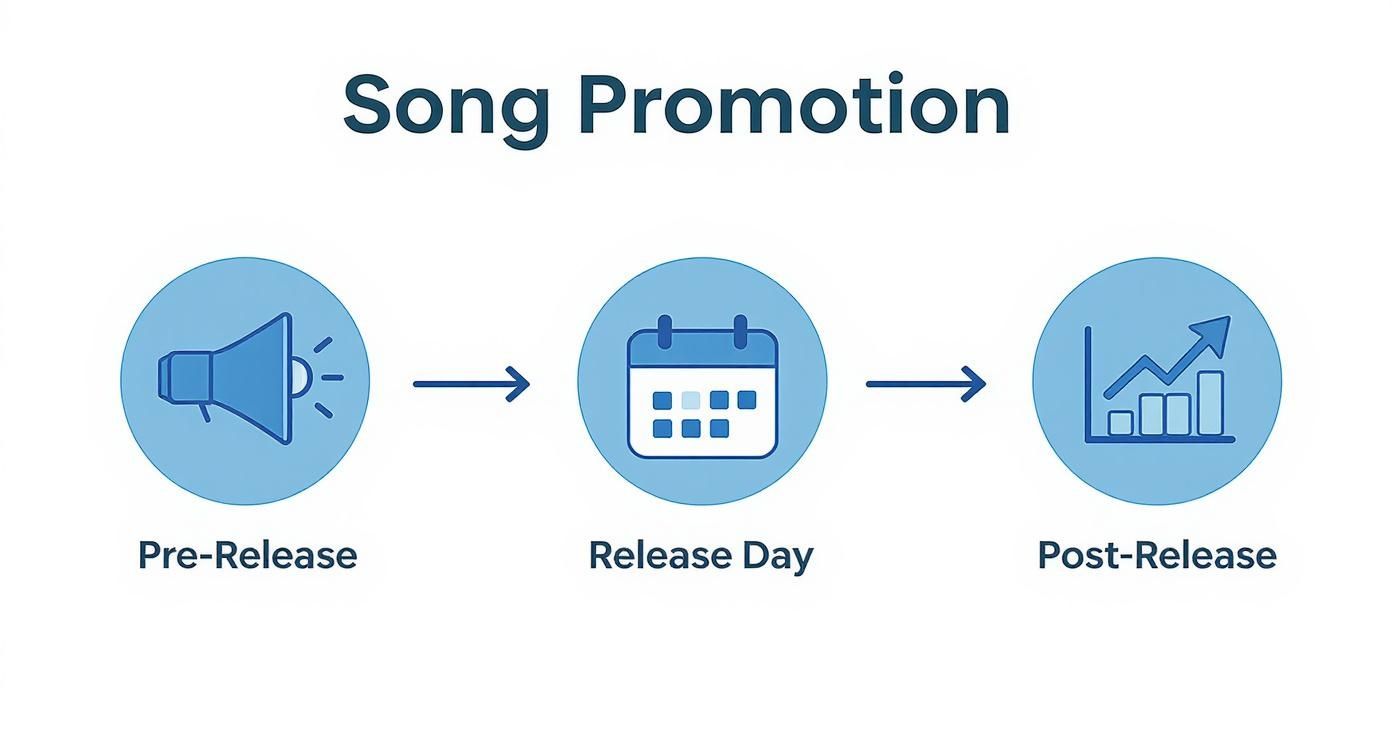
As you can see, the real work starts long before your song is available and continues long after. It’s all about building momentum and sustaining it.
How Much Does It Cost to Put a Song on Spotify?
There's no one-size-fits-all answer here, because the cost depends entirely on the distributor you choose and their pricing model.
Here’s a breakdown of the common structures you'll run into:
- Annual Fee: Platforms like DistroKid charge a flat yearly fee for unlimited uploads. This is a great deal if you're planning on releasing a lot of music.
- Per-Release Fee: Others, like TuneCore, operate on a pay-as-you-go basis, charging a one-time fee for each single or album you distribute.
- Commission-Based: Some distributors will upload your music for free but take a percentage of your royalties instead. This can be a good entry point if you're on a tight budget.
The right choice really comes down to your release schedule. Think about how often you plan to drop new tracks and do the math to see which model saves you the most money in the long run.
At OohYeah, we’re focused on giving artists the tools to manage their careers from a single dashboard—from distribution to building a direct connection with fans. If you want to take back control of your music and your revenue, check out our artist-first platform. Learn more at https://oohyeah.app.



