
how can i get my song on spotify: A Pro Guide
how can i get my song on spotify: a practical guide to distribution, playlists, pitching, and promotion that boosts your listens.
December 3, 2025
Music Marketplace Advisor
Buying & SellingSo, you've finished your masterpiece in the studio and you're ready to get it out into the world. The first question I always get is, "How do I get my song on Spotify?" The short answer is you need a partner—a digital music distributor. You can't just upload your tracks directly. A distributor is your bridge to Spotify, handling everything from delivering your high-quality audio files to making sure you get paid.
Let's walk through the entire process, starting with the absolute essentials you need locked down before you even think about hitting 'upload.'
Your Release Blueprint: From Studio to Spotify
Before your music can find its audience, you need to package it for the trip. Think of this as your pre-flight check. A professional Spotify release is so much more than just the song itself; it’s a collection of carefully prepared assets that ensure your work looks and sounds as good on the platform as it did in the studio.
Over the last decade, getting your music out there has become way easier. Spotify now has a catalog of over 100 million songs, and thanks to modern distributors, you can technically get a track live within 24 hours. But here's the reality check: with roughly 112,000 new tracks hitting streaming services every single day, just showing up isn't enough. You need a plan. You can dig into more of these Spotify statistics and trends to see what you're up against.
To start, let's get your core assets in order.
The Essential Release Assets
Your song might be done, but you can’t start the submission process without a few key components. These are non-negotiable and have to meet some strict technical standards from Spotify and its partners. Getting these wrong can cause frustrating delays or, worse, make your release look amateurish.
You absolutely need two things ready to go: your final audio master and your cover art.
- Master Audio File: This isn't your rough mix. It’s the final, professionally mastered version of your song. Distributors require a high-quality, uncompressed audio file—that means a WAV or FLAC file. Never, ever upload an MP3. It’s already compressed, and Spotify will compress it again, which will seriously degrade your sound quality.
- Cover Artwork: This is your music’s first impression. It needs to be a perfect square and high-resolution, at least 3000x3000 pixels, saved as a JPG or PNG. Just as important, it has to be clean. No website URLs, no social media handles, and definitely no explicit imagery.
I can't tell you how many times I've seen artists get held up because of simple mistakes here. Using a low-res photo from your phone or a compressed audio file will either get rejected by your distributor or just make your release look unprofessional. First impressions count.
Understanding Your Metadata
Okay, you have your audio and your art. The next piece of the puzzle is your metadata. This is the behind-the-scenes data that tells Spotify everything about your track: the song title, your artist name, who wrote it, who produced it, and so much more.
Getting your metadata right is critical. Here’s why:
- It connects the song to the correct artist profile (yours!).
- It ensures everyone involved—songwriters, producers, collaborators—gets paid their royalties.
- It feeds Spotify’s algorithm, helping it understand your music and recommend it to potential new fans.
Think of metadata as your song's digital passport. Without it, your track is lost and anonymous, making it nearly impossible to gain any traction or collect the money you've earned.
Before we move on, let's put all this into a simple checklist. Having these items gathered and correctly formatted before you log in to your distributor will save you a ton of headaches.
Release Preparation Checklist
Here’s a quick summary of the essential assets and information you'll want to have on hand before you begin the upload process.
| Asset/Information | Why It Matters | Pro Tip |
|---|---|---|
| Master Audio File | Ensures the highest possible sound quality on Spotify. | Always export from your session as a 16-bit, 44.1 kHz WAV file. This is the industry standard for digital distribution. |
| Cover Artwork | Creates a strong visual first impression and is required for submission. | Create your art at 3000x3000 pixels. This ensures it looks sharp on all devices, from a phone screen to a high-resolution monitor. |
| Song Title & Artist Names | The most basic identifiers for your track. | Double-check spelling and capitalization for all artists, including features. What you enter here is what will appear on Spotify permanently. |
| Songwriter & Publisher Info | Crucial for ensuring mechanical and performance royalties are paid correctly. | Gather the full legal names of all songwriters and their PRO (e.g., ASCAP, BMI) affiliation. If you don't have a publisher, you can often leave this blank or list yourself. |
| Release Date | Determines when your song goes live on platforms. | Set your release date at least 4 weeks in the future. This gives you enough time to submit for editorial playlist consideration through Spotify for Artists. |
With these assets prepared, you're ready for the next step: choosing the right distributor and navigating the specific metadata fields to set your song up for a flawless release.
Choosing the Right Digital Distributor
Think of your distributor as the most important partner you'll have in getting your music onto Spotify. They’re the bridge between your finished master recording and the global streaming platforms. This isn't just an administrative task; it's a foundational business decision that will shape how you get paid, how you promote your music, and how you manage your catalog for years.
Spotify is the stage, but you can’t just walk on and start playing. You need a roadie—your distributor—to get your gear set up, handle the soundcheck, and make sure everything is perfect when the curtains open. Which one you pick depends entirely on your goals, your budget, and the kind of career you're trying to build.
The Two Main Distributor Models
As you start digging in, you'll quickly see that distributors mostly operate on one of two models. Getting your head around the difference is the first real step to making a smart choice that actually fits what you need as an artist.
- Subscription-Based Services: These are platforms like DistroKid or TuneCore. You pay a flat annual fee, and in return, you can usually upload as much music as you want all year. The massive plus here is you keep 100% of your royalties. The catch? If you stop paying that yearly fee, they’ll probably take your music down.
- Commission-Based Services: Others, like CD Baby, often work by charging a one-time fee for each single or album. Instead of a recurring subscription, they take a percentage of the royalties your music generates. The big advantage is that your music usually stays up forever once you pay. The downside, of course, is that you're giving up a slice of your earnings on every stream.
There’s no single "best" choice here, only what’s best for you. For a much deeper breakdown of these models and others, our guide on how to choose the right music distribution service covers all the details. This decision has a real impact on your bottom line.
For instance, an indie artist earning a steady $800 per month from their streams would lose a big chunk of that to a distributor taking a 15% commission. On a subscription plan, they’d keep all of it, making a small annual fee a much savvier financial move.
Key Features to Compare
Beyond just the payment model, the tools a distributor provides can make or break your release strategy. It’s not enough to just get the song onto Spotify; you need a partner that gives you the tools to help it succeed.
When you're comparing services, keep an eye out for these critical features:
- Payout Methods and Thresholds: How will you actually get your money? Some use PayPal, others direct deposit. More importantly, is there a minimum balance you have to hit before you can cash out? A high threshold can be a real pain for new artists just starting to see a trickle of income.
- Customer Support Quality: Trust me, when something goes wrong with a release, you need a support team that’s responsive and helpful. Hunt down reviews from other artists to see what they're saying. Is support a chatbot or a real person who knows what they're doing?
- Pre-Save and Smart Link Tools: These are non-negotiable for modern promotion. A good distributor makes it dead simple to set up a pre-save campaign for Spotify, which is essential for building hype before your track even drops.
- Analytics and Reporting: You have to know where your streams are coming from. Good analytics will show you which playlists are giving you a boost, what countries your listeners are in, and other data you can use to target your promo efforts effectively.
Matching a Distributor to Your Career Stage
Let's put this into practice. A hobbyist musician who only plans to release a couple of songs a year for friends and family might be perfectly happy with a commission-based service. Pay a one-time fee, get the music up, and never worry about a subscription. It’s simple and clean.
On the flip side, an artist who's serious about building a career and plans to drop a new single every six weeks needs a different partner. A subscription service is almost always more cost-effective for a high-volume release schedule. They're building a catalog, and keeping 100% of their royalties is vital for reinvesting that money into music videos, ads, or better gear. For them, a distributor is a long-term business partner, not just a one-off delivery service.
By asking the right questions about fees, features, and support, you’ll find a partner that not only gets your music online but actually helps you grow.
Mastering the Submission Process and Release Timing
Alright, you’ve picked your distributor. Now comes the part where the rubber meets the road: actually submitting your music. This is where a successful launch is made or broken, and it all boils down to the details of your submission and, most critically, your timing.
Getting your music on Spotify is one thing; getting it there in a way that sets you up for success from day one is another beast entirely. This is where I see a lot of artists stumble, getting bogged down by technical specs and metadata.
Think of your metadata as the song's digital passport. It's all the crucial information—artist name, songwriter credits, publisher info—that tells Spotify who you are, what your song is, and most importantly, who to pay. This isn't just boring admin work; it's the foundation of your music's discoverability and your revenue stream.
Navigating Metadata and Essential Codes
When you upload your track through your distributor's portal, you'll be prompted to fill out a bunch of fields. My best advice? Be meticulous. Double- and triple-check everything. A simple typo in a song title or linking to the wrong artist profile can turn into a massive headache that's a nightmare to fix once the song is live.
One of the most vital—and often misunderstood—pieces of the puzzle is the ISRC code.
- What is an ISRC? It stands for International Standard Recording Code. It's a unique 12-character code assigned to a specific master recording. Every single version of your track—the original mix, a radio edit, an acoustic take, a remix—needs its own unique ISRC.
- Why does it matter so much? This code is how Spotify and every other platform track your streams and calculate the royalties you're owed. No ISRC means no accurate payment. It’s that simple.
- How do I get one? Here's the good news: you don't have to go out and buy them. Virtually every reputable distributor will generate and assign ISRCs to your tracks for free as part of the upload process.
I always tell artists to think of an ISRC like a license plate for their song. It ensures that no matter where that recording gets played in the world, all the data—and the money—finds its way back to you. It’s a tiny string of characters with a huge financial impact.
This diagram breaks down how your finished track gets from your studio to a listener's ears, with the distributor acting as the essential middleman.
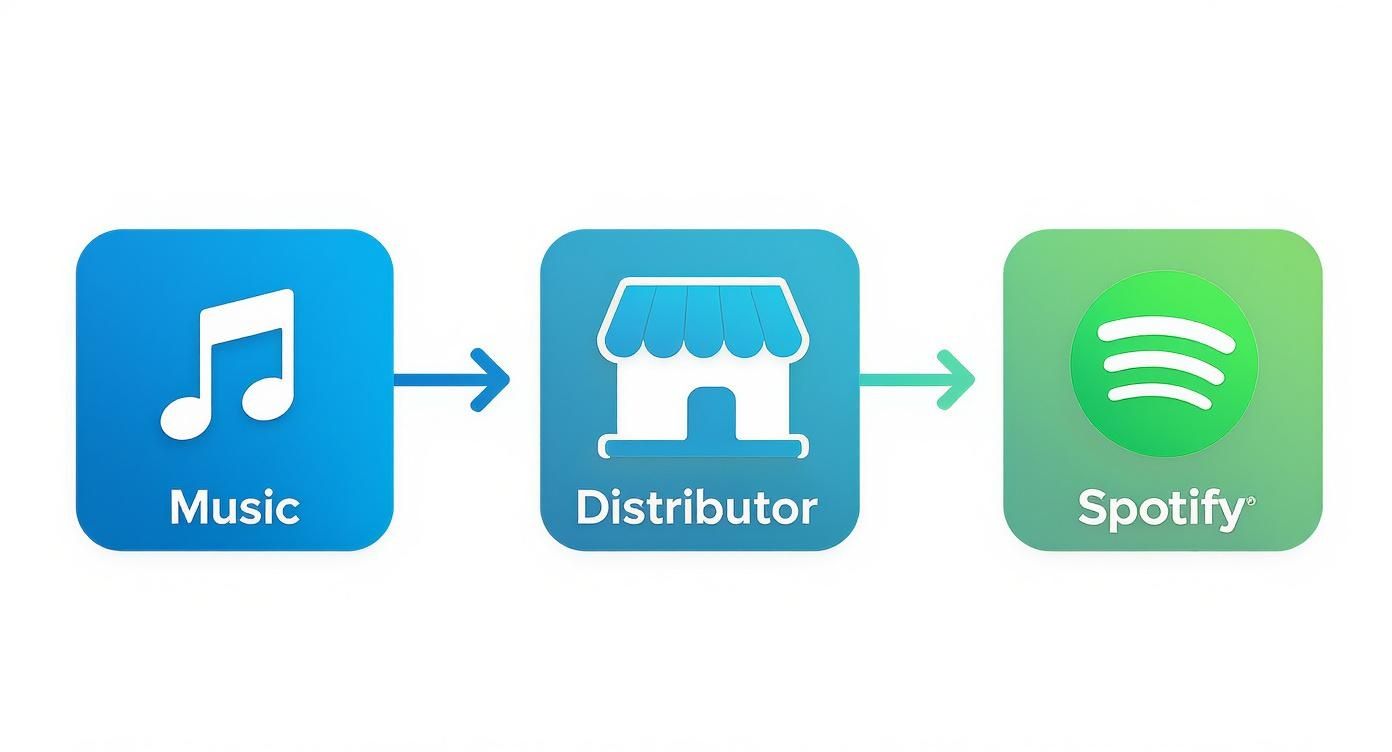
As you can see, there's no direct path. Your distributor is the non-negotiable bridge connecting your music to the world on Spotify.
The Critical Importance of Release Timing
Beyond getting the data right, your release timeline is probably the single most important strategic decision you'll make. I can't stress this enough: uploading your song the day before you want it to go live is one of the biggest mistakes you can make. It leaves you absolutely no time for promotion and doesn't give Spotify's algorithm a chance to properly index your track.
To give your release a real shot, you need to be thinking weeks—not days—in advance. The timing of your submission directly impacts your chances of landing on Spotify's powerful algorithmic playlists. According to Spotify itself, you must submit your song at least 7 days before its release date for it to be considered for your followers' Release Radar playlists.
But from my experience, the real sweet spot is submitting your music at least four weeks ahead of your release date. This advice comes directly from industry pros and gives you the runway you need. You can read more on the specifics of pitching your music on Spotify.com.
This four-week window isn't just about processing times; it's your strategic playground. It allows you to:
- Claim Your Spotify for Artists Profile: You can't even get access to this essential tool until your distributor has delivered an unreleased track to Spotify's system.
- Pitch to Editorial Playlists: This is your one and only shot to get your music in front of Spotify's team of human curators. The pitching tool becomes unavailable the second your song is released.
- Build a Pre-Save Campaign: A few weeks of lead time gives you a chance to run a real campaign, build hype, and collect pre-saves, which are powerful signals to the Spotify algorithm that something big is coming.
Rushing a release means throwing all these game-changing opportunities away. For a deeper dive into building out your full campaign, check out our guide on the best practices for releasing new music online. Planning ahead is how you shift from just uploading a song to orchestrating a professional, impactful launch.
Unlocking Spotify for Artists and Pitching Your Music
Just getting your song delivered to Spotify is a huge win, but believe me, the work has only just begun. Your very next move is to get verified and claim your profile through Spotify for Artists. This isn't just a nice-to-have; it's your command center for everything that happens on the platform. It's how you'll see your data, connect with your audience, and—most importantly—pitch your music directly to Spotify's editorial team.
Think of it like this: your distributor gets you in the door of the venue, but Spotify for Artists gives you the keys to the green room. You can't even get in until your distributor has successfully delivered at least one song, which is yet another reason why getting your music submitted weeks ahead of time is so critical.
Setting Up Your Artist Profile for Success
Once you’re in, the first thing you need to do is make your profile look like a pro runs it. An empty, neglected profile screams to fans and curators that you aren't actively invested in your career on the platform. A polished profile, on the other hand, builds instant credibility and encourages new listeners to dig deeper.
Get these basics dialed in right away to make a killer first impression:
- Your Bio and Photos: This is your space to control the narrative. Write a compelling bio that tells your story, and upload a gallery of high-quality, professional press shots.
- The Artist Pick Feature: This is prime real estate at the very top of your profile. Use it to feature a song, album, or a playlist you love. As soon as your new single is out, pin it here. It's a simple but incredibly effective way to point every single person who visits your page exactly where you want them to go.
Taking these steps sends a clear signal to Spotify's algorithm and its human editors that you're an active, engaged artist who means business.
Getting your profile set up is like sound-checking before a gig. It ensures everything is working perfectly so you can deliver your best performance when it matters most—pitching your song. Don't skip this part.
The Art of the Editorial Pitch
With your profile looking sharp, it's time to shift your focus to the single most powerful discovery tool at your disposal: the editorial playlist pitch. This is your one and only shot to get your unreleased song in front of the actual human beings who curate massive playlists like Lorem, POLLEN, and Today's Top Hits. A placement on one of those can genuinely change an artist's entire career overnight.
Inside your Spotify for Artists dashboard, you'll find the pitching tool for your upcoming release. The form itself is simple, but what you write in it can be the difference between getting heard and getting lost in the shuffle.
Crafting a Pitch That Connects
Spotify's editors are drowning in thousands upon thousands of new pitches every single day. Vague, generic descriptions like "it's a summer vibe" or "this song is about a breakup" are completely useless. They blend into the noise. Your job is to give them a real story—some context they can actually latch onto.
To make your pitch stand out from the crowd, nail these points:
- Get Specific with Genres and Moods: Don't just select "Pop." Are you "Indie Pop," "Bedroom Pop," or "Synth-Pop"? The more precise you are with the data points like genre, mood, and instrumentation, the better your chances are of routing the pitch to the right editor who specializes in that sound.
- Tell the Story Behind the Song: This is your hook. Don't just describe the chord progression. Explain what sparked the idea. Was it written after a wild, life-changing trip? Did you build the strange instrument you used in the chorus yourself? Give the editor a human detail they can remember and connect with.
- Share Your Marketing Plan: Briefly touch on what you're doing to support the release. Are you running a targeted ad campaign? Do you have a music video premiering on release week? Showing them you're also putting in the work makes you a much more attractive partner for a playlist add.
For example, a pitch for an indie folk song could say: "This track was written on a borrowed mandolin while I was living off-grid in a cabin in Appalachia. It’s about finding quiet in a loud world, and we're supporting it with a visualizer video shot in the same mountains that inspired it." Now that is a story an editor can get excited about.
Remember, you can only pitch one song from each release, and it absolutely must be done before it comes out. This tool is your direct line to the people who can put your music on a global stage. Use it wisely.
Driving Streams with Post-Release Promotion
The day is finally here. Your track is live on Spotify, and while that's a huge milestone, the real hustle is just getting started. What you do in the first 24-48 hours can make or break your song's trajectory. This is when Spotify's algorithm is watching you the closest.
A big surge in streams, saves, and playlist adds right out of the gate tells the algorithm your music is connecting. This is exactly what you need to trigger inclusion in powerful algorithmic playlists like Release Radar and Discover Weekly. Your job now is to have a game plan ready to go, one that keeps the momentum going long after release week.
Capitalizing on Release Day Momentum
On release day, your one and only goal is to drive a flood of focused traffic to your new track on Spotify. Your social media channels are your command center for this mission. Make sure you have all your content—videos, graphics, captions—prepped and ready so you can spend the day interacting with fans, not stuck in content-creation mode.
Don’t just drop a link and walk away. That won’t cut it. Share the story behind the lyrics. Post some raw, behind-the-scenes footage from the studio. Go live on Instagram or TikTok to celebrate the moment with your listeners and play the song for them. The more you can make your audience feel like they're a part of the launch, the better.
Your most important call to action on release day isn't just "listen now." It's "listen, save, and add to your playlist." A listener saving your track to their library is a much stronger signal to the algorithm than a single stream.
A great way to get more eyes—and ears—on your music is to repurpose your existing video content. You can create engaging YouTube Shorts from existing video clips, which is a killer tactic for discovery. It turns your music video or studio sessions into bite-sized clips that can pull new listeners from other platforms right back to your Spotify profile.
Reaching Out to Independent Curators
You submitted your track to Spotify's editorial team before release, but your work isn't done. Now is the time to start hitting up independent playlist curators. These are the dedicated music lovers, bloggers, and tastemakers who have built loyal followings around their own hand-picked playlists. A placement on the right user-curated playlist can send a wave of new, highly-engaged listeners your way.
Finding these curators takes a bit of digital detective work. Start by searching for playlists in your genre or niche. Once you find a good fit, look for the curator's name and social media links in the playlist description. When you reach out, keep your message short, personal, and professional.
- Introduce yourself and your music. Keep it brief.
- Explain why your song fits their playlist. Mention a track or two of theirs you genuinely like to show you’ve done your homework.
- Always include the direct Spotify link to your song. Make it dead simple for them to press play.
Avoiding Scams and Building Genuine Engagement
As you start your outreach, you'll undoubtedly run into services promising thousands of streams and placements on massive playlists for a fee. Proceed with extreme caution. The indie playlist scene has its fair share of scams that use bots to generate fake streams. This can get your song flagged and removed from Spotify, or even get your entire artist account banned.
A legit curator will never guarantee placement. While some may have a paid submission or review process, their decision is always based on the quality and fit of the music, not the payment. Look for curators who are transparent and have a real, active community around their brand.
At the end of the day, authentic fan engagement is what will give your music longevity. Turn your listeners into your promotion team.
- Ask them to share your new song in their Instagram Stories.
- Run a contest for the best fan-made playlist featuring your track.
- Make a point to reply to every single comment and DM.
That's how you build a real, lasting connection. It’s what turns a passive listener into a true fan who will stick around for your entire career. For a deeper dive, check out these tips for increasing music streams and earnings. This is about building real momentum that lasts far beyond the initial release hype.
Building on that release day energy requires a consistent promotional push. Here’s a sample timeline to help you visualize what the first month could look like.
Post-Release Promotion Timeline
| Timeframe | Action Item | Goal |
|---|---|---|
| Week 1 | Intense social media push, email list announcement, outreach to top-tier independent curators, run a fan contest. | Maximize initial algorithmic signals (streams, saves, shares) and secure early playlist adds. |
| Week 2 | Follow up with curators, share positive fan reactions/UGC, release a lyric video or visualizer, run targeted ads. | Maintain momentum, broaden reach to new audiences, and provide fresh content for fans. |
| Week 3 | Pitch to smaller blogs and radio shows, collaborate with other artists on social media, create a "behind the song" video. | Secure press coverage and cross-promote to tap into another artist's fanbase. |
| Week 4 | Analyze Spotify for Artists data, thank fans and curators, and tease what’s coming next (new music, show, etc.). | Understand performance, strengthen community relationships, and build anticipation. |
This structured approach ensures you’re not just hoping for the best but actively working to give your song the longest possible life on the platform.
Common Questions About Getting on Spotify
Even with a solid plan, a few practical questions are probably still rattling around in your head. Getting your music out into the world for the first time always brings up a bunch of "what-ifs." Let's clear the air and tackle some of the most common questions artists have when figuring out how to get their songs on Spotify.
Getting these details straight will help you move forward with confidence, knowing you’re making the right calls for your career. Think of this as the final check-in before you pull the trigger.
How Much Does It Cost to Put a Song on Spotify?
The cost isn't a single, fixed number—it all comes down to the digital distributor you choose and how they structure their fees. Spotify itself doesn't charge you to upload music, but your distributor, the middleman, will.
Generally, you'll run into two main pricing models:
- Annual Subscription Fees: Companies like DistroKid or TuneCore work like a subscription. You pay a flat annual fee, usually somewhere between $20 and $40, which lets you upload as much music as you want for that year. The big upside here is that you typically keep 100% of your royalties.
- One-Time Per-Release Fees: Others, like CD Baby, have you pay a one-time fee for each single or album. This might be around $10 for a single or $30 for an album. The trade-off for this pay-as-you-go approach is that they often take a small cut (say, 9%) of the royalties your music generates.
You’ll also find some free distributors, but be careful—they often take a much bigger slice of your earnings, sometimes 15% or more. The right choice really hinges on how often you plan to release music and what your financial goals are.
How Long Does It Take for My Song to Appear on Spotify?
Once you submit your track and your distributor gives it the green light, the technical side of things is surprisingly quick. Your song can be live on Spotify in just 2-5 business days. But honestly, that’s not the timeline you should be worried about.
The strategic timeline is what really matters. As we’ve talked about, submitting your music at least four weeks before your actual release date is the professional standard. That lead time isn't for processing; it's for promotion. It gives you the window you need to claim your Spotify for Artists profile and, most importantly, pitch your song directly to Spotify's editorial playlist curators.
Rushing a release means throwing away your one shot at getting in front of Spotify's editors. That four-week buffer is the difference between just dropping a song and executing a real, professional launch.
Can I Upload My Music Directly to Spotify?
Nope, you can't. Independent artists are required to go through a third-party digital music distributor to get their music onto Spotify.
This isn't just Spotify trying to be difficult. Distributors handle a ton of crucial, behind-the-scenes work:
- They make sure your audio files, cover art, and metadata are all formatted perfectly to meet Spotify's strict technical requirements.
- They navigate the incredibly complicated world of collecting royalties from hundreds of different platforms and countries.
- They get that money back into your hands.
Think of them as your administrative and tech team. They ensure your music looks and sounds professional and, most importantly, that you actually get paid when people listen to it. For any independent artist, they're a non-negotiable part of the process.
What Happens If I Stop Paying My Distributor?
This is a big one, and the answer completely depends on your distributor’s payment model. Not understanding their terms can put your entire catalog at risk.
With subscription-based services like DistroKid, if you stop paying your yearly fee, your music will usually be removed from all streaming platforms, Spotify included. Your songs will simply vanish until you renew. Some do offer a "leave a legacy" add-on for a one-time fee, which promises to keep your music up forever, even if your subscription ends.
On the other hand, for distributors that charge a one-time fee per release, like CD Baby, your music is generally there to stay. Since you paid for the service upfront, there are no ongoing fees to worry about. Always, always read the fine print in your distributor's agreement so you know exactly what their takedown policy is before you sign up.
Ready to take full control of your music career beyond just streaming? At OohYeah, we've built an artist-first ecosystem where you can sell downloads, merchandise, and subscriptions directly to your fans—all commission-free. It’s time to build a sustainable career on your own terms. Explore what OohYeah can do for you.



