
Your Guide to Finding and Using Free Backing Tracks
Discover the best sources for high-quality free backing tracks. Learn how to legally use, edit, and perform with jam tracks to elevate your music.
January 30, 2026
Music Marketplace Advisor
Buying & SellingThink of it like this: you have a professional band on call, 24/7, ready to jam whenever you are. Suddenly, your solo practice session feels like a full-blown rehearsal. Whether you're a guitarist working out a new solo, a singer prepping for a gig, or a creator who needs a solid score for your latest video, free backing tracks are your secret weapon.
Let's dive into how you can find and use these game-changing tools from the very first note.
Your Virtual Band Awaits
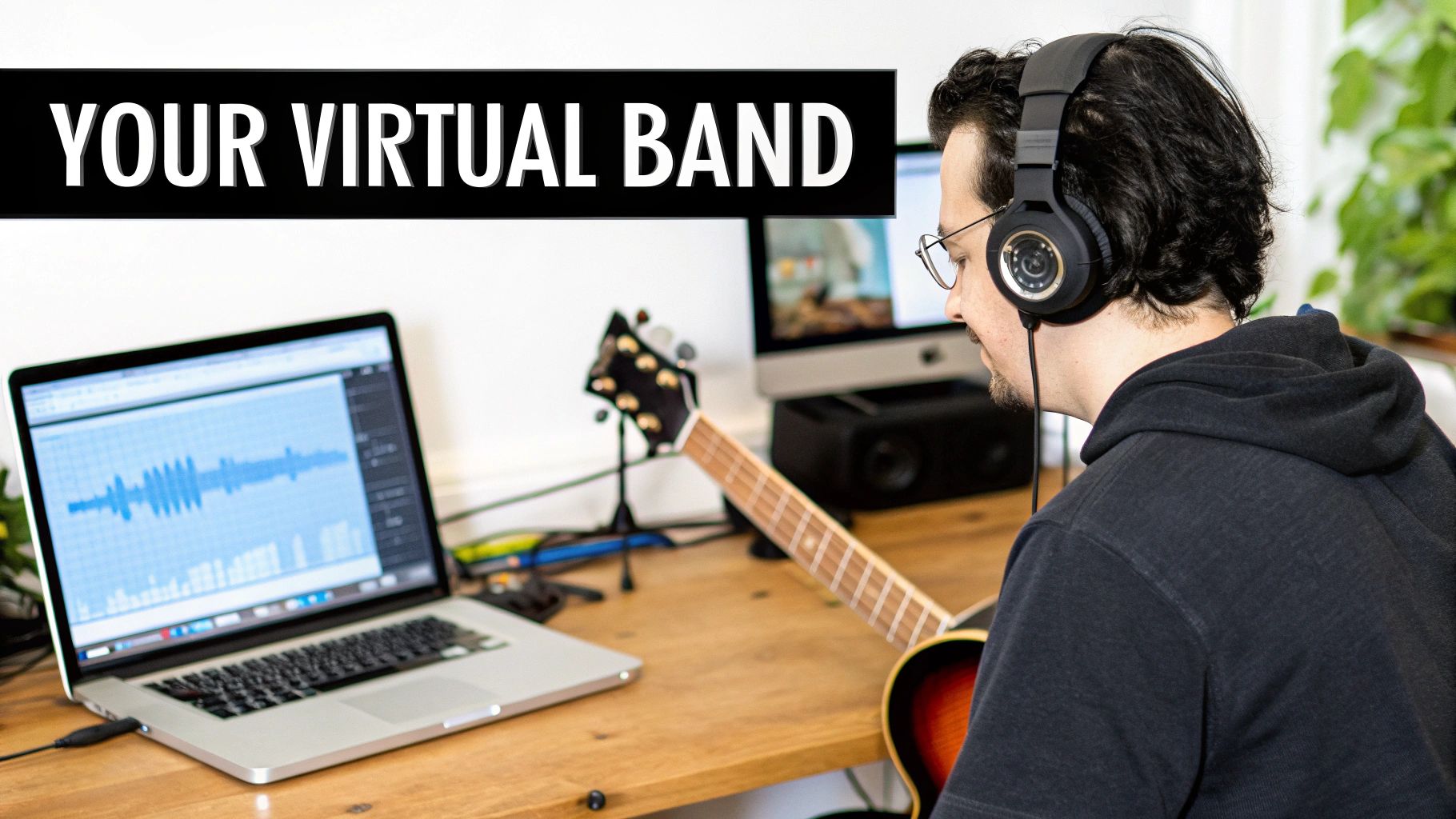
At its heart, a backing track is just a pre-recorded piece of music with something missing—and that "something" is you. For a vocalist, it’s the entire band without the lead vocal line. For a guitarist, it might be the bass, drums, and keys, all holding down the fort while you step into the spotlight.
This simple idea completely changes the game. Gone are the days of trying to sync up schedules with four other people just to get some practice in. Now, you can summon a pro-level rhythm section with a click, creating an environment that’s not just fun but incredibly productive for nailing your timing, exploring new improvisations, and building stage presence.
More Than Just Practice Tools
While backing tracks are a godsend for rehearsal, their usefulness goes way beyond the practice room. In fact, free backing tracks have become essential tools across the creative world.
- Content Creation: YouTubers, podcasters, and streamers rely on them to add polished, professional-sounding music to their content without getting tangled up in expensive licensing.
- Live Performances: Solo performers can deliver a massive, full-band sound on stage. Performing with a high-quality instrumental track lets you captivate an audience without the cost and logistics of a full band.
- Songwriting: Stuck on a new melody? A solid backing track provides the harmonic and rhythmic foundation you need to experiment with new vocal lines or instrumental hooks, helping you break through creative blocks.
The wide availability of these tracks has really leveled the playing field for creators. What used to demand a recording studio and hired guns is now accessible to anyone with a laptop, empowering artists everywhere to produce incredible work on their own terms.
A great backing track does more than just fill the silence; it provides context, rhythm, and inspiration. It’s the musical conversation partner that pushes you to play better, create more freely, and perform with confidence.
What to Look for in a Quality Track
As you start exploring, you'll quickly learn that not all backing tracks are created equal. The first thing you need to listen for is audio quality. A muddy, poorly mixed track is more of a distraction than a help. You want tracks with clean instrumentation and a balanced mix where every part sits in its own space.
Flexibility is just as important. The best platforms offer tracks in multiple keys and at different tempos, so you can find the perfect fit for your voice or instrument. Even better, look for sites that provide "stems"—the individual instrument recordings, like just the drums or just the bass. Stems give you the ultimate control to create a truly custom mix for any scenario.
The Anatomy of a Great Backing Track
To really get what makes a backing track so powerful, you have to look under the hood. Picture a finished song as a complete painting. A backing track is like getting that painting with all the foundational layers already there—the drums, the bass, the chords—leaving a blank canvas for you to add your own masterpiece right on top.
This is why they're so incredibly useful. You aren't just passively playing along; you're actively engaging with the core musical elements. This interaction is absolutely essential for training your ear, locking in your timing, and building your improv chops in a way a simple metronome never could.
The Building Blocks: Audio Formats
When you start grabbing free backing tracks, you’ll mostly find them in two common audio formats. Knowing the difference will help you get exactly what you need for the job.
- MP3 (MPEG Audio Layer III): This is the one you'll see everywhere. MP3s are compressed, so the files are smaller and don't eat up your storage space. They're perfect for quick downloads, everyday practice, and building a massive library to jam with. The trade-off is a tiny bit of audio quality, but honestly, for most practice scenarios, you won't even notice.
- WAV (Waveform Audio File Format): Think of WAV files as the full, uncompressed, high-resolution version. They’re much larger files, but they deliver the absolute best audio quality. If you're planning to use a backing track for a live gig, a serious recording, or any content where sound is critical, WAV is the way to go.
It really just comes down to a simple trade-off between convenience and quality. For your daily woodshedding, MP3s are your best friend. For that final performance, a WAV file makes sure your sound is as crisp and professional as possible.
The Ultimate Customization Tool: Stems
While MP3 and WAV files give you the finished mix, stems are where the real magic happens. Stems are just the individual audio files for each instrument. For instance, a rock track might have separate stems for:
- Drums and Percussion
- Bass Guitar
- Rhythm Guitars
- Keyboards and Synths
Having the track broken down like this gives you an incredible amount of control. As a bassist, you can mute the original bass part and write your own. As a producer, you could grab just the drum stem and build a whole new song from it. For practice, it's a game-changer. Struggling to hear the chord changes? Just solo the piano or guitar stem and listen closely.
With stems, you're no longer just playing along with a recording; you're stepping into the producer's chair. You can rebuild the band, tweak the mix, and shape the entire sound to fit exactly what you need.
Making a Track Your Own
Beyond file types and stems, the real power comes from being able to tweak a track's fundamental DNA. The two most important adjustments you’ll make are to the tempo (how fast it is) and the key (its pitch).
Slowing down the tempo is a lifesaver when you’re trying to nail a blistering guitar solo or a tricky vocal run. Speeding it up can add a fresh challenge once you've got it down. In the same way, changing the key lets a singer adjust a song to sit perfectly in their vocal range. Thankfully, most modern audio software makes these changes dead simple.
The impact here is huge. It's estimated that 80% of guitarists under 30 use these tools weekly, turning solo practice into a full-on virtual band rehearsal. Studies have even shown that musicians who practice with free backing tracks can improve their skills up to 40% faster because they can focus and repeat sections so effectively.
By putting all this together—choosing the right format, using stems, and adjusting the tempo and key—you can turn any generic track into a custom-built practice tool. This kind of control is what separates aimless noodling from focused, effective musical growth. For a curated selection of tracks designed with this in mind, check out our original backing tracks.
Understanding Your Rights with Free Music
Diving into the world of free music can feel a lot like trying to decipher a legal contract. You see terms like "copyright," "royalty-free," and "Creative Commons" everywhere, but what do they actually mean for you as a creator? Figuring this out isn't just about staying out of trouble; it’s about respecting the artists behind the music while confidently using the amazing resources they've shared.
Here's the most important thing to know: the moment someone creates an original piece of music, it's automatically protected by copyright. Think of it as an invisible "Do Not Copy" sign that gives the creator the final say on how their work is used. This simple principle is the bedrock of all music licensing.
When you download free backing tracks, you're not getting ownership. You're being granted a license—a specific set of permissions—that spells out exactly what you can and can't do. It might sound complicated, but once you understand a few key terms, it all becomes much clearer.
Free to Use Versus Royalty-Free
It's easy to think "free" means zero strings attached, but in music, that's rarely the whole story. You'll constantly run into two terms that sound similar but mean very different things: "free to use" and "royalty-free."
- Free to Use: This usually means you can download and use the track without paying for it upfront. But watch out for the fine print. Often, this music is restricted to non-commercial projects, like practicing at home or use in a school presentation.
- Royalty-Free: This one is about the payment structure, not the initial price tag. "Royalty-free" means you pay a one-time fee to get a license (and sometimes that fee is $0), and you never have to pay ongoing fees, or royalties, no matter how many times the music is played.
A track can be both free and royalty-free, but they are separate ideas. The golden rule is to always check the license details. Your goal is to find music that lines up perfectly with what you want to do, whether that's creating a YouTube video or performing on stage.
This simple flowchart can help you decide what kind of file format you need based on how you plan to use the track.
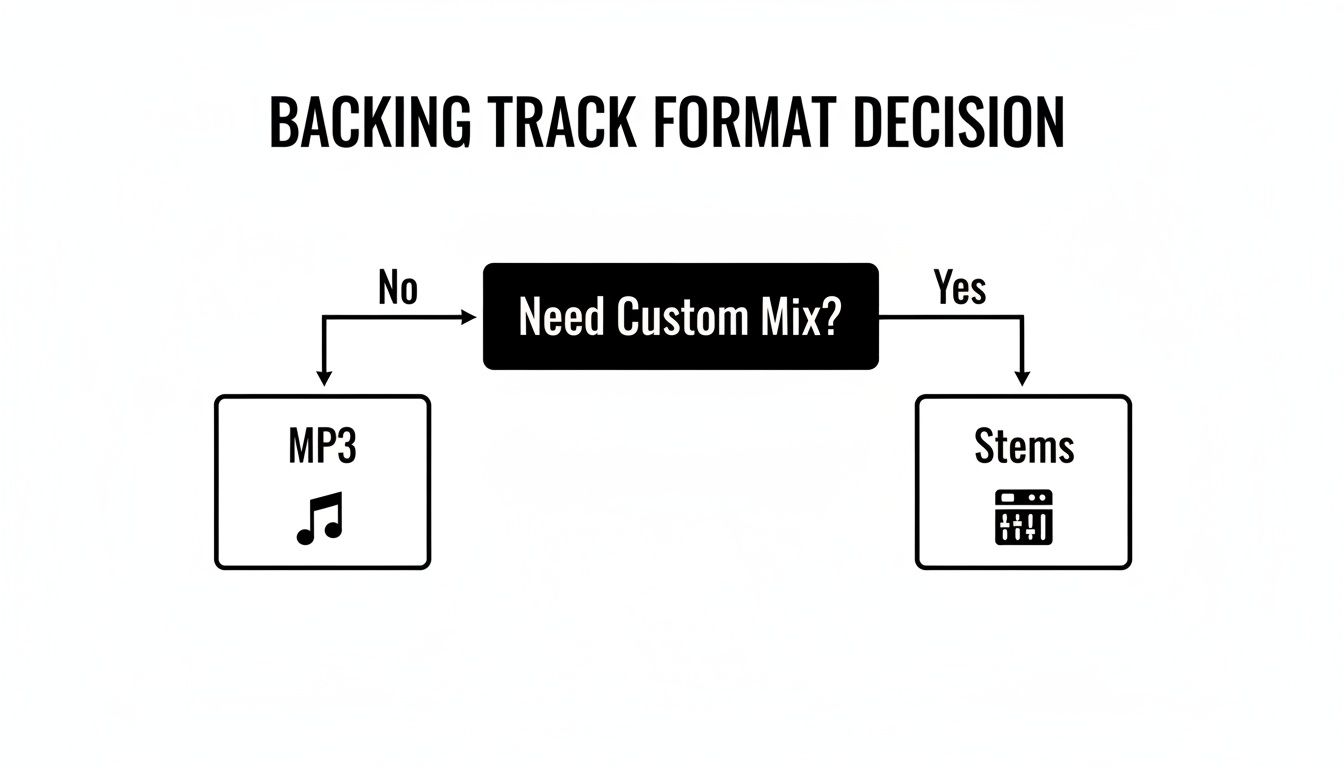
As you can see, if you need total control over the mix, stems are the only way to go. For just about everything else, a standard MP3 will do the job perfectly.
Common Licenses You Will Encounter
To make life easier for everyone, many artists release their work under standardized licenses, like Creative Commons. These are basically pre-packaged permission slips that clearly explain how you can use their music.
- Public Domain: This is the ultimate free-for-all. When a work is in the public domain, its copyright protection has expired. That means anyone can use it for any reason, no questions asked.
- Creative Commons (CC): This is a brilliant system offering a whole menu of different license types. For example, a "CC BY" license lets you do almost anything with the music, as long as you credit the original artist. Other versions might add rules, like "Non-Commercial" (NC), which means you can't use it to make money, or "No Derivatives" (ND), which means you can't change the track.
Getting familiar with the specific license attached to a free backing track is the most critical step you can take. If you’re a video creator, it's also worth reading up on the nuances of using copyrighted music on YouTube, where things like Fair Use and Content ID come into play.
For those who are really serious about keeping things legal, we've put together a comprehensive guide where you can learn more about how to get rights to a song. Spending just a few minutes checking your rights can save you from copyright strikes and major headaches, letting you create with total peace of mind.
Where to Find the Best Free Backing Tracks
Okay, so you get what backing tracks are and you understand the licensing side of things. Now for the fun part: where do you actually find the good stuff? The internet is a vast sea of options, and it's easy to get lost. The real trick is knowing where to look for high-quality, legally-sound music that fits what you're trying to do.
Your hunt for the perfect free backing tracks shouldn’t feel like a wild goose chase. We’ve broken down the best resources into a few key categories to help you find exactly what you need, whether it's a simple jam track for practice or a polished instrumental for your next video.
YouTube: Your Unofficial Jam Session Partner
When it comes to sheer volume and variety, nothing really comes close to YouTube. You'll find countless channels pumping out backing tracks in every genre imaginable, from smoky blues and cool jazz to blistering metal and modern pop. It's a fantastic resource for just jumping into a practice session or trying out new styles.
But there are a couple of things to watch out for. Audio quality can be all over the map, and the licensing info is often vague, buried in a description, or completely missing. Because of this, YouTube is really at its best for personal practice and informal jamming, not so much for content you plan to release publicly.
To get the most out of it, try these tips:
- Be specific with your search: Instead of a generic "guitar backing track," try something like "A minor blues backing track 120 bpm." You'll find what you're looking for much faster.
- Check the channel's vibe: Channels with a solid subscriber base and clear, detailed descriptions are usually a safer bet.
- Hunt for the license details: Always give the description a quick scan for any mention of usage rights before you even think about using a track in your own content.
Dedicated Backing Track Archives
If you need something more reliable and professional, dedicated websites are the way to go. These platforms are built from the ground up for musicians. They typically offer superior audio quality, much better search and filtering options, and—most importantly—crystal-clear licensing information. This is where you go when you need a track for a live performance or a monetized video.
Many of these sites use a "freemium" model. They'll have a solid collection of free tracks you can use to get a feel for their quality, with a much larger premium library available if you decide to subscribe.
The biggest advantage of a dedicated archive is trust. When a platform clearly outlines its licensing terms, you can download and create with confidence, knowing you are respecting copyright and avoiding future legal headaches.
The global karaoke phenomenon is a perfect example of the power of accessible backing tracks, with the market expected to see a $442 million growth opportunity between 2024 and 2029. Back in 2023, the Asia-Pacific region was the dominant force, with Japan's market alone projected to hit $58.22 million by 2025. This boom is fueled by social gatherings where free vocal removal apps and readily available tracks are the life of the party, a trend detailed in a recent Technavio report.
To help you choose, here's a quick look at some of the top players in the space.
Top Platforms for Free Backing Tracks Compared
| Platform | Primary Genre Focus | Licensing Model | Best For |
|---|---|---|---|
| YouTube | All genres | Varies (often unclear) | Personal practice, informal jamming |
| GuitarBackingTrack.com | Rock, Blues, Metal | Free with attribution | Guitarists honing their skills |
| Karaoke Version | Pop, Rock, Classics | Freemium (Free & Paid) | Vocalists, instrumental practice |
| Jamendo | Indie, Electronic, Pop | Creative Commons | Content creators, background music |
Each platform has its own flavor. Spend some time exploring to find the one that best matches your musical style and project needs.
Creator-First Platforms: The New Frontier
A new wave of platforms is shaking things up by focusing on the connection between artists and their fans. OohYeah! is a great example of this, giving artists a space to share exclusive backing tracks directly with their supporters. It's a model where everybody wins.
For musicians searching for tracks, it means getting your hands on original material that isn't already all over the internet. For the creators making the tracks, it’s a direct line to their community, allowing them to engage with fans and even earn a living from their work without a middleman. It builds a real community around creativity and mutual support. On a platform like this, you're not just grabbing a file—you're playing a part in an independent artist's story.
By trying out these different sources, you can build a killer library of free backing tracks for any project. Whether you need a quick loop from YouTube for a 15-minute practice warm-up or a professionally licensed instrumental from a dedicated archive, the perfect foundation for your music is out there. And if you feel inspired to make your own, a powerful royalty-free music maker is a fantastic place to start.
Integrating Tracks into Your Workflow
Finding the perfect free backing track is a great start, but the real magic happens when you bring it into your own creative space. Think of that downloaded file as a block of clay. It’s up to you to shape it, add your own layers, and mold it into something that feels uniquely yours. This process is way more accessible than you might think, and you don’t need a pro studio to get it right.
The journey from a simple audio file to a polished piece of music boils down to a few steps: downloading the track, pulling it into a Digital Audio Workstation (DAW), and then using that software to work your creative mojo. Best of all, amazing DAWs like GarageBand (for Mac) and Audacity (for pretty much everything else) are completely free and packed with all the power you need.
Getting Started The Right Way
First things first, you need to download the track. On any reputable site, you'll see a clear download link for an MP3 or WAV file. Just be sure you're clicking the actual download button and not a cleverly disguised ad. Once it's on your computer, do yourself a favor and create a dedicated folder for your backing tracks. You can even sort them by genre or key. This little bit of organization will save you a massive headache down the road.
Next, you’ll import the track into your DAW. This is usually as simple as dragging the file from your folder and dropping it right into the project timeline. You’ll see the track pop up as a visual waveform, ready for you to start tweaking.
Think of this as your creative sandbox. The backing track is the foundation, and your DAW is the complete set of tools for building on top of it, whether you're nailing a tough solo or recording a full-blown song.
Essential Edits for Practice and Performance
With your track loaded up, it’s time to make it work for you. A few simple edits can transform a generic piece of music into a powerful practice tool or a performance-ready accompaniment.
Here are a few of the most common—and useful—adjustments you can make:
- Looping a Section: If you're wrestling with a tricky guitar riff or a complex chord progression, you can isolate that part and set it to repeat endlessly. Most DAWs let you do this just by highlighting the section and hitting a loop button. It's the perfect way to build muscle memory through focused repetition.
- Adjusting the Tempo: Is the track a little too fast to keep up with? Almost all audio software lets you slow down the tempo (the speed) without messing with the pitch. This is a game-changer for learning difficult parts at your own pace before gradually working back up to full speed.
- Changing the Key: This one is absolutely vital for singers. If a track sits too high or low for your vocal range, you can use a pitch-shifting tool to transpose it up or down. This means you can perform comfortably and sound your best without straining your voice.
Adding Your Own Layers
Once the backing track is dialed in, it's your turn to shine. This is where you record your instrument or vocals right on top of the track. To capture clean audio when recording over free backing tracks, a decent mic is a must, but thankfully there are tons of great budget USB microphones that deliver pro-level sound without breaking the bank.
Inside your DAW, you'll just create a new audio track, "arm" it for recording, and then play or sing along. Don't stress about getting it perfect on the first try! The beauty of digital recording is that you can do as many takes as you need. Afterward, you can easily adjust the volume levels of your performance and the backing track until you find that perfect, balanced mix. This workflow puts the power in your hands to create impressive demos, practice recordings, or content for your audience.
Making Your Performance or Content Shine
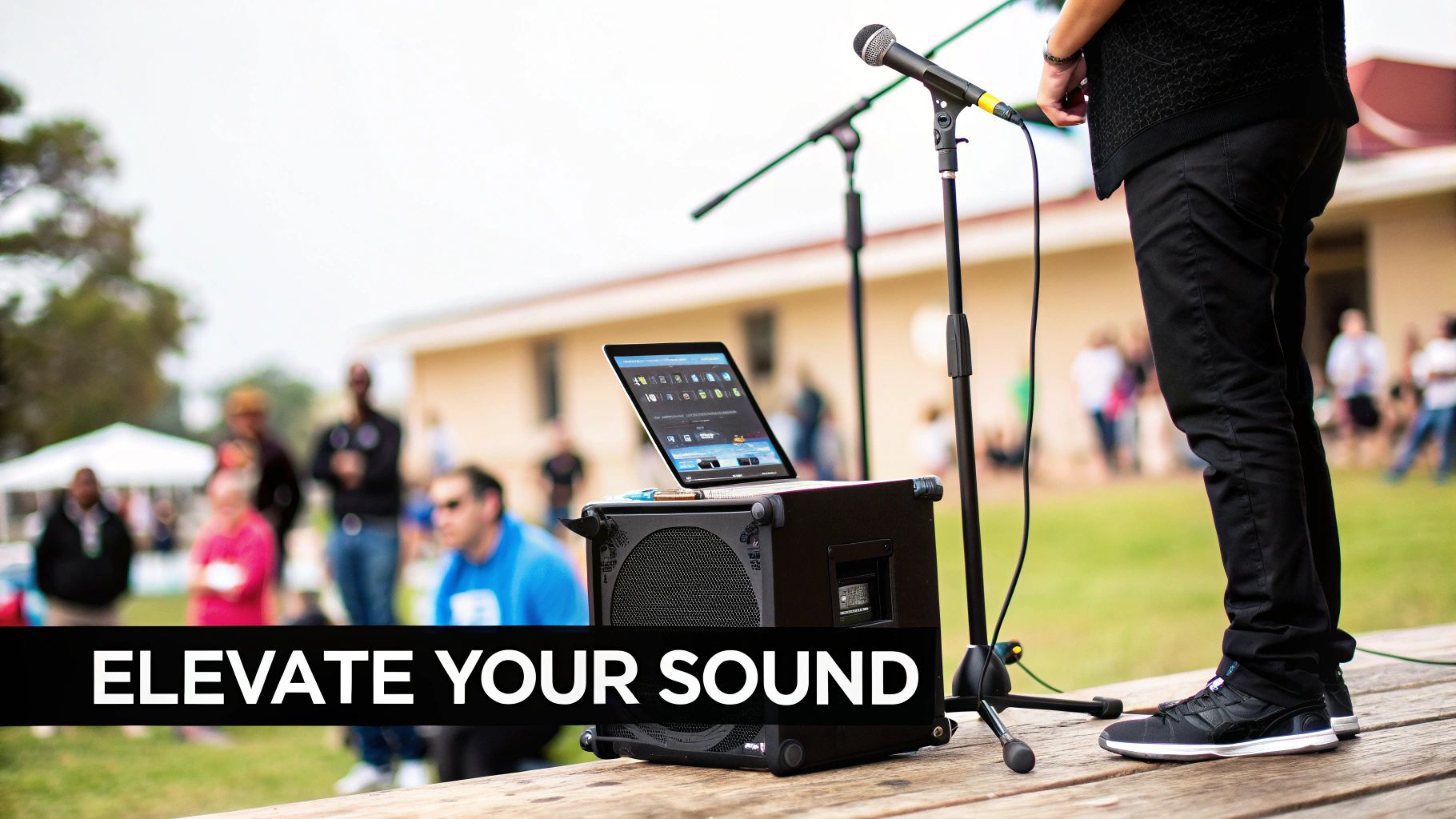
Once you've built a solid collection of free backing tracks, the real fun begins. The challenge is no longer about finding music, but about using it to make your work truly stand out. Whether you’re a musician taking the stage or a creator making a video, the goal is the same: to create a seamless, professional experience that captivates your audience.
On Stage: Bringing Your Live Show to Life
Think of a backing track as your own personal, always-on-time band. The most critical part of playing live with tracks is getting the sound mix just right. Always, always do a proper soundcheck. You need to find that sweet spot where the track is full and present, but your live vocals or instrument sit perfectly on top without getting lost.
A good pro tip? If you can, send your backing track to a separate channel on the mixer. This gives you (or the sound engineer) independent control over its volume throughout the show.
Your gear is your lifeline. Use a playback device you can count on—a stable laptop or a dedicated audio player works best—and for goodness' sake, have a backup ready to go. A dead battery or a frozen screen can kill the energy in a room instantly. Most importantly, practice performing with the track so it feels natural. You want to connect with the audience, not just look like you're playing along to a recording.
For Creators: Adding Polish to Your Videos
When you’re making content, the dynamic is a bit different. Your backing track is there to set a mood and guide the viewer's emotions, but it should never compete with your voice. Your message is the star.
Your best friend in any video editing software is a feature called “ducking.” This automatically lowers the music volume a touch whenever you speak and brings it back up when you pause. It’s a simple trick that makes a world of difference, ensuring your dialogue is always crisp and clear while the music provides a nice, atmospheric bed underneath.
Here are a few things to keep in mind:
- Set the Mood: Pick a track that actually fits what you’re talking about. Upbeat for a high-energy tutorial, something more ambient for a thoughtful piece.
- Keep It Clear: Your voice should always be front and center in the mix. No exceptions.
- Don't Overdo It: Sometimes, a moment of silence can be more powerful than a wall of sound. You don't need music in every single second of your video.
At the end of the day, a backing track in a video is a supporting actor. It’s there to make the main character—your voice and your message—look and sound even better. It should never steal the scene.
Give Credit, Build Community
This might be the most important part. Giving credit where it's due is more than just a legal box to tick; it's how we keep the creative ecosystem healthy. When you use a free backing track, just take a second to check the license for how the creator wants to be credited.
Usually, it’s as simple as adding their name and a link in your video description or show notes. This small gesture shows respect for their work and helps other artists find great resources, which benefits everyone.
This spirit of collaboration is a huge part of the modern music recording boom. The market, which was at USD 54.3 billion in 2020, is on track to hit USD 73 billion by 2026. With home DAWs becoming so accessible, it's estimated that by 2025, around 55% of all recordings will use free tracks for demos, sidestepping the need for expensive studio time. You can read more about these music industry trends and see just how much is changing.
Your Questions About Backing Tracks Answered
Diving into the world of free backing tracks usually brings up a few common questions. Let's tackle some of the most frequent ones so you can move forward with confidence.
Can I Upload My Song to Spotify if I Used a Free Backing Track?
This is a big one, and the short answer is almost always no. The vast majority of free backing tracks are licensed for non-commercial use only. Think personal practice, jamming with friends, or maybe a small, local open mic night.
Once you upload a song to a streaming service like Spotify, you've crossed into commercial distribution. Doing so with a track not licensed for that purpose is a violation of its terms, which can get your music taken down and potentially lead to other headaches. If a commercial release is your goal, you absolutely need to find tracks that explicitly come with a "commercial use" license.
How Can I Find Tracks for More Niche Genres?
It can be a real challenge to find a good blues-rock track in 7/8 time or a Phrygian dominant jam for your oud solo. When you're looking for something off the beaten path, your search strategy needs to change.
Start with the bigger libraries that have powerful search filters, like the Free Music Archive. From there, head to where other musicians hang out. Online communities are fantastic for this—think forums or specific subreddits like Reddit's r/backingtracks. You’ll often find people sharing their own creations or taking requests. These niche communities are where you'll unearth the real gems.
The key difference between a backing track and a karaoke track lies in the intended performer. A backing track supports an instrumentalist, while a karaoke track supports a vocalist.
What’s the Real Difference Between a Backing Track and a Karaoke Track?
Aren't they the same thing? Not quite, and the distinction is important. A backing track is built for a musician to play over it. Imagine a full band recording, but with the lead guitar part completely removed—that's a backing track. It provides the full rhythmic and harmonic foundation for you to practice or perform your instrument.
A karaoke track, on the other hand, is specifically engineered for a singer. It's an instrumental version of a popular song with only the lead vocal stripped out. While you could technically sing over some backing tracks, a karaoke track often won't work for an instrumentalist because other lead instruments might still be in the mix, clashing with what you're trying to play.
Ready to find original, high-quality backing tracks straight from the artists who make them? Join the OohYeah community to discover your next great jam session or performance piece, all while supporting independent musicians. Explore the ecosystem at https://oohyeah.app.



