Fishman Triple Play: Ultimate MIDI Guitar Guide
Turn your guitar into a MIDI powerhouse. Learn to set up and master the Fishman Triple Play with our complete guide to unlocking its potential.
May 18, 2026
Music Marketplace Advisor
Buying & SellingA lot of guitarists hit the same wall. The pedalboard is already crowded, the amp sounds good, the usual drive and modulation colors are covered, yet the part in your head still isn't a guitar part. You're hearing a string pad under the chorus, a synth bass doubled with the riff, or a piano voicing that your hands already know how to express on fretboard instead of keys.
That's the moment the fishman triple play starts to make sense. Not as a novelty, and not as a replacement for guitar, but as a way to keep using your own touch, timing, and phrasing while triggering sounds that normally live inside a keyboard rig or DAW.
Most of the marketing around MIDI guitar focuses on the magic. Plug in, play, become an orchestra. The magic is genuine. In truth, professional results come from setup, calibration, and some technique awareness. If you expect it to behave like a passive pickup into an amp, you'll get frustrated fast. If you treat it like an instrument system that needs to be dialed in, it opens a huge creative lane.
From Guitar to Orchestra An Introduction to the Fishman TriplePlay
A common studio moment goes like this. The guitar part is done, the arrangement still feels thin, and the missing piece is not another overdub through a different pedal. It is a pad under the chorus, a synth bass glued to the riff, or a piano voice playing the same harmony your hands already know on the fretboard.
That is the territory the fishman triple play covers. It lets a guitarist drive virtual instruments from the guitar itself, which is the core appeal for players who phrase, comp, and build ideas faster on strings than on keys.
The promise sounds simple. Play guitar, get orchestra. In practice, the best results come from treating TriplePlay like a serious controller system, not like a regular pickup with extra sounds attached. The jump from impressive demo to usable session tool usually comes down to calibration, clean tracking, and a right hand that stays intentional.
That trade-off is why the system still matters.
It gave many guitarists a practical path into MIDI without turning the rig into a science project. It also exposed a truth that marketing tends to soften. MIDI guitar can feel brilliant one minute and fussy the next if the pickup height is off, the string response is uneven, or the part is played with more slop than the patch can tolerate. Players who accept that early usually get much more out of it.
Why players stick with it
The draw is not novelty. It is workflow.
- Your phrasing carries over: Pick attack, vibrato, muting, slides, and dynamics still shape the part in a way keyboard programming often does not.
- Arranging gets faster: Guitarists can sketch layered parts from familiar chord shapes instead of stopping to translate the idea onto piano keys.
- You hear production ideas sooner: A line that starts as guitar can become strings, synths, mallets, or stacked textures before the writing momentum disappears.
Practical rule: TriplePlay rewards accurate playing and careful setup. It punishes the assumption that MIDI guitar should track every casual habit perfectly.
For session players, producers, and songwriters, that can be a fair trade. Once it is dialed in, the guitar stops being limited to guitar tone and starts acting like the performance surface for a much larger rig. For broader music workflow ideas beyond the instrument itself, the OohYeah blog for music creators is a useful read.
What is the Fishman TriplePlay and How Does It Work
The Fishman TriplePlay is a translation system for guitarists who want to control software instruments from the fretboard. It listens to each string separately, converts that performance into MIDI data, and sends it to a computer or compatible device so a virtual instrument can produce the sound.
That is the promise. The process requires a little more hands-on effort.
TriplePlay can feel impressively fast and musical once it is dialed in, but it does not read your intent. It reads pitch, attack, and timing with very little mercy. If your setup is off or your technique is loose, the software will expose it in a hurry.

The three parts that matter
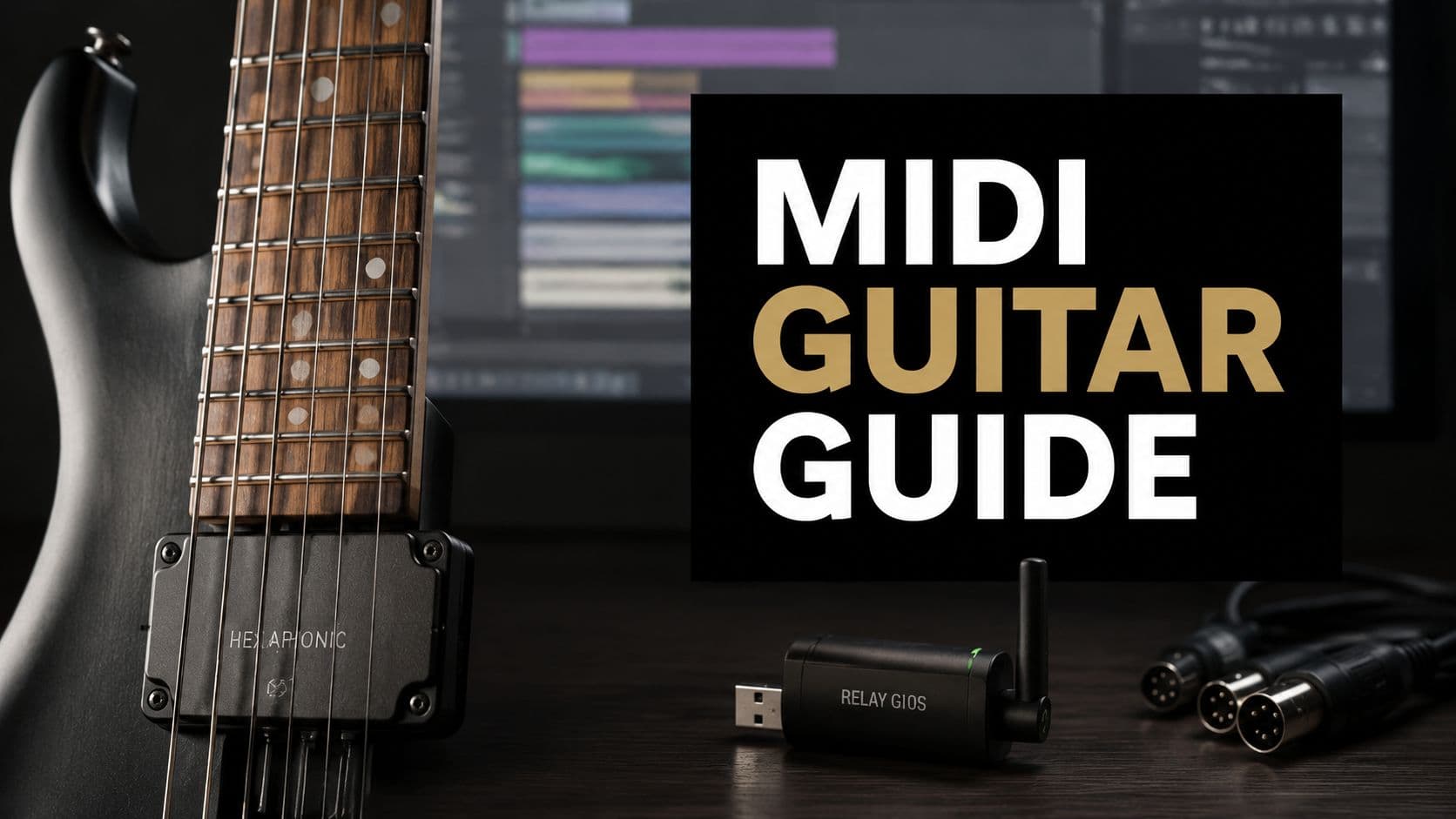
The first part is the hexaphonic pickup. Instead of taking one mixed guitar signal, it hears all six strings on their own. That string-by-string isolation is what makes accurate note detection, separate tracking, and cleaner MIDI conversion possible.
The second part is the on-guitar controller. It is responsible for turning string information into MIDI performance data your software can read. Notes, velocity, and other playing information are derived here before being sent out of the guitar.
The third part is the USB receiver. The system transmits wirelessly to that receiver, and the receiver passes the MIDI data into your computer environment.
How the conversion actually feels in use
A normal guitar pickup only has to produce audio. TriplePlay has a harder job. It has to decide what note you meant, when it started, how hard you played it, and whether the next sound is a new note, a slide, or finger noise that should be ignored.
That is why setup matters so much.
Pickup height, string balance, clean fretting, and controlled muting all affect the result. Players coming from standard guitar technique sometimes expect the unit to tolerate the same casual slop that still sounds fine through an amp. MIDI is less forgiving. Fast tracking is possible, but it usually comes after calibration and a small adjustment in how you articulate lines.
Why the wireless design mattered
Older MIDI guitar rigs often felt like specialist tools because of the physical connection and extra hardware involved. TriplePlay made the experience feel more like using a modern controller and less like plugging into lab equipment.
A good comparison is swapping a bulky rack-based switching system for a compact pedalboard rig. The musical job stays the same, but the friction drops. For working players, that changes whether the system gets used regularly or left in a case.
What your computer sees
Once the receiver is connected, your DAW does not see "guitar" in the traditional sense. It sees MIDI. That means the performance can trigger piano, synth, strings, percussion, or layered textures, provided the part is played cleanly enough for the target patch.
A simple view of the signal flow looks like this:
| Stage | What happens |
|---|---|
| String vibration | Each string is captured independently by the hex pickup |
| Conversion | The controller translates that data into MIDI |
| Transmission | The MIDI data goes wirelessly to the USB receiver |
| Playback | Software instruments inside a DAW or host generate sound |
That is the magic and the trade-off. The guitar remains the performance surface, but the sound source lives in software, and software responds best when the instrument and the player are both set up with intention.
Key Features and System Compatibility
TriplePlay works best when you treat it like an instrument system, not an accessory. The pickup gets most of the attention, but the true value comes from the full chain: hex pickup, controller, wireless receiver, host software, and the virtual instruments on the other end. If any one part is misconfigured, the promise of smooth MIDI control starts to feel optimistic.

Fishman sold TriplePlay as a complete package, and that framing still matters. You are not only buying note conversion. You are buying a way to play software instruments from a guitar without being tied to a floor unit or a 5 pin MIDI connection.
The features that actually change the experience
A few headline features matter every time you plug in.
- Wireless operation: This is one of the reasons TriplePlay feels modern instead of like an old MIDI guitar science project. On stage, it keeps your setup cleaner. In the studio, it makes it easier to stand where you normally play instead of hovering near an interface.
- Per-string tracking: Each string is read separately, which is why the system can do more than broad pitch detection. It can capture lines, chords, and articulation in a way standard audio-to-MIDI tools often struggle with.
- Hardware mode switching: The Guitar, Mix, and Synth options are practical, not decorative. They let you check your dry guitar signal, blend sounds, or go full virtual instrument without digging through menus.
- Preset handling and pairing: Stable receiver pairing and sensible preset organization save time. If the wireless link is flaky or your patches are poorly matched to guitar input, the rig feels unpredictable fast.
The marketing pitch suggests you can call up any synth and go. Real sessions are less forgiving. TriplePlay can sound impressive quickly, but professional results usually come after matching the patch to the instrument and the player.
Compatibility in practical terms
TriplePlay is broad in platform support. The more important question is whether your setup is already friendly to MIDI instruments. If your computer handles virtual instruments comfortably, your DAW lets you route MIDI cleanly, and your buffer settings are under control, compatibility is usually the easy part.
The harder part is response.
A DAW can technically support TriplePlay and still feel bad to play if the session is heavy, the instrument has a soft attack, or the patch exaggerates every extra scrape and half-muted note. Guitarists notice this immediately. Keyboard players can hide some of it with different technique. On guitar, the timing and articulation are exposed.
What actually determines whether it feels good
Logo compatibility matters less than these three checks:
- Your computer can run virtual instruments at playable latency.
- Your DAW makes MIDI routing and patch management straightforward.
- Your instrument choices suit guitar input rather than keyboard input.
That third point gets overlooked all the time. A giant pad with a slow swell may sound great under a keyboard, then feel late and disconnected under a pick attack. A lead patch with the wrong pitch bend range can make bends and vibrato behave strangely. A hyper-sensitive piano can turn small left-hand noise into clutter.
TriplePlay is fully capable of serious work, but it asks for a little cooperation from the rest of the rig. Get the system, patch design, and playing approach lined up, and it can cover anything from tight synth doubles to full arrangement sketches. Skip that adjustment phase, and even a compatible setup can feel harder than it should.
Your First Session A Basic Setup Guide
You mount the pickup, call up a huge pad, hit an open E, and the first note makes you grin. Then the next few notes glitch, a bend overshoots, and a half-muted string triggers something you did not intend. That first hour with the fishman triple play usually decides whether it feels like a serious instrument or an overpromised gadget.
The difference is rarely the headline feature set. It is the setup work, the calibration, and the small playing adjustments that the marketing glosses over. TriplePlay can absolutely deliver convincing MIDI control, but it does not read your intent by magic. It reads string vibration, and it rewards clean input.
Start with the guitar that gives you the fewest surprises. Good intonation, stable action, and fresh enough strings make the whole process faster. Leave the quirky backup guitar, the one with uneven frets or tuning drama, for later.

Start with the physical install
The hardware install is simple enough, but the tolerances matter more than many players expect. If the hex pickup is not sitting at the right height and distance from the strings, tracking gets inconsistent before the software even enters the picture.
Use this first-pass checklist:
- Choose your cleanest-playing guitar: A well-set-up instrument gives you a fair read on the system.
- Mount the pickup carefully: Close enough is often not close enough with MIDI guitar hardware.
- Check picking-hand clearance: If your hand keeps brushing the controller or pickup, your test session will be misleading.
Charge the controller fully before you start troubleshooting. Low battery confusion wastes time and sends players chasing problems that are not there.
This walkthrough is worth watching before you start moving parts around:
Pairing and software setup
Once the hardware is mounted, keep the software side boring on purpose. Plug in the receiver, install the TriplePlay software and whatever instrument set you want to audition first, then confirm the controller is paired and seen correctly by the system.
For your first sound, avoid the biggest, slowest, most cinematic patch you own. A plain piano, clav, or simple mono synth lead tells the truth faster. You want a patch with a clear attack and stable pitch center so you can hear whether the system is reading your notes cleanly.
If you want a practical way to test timing and articulation after pairing, play against a few original backing tracks for practice and setup checks. A steady groove exposes mistriggers and timing slop much faster than noodling in silence.
Calibration is where the real session starts
This is the part that separates the sales pitch from daily use.
TriplePlay can feel excellent, but only after the pickup sensitivity and pitch behavior are dialed in for your guitar and your hands. Skip that step and the system will happily translate every accidental touch, weak mute, and uneven attack into bad MIDI.
A reliable first-session routine looks like this:
- Set string sensitivity one string at a time. The low E and high E rarely want identical settings.
- Calibrate with your actual touch. If you dig in hard, use that touch during setup.
- Test single-note lines first. Clean single-note tracking is the foundation for everything else.
- Match pitch-bend settings to the instrument patch. Leads, basses, and orchestral sounds do not all want the same response.
- Save the first preset that feels right. A known-good baseline saves a lot of second-guessing later.
One hard truth helps here. MIDI guitar is less forgiving than standard electric guitar tone. A little sympathetic ringing that sounds musical through an amp can turn into messy note data in a virtual instrument. TriplePlay behaves a lot like recording DI under a bright studio light. It reveals technique.
What a good first session actually looks like
A successful first session does not mean every sound in the library works immediately. It means one or two patches feel controlled, the response is predictable, and you can tell which problems come from setup versus technique.
That distinction matters. If notes trigger late on one soft pad, the patch may be the issue. If every patch misreads hammer-ons, string releases, or muted strums, return to pickup placement, sensitivity, and your note separation. Professional results usually come from a short adjustment period, not from plugging in and expecting keyboard-style forgiveness on the first pass.
Once the system is calibrated and your hands adapt, TriplePlay stops feeling like a science project. It starts feeling like a guitar that happens to speak fluent MIDI.
Creative Applications for Musicians and Producers
The fun part starts after setup, when the fishman triple play stops being a gear project and starts being a writing tool. Its best uses usually come from players who already know what part the song needs, but want to perform it from the guitar instead of programming it in with a mouse or switching to keys.
One of the strongest uses is live layering. A player can keep the regular guitar sound for the verse, bring in a pad under chorus chords, and switch to a synth lead voice for a hook line without changing instruments. That works especially well for bands that need to sound wider than the number of people on stage.
Live rig expansion without abandoning guitar
A practical stage workflow often looks like this:
- Verse tone: Normal guitar sound, no MIDI layer.
- Chorus lift: Guitar plus a restrained synth pad under bigger chord voicings.
- Lead moment: A focused synth patch for melody lines where bends and vibrato add expression.
This kind of setup works because the guitar remains the center of the performance. You're not becoming a keyboard player mid-song. You're extending what the guitar can command.
Studio arranging with real guitar phrasing
In the studio, TriplePlay shines when a part needs human guitar phrasing but a non-guitar timbre. A keyboard player can absolutely program strings, brass, or synths. But a guitarist often phrases held notes, slides into targets, and voices chords differently.
That difference matters on layered parts.
A fingerpicked progression doubled with a soft string patch can feel more organic when the MIDI comes from the same hands that played the acoustic or electric take. The timing relationship is naturally tighter, and the arrangement often feels less pasted together.
Some of the best MIDI guitar parts don't sound flashy. They just make the record feel larger while staying inside the performance.
For producers building songs around demos, that's a huge advantage. You can sketch harmony, bass movement, and texture from one instrument before deciding what deserves a final overdub.
If you're building songs around performance-first ideas, libraries like original backing tracks for rehearsal and songwriting can also help test whether these layered MIDI parts support the groove or clutter it.
Sound design that a keyboard won't phrase the same way
The third lane is sound design. In this space, TriplePlay becomes less about imitation and more about control. Guitar bends, slides, harmonics, and string-specific articulation can produce motion that's awkward to fake on a keyboard.
A few patches that often respond well to guitar input:
| Sound type | Why guitar input helps |
|---|---|
| Monophonic synth lead | Bends and vibrato feel natural under the left hand |
| Ambient texture patch | Volume swells and slow chord movement create evolving layers |
| Bass synth doubling | Tight picking adds rhythmic definition |
| Hybrid pluck sound | The attack of the picking hand adds realism |
The key is restraint. TriplePlay doesn't need to make every song into a fusion clinic. Often the smartest use is one part that adds depth, width, or tension exactly where the arrangement needs it.
Troubleshooting Common Issues and Advanced Techniques
A TriplePlay session usually goes one of two ways. The first take feels like science fiction, with your guitar driving strings, synths, or piano across the track. Or ten minutes disappear into chasing double triggers, strange bends, and notes that seem to fire from nowhere.
Both outcomes come from the same system.

TriplePlay can feel impressively smooth, but the marketing promise only holds up after the rig is dialed in. For professional results, the pickup height, sensitivity, patch choice, and your muting technique all have to agree. MIDI guitar is less like plugging into a great amp and more like setting intonation on a trem guitar. Small errors add up fast.
Ghost notes and tracking mistakes
Ghost notes rarely mean the unit is broken. In my experience, they usually come from one of four places: sympathetic string noise, sensitivity set too high, sloppy note releases, or a patch that exaggerates every tracking flaw.
Common causes include:
- Excess string noise: Open or lightly ringing strings can trigger extra MIDI notes.
- Sensitivity that is too hot: Scrapes, pull-offs, and finger noise start reading like intended events.
- Untidy fretting-hand release: Lifting off a note carelessly can create a second trigger.
- Patch mismatch: Slow pads, wide filters, and heavy modulation can make normal MIDI behavior feel worse than it is.
The fastest diagnostic move is boring on purpose. Load a plain piano or clav patch, play single-note lines, and mute aggressively with both hands. If that tracks cleanly, the core system is doing its job. The problem is probably your settings or the instrument patch, not the hardware.
This is the check-in many players need. TriplePlay does not remove the need for clean technique. It rewards it.
Wireless and system stability
Wireless issues are usually setup issues. Keep the receiver placed sensibly, avoid unnecessary obstacles, and test the rig with one simple sound before opening a heavy session full of layered plugins.
Work through problems in this order:
- Confirm the controller and receiver are paired correctly.
- Keep the receiver in a clear, practical position.
- Test with one lightweight instrument patch.
- Restart the host or plugin environment if behavior turns erratic.
- Save presets only after they prove stable in real playing.
If you hit a rig-specific snag, check support resources for setup and playback troubleshooting alongside the documentation and settings inside your own system.
Bad MIDI guitar sessions usually come from three small mismatches at once.
Pitch bend and expressive control
Pitch bend is where a lot of players either get expressive results or spend weeks annoyed. If the target patch expects a wide synth bend range, normal guitar vibrato can sound cartoonish. If the bend range is too narrow, slides and bends feel choked.
Set bend behavior patch by patch. Lead sounds often benefit from wider ranges. Piano, organ, and many mallet-style sounds usually need little or no bend response. Guitar technique is not the problem in those cases. The patch is.
That trade-off matters in the studio. The same left-hand movement that feels natural on a mono synth can make a sampled piano part sound broken.
Mono Mode for serious control
Mono Mode is one of the features that makes TriplePlay useful beyond novelty. Instead of merging everything into one stream, it treats each string more independently, which keeps repeated notes, bends, and overlapping articulations from stepping on each other.
For layered parts and denser voicings, that changes the feel immediately.
| In regular merged behavior | In Mono Mode |
|---|---|
| Notes can compete with each other | Each string keeps its own channel identity |
| Articulation can blur | String-specific phrasing stays clearer |
| Layered patches can steal voices | Independent note handling reduces voice-stealing |
This matters most on parts a keyboard player would phrase differently. Double-stops with one note bending. Repeated notes across adjacent strings. Chord textures where one voice needs to bloom while another stays fixed. In those moments, Mono Mode makes TriplePlay feel less like a clever controller and more like a serious compositional tool.
The catch is that advanced control also asks more from the patch and the player. Better results usually come after a little calibration, a little editing, and a little discipline in the hands. That is the actual bargain with MIDI guitar. The payoff is huge, but it is earned.
Is the Fishman TriplePlay Right for You
The fishman triple play is right for a guitarist who hears beyond guitar and is willing to put in setup time. That includes studio writers, hybrid composers, session players who need quick access to virtual instruments, and live musicians who want one instrument to cover more ground.
It's less ideal for the player who wants instant perfection with zero calibration. It also won't satisfy someone who expects every keyboard patch to feel natural under guitar without editing. MIDI guitar asks for cooperation. You adjust the hardware, the sensitivity, the patch design, and sometimes your touch.
The short self-check
You're a strong fit if most of these sound like you:
- You think in fretboard shapes first
- You already use virtual instruments
- You don't mind tweaking a rig
- You want one guitar performance to trigger more than one role in a track
You may want to pass if your priorities are different:
- You only want traditional guitar tone
- You hate setup and calibration
- You expect every patch to work out of the box
- You don't want to adjust your technique at all
There are other MIDI guitar approaches out there, including older Roland GK-style ecosystems, and some players still prefer those routes depending on their rig history. TriplePlay's place in the market is clear though. It became important because it made wireless MIDI guitar feel accessible to more normal musicians, not only specialist tech-heads.
The honest verdict is simple. If you want perfect integration with no effort, this isn't that. If you want expressive guitar-driven control over software instruments, and you're prepared to dial it in, it's one of the most musically rewarding tools you can add to a modern setup.
OohYeah gives independent artists a practical place to do more with the music they make, from streaming and selling tracks to offering merch, subscriptions, and direct fan interaction. If you're building songs with tools like TriplePlay and want a cleaner path from creation to audience, explore OohYeah.