
Claim Artist Page Spotify And Master Your Music Career
Learn how to claim artist page Spotify, verify your profile, and use powerful analytics to grow your audience. Your definitive guide to Spotify for Artists.
January 24, 2026
Music Marketplace Advisor
Buying & SellingGetting your music onto Spotify is just the first step. To really take the reins of your music career, you need to claim your artist page. All it takes is having at least one song live on the platform and access to the email you used with your music distributor. Think of this as getting the keys to your own digital storefront—it’s how you control your brand, see who’s listening, and tap into tools that can genuinely move the needle.
Why Claiming Your Spotify Artist Page Is A Career Must
Leaving your Spotify profile unclaimed is like letting a stranger manage your merch table. It's a missed opportunity. Without claiming it, your artist page is just a generic placeholder, completely disconnected from your fans and your vision. Getting that blue checkmark is your first, non-negotiable move toward building a professional presence on the world's biggest audio platform.
Take Control of Your Brand Identity
Once you claim your page, you can immediately start shaping how the world sees you as an artist. This is your chance to replace that default grey avatar and generic banner with imagery that actually reflects your music and aesthetic.
Here’s what you can do right away:
- Upload custom header and profile images that capture your artistic vibe.
- Write an artist bio that tells your story and connects with new listeners on a personal level.
- Highlight an "Artist Pick," pinning your latest single, a favorite playlist, or an upcoming tour date to the top of your profile.
These simple changes transform your page from a static song list into an engaging hub for your fans.
A quick look at the differences between a claimed and unclaimed profile shows just how much you're missing out on.
Verified Vs Unclaimed Spotify Profile At A Glance
| Feature | Claimed Artist Page (Verified) | Unclaimed Artist Page (Standard) |
|---|---|---|
| Verification Checkmark | Yes | No |
| Custom Profile Images | Yes | No |
| Artist Bio | Yes | No |
| Artist Pick | Yes | No |
| Playlist Pitching Tool | Yes | No |
| Listener Analytics | Yes | No |
| Canvas | Yes | No |
| Merch Integration | Yes | No |
| Fan Support Link | Yes | No |
It's clear that the verified profile is an essential tool, not just a cosmetic upgrade.
Unlock Powerful Data and Growth Tools
Imagine you’re an artist trying to book a tour. Without a verified profile, you’re just guessing where your fans are. With a claimed Spotify for Artists account, you know for a fact that you have a huge listener base in Chicago and a growing audience of women aged 18-24 in London. That’s not guesswork—that’s actionable data you can use to book shows, run targeted ads, and pitch to the right playlists.
Claiming your page is like flipping a switch. Suddenly, you have access to a dashboard full of analytics showing you exactly who your listeners are, where they live, and how they found your music. This information is gold for making smarter career decisions.
With Spotify paying out an incredible $10 billion in royalties in 2024 and the number of creators earning at every level tripling since 2017, there's real money on the table. Accessing your data is the first step toward getting your piece of the pie. It's a perfect example of why music streaming platforms are crucial for exposure and growth in the modern music industry.
Your Pre-Claim Checklist for a Smooth Verification
Before you rush to claim your artist page on Spotify, a little prep work can be the difference between getting instant access and spending a week tangled in support emails. Think of it as your pre-flight check; getting everything in order first guarantees a much smoother journey.
The absolute first thing you need is at least one song already live on the platform. Spotify won't give you the keys to an empty room.
Your music has to get there through a digital distributor like DistroKid, TuneCore, or CD Baby. If you're just starting out and that sounds intimidating, we've got a great guide on how to get your music on streaming platforms that breaks it all down.
Gather Your Essential Assets
Once your music is up, you’ll need to pull together a few things to prove you are who you say you are. This isn't just about getting verified; it's about being ready to build a compelling, professional profile the second you're in.
Have these items ready to go:
- Your Spotify Artist URI: This is the unique code for your artist profile. To find it, just go to your artist page in the Spotify app, click the three dots (...), go to "Share," and then choose "Copy Spotify URI."
- High-Resolution Images: Get a professional-looking profile picture and a header image ready. First impressions matter, and these are the very first things fans will see.
- Social Media Links: Grab the links to your public social media profiles, like Instagram, X, or Facebook. Spotify's team uses these to help confirm your identity.
Pro Tip: Make sure your social media handles are consistent and clearly connected to your artist name. A mismatched or private account is a major red flag for the review team and can cause serious delays or even a rejection.
The Role of Your Distributor
Your distributor does more than just get your music on Spotify—they can be your express lane to verification. Many distributors, especially Spotify's preferred partners, have a built-in tool that lets you claim your profile directly from their dashboard.
Honestly, this is the best and fastest way to do it.
Instead of waiting in Spotify's manual review queue for days, going through your distributor can get you verified almost instantly. Check the help section or FAQ on your distributor’s website for their specific instructions. It’s usually a simple, one-click process that saves a ton of time and hassle.
How to Claim Your Spotify for Artists Profile
Alright, you’ve got your music live on Spotify and all your assets ready. Now for the exciting part: actually claiming your artist page.
First things first, head over to the Spotify for Artists homepage. You'll be asked to log in with your personal Spotify account. A quick word of advice: use an account you check regularly and plan to keep for the long haul, as this will become the master key to your artist profile.
Once you’re in, Spotify will ask who you are—the artist or a manager representing them. This helps them streamline the next steps, so pick the one that fits.
Finding Your Profile and Getting Verified
Next, you need to find your artist page on the platform. The easiest way is to paste the Spotify URI you grabbed earlier, but searching by your artist name works too. Just be careful here. If you have a common name, you might see a few options, so triple-check that the music on the profile is definitely yours before moving on.
From here, the path splits. Spotify offers two ways to verify it’s really you.
The Fast Lane (Instant Access): If your music was delivered by a preferred distributor like DistroKid, TuneCore, or CD Baby, you’re in luck. Spotify has a direct integration with them. You’ll simply log in to your distributor account, and poof—you get verified instantly. This is, by far, the quickest and most painless method.
The Standard Route (Manual Request): If you can't go the distributor route, no big deal. You'll just need to submit a manual request. This means you’ll have to provide a bit more proof, like links to your official website or your artist social media accounts (think Instagram, X, or Facebook).
For a manual request, the Spotify team will personally review your submission to connect the dots and confirm your identity. This usually takes a few days, so hang tight. They're basically making sure the person claiming the profile is the same person posting about the music online.
This whole process is about proving a clear and consistent identity across multiple platforms.
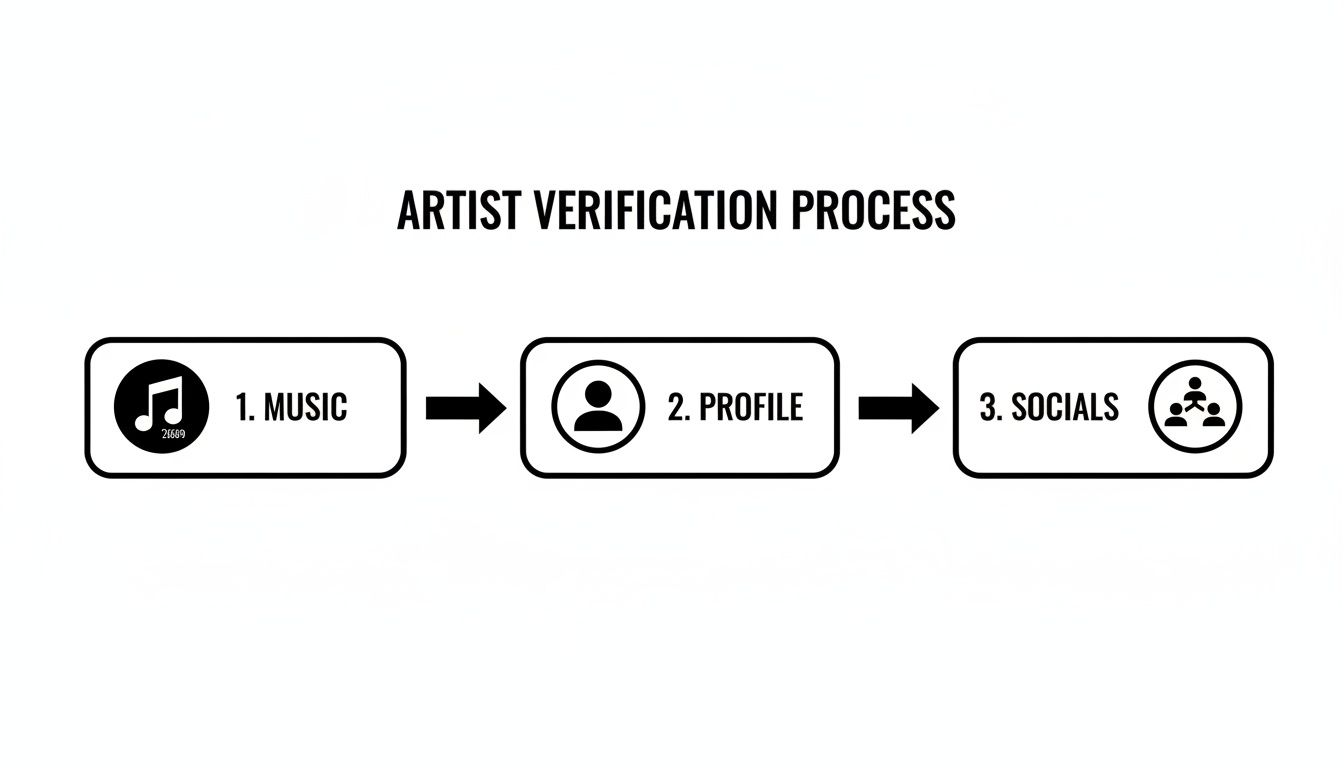
As the flowchart shows, Spotify is looking for consistency between your music, your profile details, and your social media presence to grant you that coveted blue checkmark.
Submitting the Final Request
When you're ready to make it official, you'll land on a clean and simple claim page.
Pro Tip: The secret to a speedy verification is consistency. Make sure the name and branding on your social media profiles, your distributor account, and your Spotify page all match up. This gives Spotify's team an undeniable trail of breadcrumbs leading right back to you.
After you hit submit, you'll get a confirmation email letting you know they've received your request. Now, all you have to do is wait for that final, glorious email that says you're in. Once that arrives, you’ll have full access to your artist dashboard and all the powerful tools inside.
Using Analytics To Understand Your Audience
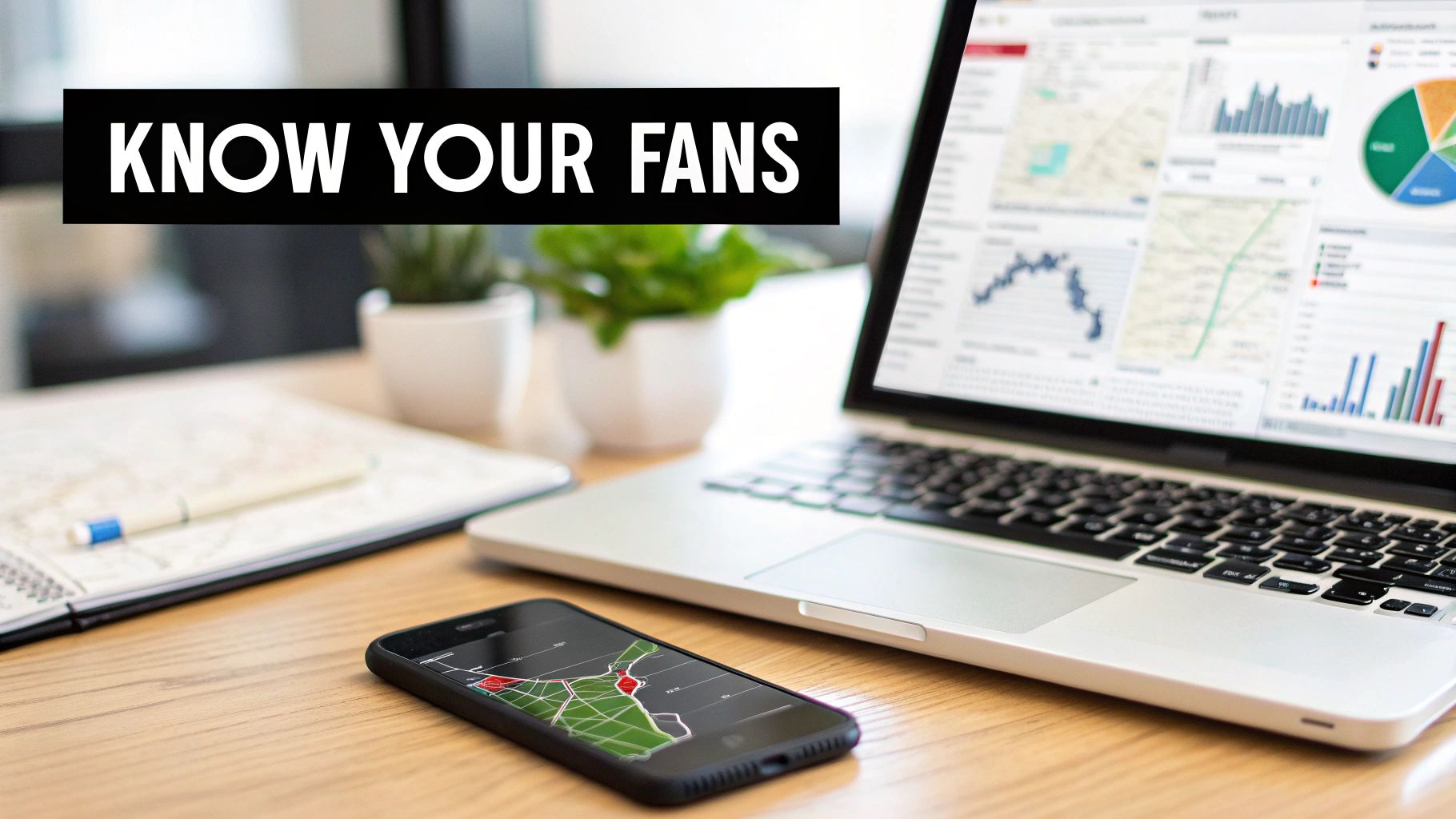
Getting your profile verified is a huge step, but it’s really just the beginning. Once you're in, you get access to Spotify for Artists, which is packed with listener data that can completely change how you approach your music career. This is where you shift from just dropping tracks into the void to actually understanding and building a real community around your sound.
Think of your dashboard as your mission control. It gives you a direct look at who’s listening, where they live, and how they found you in the first place. Forget vanity metrics—diving into this data is what sparks real, sustainable growth.
Decoding Your Listener Data
Your dashboard lays out your audience demographics in plain sight. You can see their age ranges, gender breakdown, and exactly where in the world they're tuning in from. For instance, you might discover you have a surprisingly large pocket of listeners aged 18-24 in Berlin. That's not a guess anymore; it's a concrete piece of information you can use.
Having this kind of intel is a game-changer for a few key reasons:
- Smarter Marketing: Instead of just boosting a post to a wide audience, you can create targeted ad campaigns that speak directly to the people who are already listening.
- Strategic Touring: Why book shows based on a hunch? You can plan a tour route through the cities where your music is already gaining traction.
- Informed Creative Choices: Understanding your core fanbase can help you craft social media content, design merch, and even fine-tune your sound to connect on a deeper level.
You can get even more out of this by applying some of the same principles used in social media marketing analytics to spot the patterns in your Spotify data.
Turning Insights Into Action
The real magic happens when you start acting on what you see. Spotify for Artists shows you how your follower count is growing compared to a pool of over 16 million artists. In many countries, you can even see audience heat-maps that break down your monthly listeners by city across 84 regions—an incredible guide for tour planning.
This data gives you a direct feedback loop. See a sudden jump in plays from a playlist called "Indie Coffeehouse Vibes"? That’s your sign to track down the curator and start building a connection.
This proactive mindset is what separates artists who thrive from those who just get by. For a more detailed look at this strategy, check out our guide on https://oohyeah.app/posts/how-to-use-data-analytics-to-grow-your-music-fanbase.
By keeping a regular eye on your numbers, you'll start spotting opportunities, reacting to trends, and making the kind of informed decisions that push your career forward.
Making Your Profile and Promotional Tools Work for You
Once you’ve claimed your Spotify for Artists page, the real work—and fun—begins. You’ve just unlocked a whole suite of tools that can help turn casual listeners into loyal fans. Think of your profile not just as a static page for your music, but as a dynamic hub for your entire brand.
The first impression is everything. Your bio, header, and profile image are the first things people see, so make them count. Write a bio that actually sounds like you, telling your story in your own voice. Pair it with high-quality, professional images that capture the vibe of your music. This is your digital storefront, so it needs to look good.
Put Your Best Foot Forward with Artist Pick
One of the most valuable features you get right away is the Artist Pick. This lets you pin a track, album, or playlist right to the top of your profile for up to 14 days. It's an incredibly simple but powerful way to direct attention.
Got a new single? Pin it. Made a playlist of your influences? Pin it. Have a concert coming up? You can even pin the tour date. It keeps your profile looking fresh and ensures your fans see what's most important to you right now.
Dive into the Campaign Kit
This is where you can really start moving the needle. Verification unlocks the Campaign Kit, which is your control center for growth. Inside, you'll find powerful tools like Marquee and Discovery Mode, but the real game-changer is the playlist pitching tool.
This tool allows you to submit your unreleased music directly to Spotify's editorial team. Landing on one of their official playlists is still one of the best ways to get your music in front of a massive new audience.
Smart use of these promotional tools is a common thread among top-performing artists. For example, Bad Bunny hit an incredible 19.8 billion streams globally in 2025, while Taylor Swift dominated in the US. Their success wasn't just about great music; it was also driven by strategic campaigns and crucial playlist placements. You can dig into these streaming milestones on Chartmasters.org.
With a polished Spotify profile, your next move is to make sure your music and content are getting out there. Exploring effective content distribution strategies will help amplify your reach far beyond just Spotify. When you combine a great-looking profile with savvy promotion, you turn your presence on the platform into a true engine for your career.
Got Questions? We've Got Answers
Even with a pretty straightforward process, it's easy to hit a snag or have a question pop up. Let's walk through some of the most common issues artists run into when claiming their Spotify profile.
How Long Does Spotify Verification Take?
This one really comes down to how you claim your profile. The absolute fastest way is to go through one of Spotify's preferred distributors like DistroKid, TuneCore, or CD Baby. Because their systems are hooked directly into Spotify's, you can often get instant access. No waiting around.
If you go the manual route and request access directly from Spotify, you'll need a bit more patience. It usually takes a few days for their team to manually review your info and confirm you are who you say you are.
What If My Music Is On The Wrong Artist Page?
Ugh, this is a classic and frustrating problem, especially if you have a common name. The first thing to do—and this is crucial—is to contact your distributor, not Spotify. They're the ones who can actually fix this.
You'll need to give them two specific things:
- The Spotify URI for your correct artist page.
- The Spotify URI for the incorrect page where your music is currently sitting.
Once you send that over, your distributor will handle the rest, working with Spotify to get your tracks moved to their rightful home. After your music is on the correct profile, you can go ahead and claim it.
A word of caution: don't try to claim the incorrect profile to fix it yourself. This just complicates things and creates bigger delays down the road. Always start with your distributor.
Can I Give My Team Access?
Absolutely, and you definitely should. Managing a Spotify profile can be a team effort.
Once you're verified, just head to the "Manage Team" section of your dashboard. From there, you can invite your manager, publicist, label, or even your bandmates. You can also set different permission levels for each person—Full Access, Edit Access, or View-Only—so everyone has what they need without you having to give up full control.
At OohYeah, we're all about putting artists in the driver's seat of their own careers. Our platform is built to help you connect with your audience and build a business around your music on your own terms. Explore how OohYeah can empower your music journey today.



