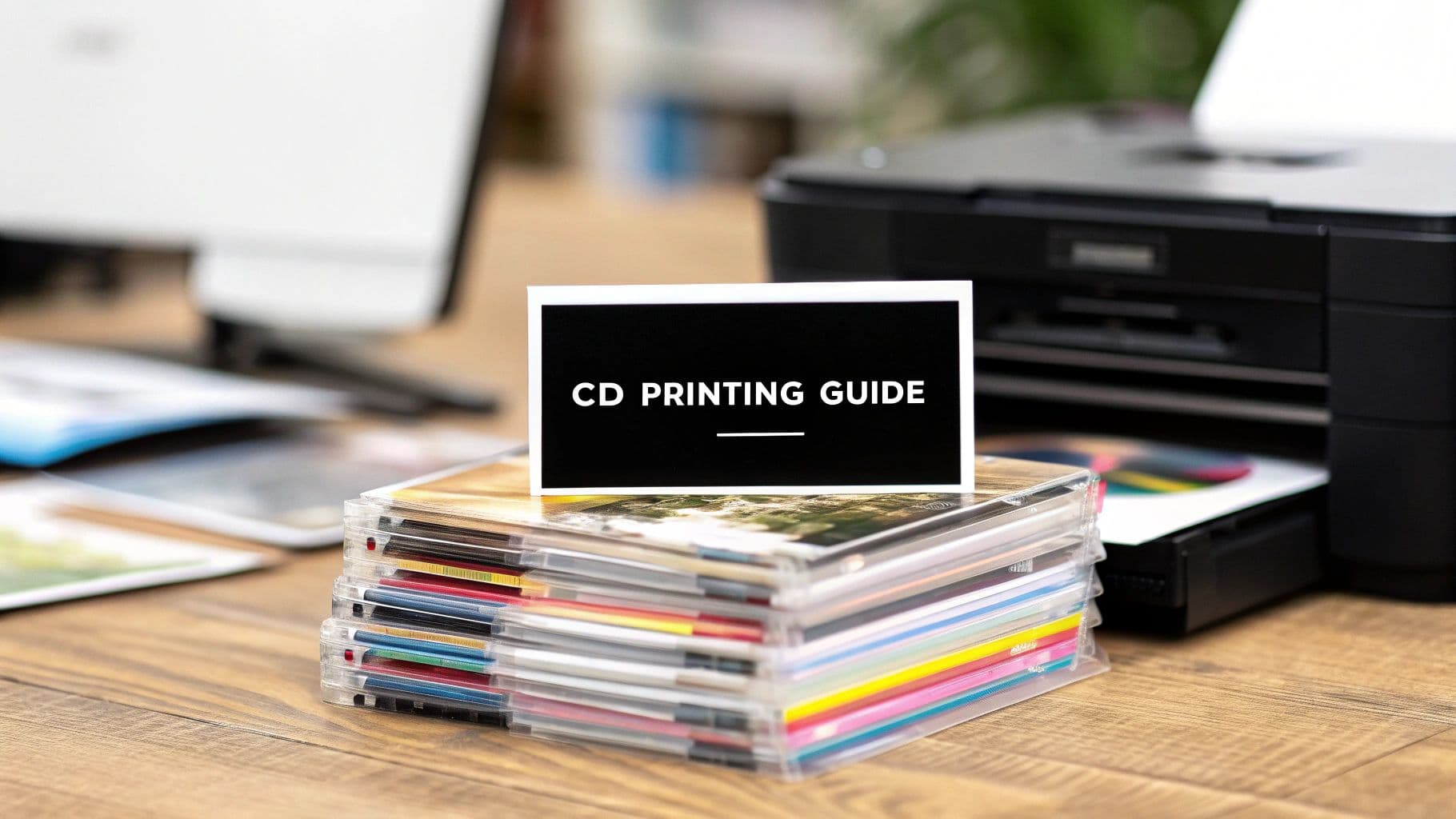
A Guide to CD Printing Services for Independent Artists
Master professional CD printing services with our guide. Learn duplication, artwork prep, and packaging to sell more music merchandise and connect with fans.
December 25, 2025
Music Marketplace Advisor
Buying & SellingWhile streaming might pay the bills in fractions of a penny, physical media like CDs gives you something priceless: a tangible connection with your fans and a real way to make a living. Professional CD printing services are what bridge the gap, turning your digital album into a premium physical product that your audience will be genuinely excited to own. This isn't about ditching digital; it's about adding a powerful, high-value layer to your music.
Why Physical Media Is Your Secret Weapon
In a world of infinite playlists, the simple act of buying a CD has become a powerful statement of support. Your fans aren't just buying your songs; they're investing directly in you. They want a piece of your art they can hold in their hands, put on a shelf, and experience away from a screen. This is where the magic of a beautifully produced CD really shines.
When you put thought into the artwork and choose high-quality packaging, your album transforms into a piece of sought-after merchandise. It's no longer just a listening session—it becomes a collectible that builds serious fan loyalty. The person who buys your CD at a show or through a platform like OohYeah! is more than a casual listener; they're a core supporter who is funding your next project.
How Printed CDs Elevate Your Music Career
A quick look at the strategic advantages of adding professionally printed CDs to your merchandise lineup.
| Benefit | Impact for Independent Artists |
|---|---|
| Increased Perceived Value | A physical product feels more substantial than a file, justifying a higher price point and boosting your revenue per fan. |
| Merchandise Bundling | CDs are the perfect anchor for merch bundles. Pair them with a t-shirt or poster to easily increase the average sale value. |
| Deeper Fan Connection | Liner notes, lyrics, and exclusive photos create an intimate, immersive experience that a stream could never replicate. |
| Tangible Brand Presence | Unlike a track buried in a playlist, a CD sits on a shelf or in a car, acting as a constant, physical reminder of your music. |
| Direct-to-Fan Revenue | Selling CDs at shows or online cuts out the middlemen, putting a significantly larger portion of the money directly into your pocket. |
By offering a professionally manufactured CD, you send a clear signal: you're serious about your craft. It adds a layer of legitimacy that a simple digital file can't match, encouraging fans to spend more because they know their money is directly supporting the artist they believe in.
This comeback for physical media isn’t just wishful thinking. The global duplication disc market, which hinges on quality CD printing services, is on a serious growth trajectory, projected to jump from USD 2.5 billion to USD 4.6 billion by 2035. For independent artists, this trend points to a massive opportunity to drive both fan engagement and direct sales. You can dive deeper into the market's future by checking out this insightful report on duplication disc trends.
A well-designed CD isn’t just a product; it’s a playable souvenir. It’s tangible proof of the connection you've built with your audience, giving them something to remember long after the show ends.
Ultimately, offering physical media builds a more resilient career. It opens up a vital revenue stream that works alongside your digital distribution while strengthening the bond you have with the people who matter most—your listeners. Building those direct relationships is the cornerstone of a sustainable career, and you can learn more by reading our guide on why building a fanbase is essential for selling music. When you pair a solid digital strategy with compelling physical products, you create a complete artistic experience that grows both your community and your income.
Choosing Between Duplication and Replication
When you're ready to get physical copies of your music made, one of the first forks in the road you'll hit is the manufacturing method. It boils down to two options: CD duplication or CD replication. Your choice here is a big deal, as it directly impacts your budget, how fast you get your discs, and how many you can realistically order.
Getting this right from the start is key to a smart, cost-effective release.
Think of duplication as a high-end, professional version of burning a CD on your home computer. Data is burned onto blank, recordable CD-Rs. It’s a fast, straightforward process that's perfect for when you need a smaller number of discs in a hurry.
Replication, on the other hand, is the full-blown industrial process. This is how major label albums are made. It involves creating a "glass master"—a perfect physical mold of your audio—which is then used to literally press your music into raw polycarbonate. They're making the discs from scratch, not just burning them.
Duplication vs Replication at a Glance
This quick comparison should help you see the differences side-by-side, making it easier to decide which path is right for your project.
| Feature | CD Duplication | CD Replication |
|---|---|---|
| Best For | Small runs, quick turnarounds, promos | Large runs, retail distribution |
| Minimum Order | As low as 25-50 units | Typically 300-500 units |
| Turnaround Time | 1-5 business days | 7-15 business days |
| Process | Burning data onto a blank CD-R | Pressing discs from a glass master |
| Per-Unit Cost | Higher | Significantly lower on large orders |
| Ideal Scenarios | Tour merch, demos, limited EPs | Official album releases, distribution |
Ultimately, your project's specific needs will point you to the right choice. One isn't better than the other; they just serve different purposes.
When to Choose CD Duplication
Duplication is your best friend when speed is critical and your order is small. Because you're skipping the complex setup of a glass master, the whole process is much faster. This makes it the go-to for time-sensitive projects or for artists who want to test the waters without a huge upfront investment.
I see artists go with duplication all the time for scenarios like these:
- You need 100-200 CDs to sell at shows on your upcoming tour.
- You're dropping a limited-edition EP for your superfans.
- You're sending physical demos to radio stations, press contacts, or potential labels.
- You aren't sure how well CDs will sell and want to start with a small batch first.
As a rule of thumb, duplication is the most economical choice for any order under 500 units. While the cost per disc is higher than replication, your total out-of-pocket expense will be much, much lower for these smaller quantities.
This decision tree gives you a great visual of how physical media can fit into your overall release plan.
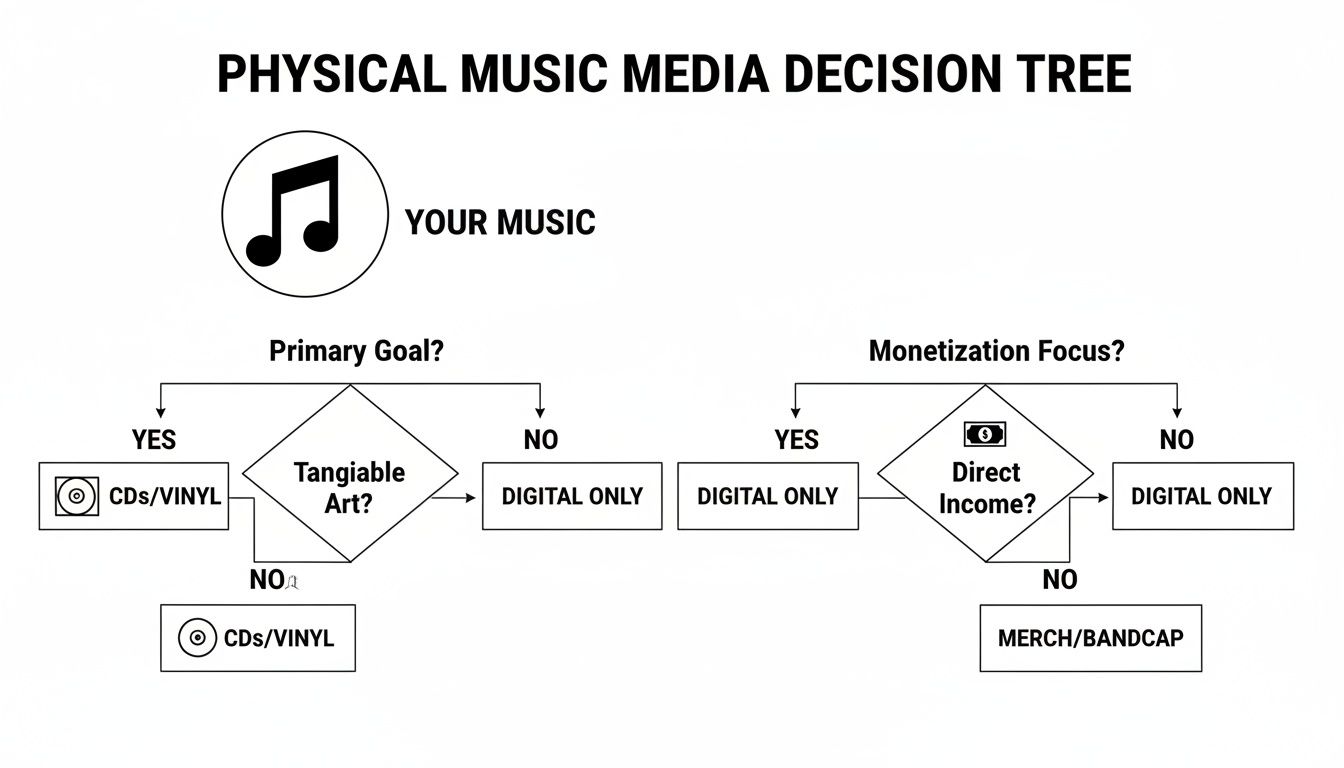
As the diagram shows, creating tangible products like CDs isn't just about nostalgia; it's a direct route to earning income and giving your fans something real to connect with.
When CD Replication Makes Sense
Replication is the industry standard for a reason. It’s for the big push. When you're planning a full album launch and expect to move a lot of units, this is the most professional and cost-effective way to go.
The setup takes a bit longer, but once it's done, the cost per disc plummets as your order size goes up.
Replication becomes the obvious choice when:
- You're launching a full-length album and need 500 or more copies for your merch table and online store.
- You've landed a deal with a distributor who needs a large inventory on hand.
- You ran a successful Kickstarter and have hundreds of backers to send a CD to.
The final product is completely retail-ready—identical in quality to any CD you'd buy in a store. The on-disc printing is also top-tier, typically using offset or screen printing for a sharp, durable finish that you just can't get with duplication.
It really comes down to this: for speed and small runs (under 500), pick duplication. For lower per-unit costs on bigger runs (500+), replication is the professional standard.
Making the right call between these cd printing services means you're not tying up cash in inventory you can't sell or missing out on huge cost savings for a bigger release. Just take a moment to look at your immediate needs and forecast your sales, and you'll know exactly which path is right for you.
Preparing Flawless Audio and Artwork Files
Submitting flawed files to your CD manufacturer is one of the most common—and entirely avoidable—roadblocks an artist can face. I’ve seen it happen countless times. A small mistake in an audio master or a misplaced graphic can snowball into costly reprints and frustrating delays, killing your release momentum.
Getting these foundational elements right from the start is the only way to ensure your final product looks and sounds exactly as you envisioned. Your project really boils down to two distinct parts: what your fans hear and what they see. Both require professional prep and a solid understanding of industry standards to get a retail-quality result. It’s not just about exporting files; it’s about delivering them in a format optimized for flawless mass production.
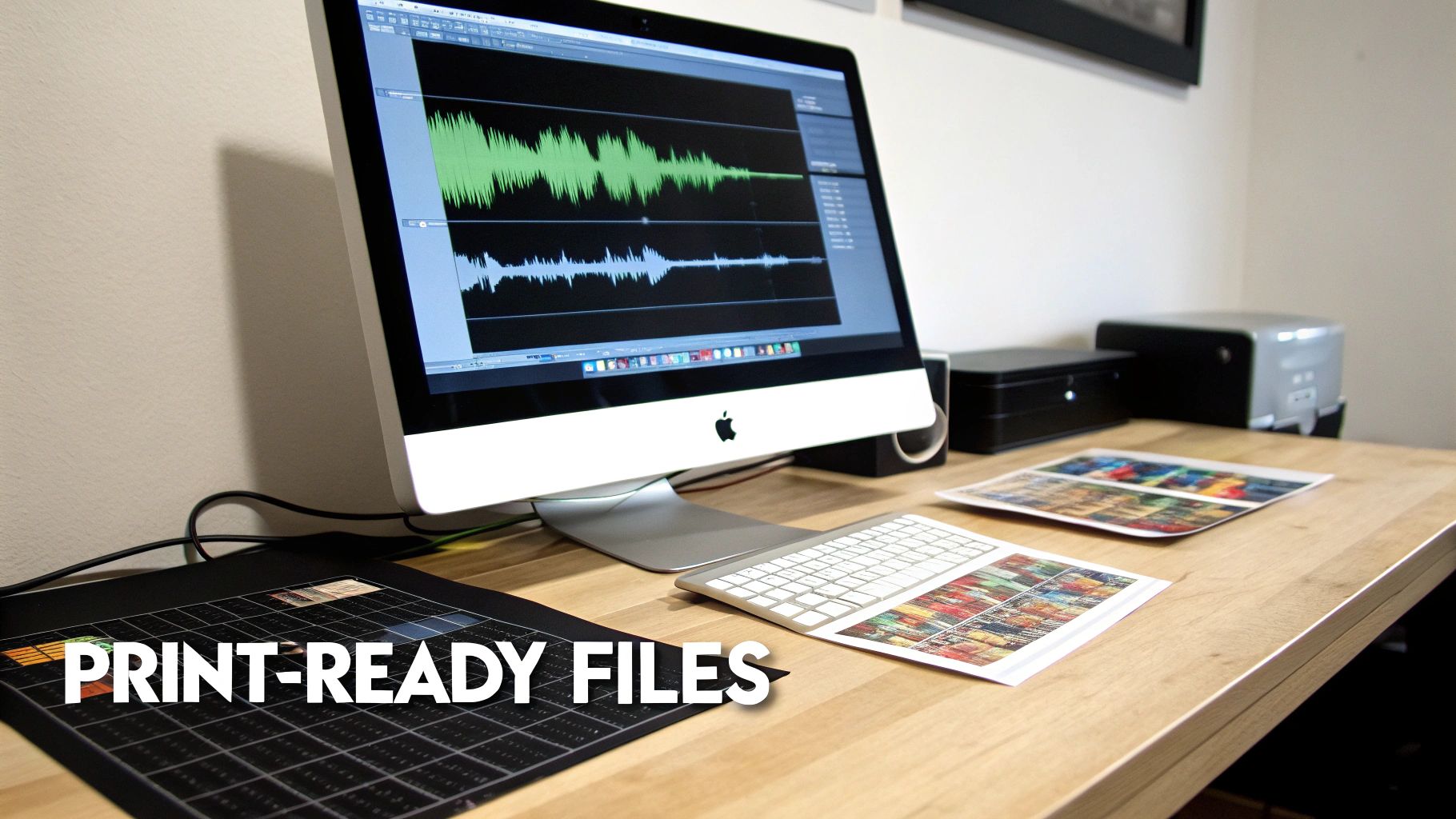
Nail Your Audio with a DDP Master
When it comes to your audio, there's one format that every professional manufacturer trusts above all others: the DDP (Disc Description Protocol) master.
Think of a DDP not just as audio files, but as a perfect, error-proof blueprint of your entire CD. It’s a self-contained package that includes the mastered audio tracks along with all the crucial metadata—things like track spacing down to the millisecond, ISRC codes, and CD-Text information (artist, album, and song titles).
Sending individual WAV files is a recipe for disaster. It leaves far too much room for human error at the plant, potentially resulting in the wrong track order, incorrect gaps between songs, or missing song titles on compatible players. A DDP master eliminates this risk entirely. Your mastering engineer is the person who creates this for you; it's a standard part of their service, so make sure you specifically request it.
Key Takeaway: Never send a folder of WAV files to your manufacturer. Always insist on a DDP master from your mastering engineer. It is the non-negotiable industry standard for professional CD replication and protects the integrity of your audio.
Artwork Specs That Printers Live By
Your visual presentation is just as important as your sound. To make sure your artwork prints correctly, you have to follow the same technical specs that professional printers use every day. Ignoring these guidelines will result in colors that look muddy, images that appear blurry, or text that gets chopped off.
Your designer absolutely needs to work with these three core principles in mind:
- Color Mode is CMYK: Your computer screen uses RGB (Red, Green, Blue) light to display images, but commercial printers use CMYK (Cyan, Magenta, Yellow, Black) ink. If you submit files in RGB, you’re guaranteed to see a disappointing color shift during printing, often making your vibrant art look dull. Always design and export in CMYK.
- Resolution Must Be 300 DPI: DPI stands for "Dots Per Inch," and it’s the standard measure for print quality. For sharp, clear images and text, 300 DPI is the minimum. Anything lower, like the 72 DPI common for web images, will look pixelated and unprofessional on a physical product.
- Understand Bleed and Safe Zones: Printers don't print to the very edge of the paper; they print on larger sheets and trim them down. A "bleed" is a small, extra margin of your background art that extends beyond the final trim line. This clever trick prevents ugly white edges if the cutting blade is off by even a fraction of a millimeter. The "safe zone" is the inner margin where all your critical text and logos must stay to avoid being accidentally trimmed off.
Use Your Manufacturer's Templates for Perfect Alignment
Honestly, the best way to guarantee your files are set up correctly is to use the templates provided by your chosen cd printing services provider. These are pre-made files (usually for Adobe Photoshop or Illustrator) that have all the correct dimensions, bleed lines, and safe zones already marked out for your specific packaging—whether it's a jewel case, Digipak, or a simple sleeve.
Using these templates removes all the guesswork. Your designer just has to place the finished artwork within the provided guides, which ensures every single element is positioned perfectly for printing and cutting.
Here’s a final checklist to run through for your artwork files:
- Download the Right Template: Get the specific template for your chosen packaging (e.g., "4-Panel Digipak with Tube Pocket"). Don't guess.
- Confirm the Specs: Before you even start designing, make sure your software is set to 300 DPI and CMYK color mode.
- Respect the Guides: Keep all important text and logos inside the safe zone, and be sure to extend your background images all the way to the outer bleed line.
- Export Correctly: Most printers prefer print-ready PDFs, but some also accept high-resolution TIFF files. Check their requirements.
This level of detail is what separates an amateur-looking product from a professional one that can sit on any store shelf. The continued investment in professional hardware confirms just how important these standards are. The global market for the machinery that makes all this possible was valued at USD 1.2 billion in 2023 and is expected to keep growing, showing a solid belief in the future of physical media. You can learn more about the CD printing equipment market on dataintelo.com to see how this hardware supports platforms like OohYeah, which helps artists integrate merch sales seamlessly. By providing perfect files, you're enabling this machinery to produce the best possible version of your art.
Designing Packaging That Captivates Fans
Think of your CD packaging as the first handshake with a fan. It's the very first physical piece of your new album they'll ever touch, and it does more than just hold a disc. It’s a piece of art in its own right, setting the tone for the music waiting inside. A really thoughtful, well-designed package turns a simple CD into a collectible—something that feels special and earns a permanent spot on a fan's shelf.
Before a single note plays, the packaging is already telling a story. It needs to match the vibe of your music, your overall aesthetic as an artist, and, of course, your budget. This isn't just a box-ticking exercise; making smart choices here can seriously elevate how people perceive your work.
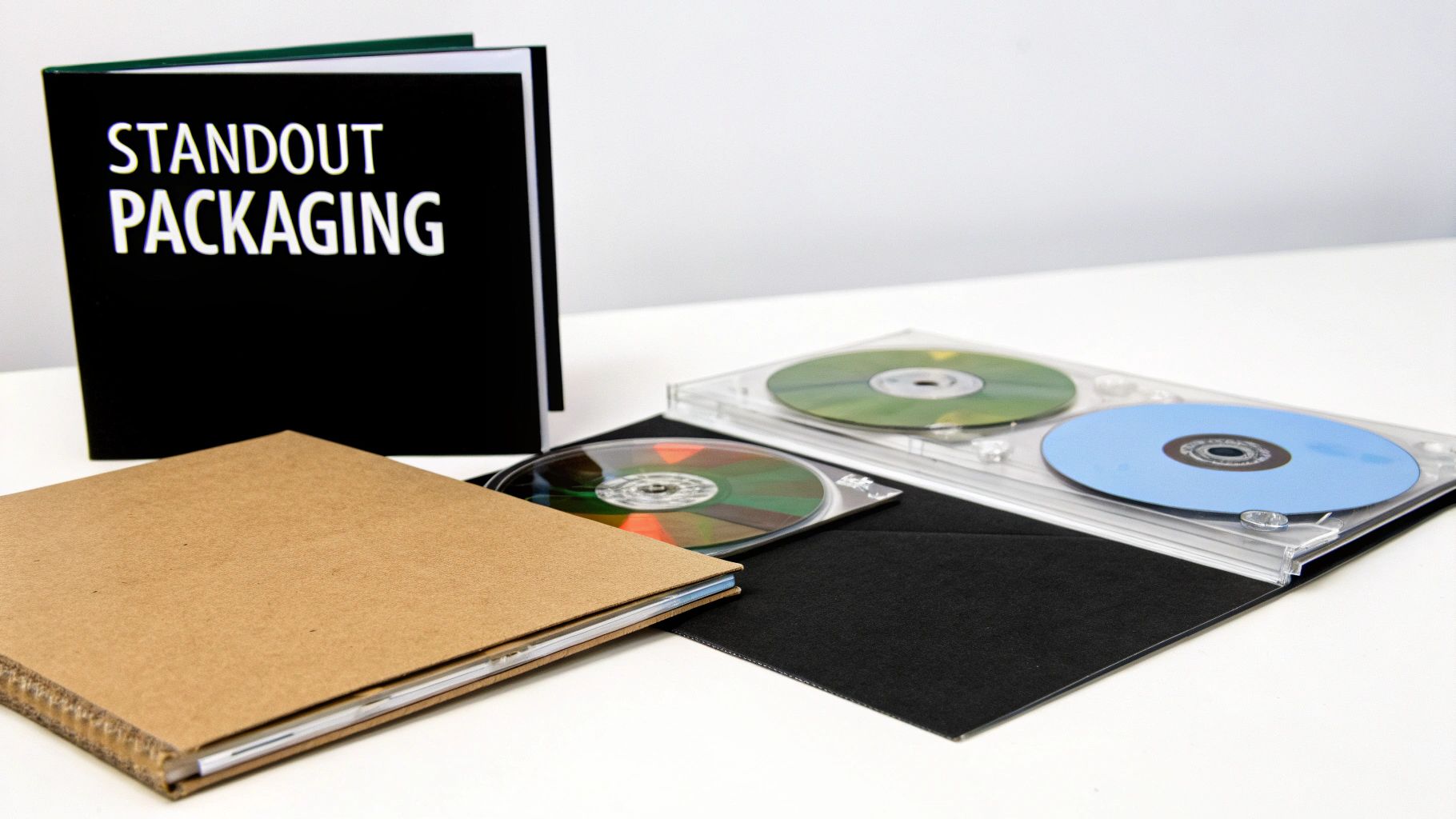
Comparing the Core Packaging Options
Choosing the right case is a balancing act between look, feel, durability, and cost. Each option sends a different message, so let’s get into the most common choices you'll find when looking into cd printing services.
The Jewel Case: This is the undisputed classic. The rigid plastic case is tough, offers great protection, and it's what most of us grew up with. Its biggest selling point is the space for multi-page booklets and a printed tray card you can see behind the disc. It's perfect if you've got extensive lyrics, detailed credits, or a lot of artwork to show off.
The Digipak: A more modern, premium-feeling alternative. Digipaks blend a printed cardboard shell with a plastic disc tray. They're lighter than jewel cases, won't crack if you drop them, and have a tactile, almost book-like feel. This is a fantastic choice if you're aiming for a high-end, slightly more eco-friendly product.
The Sleeve or Jacket: This is your minimalist, straight-to-the-point option. A simple printed cardboard sleeve is the most lightweight and budget-friendly choice out there. It’s absolutely ideal for handing out promotional singles, selling demos at the merch table, or for a short tour EP where cost and portability are key.
Don't underestimate the power of physical media. In the USA alone, a huge market for any artist, the demand for duplication discs—which includes essential CD printing—is currently valued at USD 0.9 billion. It's projected to climb to USD 1.6 billion by 2035. That growth underscores a real opportunity for independent artists to connect with fans and monetize their music with physical goods.
Elevating Your Design with Professional Finishes
Beyond the case itself, it’s the little details that can make your project shine. These finishing touches are what separate a decent package from a truly professional one, adding a layer of polish that your fans will definitely notice.
Here are a few popular enhancements to think about:
| Finishing Touch | What It Adds to Your Project |
|---|---|
| Matte vs. Gloss Finish | A gloss finish gives you that classic high-shine look and makes colors pop. A matte finish, on the other hand, is sophisticated, non-reflective, and feels modern and premium to the touch. |
| Shrink-Wrapping | This clear plastic wrap isn't just for protection; it provides a professional, retail-ready seal. It keeps your CDs from getting scuffed up and signals to fans that they’re getting a brand-new, untouched product straight from the source. |
| Multi-Panel Inserts | Why stick to a single page? A 4-panel or 8-panel booklet gives you the real estate to include lyrics, thank-you notes, and extra photos, creating a much more immersive experience for your listeners. |
Your CD packaging is a playable souvenir. It’s the visual anchor to your music, giving fans a tangible piece of your artistic vision that they can take home and connect with long after a show.
Just as your CD artwork is crucial, so is the design of other physical items like tickets. If you're running your own shows, a professional ticket makes a big impression. You can find some great advice in this a guide to gig ticket printing to help you nail that part of your physical media strategy, too.
Real-World Packaging Scenarios
To put this all into perspective, let's imagine how different artists might choose their packaging based on their music and goals.
The Punk Band's EP: For a raw, 5-song EP, a fancy package would just feel wrong. A simple cardboard jacket with a stark, two-color design gets the job done. It's cheap to produce, easy to haul on tour, and perfectly captures that DIY punk-rock spirit.
The Folk Singer-Songwriter's Album: A lyrical, story-driven folk record is practically begging for a 4-panel Digipak. The cardboard texture feels organic and earthy, and the extra space is perfect for printing out all the lyrics. It invites fans to follow along and connect more deeply with the stories in the songs.
The Electronic Producer's Concept Album: An ambitious electronic concept album needs packaging that can match its scope. A standard jewel case with an 8-page booklet is an excellent fit here. It allows a full visual narrative to unfold, with each page revealing new art or liner notes that deepen the album's thematic journey.
In the end, your packaging should feel like a natural extension of your music. By picking the right case and finishes, you’re creating a complete, captivating product that not only resonates with your fans but also shows the world you're serious about your craft.
Finalizing Your Order and Selling on OohYeah
This is the moment. All the writing, recording, mixing, and designing comes down to this final step: turning your project into a real, physical product. Hitting "submit" with your chosen cd printing services provider is the last checkpoint before the machines start whirring. Pay close attention here, because the details matter.
After you've sent over your pristine DDP master and print-ready artwork, the manufacturer will send back a digital proof. This is your last line of defense against any mistakes. Scrutinize every pixel. Is there a typo in the liner notes? Is the track order perfect? Do the colors look exactly as you intended?
My Two Cents: Never, ever rush the proofing stage. Get a friend or your bandmate—anyone with a fresh set of eyes—to look it over. If you approve a proof with an error, that mistake is officially yours. A reprint will come straight out of your pocket, and that's a painful, expensive lesson to learn.
The Pre-Production Sanity Check
Before you click that final approval button, take a breath and run through this quick list. Think of it as your safety net against the common slip-ups that can completely derail a release schedule.
- File Check: Are you absolutely positive you uploaded the final versions of your audio master and artwork? It sounds obvious, but you'd be surprised how often an old draft sneaks its way in. Double-check the filenames.
- Order Specs: Confirm the quantity and packaging details. Does the order say 500 units in 4-Panel Digipaks with a matte finish? Make sure it lines up perfectly with the quote you agreed to.
- Timeline: Take note of the estimated turnaround time. And remember, that clock doesn't start when you place the order—it starts after you approve the proof. Factor that into your release plan.
- Shipping Info: Is the shipping address correct? The last thing you want is a thousand CDs arriving at your old apartment complex the week before a tour kicks off.
Once you’ve gone through this list, you can approve the proof with total confidence. Now, your job shifts from production manager to marketing guru.
Getting Your CD Set Up on OohYeah
That moment when the first box of freshly pressed CDs arrives is pure magic. The next step? Getting them into the hands of your fans. A killer product listing on your OohYeah profile is your key to driving sales from the second they drop.
First things first, take some killer photos of the finished CD. Ditch the digital mockups. Show off the real thing—capture the texture of the Digipak, the way the light hits the disc, a sneak peek of the booklet. Authentic photos help fans see what they're actually getting.
Next up, write a product description that tells a story. Don't just list the tracks. What was the inspiration behind the album? Is there a cool backstory to the artwork? Why did you choose this specific packaging? These personal details forge a connection and give your fans another reason to hit "buy."
Bundling Your Music for Bigger Sales
A standalone CD is great, but a smart bundle is even better. OohYeah makes it incredibly easy to pair your new CD with other merch, which boosts the value for your fans and increases your average sale.
Try mixing and matching with ideas like these:
- The Digital Deluxe: Pair the physical CD with an exclusive digital download. Think handwritten lyric sheets (scanned, of course), a private behind-the-scenes photo gallery, or a couple of bonus demo tracks that didn't make the final cut.
- The Merch Pack: This is a classic for a reason. Combine the CD with a t-shirt or poster featuring the album art. It’s a high-value bundle that fans always appreciate, especially around a new release.
- The Signed Edition: Offer a limited run of signed CDs for a little extra. Scarcity combined with a personal touch is a powerful motivator for your most dedicated supporters.
With your product live and your bundles built, it's time to make some noise. Use OohYeah's tools to send a direct message to your followers announcing that the CDs are officially for sale. Blast the news across all your social channels using those great photos you took, and always include a direct link to your OohYeah store.
Building a solid sales strategy from the start is crucial. It’s worth looking into strategies like upselling and cross-selling to really maximize your revenue. At the end of the day, selling direct gives you the control and ensures more of the money you earn stays with you. When you're ready to get started, you can learn everything you need to sell your music on OohYeah and start building that direct connection with your audience.
Common Questions About CD Printing Services
Jumping into physical media for the first time brings up a ton of questions. That’s completely normal. Getting the right answers upfront is the key to managing your budget, nailing your release timeline, and ending up with a professional product you’re genuinely proud of.
We've been there, so we’ve put together some straight answers to the questions we hear most often from indie artists about CD printing services.
How Much Does It Cost to Print 100 or 1000 CDs?
This is usually the first thing everyone asks, and the honest answer is: it really depends. The price per disc slides up and down based on how many you order, which manufacturing method you pick, and how complex your packaging is.
Think of it this way: for a quick run of 100 duplicated CDs in simple cardboard sleeves—perfect for a short tour or testing the waters—you're probably looking at $2.00 to $4.00 per unit.
On the other hand, if you're going all-in for an album launch with 1000 replicated CDs in a classic jewel case with a 2-panel insert, that per-unit cost drops dramatically. You'll often see prices below $1.50 per unit. The economy of scale is huge. Of course, upgrading to a 4-panel Digipak or adding an 8-page booklet will nudge that price up, but the savings on larger orders are substantial.
What Is the Typical Turnaround Time?
Plan ahead. Seriously. Rushing your CD order is a surefire way to invite stress and mistakes. The time it takes to get finished discs in your hands comes down to the manufacturing process.
- CD Duplication: This is your fast-track option. Once you’ve signed off on the final proof, your order is typically out the door in 5-7 business days. It’s the go-to for tight deadlines.
- CD Replication: This is a more involved industrial process that starts with creating a glass master. It just takes longer. You should budget at least 10-15 business days for production after you approve your artwork and audio.
Pro Tip: Always, always build a buffer into your release schedule. Delays happen. You don't want to be sweating it out, hoping your merch shows up the morning of your release show.
Do I Really Need an ISRC Code for My CD?
Yes. If you want your music to be sold commercially, tracked for radio play, or earn any kind of royalties, you absolutely do. An ISRC (International Standard Recording Code) is a unique 12-character "digital fingerprint" for each individual recording.
It’s like a social security number for your song, allowing organizations to track sales and broadcasts accurately. Your CD manufacturer won't ask for it, but the industry runs on it. Your mastering engineer can embed these codes directly into the DDP master for each track, so make sure you have that conversation with them early on.
Should I Get a Barcode for My CD?
This one comes down to where you plan on selling your album. If you have any intention of getting your CD into traditional retail stores, now or in the future, you 100% need a UPC barcode printed on the back. Retailers simply cannot scan and sell your product without one.
Most manufacturers can generate a barcode and add it to your artwork for a small fee. But what if you're only selling direct-to-fan at shows or through your OohYeah profile? In that case, a barcode is technically optional. Even so, it adds a layer of professionalism and keeps your options open down the road. It's usually worth the small extra cost.
For more answers to your questions, you can always check out the OohYeah FAQ page for additional insights.
Ready to create a physical product your fans will treasure? With OohYeah, you can easily sell your professionally printed CDs, bundle them with exclusive digital content, and connect directly with your audience—all while keeping more of your revenue.