How to Upload Songs to Spotify a Guide for Artists
Learn how to upload songs to Spotify with our guide for independent artists. We cover audio prep, finding a distributor, and promoting your release.
December 30, 2025
Music Marketplace Advisor
Buying & SellingFirst things first, you can't just upload your music directly to Spotify. Independent artists need to go through a music distributor—think of them as the essential middlemen who get your tracks from your hard drive onto the world's biggest streaming platforms. Services like DistroKid, TuneCore, or CD Baby are the gatekeepers. They handle all the technical stuff, from metadata and file formatting to collecting your royalties, acting as the bridge between your finished song and a global audience.
Why Spotify Is Your Stage for Global Reach

Getting your music on Spotify is so much more than checking a box on your release plan. It’s a foundational move for any artist trying to build a career today. It puts your art on the exact same digital stage as the biggest names in the industry, making it available to listeners from Nashville to Nairobi.
Sure, watching your stream count go up is a great feeling, but the real power of Spotify is in discovery. The entire platform is built around algorithmic and editorial playlists that can rocket your music in front of thousands of potential new fans overnight. Success isn't guaranteed, of course. But if you're not on the platform, you're not even in the game. It's just how people listen to music now.
The Scale of Opportunity
The numbers behind Spotify paint a picture of massive opportunity, but also intense competition. By mid-2025, the platform is home to over 10 million creators. That's a lot of noise. But on the other side of that coin is a global audience of 696 million monthly active users hungry for new music.
While the per-stream payout might seem small—averaging around $0.003–$0.005—it adds up. Spotify paid out over $10 billion to rights holders in the first half of 2025 alone. You can dig deeper into these trends and what they mean for artists in recent industry reports.
The takeaway here is simple: the platform is crowded, but the audience is enormous and engaged. Your job isn't to compete with everyone, but to find and connect with your audience within that massive ecosystem.
A Strategic Career Move
Treating Spotify as just a numbers game is a mistake. It’s a powerful tool for building your story and connecting with listeners on a deeper level. A professional presence on the platform is non-negotiable and accomplishes several crucial things:
- Legitimizes Your Project: It's your official portfolio. When a booking agent, manager, or journalist wants to check you out, your Spotify profile is the first place they'll look.
- Grows Your Fanbase: Tools like Spotify for Artists give you incredible data on who is listening and where they are. This is gold for planning tours and targeting your marketing.
- Creates Momentum: A smart release strategy—complete with pre-save campaigns and a solid playlist pitching plan—can build real buzz and drive those crucial first-week streams.
Think of your Spotify profile as more than a music player. It's your digital business card, fan club headquarters, and primary discovery engine all rolled into one. You have to approach it with a strategy.
Learning how to upload songs to Spotify is just the first step. The real work starts when you begin using the platform’s tools to build a lasting career, one listener at a time.
Prepping Your Music for a Professional Release
Before you even think about picking a distributor, you need to get your house in order. The groundwork you lay right now is what separates a polished, professional release from a rushed, amateur one. Getting these technical details right from the start is non-negotiable if you want to upload songs to Spotify without hitting frustrating roadblocks.
Think of it this way: your music is the product, and your release assets are the packaging. If the packaging is flawed—blurry artwork or a bad audio file—it immediately signals that the music inside might be, too. It all starts with the final master recording.
The Foundation: Your Master Audio File
Your distributor needs a high-quality, uncompressed audio file. Forget about MP3s. Seriously. Those formats are for listening, not for distribution. Submitting a lossy file will lead to a double-compression nightmare, meaning your track will sound noticeably worse by the time it hits someone’s earbuds.
Spotify and other stores require lossless audio to maintain the highest fidelity. You've got two main options here, and both are great:
- WAV (Waveform Audio File Format): This is the gold standard for master recordings. It’s completely uncompressed and preserves every single detail from your final mix and master.
- FLAC (Free Lossless Audio Codec): This format gives you the exact same audio quality as a WAV but in a smaller package, which can make uploading a bit quicker.
Make sure your master is exported at a sample rate of 44.1 kHz and a bit depth of 16-bit or 24-bit. Anything less will almost certainly be rejected, and anything more is just overkill for streaming platforms.
Your master file is the definitive version of your song. Triple-check that you're uploading the final, approved master—not an early mix or a file with a typo in the name. I've seen simple mistakes here cause major headaches down the line.
Creating Striking—and Compliant—Cover Art
Your cover art is often the first impression you make. It’s the visual handshake that can make someone stop scrolling and give your music a chance. But beyond being compelling, it has to meet Spotify's very strict technical rules. A rejection due to artwork is one of the most common hurdles new artists face.
To avoid getting flagged, your artwork must hit these specs:
- Dimensions: It needs to be a perfect square, at least 3000 x 3000 pixels. This ensures it looks sharp on everything from a tiny phone screen to a big monitor.
- File Format: Stick with JPG or PNG.
- Color Mode: Always use RGB, the standard for digital screens. If you use CMYK (which is for printing), your colors will look dull and wrong on the platform.
- Content Rules: This is a big one. Your art cannot include URLs, social media handles, logos (other than your own), or any text that looks like an ad, such as "New Single" or the release date.
These rules exist to create a clean, uniform experience on Spotify. Your art should represent the music, not be a billboard. For a deeper look at the strategy behind a great launch, our guide on the best practices for releasing new music online is a great resource.
Demystifying Essential Tracking Codes
Finally, before you can upload, you need to get two critical codes: an ISRC and a UPC. This isn't just boring technical jargon; these are the digital fingerprints that make sure your streams get counted and your royalties get paid.
An ISRC (International Standard Recording Code) is a unique identifier for one specific recording. Every version of your song—the original, a radio edit, an instrumental, a remix—needs its own unique ISRC. The code is embedded in the digital file to track plays and sales everywhere.
A UPC (Universal Product Code), on the other hand, is like the barcode on a CD or vinyl. It identifies the entire release as a single product, whether it's a one-track single, a four-track EP, or a full album. You'll need one UPC for each release you put out.
So, where do you get them? The good news is you don't have to go hunting. Most reputable distributors like DistroKid or TuneCore will generate these for you as part of the upload process, often for free or a very small fee. This is by far the easiest way to handle it. Once these codes are in place, you're officially ready to get your music out there.
Choosing the Right Music Distributor for Your Career
Think of a music distributor as your digital roadie. They're the essential partner handling the heavy lifting of getting your music from your studio onto the global stage of Spotify. Since you can’t just upload tracks directly, picking the right partner is one of the most important business decisions you’ll make as an independent artist.
This choice directly impacts your revenue, how fast your music goes live, and even your chances of landing on big playlists. The world of distribution isn't one-size-fits-all, so let's break down what you need to know to find a partner that aligns with your career goals.
Understanding the Different Distributor Models
Before you start comparing names like DistroKid or TuneCore, you need to understand the two main ways these services make money. Each model is built for a different kind of artist, and figuring out which one you are is the first step.
Annual Flat-Fee Services: Distributors like DistroKid operate on a subscription model. You pay one yearly fee for unlimited uploads. This is usually the best deal for prolific artists who are constantly dropping new singles or EPs. The biggest draw? You typically keep 100% of your royalties.
Commission-Based Services: Others, like CD Baby, charge a one-time fee for each single or album. They don't have a recurring subscription, but they do take a small percentage of your royalties—for example, 9%. This can be a great fit for an artist who only releases a full album every couple of years.
There's no single "best" model, just what's best for you. If you're dropping a new track every month, the unlimited plan is a no-brainer. If you're a band focusing on a single, major album release, the pay-per-release structure might save you money.
Key Factors for Your Comparison
Once you know which model fits your release schedule, you can dig into the details of specific services. Moving beyond the price tag is what separates a smart decision from a costly mistake.
Here are the critical things I always tell artists to evaluate:
Cost and Royalty Splits: This is the obvious one, but look deeper. Calculate your total cost over a year based on how much music you plan to release. Does a flat fee make more sense, or will a commission-based service be cheaper in the long run? Always read the fine print on payout thresholds and whether they take a cut from specific revenue sources.
Speed to Spotify: How quickly does your music actually go live? Some distributors get you on Spotify in a couple of business days, while others can take over a week. If you're coordinating a release with a PR campaign and a music video drop, that timing is everything.
Extra Features and Support: The best distributors offer more than just delivery. Look for valuable perks like playlist pitching tools, help setting up pre-save campaigns, automatic royalty splitting for your collaborators, and easy-to-read analytics. And trust me, when something goes wrong, you'll be glad you chose a service with responsive customer support.
Your distributor is more than a delivery service; they are your financial partner in the streaming economy. Choosing based on price alone without considering royalty cuts and value-added features is a common mistake that can cost you much more in the long run.
Ultimately, picking a distributor is like picking any business partner. It's a choice that should support your long-term growth. And on that note, thinking about the bigger picture of where and how you sell your work—from beats to sample packs—is always a smart move. In fact, checking out the best platforms for selling digital products can give you a broader perspective on managing your creative assets online.
Making the Final Choice
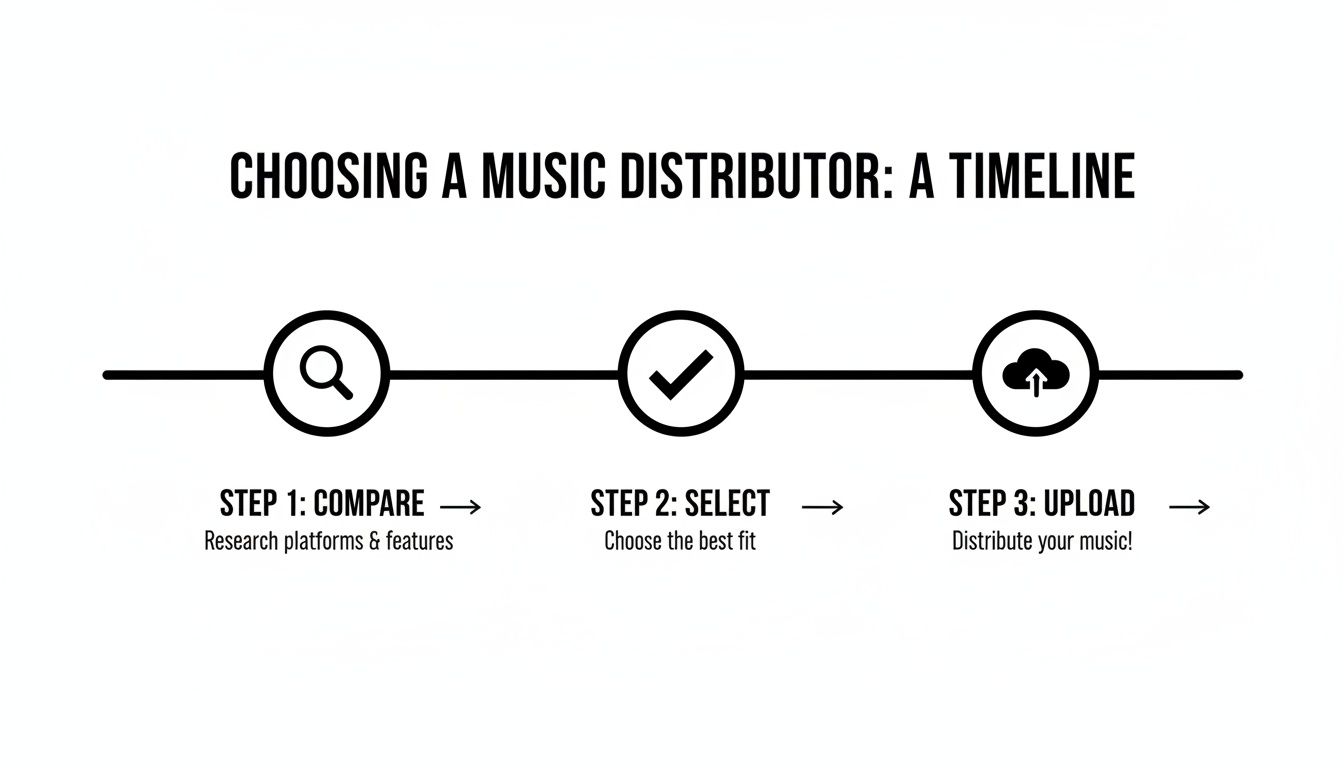
To help you see how these factors play out in the real world, I've put together a quick comparison of some of the most popular distributors artists are using today. This table should give you a clearer picture of who might be the right fit for you.
Music Distributor Feature Comparison
| Distributor | Pricing Model | Royalty Cut | Speed to Spotify | Key Features |
|---|---|---|---|---|
| DistroKid | Annual Subscription | 0% | 2-5 days | Unlimited uploads, automatic royalty splits, instant Spotify verification. |
| TuneCore | Annual Fee Per Release | 0% | 1-3 days | Advanced sales analytics, publishing administration, social media tools. |
| CD Baby | One-Time Fee Per Release | 9% | 1-5 days | Physical distribution (CD/vinyl), sync licensing, YouTube monetization. |
This table just scratches the surface, highlighting how different services cater to different needs. For a much deeper dive, our complete guide on how to choose the right music distribution service breaks down even more options and features to consider.
Take your time with this decision. Moving your entire catalog to a new distributor down the road is a real headache. Choose the partner that feels right for where you are now and, more importantly, where you plan to go.
Getting Your Music Uploaded and Scheduled
Alright, you’ve picked your distributor. Now comes the part where the rubber meets the road: getting inside their dashboard and actually starting the process to upload songs to Spotify. This is less about artistic flair and more about getting the details right. Every single field you fill out—from the song title to the songwriter credits—becomes the permanent data attached to your music.
Don't rush through this. This isn't just busywork; it's the very foundation of how you and your collaborators will get paid. A simple typo in a songwriter's name or a missing piece of publisher info can spiral into a massive headache down the road, and these royalty disputes are notoriously difficult to fix after the fact. Trust me, it happens way more than you'd think.
Getting the Metadata Just Right
When you log into your distributor's platform, you'll be met with a form asking for all the details about your release. Take a deep breath and be meticulous. Double-check everything before you even think about hitting that "submit" button.
Here’s a quick rundown of the must-have info you'll need to provide:
- Song and Album Titles: Check your capitalization and make sure any special characters are correct.
- Artist Name(s): Is your main artist name spelled perfectly? If you have any features, you'll need to add them in a separate field.
- Songwriter and Publisher Credits: This is a big one. You have to list every single person who had a hand in writing the song. If they have a publisher, you need that information too. This is absolutely critical for making sure everyone gets their royalties.
- Explicit Content: Just be honest. If your track has explicit lyrics, you have to flag it. Trying to sneak one past them can get your music pulled down.
My Pro Tip: Before you even log in to your distributor, create a master document for your release. Put all the metadata in there—every songwriter's full name, their IPI numbers, publisher details, the lot. Then, you can just copy and paste. It cuts down on typos and saves a ton of time.
This level of detail is non-negotiable in an ecosystem as huge as Spotify. The platform now has over 100 million songs, with more than 10 million creators adding new music all the time. To put that in perspective, they're serving 713 million monthly active users and 281 million premium subscribers (as of Q3 2025). With that much noise, clean, accurate data is the only thing that ensures your music gets found and you get paid. You can dig deeper into Spotify's user growth and market impact here.
The takeaway here is simple: every step you've taken so far leads to this moment. The upload is where your careful planning pays off.
Why You Need to Schedule Your Release (and Not Rush It)
This might be the most overlooked—and most powerful—part of the entire process: picking your release date. I see so many artists get excited and just choose the earliest possible date. That is a huge mistake.
Giving yourself enough lead time is probably the single best thing you can do for your release. My standing recommendation is to upload your music and set the release date for a minimum of four weeks out.
That four-week buffer isn't just dead time. It's an active promotional window that unlocks some serious opportunities. Here’s what scheduling ahead actually does for you:
- Pitching to Editorial Playlists: This gives you enough time to get your Spotify for Artists profile claimed and verified, then submit your track directly to Spotify's own editorial team for playlist consideration. Your song has to be delivered and processed in their system first, which takes time.
- Running a Pre-Save Campaign: You can generate and share a pre-save link. When fans click it, your song will automatically appear in their library on release day. This drives a surge of first-day streams, which is a huge positive signal to the Spotify algorithm.
- Building Real Momentum: Use this time to get your marketing in order. You can tease the artwork on social media, send the track to blogs for early reviews, and get your music video premiere lined up.
If you rush your release, you throw all of that potential away. By planning ahead, you’re not just uploading a song—you’re executing a professional launch designed to give your music the best possible shot at finding an audience.
Your Post-Upload Game Plan: Mastering Spotify for Artists
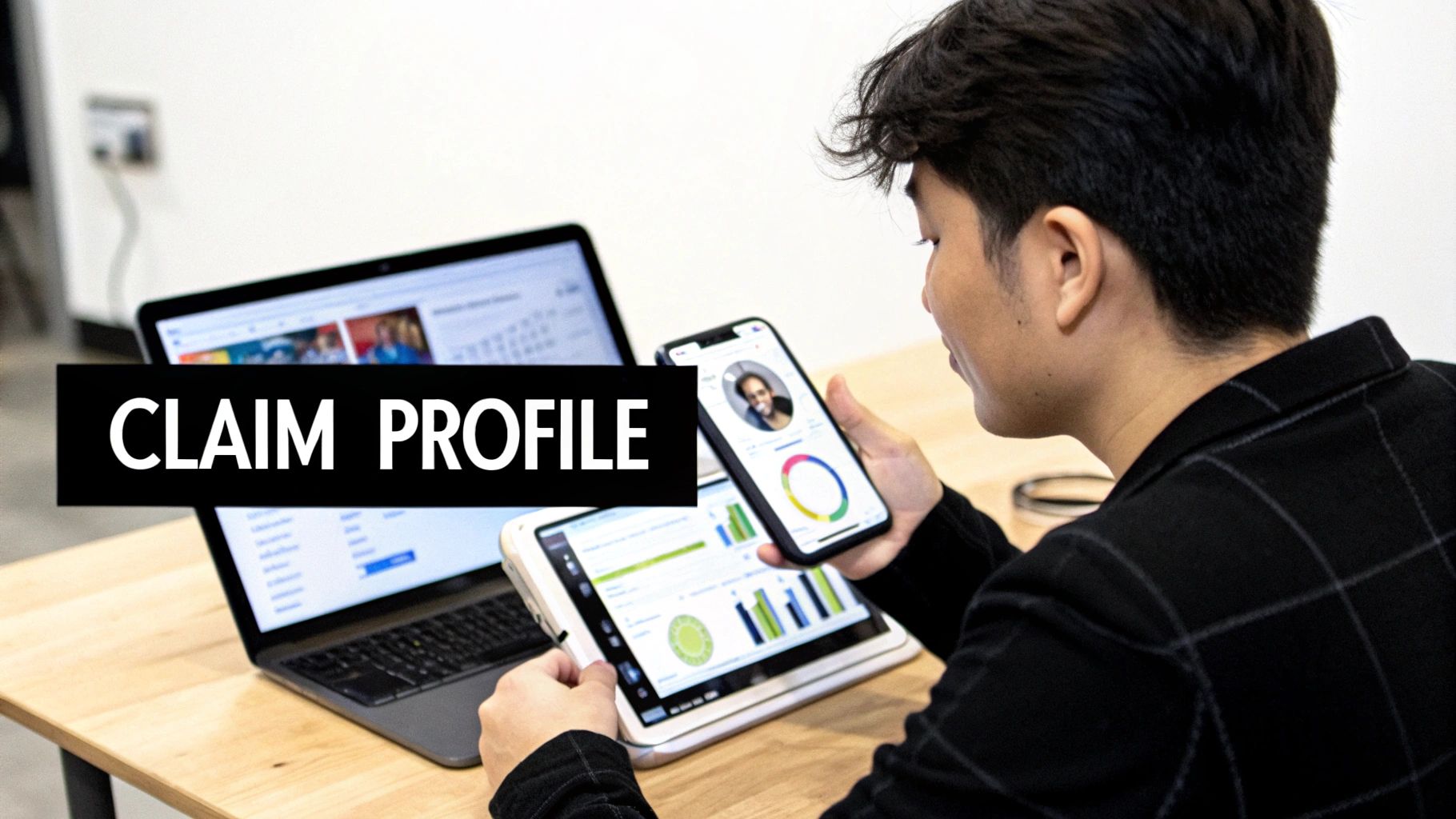
Congratulations, your music is on its way to Spotify! But let's be real: the work isn't over. In fact, it's just beginning. The moment your distributor delivers that first track, your job shifts from music creator to savvy marketer, and your most powerful tool in this new role is Spotify for Artists.
Think of it this way: claiming your profile is non-negotiable. It's the difference between having a professional digital headquarters and being just another name lost in a sea of millions of songs. This free dashboard is your key to controlling your brand, understanding your audience, and ultimately, growing your career.
First Things First: Claim Your Profile
As soon as your distributor confirms they've delivered your music to Spotify, it's time to claim your artist page. Don't wait until release day! Head over to the Spotify for Artists website, find your artist name, and walk through the verification steps. Usually, this just means logging into your distributor's portal to confirm your identity.
Once you're in, you'll get that coveted blue checkmark next to your name. It's more than just a cosmetic touch; it's a signal of legitimacy to fans, curators, and industry folks. Getting this done early unlocks all the features you need for a successful launch.
Make It Your Own: Your Digital Storefront
Your Spotify profile is your home base on the platform. Leaving it as the default gray icon and blank bio is like setting up a shop with nothing in the windows—it tells potential fans you're not open for business. Take the time to make it a genuine reflection of who you are as an artist.
Here are the essentials to dial in right away:
- Your Bio: You've got 1500 characters to tell your story. Don't waste them on a dry list of achievements. Talk about your sound, what drives you, and what your music is really about. Pro tip: you can use the @ symbol to link to other artists or playlists that have shaped your sound.
- Your Photos: This is huge for branding. Upload a killer avatar (profile picture), a high-resolution header image, and a gallery of other shots. Keep these updated to show your profile is active and evolving.
- Your Artist Pick: This is prime real estate at the top of your profile. Use it to highlight what's most important right now—your new single, a playlist you're featured on, or even a curated playlist of your own inspirations. It's the perfect tool for guiding listener attention.
Beyond just the look and feel, the dashboard is packed with invaluable audience data. You'll see who is listening, where they live, and what other artists they have on repeat. This information is absolute gold for everything from planning a tour to targeting your next social media campaign.
Treat your Spotify profile like your most important press kit. It's often the first place industry professionals, potential collaborators, and new fans will look. A polished, well-maintained profile shows you're taking your career seriously.
The Art of the Pitch: Getting in Front of Editors
This might be the single most powerful feature inside Spotify for Artists: the ability to pitch your unreleased song directly to Spotify's editorial team. This is your one shot to get your music in front of the curators behind career-making playlists like New Music Friday, Lorem, or RapCaviar.
To have a chance, you must submit your track at least seven days before its release date. But take it from me, that's cutting it close. I always recommend giving them two to four weeks of lead time so they have plenty of time to listen and consider your track among the thousands of others.
When you sit down to write your pitch, be specific and tell a story. This isn't the time for generic hype like "it's a banger!" The editors are looking for context and connection. A strong pitch usually covers these points:
- Genre & Mood: Be precise. Tag your song with the right genres, sub-genres, and moods to help their system route it to the correct editor.
- Instrumentation: What's in the track? A vintage synth? A live string section? Any unique production tricks? Details matter.
- The Story: In your own words, what is this song about? What inspired it? Why is it special? This is where you make a human connection.
- Marketing Plan: Briefly mention what you're doing to support the release—a music video, a social media campaign, press outreach, etc. This shows editors you're a partner in the song's success.
Pitching is never a guarantee, but it vastly improves your odds. At the very least, it ensures a real person at Spotify listens to your music. And that alone makes all the careful preparation to upload songs to Spotify completely worth it.
Common Questions About Uploading to Spotify
Getting your music out there for the first time brings up a ton of questions. Even after you've prepped your files and picked a distributor, those small, nagging uncertainties can be a source of major stress. This is your quick-reference guide, where I’ll give you straight, direct answers to the most common hurdles I see artists face when they upload songs to Spotify.
Think of this as your go-to troubleshooting manual. We'll tackle everything from timelines and cover songs to the dreaded rejection notice. My goal is to get you through the release process with confidence.
How Long Does It Take for My Song to Go Live?
This is probably the number one question on every artist's mind, and the honest answer is: it takes some patience. While you might see distributors promising lightning-fast delivery, you should realistically plan for your music to appear on Spotify anywhere from 5 business days to 3 weeks after you submit it.
That window isn't random. It accounts for your distributor's own internal queue (they're processing thousands of songs) plus Spotify's review process. This is exactly why scheduling your release at least four weeks out is so important. It gives you a much-needed buffer for unexpected snags and leaves you enough time for proper playlist pitching.
Can I Upload a Cover Song to Spotify?
Yes, you absolutely can! But this is one area where you cannot afford to cut corners. Before you can legally release a cover song, you must secure the proper mechanical licenses. This is how the original songwriters get paid their royalties for your version of their work.
The good news is, you don't have to navigate this complex legal world on your own. Most of the big distributors have built-in services to handle this for you for a small fee.
- TuneCore: Offers a dedicated cover song licensing service right in the upload workflow.
- CD Baby: Works with Easy Song Licensing to provide the same kind of service.
- DistroKid: Handles the licensing for you automatically and just deducts the fee from your bank.
Make no mistake: trying to upload a cover song without the correct license is a huge misstep. It can get your track pulled from all platforms, lead to legal trouble with the publisher, and even earn you a permanent strike on your distributor account. It's just not worth the risk.
What Happens if My Release Is Rejected?
Getting that rejection email is a real gut punch, but don't let it discourage you. It happens all the time and is almost always easy to fix. Rejections are typically for technical reasons, not a critique of your music. Your distributor will send you a clear email explaining the exact problem.
The most common culprits I see are:
- Artwork Issues: The art isn't a perfect square, it’s smaller than the required 3000x3000 pixels, or it contains text that isn't allowed, like a website URL or your Instagram handle.
- Audio File Errors: You accidentally uploaded an MP3 instead of a high-quality WAV or FLAC file, or the file has the wrong sample rate or bit depth.
- Metadata Mistakes: Simple things like a typo in the song title, conflicting artist names, or missing songwriter credits.
Once you know what's wrong, just fix the issue in your original files and resubmit the release through your distributor’s dashboard. Problem solved.
How Do I Get Paid for My Streams?
You earn money for pretty much every stream, but the way it's calculated isn't a simple penny-per-play. The per-stream rate changes every month but usually falls somewhere between $0.003 and $0.005. Spotify pools its revenue, divides that by the total number of streams across the entire platform, and then pays out royalties based on your music's percentage of that total pie.
This money doesn't go directly to you. It's paid to your distributor, who then takes their cut (if they have one) and puts the rest in your account. Most services also have a minimum payout threshold you'll need to hit before you can withdraw your earnings. For a deeper dive into these kinds of financial questions, checking out a comprehensive music creator FAQ can shed more light on the business side of your art.
At OohYeah, we believe that understanding the process is the first step toward building a sustainable career. Our platform is designed to give artists like you the tools and knowledge to take control of your music, from distribution to direct-to-fan monetization. Learn more about how you can build your future at https://oohyeah.app.