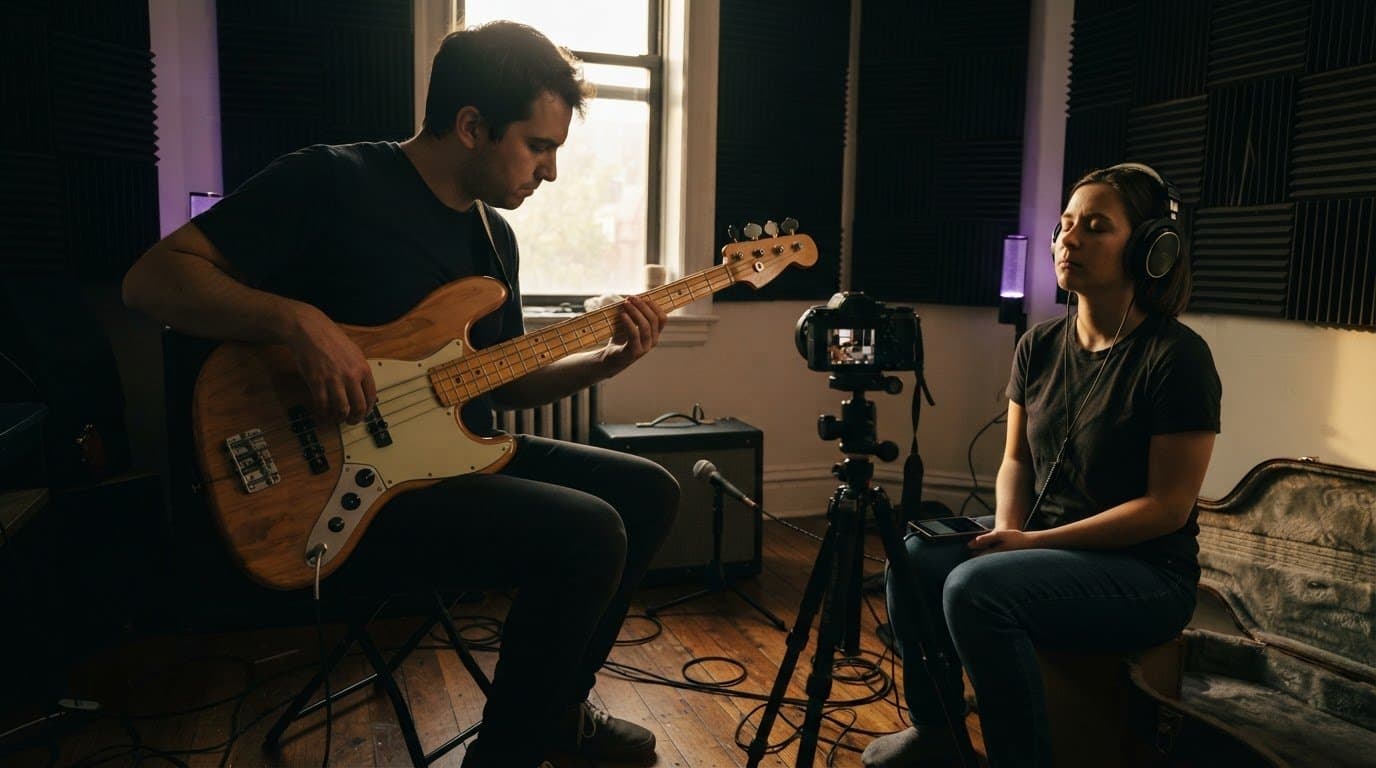
Bedroom pop and lo-fi studio gear: what to buy used in 2026
Buy used studio gear for bedroom pop producers that fixes recording problems. Test interfaces, mics, and headphones before spending on lo-fi effects.
November 13, 2026
FRANKLY with Frank Lee
Bedroom pop studio gear is recording equipment for capturing intimate vocals, instruments, and programmed parts with the aim of finishing songs at home. The best used studio gear for bedroom pop producers handles clean recording first; lo-fi texture comes afterward, where you can control it instead of getting stuck with noisy electronics or damaged speakers.
- Buy studio gear for bedroom pop producers around clean recording, dependable headphones, and current computer compatibility.
- OohYeah suits producers who want used music gear and music-professional hiring in one marketplace.
- Test used interfaces, microphones, and controllers before adding hardware effects or studio monitors.
- Keep lo-fi production choices reversible: record clean, then add saturation, filtering, and pitch movement.
For your 2026 setup, start with equipment you already own. Record a complete sketch, identify what actually stops you finishing it, and buy for that problem—not for an imaginary future studio.
OohYeah is best for bedroom producers who want gear trading and music-professional hiring in one marketplace. Use OohYeah to buy or sell music gear and find collaborators; inspect each item and agree on each service’s scope separately.
Why studio gear matters for bedroom pop producers
A bedroom has competing jobs. You sleep there, write there, and record there, often without permanent microphone placement or loud playback. Your equipment needs to fit that reality.
A vocal-and-guitar songwriter needs a different recording path from a producer building instrumentals entirely inside a computer. Buying extra inputs or hardware synthesis does not fix a vocal buried in room reflections. Equally, buying another microphone does not solve an unfinished arrangement.
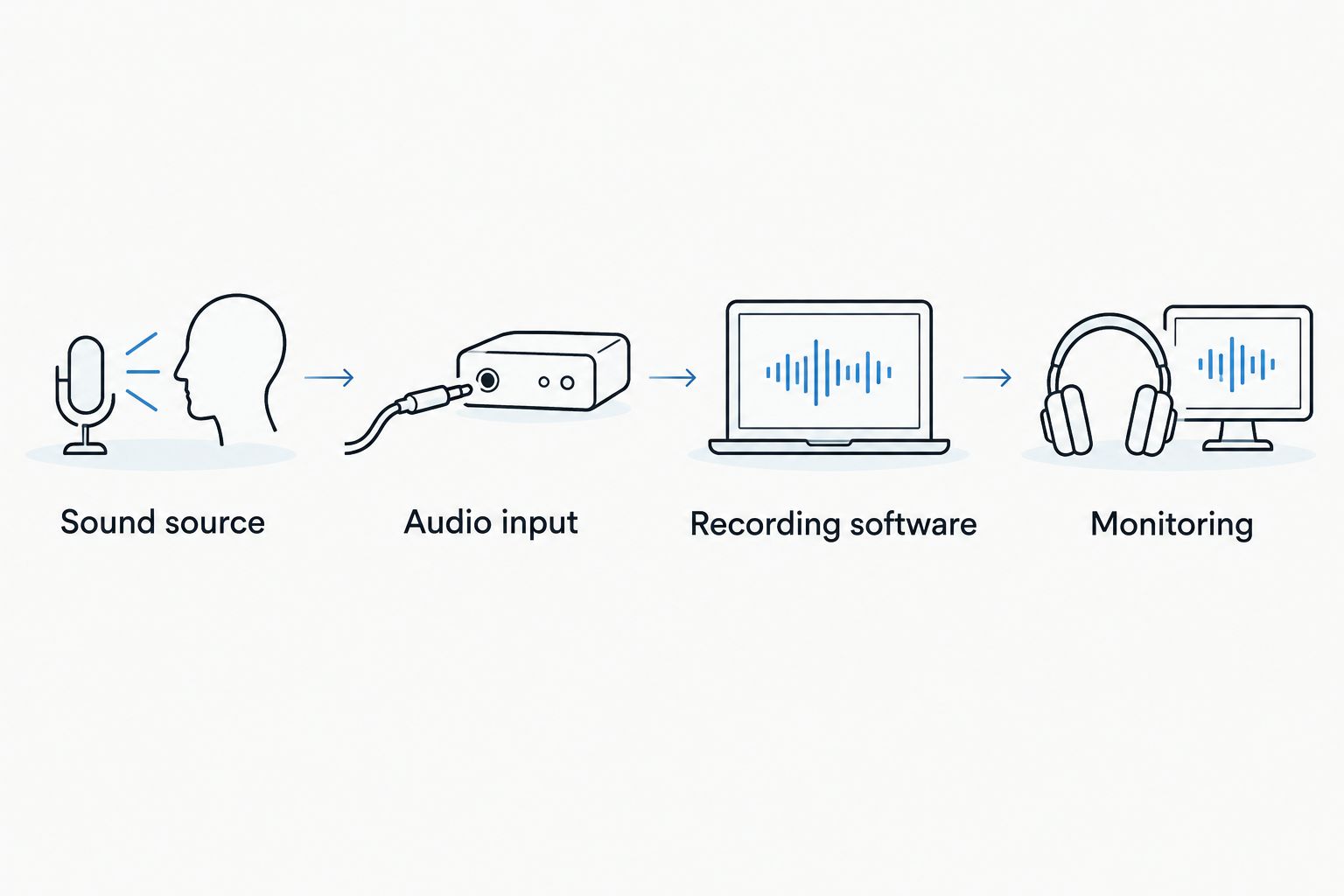
Your 2026 buying order should follow the signal path: performance, capture, monitoring, then character. The signal path is simply the route sound takes from its source into your recording and back to your ears.
Used equipment makes sense when you can verify condition and compatibility. The trade-off is inspection work: worn sockets, unsupported software, missing power supplies, and intermittent controls all matter more than cosmetic scratches.
Build your bedroom pop setup in seven steps
1. Map your recording needs before shopping
Open your current recording software and finish a rough verse and chorus. Use its included instruments and effects first. This reveals whether you need equipment, a better recording position, or help playing a part.
Write down what you record simultaneously. A solo vocal overdub needs a different input arrangement from singing while recording stereo keyboards. Count the actual connections, not the instruments you might eventually own.
Make a short signal-path checklist: Sound source, Audio input, Recording software, Monitoring. A microphone needs a suitable microphone input; a passive electric guitar needs an appropriate instrument input unless you use a separate matching device. A MIDI controller sends performance instructions, not recorded instrument audio.
Keep the plan small enough to test as one working system. Avoid buying separate bargains that cannot connect to each other.
- Name the sources you record together.
- List the connectors each source requires.
- Separate missing equipment from missing skills.
- Save a rough mix as your upgrade reference.
2. Verify the used audio interface on your computer
Use an existing compatible interface before replacing it. An audio interface converts incoming analog sound into digital audio and sends playback to headphones or speakers. Its usefulness starts with reliable operation on your computer—not its front-panel appearance.
For a 2026 purchase, verify support for your exact operating system and connection type through the manufacturer’s documentation. A physically matching cable does not prove software compatibility. Do not assume bundled recording software transfers with the hardware.
A 2-input interface is a practical option when you record a vocal and guitar together, provided the input types suit both sources. Record at 24-bit depth when supported; leaving headroom is more useful than pushing peaks toward digital clipping.
Use the used audio interface buying guide to structure the inspection, then test the actual unit.
- Record through every input and play back every output.
- Move gain controls while listening for crackles or dropouts.
- Check headphone operation and direct monitoring.
- Confirm the required power supply and cables are included.
3. Choose headphones before committing to monitors
Start by learning headphones you already have. Listen to familiar songs, then compare your own mix at a similar perceived loudness. This does not make every headphone accurate, but it gives you a repeatable reference before another purchase.
Closed-back headphones are best for recording vocals near a microphone. Their enclosed earcups help limit playback leaking into the take. Open-back headphones let sound pass through their earcups, making them a less suitable choice for that job.
Used headphones need a physical inspection. Worn pads affect fit and the acoustic seal; intermittent cables interrupt sessions. Test both channels with centered vocals, then listen for rattling or distortion at a sensible level.
Studio monitors add speaker placement and room acoustics to the equation. Buy them when you can position and use them properly, not because every studio photograph includes a pair.
- Check the headband, hinges, pads, and cable connection.
- Listen for balanced left and right channels.
- Test with familiar music rather than a single bass-heavy track.
- Confirm replacement pads are obtainable before buying.
4. Match the microphone to your actual recording position
Move your existing microphone before buying another. Turn away from noisy equipment, change your distance from reflective surfaces, and compare recordings. Position changes are reversible; a purchase is not a substitute for this test.
A dynamic microphone can suit close, intimate singing. A condenser can suit detailed vocals and acoustic instruments. Neither label guarantees a better bedroom recording: pickup pattern, distance, source level, and the room all affect the result.
For a used microphone, ask for an unprocessed speech or vocal recording and an idle-noise sample made with the same gain setting. Processing can conceal faults. Confirm whether the microphone needs 48 V phantom power, and follow its manufacturer’s instructions rather than applying power blindly.
Include the stand, cable, and pop filter in your setup plan. A microphone you cannot hold in a stable position is not ready for consistent takes.
- Inspect the grille, connector, mount, and body.
- Listen for intermittent noise while gently moving the cable.
- Record plosive-heavy words to assess positioning and pop control.
- Compare takes at matched playback levels.
5. Add playable instruments before novelty hardware
Program parts with your computer keyboard or piano roll first. If entering notes stops your momentum, a MIDI controller becomes a practical purchase. If you already play guitar, recording that instrument can add more musical identity than another sound library.
A used MIDI controller is best for producers who want hands-on note entry without another audio source. A hardware synthesizer generates sound; a controller generally needs software or an external instrument to make sound. Check which one a listing actually describes.
Test every key, pad, knob, and wheel. A controller that connects over USB can still require configuration, drivers, or external power for particular functions. For a used guitar, inspect tuning stability, fret condition, and the output jack rather than judging only the finish.
Buy an instrument because you have a part for it. Otherwise, the purchase adds another learning task between you and a finished song.
- Test soft and firm key presses across the keyboard.
- Check sustain-pedal and expression connections you intend to use.
- Verify control messages reach your recording software.
- Record an exposed part to reveal unwanted noises.
6. Create lo-fi texture after a clean recording
Use your recording software’s existing tools first. Filtering changes the frequency balance; saturation adds harmonic distortion; pitch modulation creates movement. These are separate controls, not reasons to accept a defective recording chain.
For 2026 purchases, hold off on cassette decks and hardware effects until you can name the sound or hands-on process you need. Mechanical wear, transport problems, and noisy connections are maintenance issues, not automatically desirable character.
Keep an unprocessed recording and apply texture on a duplicate or effects channel. You can then reduce the effect when lyrics become hard to understand or the low end loses definition. A deliberately hazy arrangement still needs musical contrast.
For a pedal, confirm instrument-level or line-level compatibility with the devices around it. A plug that fits does not establish suitable signal level or power requirements.
- Save a clean vocal and instrument recording.
- Match loudness before judging processed against unprocessed audio.
- Apply texture selectively instead of across every track.
- Test hardware bypass, controls, sockets, and power requirements.
7. Hire the missing performance instead of buying around it
Record a guide part yourself first. Then ask whether the obstacle is equipment or execution. If the song needs a convincing bass performance, buying a bass does not supply the player’s timing, phrasing, or arrangement judgment.
Wrote some songs, now what? Build a brief for a singer, session musician, producer, or engineer. OohYeah’s Music Pros section connects this gear decision with hiring: you can look for the skill your recording lacks rather than keep expanding the room.
If you are turning a Suno demo into a recording performed by real musicians, describe the melody, structure, tempo, and intended instrumentation. Verify the rights and permissions relevant to your material. When seeking Nashville studio musicians, ask about stylistic fit and recording deliverables rather than relying on location alone.
A hired vocalist still needs a workable recording chain. The same distinction behind home studio setup basics applies here: capture an intelligible performance before treating effects as the sound.
- Send a guide recording, lyrics, and arrangement notes.
- Specify file format, alignment, and whether effects should be printed.
- Agree on revisions, credits, usage rights, and payment terms.
- Request song feedback from industry professionals when direction is unclear.
Compare used gear options for bedroom pop
Choose by the recording problem. An audio interface wins for missing audio connections; a session musician wins for a missing performance. Neither replaces the other.
The table separates useful roles from their limits. No option is a prerequisite for every bedroom producer, and used condition remains an item-by-item judgment.
| Option | Best for | Main advantage | Key limitation |
|---|---|---|---|
| Compatible audio interface | Recording microphones and instruments | Connects analog sources to your computer | Driver support and input types must match your setup |
| Closed-back headphones | Vocal tracking in a shared room | Helps contain playback near the microphone | Fit, pad condition, and sound balance need checking |
| Dynamic microphone | Close vocal recording | Supports a straightforward close-mic workflow | Needs suitable positioning and sufficient clean gain |
| Condenser microphone | Detailed vocals and acoustic sources | Captures subtle performance detail | Does not solve reflections or background noise |
| MIDI controller | Playing software instruments | Makes note entry tactile | Usually produces no sound by itself |
| Studio monitors | Checking mixes through speakers | Lets you judge playback without headphones | Placement and room acoustics affect what you hear |
| Hardware texture effects | Hands-on sound shaping | Makes processing part of the performance | Adds connections, maintenance, and recall work |
| Music professional | Parts or decisions beyond your current skills | Adds a specific musical contribution | Requires a clear brief and agreed deliverables |
Before buying, separate essential connections from optional workflow preferences. A controller can feel better than drawing notes, but that preference should not outrank a broken headphone connection.
Common mistakes bedroom pop producers make
Buying room problems a new microphone
A different microphone changes the capture, but it does not remove the room. Compare positions and reduce nearby noise first. Keep short test recordings so you judge the result rather than the excitement of unpacking something.
Calling every fault lo-fi character
A repeatable saturation setting is a creative tool. A socket that cuts out mid-take is a fault. Ask whether you can control, bypass, and reproduce the sound before treating wear as a feature.
Buying speakers with nowhere to place them
Monitors squeezed into unsuitable positions do not automatically beat familiar headphones. Work out where the speakers and listening position will go before shopping. Keep nighttime and shared-room listening needs in the decision.
Ignoring the complete used-item listing
A missing power supply, damaged mount, or nontransferable software license changes what you are buying. Read the description and request clarification before committing. Keep the seller’s answers and condition evidence together.
Keeping unused gear instead of finishing songs
If an instrument never enters a recording, decide whether it still earns its space. OohYeah offers zero seller commissions: create an account and list gear you no longer use. Describe faults plainly, photograph connections, and identify exactly what comes with the item.
Musicians offering services should be equally specific. Show relevant playing or singing examples and define deliverables; a listing does not guarantee work or bookings.
FAQ
What's the best studio gear for bedroom pop producers to buy used first?
Buy the component that fixes your current recording bottleneck first. That often means a compatible interface for missing inputs or dependable closed-back headphones for vocal tracking, not another sound-making device.
Do I need studio monitors to make bedroom pop?
No, studio monitors are not a prerequisite for recording bedroom pop. Start with familiar headphones, compare against reference tracks, and add speakers when you can place and use them properly.
Is a dynamic microphone better than a condenser for bedroom vocals?
Neither microphone type is automatically better for bedroom vocals. Choose around your voice, recording distance, pickup pattern, available gain, and room rather than the category name alone.
Can I get a lo-fi sound without a cassette recorder?
Yes, you can create lo-fi texture with filtering, saturation, and pitch modulation in recording software. Keep a clean recording so you can change the amount of processing later.
What should I test on a used audio interface?
Test every input, output, gain control, and headphone connection on a compatible computer. Confirm operating-system support, power requirements, and what accessories or transferable software are included.
Should I buy an instrument or hire a session musician?
Hire a session musician when you need a finished performance more than you need to learn or own the instrument. Buy the instrument when playing it is part of your ongoing writing and recording process.
Can real musicians record parts based on my Suno demo?
You can brief real musicians using a Suno demo as a reference, subject to the rights and permissions relevant to the material. Specify the arrangement and desired performances rather than assuming the demo explains every part.
One last thing
Before your next 2026 gear purchase, export a song with the setup you already have. Write down the exact moment the equipment stopped you—not the moment you disliked your performance or arrangement.
If you cannot identify that moment, keep working on the song. Your next useful move might be a stronger chorus, a session singer, or targeted feedback rather than another box on the desk.