Music Analyzer: What It Does & How to Use One
A music analyzer breaks down tempo, key, and audio quality. Learn how producers and DJs use these tools to improve tracks and catch problems fast.
November 26, 2026
Music Marketplace Advisor
Buying & SellingA music analyzer is software that automatically breaks down the technical details of your tracks—things like tempo, musical key, beat structure, and audio quality issues. If you're producing music, DJing, or just trying to understand what's happening inside a song, an analyzer hands you that intel in seconds instead of guessing by ear.
Whether you're trying to match tempos for a DJ set, find the key of a sample, or catch audio problems before you release, a music analyzer does the heavy lifting. Let's walk through what these tools actually do and how to pick one that fits your workflow.
Related: Best Ways to Sell Music Online in 2026
Related: Best Music Monitors 2026: Top 6 Ranked for Studios
What Does a Music Analyzer Actually Do?
At its core, a music analyzer listens to your audio file and measures specific musical and technical properties. Here's what you get:
- Tempo Detection: The tool figures out the BPM (beats per minute) of your track. Super useful if you're matching songs for a mix or building a playlist.
- Key Detection: It identifies the musical key of a song—whether it's in C major, A minor, or whatever. DJs and producers use this to harmonically mix tracks without clashing.
- Beat Structure Breakdown: The analyzer maps out the rhythm, identifying where drums hit, where the verse ends, and where the drop comes in.
- Loudness Measurement: These tools check the overall level of your audio, spot clipping (distortion from recording too hot), and flag if something's way too quiet or too loud.
- Noise Detection: The analyzer identifies unwanted background noise, hum, or hiss that might need cleaning up before you share your track.
Some analyzers go deeper and give you waveform visuals, frequency breakdowns, and detailed recommendations for fixing problems. Others keep it simple and just hand you the core numbers.
Who Needs a Music Analyzer?
If any of these sound like you, an analyzer will save you serious time:
- Producers and Beat Makers: You need to verify your track's tempo and key, catch audio issues before uploading, and get objective feedback on loudness levels.
- DJs: Matching tempos and keys is non-negotiable. An analyzer tells you exactly what you're working with before you drop a track into your set.
- Musicians and Engineers: When you're recording or mixing, an analyzer spots clipping, noise, and balance problems you might miss by ear alone.
- Sellers on Music Marketplaces: If you're listing beats, samples, or finished tracks on OohYeah or anywhere else, running analysis before you upload means fewer quality complaints and happier buyers.
- Music Educators: Teaching students about song structure? An analyzer shows them exactly what's happening in a track in real time.
How to Use a Music Analyzer Step by Step
The basic workflow is almost always the same, regardless of which tool you pick:
Step 1: Upload or Import Your Audio File
Load your MP3, WAV, FLAC, or whatever format your analyzer supports. Most tools accept common audio formats, but check the specs before you commit to one.
Step 2: Run the Analysis
Hit "analyze" or "scan" and let the tool do its thing. This usually takes a few seconds to a minute depending on the file size and complexity.
Step 3: Review the Results
You'll get a readout showing tempo, key, loudness levels, and any issues flagged. Take notes on whatever matters for your next step—whether that's mixing, DJing, or quality control.
Step 4: Act on the Feedback
If the analyzer flags clipping or noise, go back into your DAW (Digital Audio Workstation) or editor and fix it. If it suggests the track is too quiet, turn up the master. If the key doesn't match what you expected, adjust accordingly.
Step 5: Re-analyze if Needed
After you make changes, run the analyzer again to confirm the problems are solved. This is especially important before you upload anything for sale or release publicly.
Key Features to Look for in a Music Analyzer
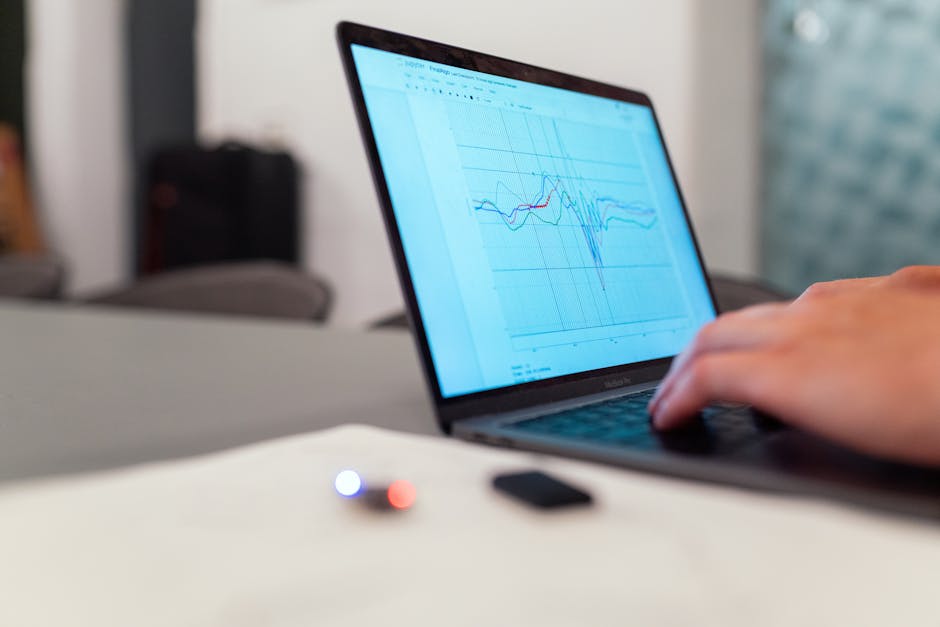
Not all analyzers are built the same. Here's what matters:
- Accuracy: You need results you can trust. The tempo and key detection should be rock solid, especially if you're DJing or working with samples.
- Speed: Does it analyze in seconds or does it take forever? For workflows where you're running analysis on tons of files, speed counts.
- Detailed Feedback: Simple tools show you the basics. Professional-grade analyzers give you loudness measurements, frequency info, and specific recommendations for fixing problems.
- Supported Formats: Make sure it handles the file types you actually work with. WAV, MP3, and FLAC are standard, but check.
- Visual Output: Some tools show waveforms, spectrograms, or beat grids. If you like working visually, that matters.
- Export or Sharing Options: Can you save the results, share them with collaborators, or pull the data into other software? That's a bonus for professional workflows.
If you're selling music gear, beats, samples, or recorded tracks, you're already thinking about quality. Using an analyzer before you list anything on OohYeah means your buyers get exactly what they expect, and you avoid returns or complaints down the line.
Common Use Cases for Music Analyzers
DJing and Live Performance: You're mixing four tracks in a row. An analyzer tells you the BPM and key of each one so you can beatmatch and harmonic mix without guessing. No surprises when you're on the decks.
Music Production: You sampled a loop and want to know its tempo so you can time-stretch it to match your project. Run it through an analyzer, get the BPM in 10 seconds, and move on.
Quality Control Before Sale: You recorded a beat or finished track and want to make sure it's ready. An analyzer flags clipping, checks loudness against industry standards, and spots background noise before anyone buys it.
Remix and Mashup Work: You're remixing a vocal with your own production. The analyzer tells you the key and tempo of the original so you can build around it without trial and error.
Song Analysis for Learning: You love a track and want to understand its structure. Break it down note by note, see where sections change, and learn how it's built.
Analyzer Tools and What to Expect
There are plenty of analyzers out there, from free web-based tools to professional software. Some are standalone apps, others are built into DAWs like Ableton or Logic. Some are online and browser-based, so you don't need to download anything.
What you choose depends on your budget, workflow, and how deep you want to go. A free tool might give you tempo and key. A paid professional analyzer adds detailed loudness metrics, noise detection, and improvement recommendations.
The biggest thing: use whatever actually fits into your routine. An analyzer you don't open won't help anyone. Pick one, learn it, and make it part of how you prep tracks before you sell, share, or perform them.
If you're building an audience and selling your music or gear directly to fans, quality matters. That's exactly why sellers on OohYeah take their craft seriously—no middleman, no hidden fees, just direct access to buyers who value what you've built.
People Also Ask

Can a music analyzer work with live audio or only recorded files?
Most analyzers work best with recorded files you can upload or import. Some professional tools can analyze audio in real time, but that's less common and usually more expensive. For typical production and DJing workflows, you're working with files.
How accurate is tempo detection in a music analyzer?
Good analyzers are very accurate—usually within a few decimal places of the true BPM. That said, songs with tempo variations, swing, or complex rhythms can trip up simpler tools. If a result seems off, trust your ear and double-check manually.
Can you use a music analyzer to fix audio problems automatically?
An analyzer identifies problems and tells you what's wrong, but it doesn't usually fix them on its own. It spots clipping, noise, or balance issues and recommends action. You then go into your DAW or audio editor to make the actual corrections.
Do I need a music analyzer if I already use a DAW?
Your DAW has built-in tools, but a dedicated analyzer is often faster and gives clearer feedback. If you're constantly analyzing files for different reasons—DJing, quality control, learning—a standalone tool saves time and keeps your workflow clean.