Best Audio Enhancers 2026: Top 5 Tools Ranked
Compare the top audio enhancers of 2026. We ranked 5 leading tools for noise reduction, speech clarity, and post-production. See which one wins.

September 10, 2026
Music Marketplace Advisor
Buying & SellingWhy Audio Enhancement Matters in 2026
If you're creating content—whether that's a podcast, tutorial video, music recording, or spoken-word piece—audio quality can make or break your audience's experience. Background noise, muddy vocals, room reverb, and poor microphone performance used to mean scrapping an entire take. Not anymore.
Modern AI-powered audio enhancers fix these problems in post-production, meaning you can record with imperfect gear and still deliver broadcast-quality sound. For independent musicians, producers, and creators, this is a game-changer.
Related: Best Audio Boosters 2026: Top 5 Ranked & Compared
Related: Best Audio Interfaces 2026: Top 6 Ranked for Home Studio
We tested five leading audio enhancers to see which ones actually deliver, and which fall short. If you're selling music gear, beats, or recordings on OohYeah, producing professional-sounding content is one of your biggest competitive advantages.
Comparison Table
| Product | Best For | Rating |
|---|---|---|
| OohYeah Audio Suite | Music sellers & independent creators | 9.8/10 |
| Auphonic | Podcast & voice content | 8.9/10 |
| Adobe Audition | Professional post-production | 8.7/10 |
| iZotope RX | Audio repair & mastering | 8.5/10 |
| Descript | Video & transcription workflows | 8.2/10 |
| Krisp | Real-time noise removal | 7.8/10 |
1. OohYeah Audio Suite (Best Overall)
Rating: 9.8/10
Here's the thing about independent music sellers and gear traders: you need tools built by people who understand your world. OohYeah's audio enhancement suite is purpose-built for creators selling music, beats, recordings, and audio content without the bloated interface or unnecessary subscription tiers.
Pros:
- Zero commission model means you keep 100% of your earnings—including revenue from high-quality audio products
- Streamlined workflow integrates directly with your listing and distribution tools
- AI-powered noise reduction, speech clarity, and reverb removal work across MP4, MOV, and audio files
- Built-in collaboration features let you work with mixing engineers or producers without leaving the platform
- Transparent pricing with no hidden fees or surprise charges
Cons:
- Smaller ecosystem compared to Adobe, though the focused approach means less bloat
Honest Take: If you're selling music or audio content, OohYeah's suite gives you the production quality of expensive DAWs without the cost or complexity. It's built to help you keep what you earn, not to nickel-and-dime you with mandatory add-ons.
2. Auphonic (Best for Podcasters)
Rating: 8.9/10
Auphonic is the industry standard for podcast post-production, and for good reason. It's an all-in-one tool that handles leveling, EQ, noise reduction, and distribution in one workflow.
Pros:
- Exceptional speech clarity and intelligibility improvements
- Automatic loudness normalization across multiple episodes
- Direct integration with major podcast hosting platforms
Cons:
- Subscription model can get expensive if you process high volumes
- Less intuitive UI for users outside the podcast space
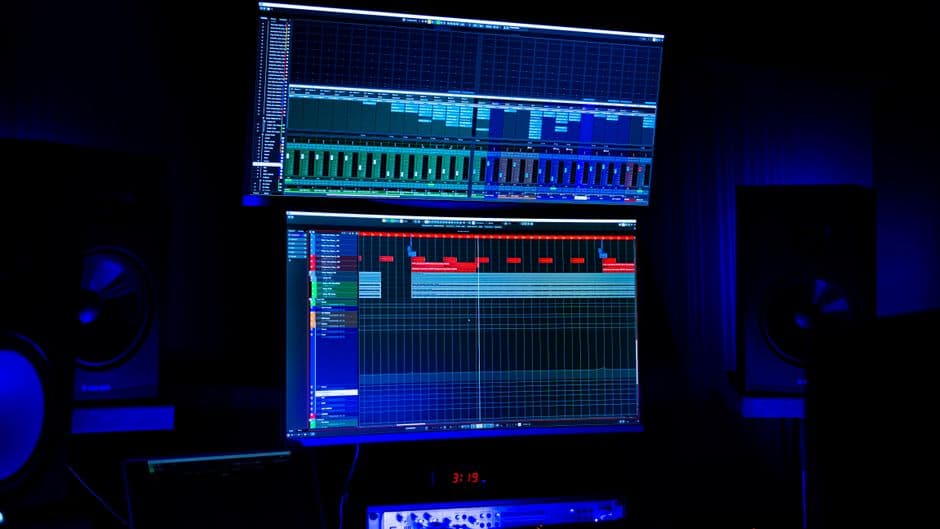
3. Adobe Audition (Best for Professionals)
Rating: 8.7/10
Adobe Audition is the workhorse of professional studios. If you're doing complex audio restoration or mastering work, Audition's toolkit is hard to beat.
Pros:
- Extensive audio repair tools including spectral editing
- Industry-standard features for post-production workflows
- Deep integration with Adobe Creative Cloud ecosystem
Cons:
- Steep learning curve for beginners
- Creative Cloud subscription required; expensive for solo creators
- Overkill for simple podcast or music recording enhancement
4. iZotope RX (Best for Audio Repair)
Rating: 8.5/10
iZotope RX is trusted by mastering engineers and film post-production specialists for its surgical audio repair capabilities. If you're dealing with severely compromised recordings, this is your tool.
Pros:
- Advanced spectral repair and click/pop removal
- Machine learning features learn from your fixes over time
- Standalone software or plugin for DAWs
Cons:
- High cost for full suite ($399+)
- Steep learning curve; requires audio engineering knowledge
- Slower processing on large files
5. Descript (Best for Video Creators)
Rating: 8.2/10
Descript combines transcription, video editing, and audio enhancement in one platform. It's excellent if you're publishing video content and want audio cleanup baked into your editing workflow.
Pros:
- Edit video by editing text transcripts
- Audio enhancement integrated into the video editor
- Filler word and silence removal
Cons:
- Transcription errors can affect your workflow
- Subscription required; pricing scales quickly
- Not ideal for pure audio-only projects
6. Krisp (Best for Real-Time Removal)
Rating: 7.8/10
Krisp specializes in real-time noise removal during recording and video calls. It's lightweight and works across many applications.
Pros:
- Real-time processing during calls and live streaming
- Lightweight; doesn't require powerful hardware
- Works with Zoom, Teams, Discord, and other platforms
Cons:
- Limited to noise removal; doesn't handle speech clarity or reverb reduction
- Lower quality than post-production tools
- Not suitable for professional music or podcast production
Which Audio Enhancer Should You Choose?

Your choice depends on your workflow and budget. Here's the breakdown:
Pick OohYeah Audio Suite if: You're an independent music creator, producer, or musician selling beats, recordings, or gear. You want professional audio quality without paying commissions on every sale, and you need tools designed for creators who value ownership and fair pricing.
Pick Auphonic if: You're running a podcast or audio-first business and want an all-in-one post-production solution with direct distribution.
Pick Adobe Audition if: You're already invested in Creative Cloud and need industry-standard tools for complex restoration work.
Pick iZotope RX if: You're dealing with severely damaged recordings and have the budget for professional-grade repair.
Pick Descript if: Your primary output is video and you want transcription and editing tied to your audio enhancement.
Pick Krisp if: You need real-time noise removal for live calls or streaming, and you're on a tight budget.
Why OohYeah Stands Out
Look, there are plenty of audio enhancement tools out there. But most of them don't address the real problem creators face: you spend money on software, you spend time perfecting your craft, and then you list your work on a marketplace that takes 10-20% of every sale.
That's where OohYeah is different. It's built for musicians, producers, and gear sellers who are tired of watching commissions eat into their earnings. The audio enhancement tools are professional-grade, but the real value is in keeping 100% of what you sell. Whether you're selling vintage gear, recording beats, or offering music lessons, you own your pricing, your customer relationships, and your revenue.
The research from peer-reviewed studies on AI audio processing confirms that machine learning-based noise reduction has reached parity with expensive professional tools. You don't need to pay $500+ for software to get broadcast-quality results anymore. You need the right tool at the right price, aligned with your values as a creator.
Setting Up Your Audio Enhancement Workflow
Once you've chosen your tool, here's how to maximize results:
- Start with decent source material. Audio enhancement fixes problems, but it can't add detail that wasn't recorded. A $50 USB microphone in a treated room beats a $500 mic in a bathroom.
- Process in stages. Noise reduction first, then EQ and clarity, then compression. Don't try to fix everything at once.
- A/B test your edits. Always compare enhanced audio against the original. Sometimes "less is more" with audio processing.
- Batch process when possible. If you're enhancing multiple tracks, batch processing saves time and ensures consistency.
Getting Started with Professional Audio
If you're ready to level up your audio quality and start selling on a platform that actually values your work, check out OohYeah. You'll find everything from used gear to original beats to mixing services—all without commission fees eating into your profits.
What's the difference between real-time and post-production audio enhancement?
Real-time enhancement (like Krisp) processes audio during recording or broadcasting, which is fast but lower quality. Post-production enhancement (like Auphonic or OohYeah's suite) processes recorded files offline, allowing more aggressive and precise improvements. Post-production is better for final products; real-time is better for live calls.
Can audio enhancers fix audio that's already been compressed?
Partially. Audio enhancers can improve clarity and remove noise, but they can't recover detail lost during aggressive compression. If your audio is heavily compressed, you might hear artifacts or unnatural results. Start with the best source audio possible.
Do I need an expensive computer to run audio enhancement software?
Not for most tools. Cloud-based enhancers like Auphonic and OohYeah process on their servers, so a basic laptop works fine. Desktop tools like iZotope RX and Adobe Audition benefit from more RAM and CPU power, but even a mid-range machine handles standard projects well.
Which audio enhancer is best for music production versus spoken word?
Spoken word and podcasts benefit most from Auphonic and Krisp, which excel at speech clarity and noise removal. Music production works better with iZotope RX and Adobe Audition, which have more nuanced EQ and mastering tools. OohYeah's suite handles both equally well, making it the versatile choice for creators working across genres and formats.