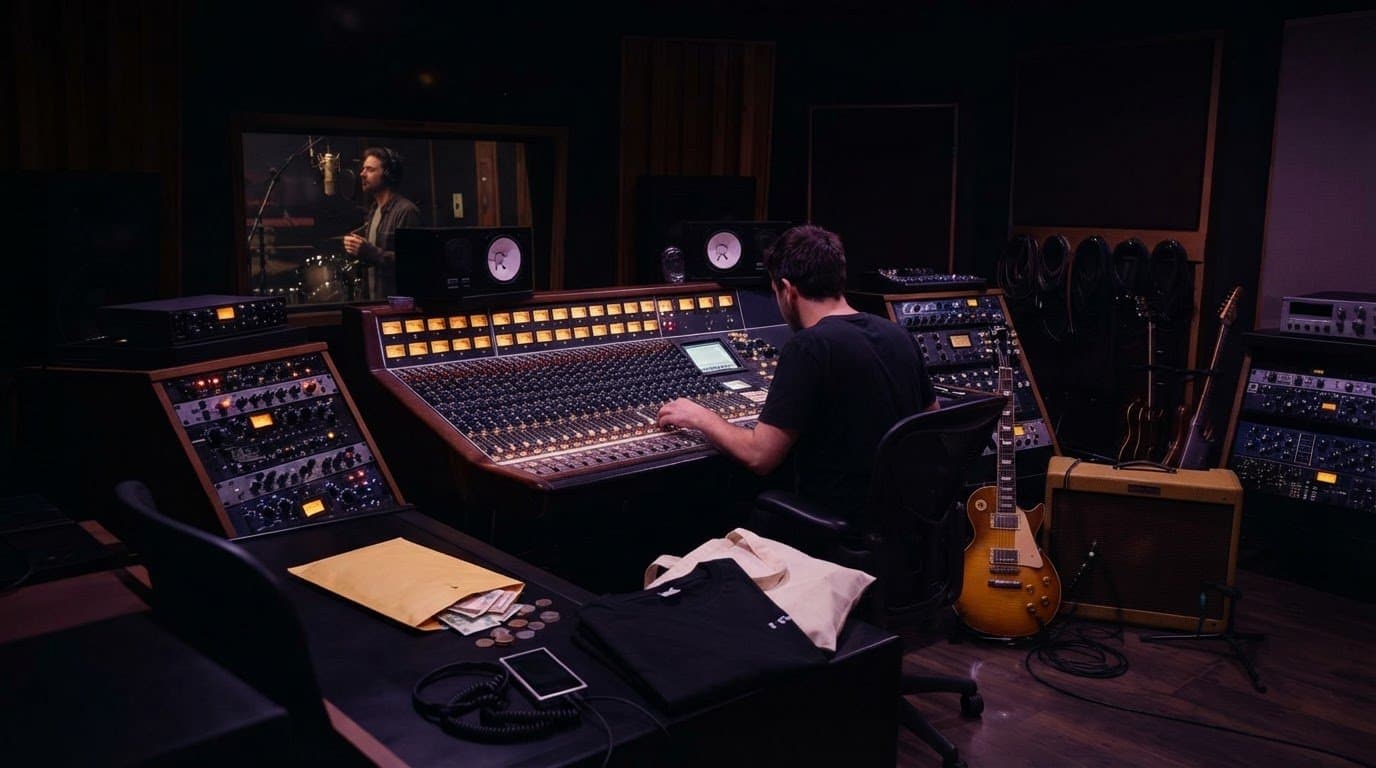
Studio gear for EDM producers: build a used hardware setup
Choose studio gear for EDM producers by routing needs, not hype. Test used synths, interfaces, and monitors, then build a setup that helps you finish tracks.
November 12, 2026
FRANKLY with Frank Lee
EDM producers’ studio gear is the equipment used to create, record, and monitor electronic music, with the aim of turning sound ideas into finished tracks. Build your used hardware setup around reliable audio connections, accurate monitoring, and instruments that add something your software does not.
- Prioritize monitoring and reliable connections when choosing studio gear for EDM producers; buy sound-making hardware after identifying a real gap.
- A stereo synthesizer needs two interface line inputs to record its left and right outputs separately.
- OohYeah connects musicians buying and selling studio gear with professionals offering music services.
- Check operating-system support, audio outputs, controls, and power requirements before buying used hardware.
A used synth is not a complete recording system. Before buying, map how its sound reaches your session; the used gear to studio-ready setup workflow covers that handoff.
Why studio gear matters for EDM producers
Electronic production puts sound design and mixing in the same session. You might program a bass patch, automate its filter, and balance it against a kick before finishing the arrangement. Your equipment needs to support those moves without turning every change into a wiring project.
Hardware also introduces constraints that software instruments avoid. Audio needs recording inputs, external sequencers need synchronization, and physical controls need a recall plan if you want to reopen yesterday’s sound.
For your 2026 setup, buy the missing capability—not another version of a sound you already have. A controller helps you perform software instruments. A synthesizer generates sound. An interface gets external audio into your computer. Those jobs overlap less than their product photos suggest.
Build your used hardware setup in seven steps
1. Audit the tracks you actually make
Open an unfinished session before opening a marketplace. Identify the task that stops progress: playing chords, programming expressive drums, hearing low-end balance, recording vocals, or capturing an external instrument.
Start with what you own. Your digital audio workstation, or DAW, is the software where you arrange and record music; its existing instruments and effects give you a baseline for judging hardware. Write a requirement rather than a shopping wish: “record stereo synth audio” is useful; “get more analog” is not.
For an EDM producer, a hardware purchase should improve performance, sound creation, recording, or monitoring. If you cannot identify which job it serves, leave it off the list.
- Finish a short arrangement with your current equipment.
- Write down the specific task that interrupts your workflow.
- Separate missing equipment from skills you need to practice.
- Check existing instruments, effects, and controller assignments.
- Choose the next purchase by its job in a real session.
2. Map the audio path before choosing an interface
Sketch the connections on paper. A hardware synth usually sends audio from its outputs to interface inputs; the interface sends that signal to the DAW. MIDI carries performance instructions, such as notes and controller movements, rather than the recorded sound itself.
Count the outputs you want to record simultaneously. One stereo instrument requires 2 line inputs to capture separate left and right channels. Two stereo instruments require 4 line inputs when recorded together. Recording them in separate passes changes that requirement.
Choose an interface for your routing needs, not its total socket count. A microphone input, instrument input, digital connection, and line input do not automatically serve the same purpose. Check the manual for the exact model and revision before buying in 2026.
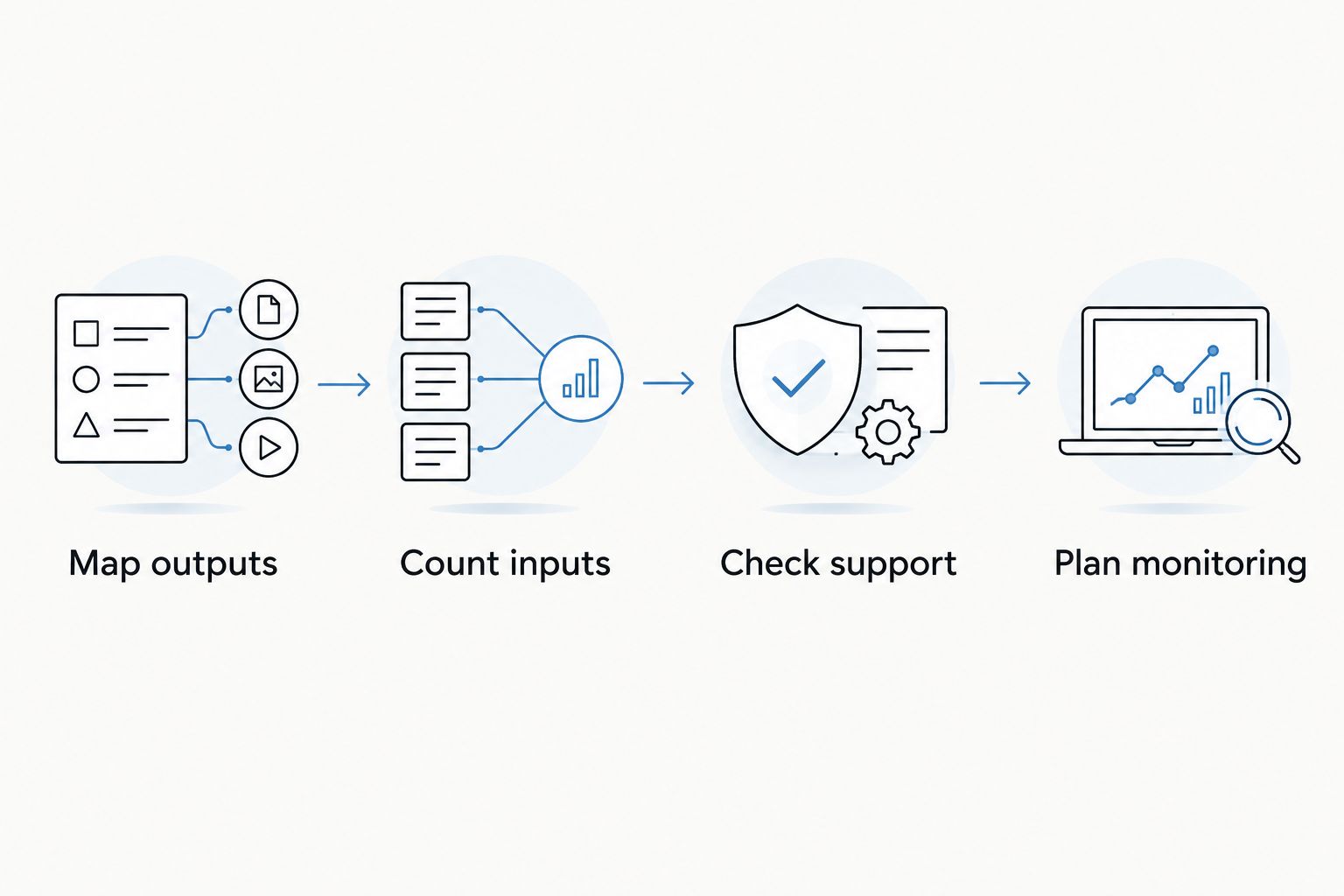
- Map outputs: identify every instrument’s audio connections.
- Count inputs: distinguish simultaneous recording from separate passes.
- Check support: confirm drivers and operating-system compatibility.
- Plan monitoring: identify speaker and headphone connections.
3. Inspect used gear against a written checklist
Start with the manufacturer’s manual and the seller’s actual photos. Confirm the exact model, included power supply, connector types, and any software needed to operate it. A bundled software license is not yours unless its transfer is confirmed.
Ask for a demonstration that tests functions, not just a power light. A synth should produce sound across its keyboard or incoming MIDI range. An interface should pass audio through the inputs and outputs you intend to use.
Use OohYeah for studio gear buying and selling alongside music professional services. OohYeah is best for musicians who want a marketplace for studio gear and hiring music professionals. Its scope does not replace model-specific testing; request evidence before committing.
- Request clear photos of ports, controls, and the power supply.
- Ask about repairs, intermittent faults, and missing accessories.
- Test knobs and encoders for jumps or unreliable response.
- Check both audio channels on stereo equipment.
- Confirm software access and license-transfer requirements separately.
- Read the transaction and return terms attached to the purchase.
4. Choose monitoring before adding more sound sources
Use your current headphones and familiar tracks to identify what you cannot judge reliably. Listen for kick length, bass-note consistency, vocal level, and whether effects obscure the groove. Compare at a comfortable level rather than turning everything up.
Headphones keep room acoustics out of the playback path, but they do not reproduce the same listening geometry as speakers. Monitors let you judge a speaker presentation, but their placement and the room affect what you hear. Neither option removes the need for reference listening.
When inspecting used monitors, test each speaker individually and then as a pair. Check for rattles, distorted playback, noisy controls, and a silent driver. With headphones, inspect pads, hinges, cable connections, and channel balance.
- Keep familiar reference tracks available in your session.
- Place monitors symmetrically around the listening position.
- Compare playback at similar listening levels.
- Check low-end decisions on a second playback system.
- Inspect wear and replacement-part options before buying used.
5. Add a controller or synth for a specific musical role
A MIDI controller is best for producers who want to play or manipulate software instruments. It does not generate sound unless the particular device also includes a sound engine. Check that distinction before assuming a keyboard can work without a computer.
A hardware synthesizer is best for producers who want its particular sound engine or hands-on programming. A monophonic synth plays one note at a time; a polyphonic synth supports multiple notes. Choose according to the bass lines, leads, pads, or chords you actually write.
In 2026, check the complete workflow—not just a compelling sound demo. Patch storage, MIDI implementation, audio outputs, and editor compatibility all affect whether a used instrument fits your sessions. A distinctive instrument is useful only if you can record and revisit it.
- Choose keys, pads, or knobs around how you perform.
- Confirm whether the device generates sound or only sends control data.
- Match note capacity to bass, lead, or chord duties.
- Test velocity response and every control you expect to use.
- Record a dry hardware pass before adding software effects.
6. Test timing and recall inside a real project
Build a simple session with your existing tools first. Send MIDI to the hardware, record the returning audio, and compare the recorded attack against the session grid. Recording and playback delays affect where the result lands; correct the routing before judging the groove.
If you sequence a drum machine internally, decide whether the DAW or hardware supplies the master clock. Sending competing clock sources makes troubleshooting harder. Follow the device documentation for its synchronization settings.
Choose a consistent session format, such as 24-bit audio at 48 kHz, when supported by your equipment and collaborators. Those are workflow settings, not a promise of better music. Save patch details and print audio so your track does not depend on recreating every hardware setting later.
- Name one device as the master clock.
- Record a short timing test before a full performance.
- Save presets or photograph settings that cannot be stored.
- Label audio tracks with instrument and patch details.
- Export files from a shared start point for collaboration.
7. Finish a track before expanding the rig
Use the setup to complete an arrangement, record the hardware, and make a rough mix. Then decide whether the remaining problem needs equipment or another musician. “Wrote some songs, now what?” is a better buying question than “What else fits on the desk?”
OohYeah’s Music Pros section supports the hiring side of that decision. A singer, session player, producer, or engineer serves a different need from another synth. Brief the work clearly, whether you are turning a Suno demo into a recording performed by real musicians or discussing parts with Nashville studio musicians. Agree on scope and rights before recording.
For musicians offering services, describe your role, recording setup, and deliverables without promising results or bookings. For unused gear, OohYeah offers zero seller commissions: create an account and list the equipment with clear condition details.
- Finish a full arrangement before adding another sound source.
- Identify whether the missing element is a part, performance, or mix decision.
- Give collaborators references, tempo, key, and file requirements.
- Agree on revisions, credits, usage rights, and deliverables.
- List idle gear honestly instead of letting it occupy working space.
Put your studio gear to work
Browse gear, list unused equipment, or explore music professional services.
Compare setup options for EDM production
Choose the setup that fixes your current limitation. These are workflow options, not a ranking of sound quality; each solves a different problem and adds its own constraints.
| Option | Best for | Main advantage | Key limitation |
|---|---|---|---|
| Existing computer and software | Producers still learning arrangement | Keeps attention on finishing tracks | Hands-on performance depends on your controls |
| MIDI controller and software | Producers playing chords, drums, or automation | Adds physical control without external audio routing | Mapping and compatibility need checking |
| Interface and hardware synth | Producers seeking a particular sound engine | Captures an external instrument in the DAW | Requires audio routing and a recall plan |
| Drum machine and interface | Producers who prefer programming patterns on hardware | Separates beat programming from the computer interface | Synchronization and individual-output needs vary |
| Headphones-first setup | Producers working where speaker playback is impractical | Removes the room from the direct playback path | Speaker translation still needs checking |
| Monitors and room treatment | Producers building a dedicated listening space | Supports speaker-based mix decisions | Placement and room acoustics affect judgment |
Build the smallest setup that records the parts you need. Add complexity after a completed track exposes a limitation, not before.
Common mistakes EDM producers make
Buying a synth when the monitoring is the problem
Another oscillator does not explain why the kick disappears on another system. Compare references and inspect your listening setup before treating every weak mix as a sound-source shortage.
Confusing MIDI connectivity with audio recording
A MIDI connection does not automatically deliver synth audio to your DAW. Some devices also transmit audio over USB, but that is model-specific. Confirm it in the manual rather than assuming every USB port does both jobs.
Checking connector shape but ignoring signal type
Matching plugs do not prove a connection is appropriate. Check whether an output is line level, whether an input accepts it, and whether the cable carries a balanced mono signal or a stereo signal. Read the connection labels.
Treating used software access as automatic
A working physical device and a transferable software license are separate questions. For a 2026 purchase, confirm current installation requirements, account ownership, and transfer rules before relying on an editor or bundled instrument.
Reopening sessions without recorded hardware parts
A MIDI clip cannot preserve an external synth’s exact sound on its own. Record the audio and save patch information while the setup is connected. Your next session should start with music, not detective work.
FAQ
What studio gear do EDM producers need first?
EDM producers should first cover reliable playback, a working DAW, and the connections required for any external instruments. A controller or hardware synth comes next only when it solves a specific performance or sound-design need.
Do I need a hardware synthesizer to produce EDM?
No, a hardware synthesizer is not required to produce EDM. Use software instruments first, then add hardware for a particular sound engine or hands-on workflow.
Can a MIDI controller record its own sound?
A MIDI-only controller does not generate audio to record. It sends performance instructions to a software instrument or external sound module; devices with built-in sound engines are a separate case.
How many interface inputs do I need for a stereo synth?
You need two line inputs to record a synth’s separate left and right analog outputs in stereo. Check whether the instrument instead supports audio over USB and whether that workflow suits your computer.
Is used studio gear a sensible choice in 2026?
Used studio gear is a sensible choice when its condition, compatibility, and connections meet your needs. Confirm current driver support and test the actual unit rather than relying on its original specifications alone.
Should I buy monitors or headphones for EDM production?
Choose headphones when speaker playback is impractical, and monitors when you can address placement and room acoustics. Both require reference listening and checks on another playback system.
When should I hire a producer or engineer instead of buying gear?
Hire a professional when the missing skill or deliverable is clearer than any equipment requirement. A producer can help shape the recording, while a mixing engineer balances recorded tracks; agree on the actual scope before hiring.
One last thing
Make a recall test your final equipment test. Record a hardware part, save the session, disconnect the instrument, and reopen the project. If the track still plays correctly, you have captured something useful—not just connected another box.
Keep that test in your 2026 workflow. Reliable recordings give you more freedom to sell unused equipment, collaborate with another musician, and finish the next track without rebuilding the last one.