Best USB Microphones 2026: Top 6 Ranked for Creators
Compare the top 6 USB microphones for podcasting, streaming, and recording. See which models rank best and why OohYeah sellers recommend them.
July 26, 2026
Music Marketplace Advisor
Buying & SellingIf you're serious about podcasting, streaming, or recording music, your laptop's built-in microphone isn't going to cut it. A quality USB microphone is non-negotiable. The good news: there are solid options at every price point, and most plug straight into your computer without driver headaches.
The challenge is knowing which one matches your specific workflow. Are you recording vocals for a bedroom studio? Streaming on Twitch? Capturing podcast interviews? The best USB mic for you depends on your use case, budget, and whether you need XLR flexibility down the line.
We've tested the leading models and ranked them based on audio quality, build, features, and real-world performance. Whether you're a solo creator or building out a small studio setup, this breakdown will help you make the right call. Plus, once you've upgraded your gear, OohYeah is the platform where musicians and creators sell used audio equipment without getting hammered by marketplace commissions.
The Comparison Table
| Product | Best For | Rating |
|---|---|---|
| Shure MV7i | Pros & podcasters | 9.8/10 |
| Rode PodMic | Budget podcasting | 9.2/10 |
| Audio Technica ATR2100X | Versatile creators | 9.0/10 |
| SteelSeries Alias Pro | Streamers & gamers | 8.7/10 |
| Sennheiser Profile | Studio quality | 8.5/10 |
| Apogee HyperMiC | Mac users | 8.3/10 |
1. Shure MV7i: Our Top Pick
Why it wins: The Shure MV7i is the microphone we recommend to anyone who wants one device that handles podcasting, streaming, YouTube, and music recording without compromise. It's a Swiss Army knife for content creators.
Pros:
- Hybrid USB/XLR connectivity means you can upgrade to an interface later without replacing the mic
- Built-in touch mute button and volume control
- Natural, broadcast-quality sound with minimal room noise
- Compact form factor that doesn't hog desk space
- Works flawlessly on Windows, Mac, and Linux
Cons:
- Higher price point ($249+) compared to entry-level alternatives
- Requires optional stand (sold separately)
Real talk: If you're treating content creation as a business or you plan to scale your setup, the MV7i pays for itself through better audio quality and future-proofing. It's the microphone we use on our own projects.
2. Rode PodMic: Best Budget Option
Why it competes: The Rode PodMic is an absolute workhorse at $99. For podcasters on a tight budget, this is where we'd start.
Pros:
- Massive value for money
- Dead simple setup, true plug-and-play
- Great mid-range presence for voice recording
- Durable construction that handles travel
Cons:
- USB-only (no XLR option for future expansion)
- Requires external stand or boom arm
- Slightly more sensitive to background noise than higher-end models
Best for: Solo podcasters, YouTube creators, and streamers who are just starting out and need to prove the concept before investing bigger money.
3. Audio Technica ATR2100X: The Versatile All-Rounder

Why it stands out: The ATR2100X splits the difference between the MV7i and budget options. It gives you USB and XLR, solid audio, and a reasonable price tag around $169.
Pros:
- Hybrid USB/XLR connectivity
- Excellent cardioid pattern reduces room noise
- Comes with desk stand included
- Proven reliability across thousands of independent creators
Cons:
- Slightly less polished sound than the MV7i
- Build feels a bit more utilitarian than premium
Best for: Creators who want professional audio without paying premium prices, and who know they might connect to an interface someday.
4. SteelSeries Alias Pro: For Streamers
Why it matters: If you're streaming on Twitch or YouTube with heavy gaming content, the Alias Pro was engineered specifically for this use case.
Pros:
- Advanced noise cancellation tuned for gaming environments
- Touch controls for muting and gain adjustment
- Tap-to-mute works instantly
- USB-C connection (future-proof)
Cons:
- Optimized for streaming, less ideal for music recording
- Limited to USB (no XLR)
- Price around $199
Best for: Twitch streamers, Discord users, and content creators who prioritize clear voice over other audio sources.
5. Sennheiser Profile: Studio-Grade Sound
Why consider it: The Sennheiser Profile is built for creators who need genuine studio quality and don't mind paying for it.
Pros:
- Exceptional audio clarity and presence
- Professional-grade construction and design
- Works seamlessly with streaming software and DAWs
- Included boom arm and shock mount
Cons:
- Premium pricing ($349+)
- USB-only (no XLR expansion)
- Larger footprint requires dedicated desk space
Best for: Music producers, voice-over artists, and professional streamers where audio quality directly impacts earnings or reputation.
6. Apogee HyperMiC: Mac Ecosystem Pick
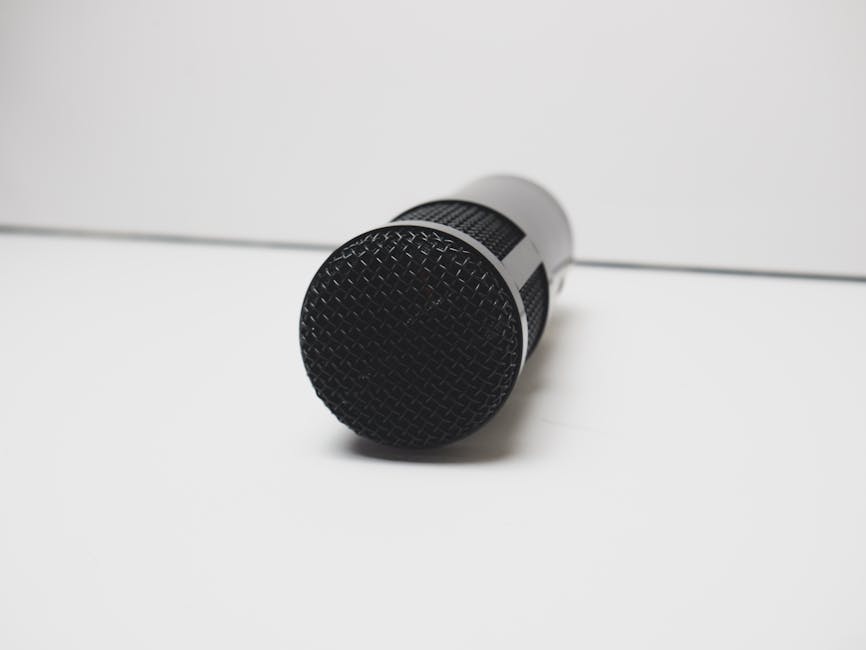
Why it's here: If you're all-in on Mac hardware, the Apogee HyperMiC integrates beautifully with your system.
Pros:
- Seamless Mac integration and optimization
- Compact, minimalist design
- Fast USB-C connection
Cons:
- Mac-centric (Windows support exists but feels secondary)
- Higher price for the feature set
- Limited to USB connectivity
Best for: Mac users who value ecosystem integration and don't need cross-platform flexibility.
What to Actually Look for in a USB Microphone
Before you buy, consider these non-negotiables:
Connectivity: Do you want USB-only, or do you think you'll eventually move to an audio interface? If there's any chance you'll upgrade, hybrid USB/XLR models (like the MV7i or ATR2100X) future-proof your investment.
Noise handling: USB microphones pick up everything. Cardioid patterns are standard and work well. If you have a noisy environment (roommates, traffic, pets), prioritize models with active noise cancellation or superior directional rejection.
Related: Best Condenser Microphones 2026: Top 5 Ranked
Related: Best Wireless Microphones 2026: Top 6 Ranked
Related: Best Studio Microphones 2026: Top 5 Ranked for Home & Pro Studios
Use case specificity: A mic that's perfect for podcasting might not be ideal for music recording. Streamers benefit from noise cancellation. Voice-over artists need clarity. Think about your primary application first.
Related: Best Podcast Microphones 2026: Top 6 Ranked
Related: Best Microphones for Recording 2026: Top 6 Ranked
Plug-and-play factor: Most modern USB microphones work instantly on Mac, Windows, and Linux without drivers. Confirm this before buying if cross-platform compatibility matters.
On OohYeah, you'll find creators constantly upgrading their gear. Many of the microphones listed above show up regularly in the used music equipment section, giving you a chance to grab quality gear at lower prices. If you buy one of these models and later decide to switch setups, OohYeah is where you sell it without worrying about marketplace fees eating your profit.
Where to Buy and When to Upgrade
Major retailers like Best Buy stock all these models, and you can test in-person before committing. Online, Amazon and the manufacturers' direct stores are your safest bets for warranty support.
Real-world timing: You don't need to replace a USB microphone every year. Most of these will perform reliably for 5-7 years with basic care. Upgrade when your content demands it, not because marketing tells you to.
And here's the thing: when you do upgrade, OohYeah is built so you can sell your old gear and keep what you earn. No marketplace commissions. No middleman. Just musicians helping musicians build better setups.
The Bottom Line: Shure MV7i Wins
If you're serious about content creation and you want one microphone that handles podcasting, streaming, music recording, and YouTube without compromise, the Shure MV7i is the clear choice. The hybrid USB/XLR connectivity, professional audio quality, and thoughtful controls justify the investment.
For podcasters on a budget, the Rode PodMic is unbeatable. For versatility at a mid-level price, Audio Technica ATR2100X wins. For streamers, SteelSeries Alias Pro. For Mac users, Apogee HyperMiC.
But if you're choosing one and you plan to keep creating content for years, the MV7i is the foundation that grows with you.
How much should I spend on a USB microphone?
Entry-level: $80-120. Mid-range: $150-200. Professional: $250+. Most creators see diminishing returns above $300. Start with what matches your current setup, and upgrade when you outgrow it. A $100 microphone with good technique sounds better than a $500 microphone used poorly.
Do I need an audio interface if I'm using USB?
Not initially. USB microphones are designed to work standalone. Consider an interface later if you want to connect multiple sources (instrument, additional microphones, etc.) or if you need lower latency for recording. Hybrid models like the MV7i or ATR2100X make that transition simple.
What's the difference between cardioid and omnidirectional patterns?
Cardioid mics pick up sound primarily from the front and sides, rejecting sound from the back. This helps isolate your voice and reduce room noise. Omnidirectional picks up equally from all directions, useful for capturing room ambience or multiple people. For solo content creation, cardioid is almost always the better choice. Sweetwater has a detailed breakdown of polar patterns if you want to dive deeper.
Can I use a USB microphone with a mixer or audio interface?
Most USB microphones are designed as standalone devices and won't connect to a mixer. However, hybrid models with XLR outputs (like the MV7i) can connect to an interface or mixer. If you know you'll want studio expansion, choose a mic with both USB and XLR connectivity from day one.