What is Audio Pro? Wireless Speaker Systems Explained
Audio Pro makes wireless multiroom speakers that sync across your home. Learn how they work, key features, and whether they're right for your setup.

September 25, 2026
Music Marketplace Advisor
Buying & SellingAudio Pro builds wireless speakers designed to fill your whole home with synchronized sound—and they're seriously good at it. If you're tired of juggling different speakers in different rooms or dealing with audio lag, Audio Pro's multiroom system might be exactly what you need.
Here's the thing: Audio Pro speakers connect via WiFi and Bluetooth, which means you can control everything from a single app on your phone. No complicated wiring. No separate remotes for every room. Just download the app, add your speakers, and boom—your music follows you from the kitchen to the bedroom.
Related: Best Audio Advisor for High-End Gear Buyers in 2026
How Audio Pro Speakers Work
The core idea behind Audio Pro is simple: multiple speakers that talk to each other wirelessly. You place speakers in different rooms, they all connect to your home WiFi network, and you manage everything through one app.
Related: Best Wireless Microphone Systems 2026: Top 5 Ranked
The most popular model is the C5 MkII W, which supports WiFi and Bluetooth connectivity. This speaker gives you access to multiple streaming protocols—AirPlay 2, Chromecast, and Spotify Connect—so you can stream from basically any device or service you use.
The app is where the magic happens. You can play different music in different rooms, or sync the same song across your entire home. The app also handles volume control, room grouping, and speaker management. Think of it like a conductor for your home audio system.
Key Features That Matter
Audio Pro's multiroom speakers come packed with features designed for real-world use.
Wireless connectivity across multiple protocols: Whether you're using an iPhone with AirPlay, an Android device with Chromecast, or a Spotify account, Audio Pro speakers play nice with your gear. No proprietary nonsense.
Deep bass in a compact size: The C5 MkII W delivers serious low-end punch without needing a separate subwoofer (though you can add one if you want). It's designed to work in smaller spaces while still sounding full.
App-based control: Unified management means you don't need a million remotes or settings menus. Open the app, adjust what you need, done.
Modular setup: You build your multiroom system the way you want it. Need speakers in three rooms? Buy three. Need one in every room? The system scales with you.
Who Should Buy Audio Pro Speakers?
Audio Pro speakers are built for people who want convenience and quality without complexity. If any of this sounds like you, they're worth considering.
- You want synchronized music throughout your home without a complicated installation
- You already use AirPlay, Spotify, or Chromecast and want something that plays nice with your ecosystem
- You care about sound quality but don't want to sacrifice living room space for big, clunky equipment
- You like the idea of controlling everything from your phone instead of fumbling with remotes
One thing to know: Audio Pro operates through major e-commerce retailers, which means you're buying through sites like OohYeah or similar channels. This is actually good news if you're buying used or secondhand speakers—you'll often find deals on last-generation models.
Audio Pro vs. Other Multiroom Systems
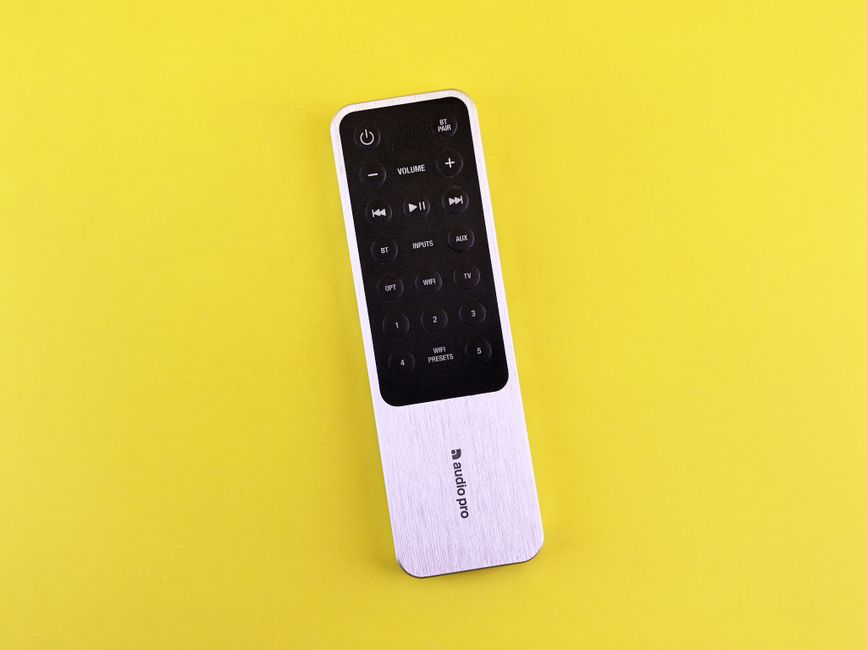
The multiroom audio market is competitive. Sonos, Google Home, and Amazon Echo all offer similar setups. Here's how Audio Pro compares.
Sonos: More expensive, larger ecosystem, arguably better app. But you'll pay premium prices for their full system.
Google Home/Amazon Echo: Cheaper entry point, built-in voice control, but the speakers themselves are usually less powerful for music playback.
Audio Pro: Middle ground on price, strong sound quality, excellent app interface, and multi-protocol support. Less brand recognition than Sonos, but that often means better value.
The honest take: Audio Pro is best if you're buying a few quality speakers and want them to work flawlessly together. If you want to build a massive smart home ecosystem with voice assistants, Sonos or Amazon might make more sense.
Where to Buy and What to Expect
Audio Pro speakers are sold through authorized retailers, primarily e-commerce channels like Audio Advice. This distribution model matters because it means customer service is built into the buying experience—not an afterthought.
Audio Advice, one of the major retailers, expanded from a Southeast regional player to nationwide distribution, which means better availability and more consistent pricing across the market.
If you're looking for deals on Audio Pro gear, check out OohYeah's music gear marketplace. You'll find used and secondhand speakers from people upgrading their systems, often at solid discounts.
Setup and Real-World Use
Setting up Audio Pro speakers takes about five minutes per speaker, honestly.
Plug in the speaker, download the app, scan the QR code on the speaker or in the manual, and the app walks you through adding it to your WiFi network. Once the first speaker is configured, adding more is even easier—they recognize each other automatically.
In real-world use, this means you can have music playing in your kitchen while someone in the living room plays a podcast, or you can sync everything so the same song plays everywhere. The lag is basically nonexistent, so you won't have that annoying delay between rooms.
Battery life isn't relevant here since these are powered speakers (they plug into the wall), but portability isn't their strength. These are speakers for rooms where you want permanent placement.
Quality and Sound
Audio Pro isn't trying to be a boutique hi-fi brand. The sound quality is genuinely good—clear, well-balanced, with surprising bass for the size—but it's designed for everyday listening in homes and small studios, not critical monitoring environments.
If you're a music producer who needs reference-grade monitoring, you'd want something more specialized. But if you're someone who just wants your music to sound great while you cook dinner or work from home, Audio Pro delivers.
Independent audio testing labs have consistently rated Audio Pro speakers highly for their price point, particularly praising the balance between bass response and clarity.
Building Your Audio Pro Setup
Here's how to think about building a multiroom system with Audio Pro.
Start with one speaker. Test it in your main living area. Make sure you like the sound and the app experience before committing to more.
Add speakers where you actually listen to music. Kitchen and bedroom are common choices. Don't buy speakers for hallways just because you can.
Keep them on the same network. Audio Pro speakers need stable WiFi. If your WiFi is sketchy, you'll have sync issues. A mesh network system helps if you have a big home.
Consider your room size. The C5 MkII W works great for bedrooms and medium kitchens. Larger living rooms might need two speakers or a bigger model.
If you're upgrading your audio setup, you might also want to sell your old speakers or gear. That's where OohYeah comes in handy—you can list used equipment without losing money to marketplace commissions.
The Bottom Line on Audio Pro
Audio Pro speakers are solid choice if you want wireless multiroom audio that actually works without headaches. The app is intuitive, the sound quality is good, and the setup is straightforward.
They're not the cheapest option (Sonos is comparable, some Amazon options are cheaper), but you get reliable performance and excellent streaming compatibility.
The best version of Audio Pro for most people is buying one or two speakers to test the system, then expanding if you love it. And when you're ready to upgrade, selling your old gear through OohYeah means you keep the money from the sale instead of watching it disappear to marketplace fees.
Are Audio Pro speakers worth the money?
Yes, if you want quality multiroom audio with a solid app and good support. They're not budget speakers, but they're not luxury either—they're right in the sweet spot for people who care about sound quality and convenience.
Can you use Audio Pro speakers with non-Audio Pro brands?
No, the multiroom sync feature only works within the Audio Pro ecosystem. That said, individual speakers can still play any Bluetooth or WiFi-based streaming service independently.
Do Audio Pro speakers need a hub or special equipment?
Nope. Just WiFi and the app. No hub, no special router, no subscriptions. Plug, connect, done.
What if I want to return or upgrade my Audio Pro speakers?
Audio Advice handles returns through standard retail channels. If you're upgrading, selling your old speakers on a commission-free marketplace like OohYeah means you actually keep the money—that's how you offset the cost of new gear without losing value in the process.